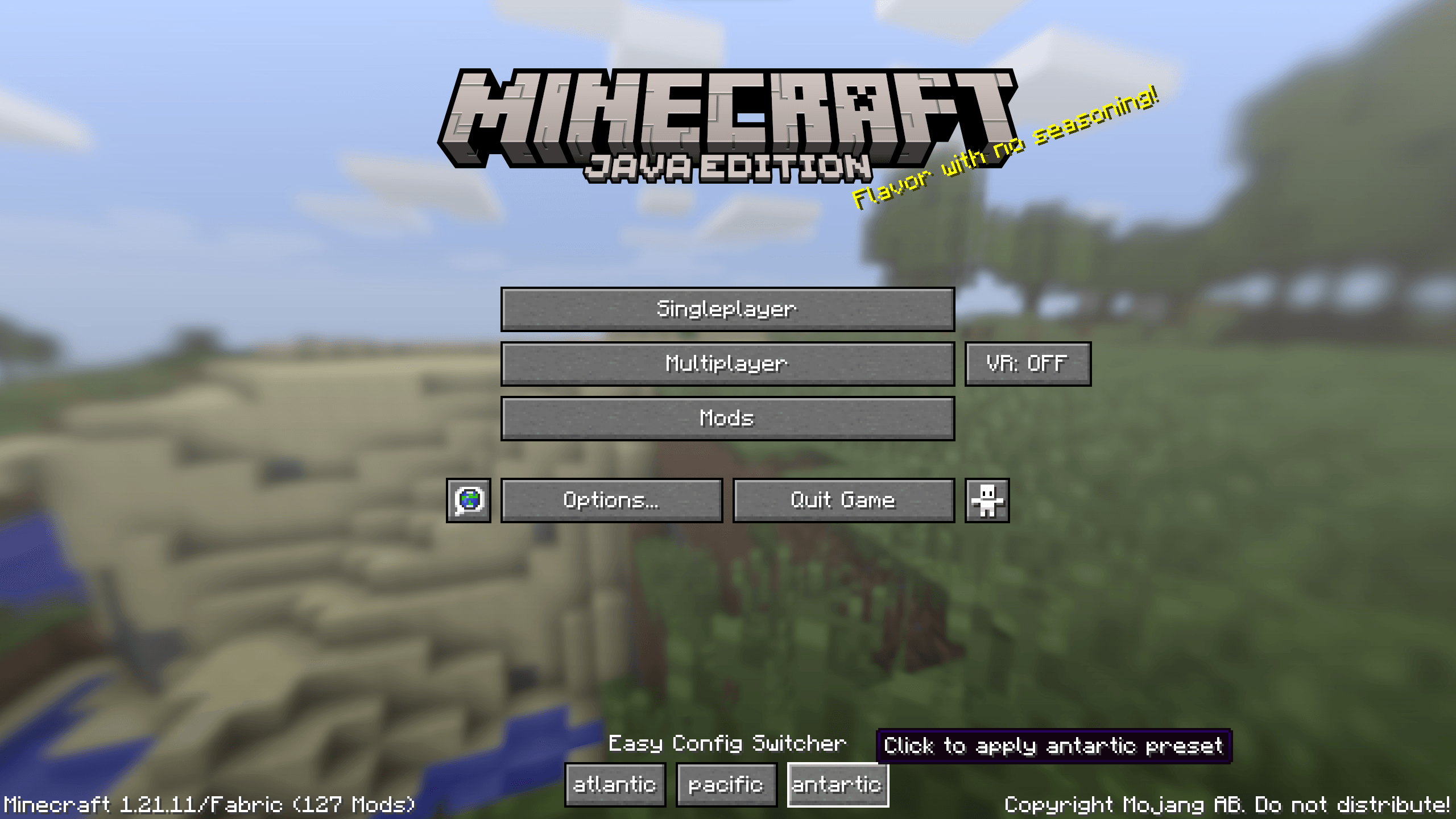
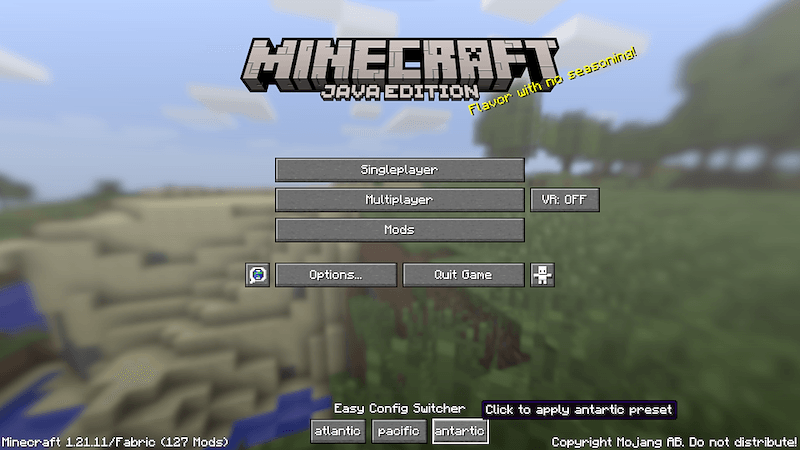
title_screen.png
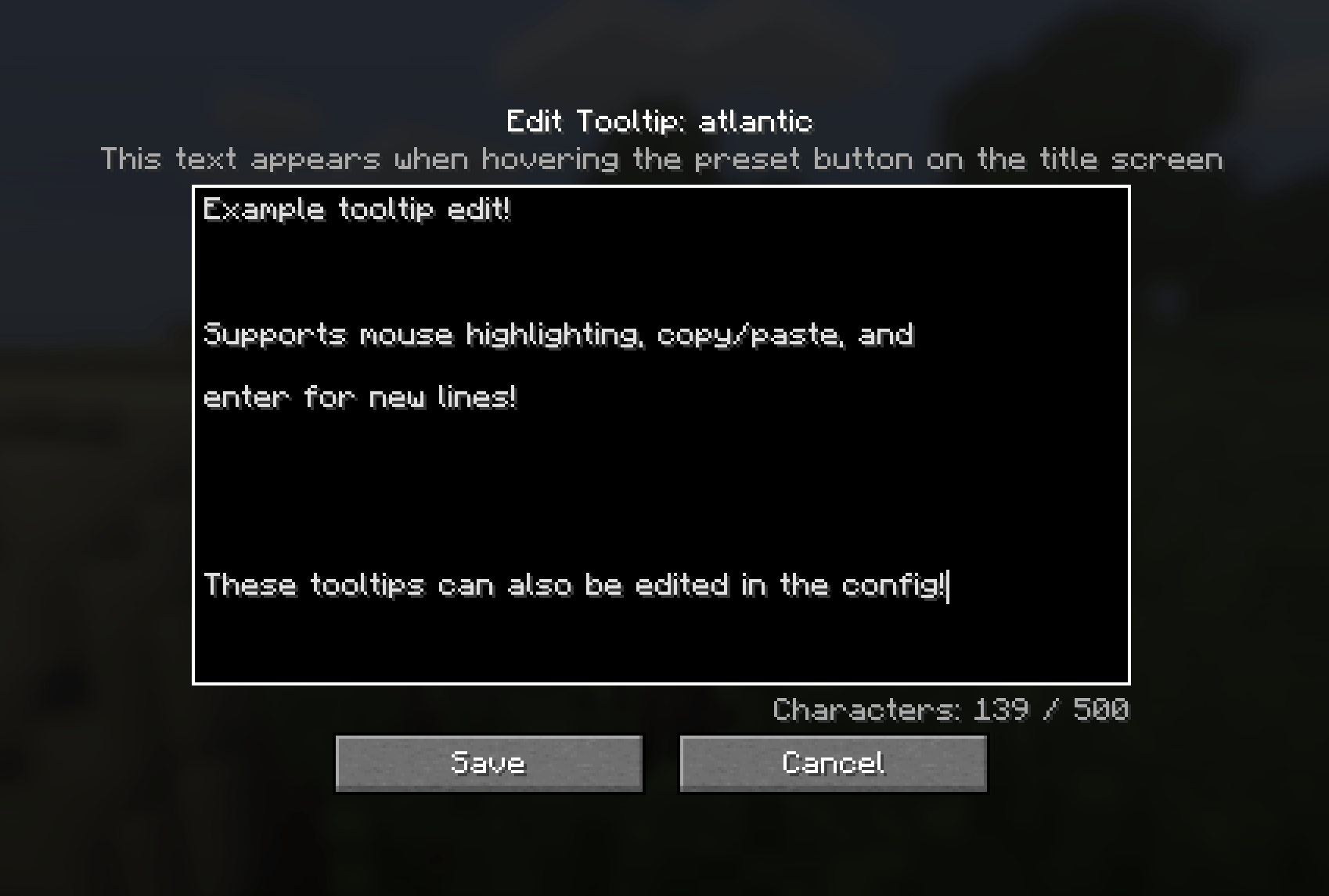
tooltip_screen.png
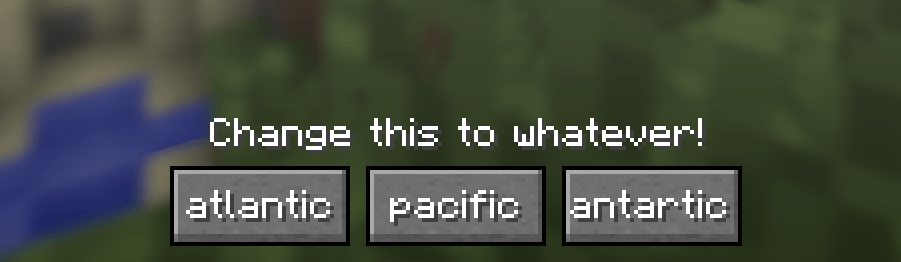
title_buttons.png
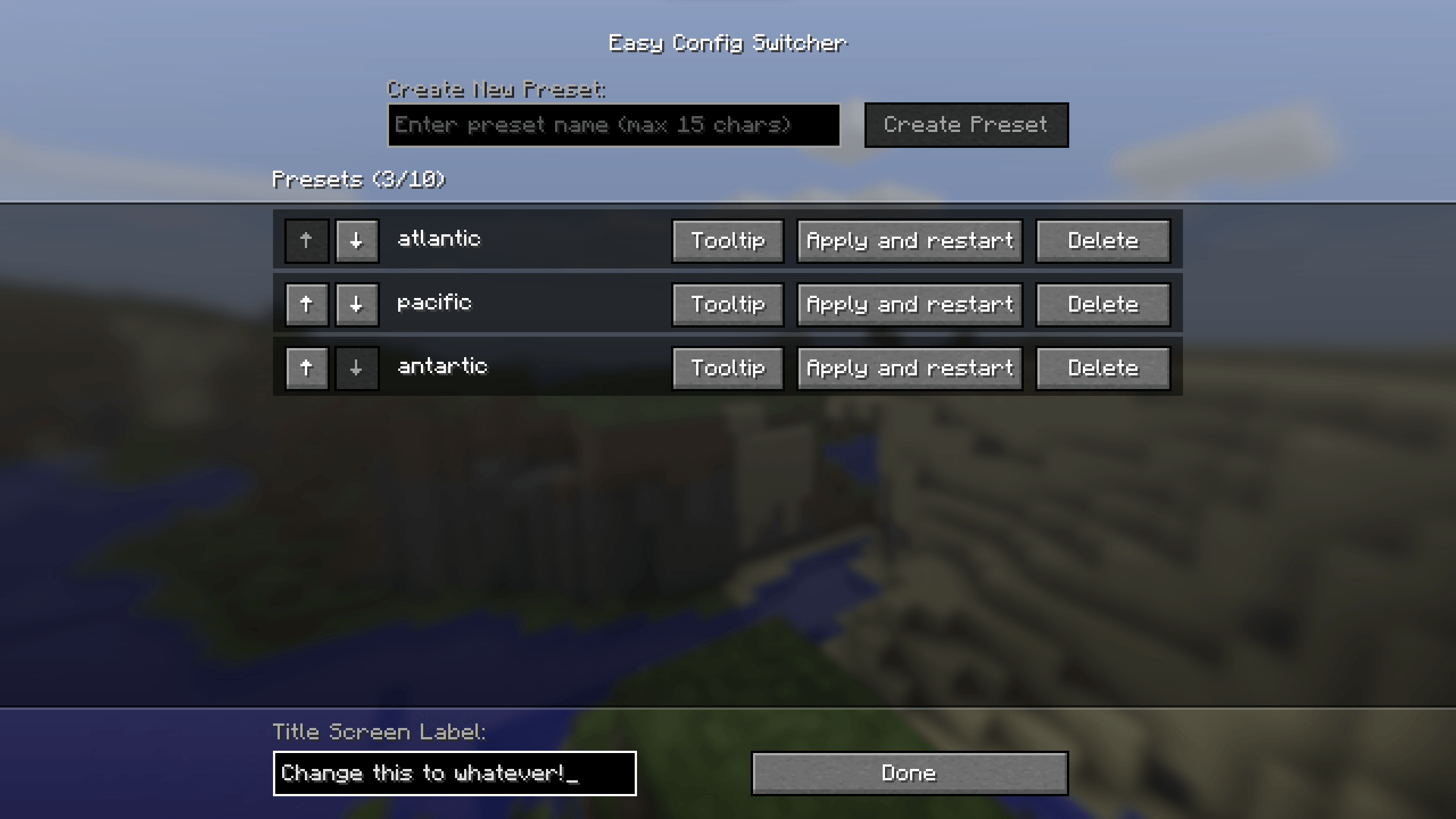
config_screen.png
Description
Easy Config Switcher
A simple tool to backup and switch between config profiles!
Works particularily well for performance presets or resourcepack styles.
Creating Presets:
- Have all Minecraft options/shaders/resourcepacks/mod settings configured to your liking.
- Go to Easy Config Switcher's config in the Mods screen (requires Mod Menu on Fabric).
- Simply type in a preset name and press "create preset".
The preset with the given name should now appear on the titlescreen!
Using Presets:
- Click the desired preset on the titlescreen (or apply and restart in settings).
- Press "Confirm?"
- The game will shutdown and switch the config files over to the preset.
- Start the game again and viola, the preset should have changed and all settings switched!
Extra Details:
- Up to 10 presets can be added, although the menu can start looking funny after 6 or so depending on name length.
- Preset names are capped at 15 characters to prevent issues.
- The text above the presets (default: Easy Config Switcher) can be customized in the bottom left.
- Preset tooltips can be customized in the settings.
Contact
For any questions/issues/ideas, feel free to contact me on Discord or Matrix :)
The Easy Config Switcher Team


Owner