promotional bannermobile promotional banner

Easy Enchants/Effects

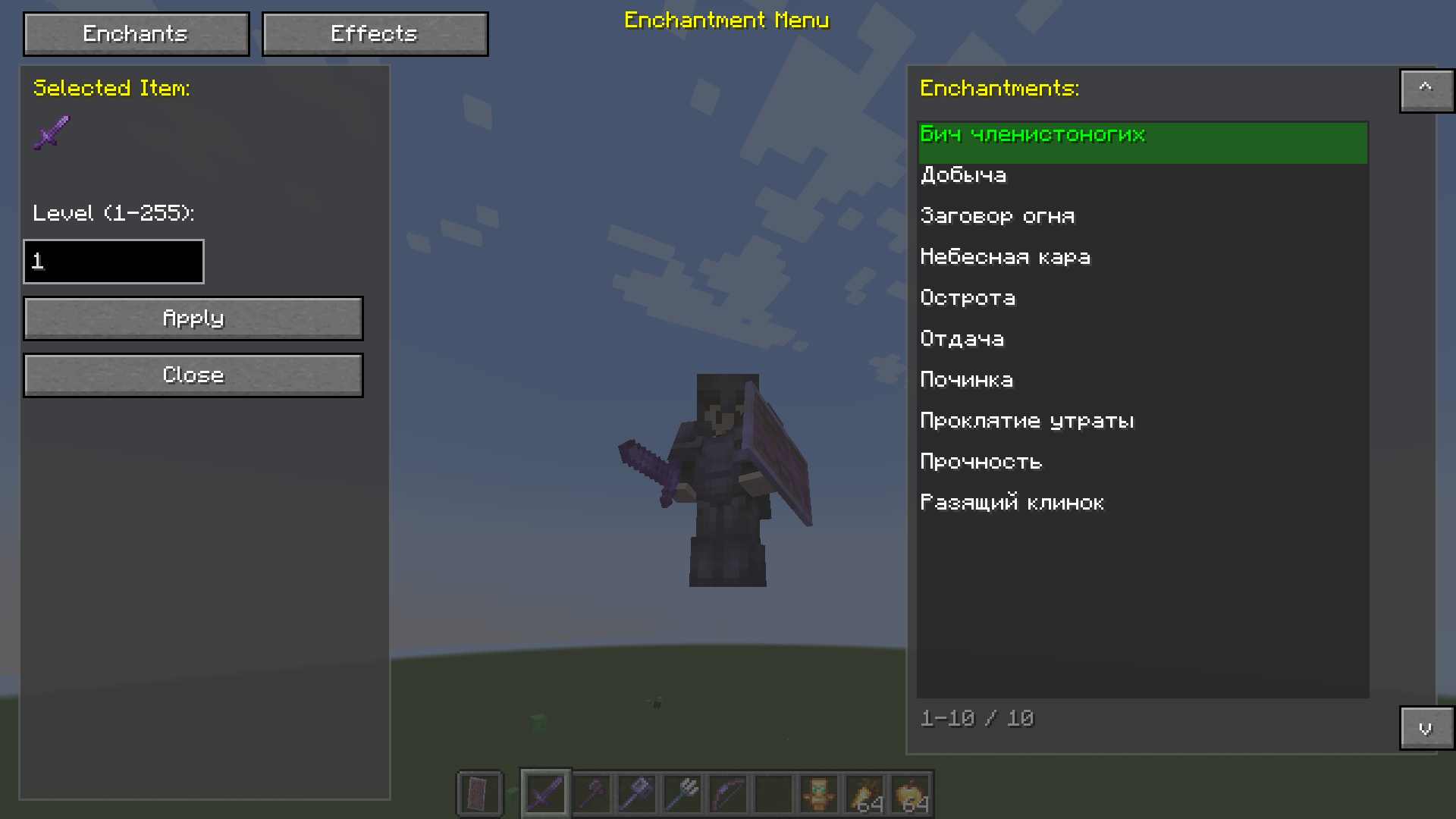
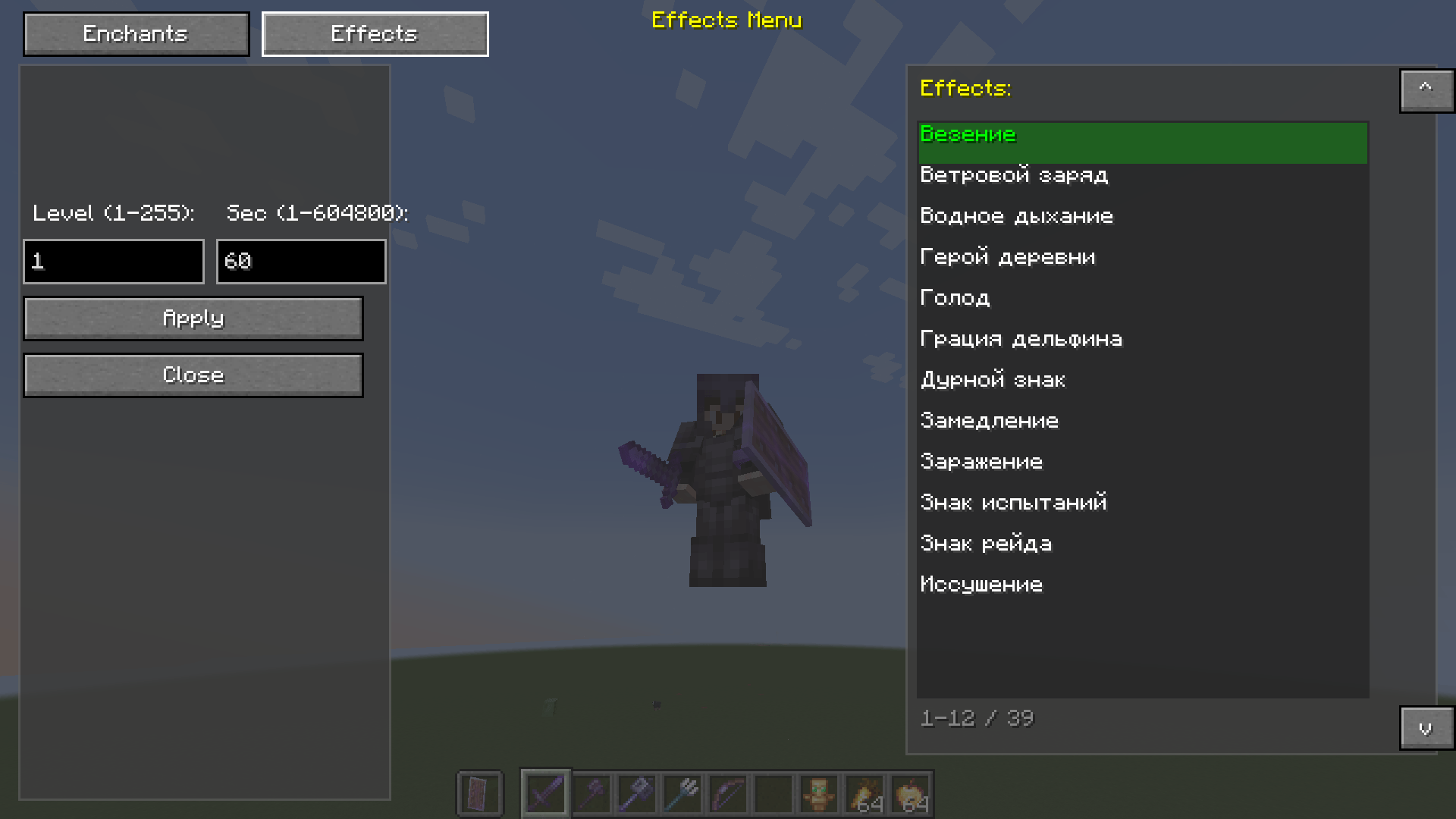
This powerful and convenient mod adds a custom menu for enchanting items and applying effects to the game. Forget about limited enchantment options - now you can apply any enchantment and effect at any level!
IMG_3048.png
IMG_3048.png

IMG_3049.png

IMG_3049.png

Description

Easy Enchants/Effects - This powerful and convenient mod adds a custom menu for enchanting items and applying effects to the game. Forget about limited enchantment options - now you can apply any enchantment and effect at any level!

✨Features:

🔮Enchantments Tab

Enchant any item with any available enchantment

  • Level up to 255 - no limits!
  • Automatic filtering - only enchantments suitable for the item in hand are shown
  • Item preview - see what you're enchanting

💊Effects Tab

  • Apply any effect to a player
  • Adjustable level (1-255)
  • Adjustable duration (from 1 second to 1 week!)
  • Automatic replacement - the old effect is removed before applying a new one

🎨Interface

  • Semi-transparent background (67% transparency) - the game is visible through the menu
  • Two tabs - quickly switch between enchantments and effects
  • Smart navigation - click an element to select
  • Selected highlight - green highlight of the current item
  • Tooltips - hover to view the title
  • List scrolling - up/down buttons for navigation

🎮 How to use

  1. Press V (default) to open the menu
  2. If you have an item in your hand, the enchantment tab will open
  3. If your hand is empty, the effects tab will open
  4. Select an item from the list by clicking the mouse
  5. Enter the level (and duration for effects)
  6. Click Apply to apply
  7. Click Close to close the menu

The Easy Enchants/Effects Team

profile avatar
  • 8
    Projects
  • 2.3K
    Downloads

I Love Minecraft<3

More from Mr_Lan123View all

  • Just Auto Totem project image

    Just Auto Totem

    Automatically moves a Totem of Undying from the inventory to the off-hand. Toggled on/off via a hotkey (default: O)

    • 735
    • August 29, 2026
  • QuickQuit project image

    QuickQuit

    Adds hotkeys to instantly quit your world/server to the main menu (or close the game entirely), with an optional confirmation step and a client-side /quickquit command to schedule a quit after a delay.

    • 48
    • August 13, 2026
  • Dynamic RPG HUD project image

    Dynamic RPG HUD

    Hides your hotbar and status bars with a smooth slide animation while you are idle at full health or on the move, and instantly brings them back the moment something changes - a cleaner, more cinematic RPG-style HUD.

    • 123
    • August 2, 2026
  • Mining Session project image

    Mining Session

    Shows real-time session statistics (mining, kills, deaths, distance) on a configurable HUD panel.

    • 307
    • July 29, 2026
  • Just Auto Totem project image

    Just Auto Totem

    Automatically moves a Totem of Undying from the inventory to the off-hand. Toggled on/off via a hotkey (default: O)

    • 735
    • August 29, 2026
  • QuickQuit project image

    QuickQuit

    Adds hotkeys to instantly quit your world/server to the main menu (or close the game entirely), with an optional confirmation step and a client-side /quickquit command to schedule a quit after a delay.

    • 48
    • August 13, 2026
  • Dynamic RPG HUD project image

    Dynamic RPG HUD

    Hides your hotbar and status bars with a smooth slide animation while you are idle at full health or on the move, and instantly brings them back the moment something changes - a cleaner, more cinematic RPG-style HUD.

    • 123
    • August 2, 2026
  • Mining Session project image

    Mining Session

    Shows real-time session statistics (mining, kills, deaths, distance) on a configurable HUD panel.

    • 307
    • July 29, 2026