English
e4steam opens a singleplayer Minecraft world or a dedicated server to friends through Steam P2P and Valve relays.
- Choose Steam Friends or Invite Only.
- Invite through Steam or share a short
s-...steam address.
- No router setup, public IP, or port forwarding is required.
- TCP and UDP traffic are supported.
How to play
- Install the matching e4steam JAR on both computers. Fabric and Quilt also require Fabric API.
- Start Steam, sign in, and launch Minecraft normally.
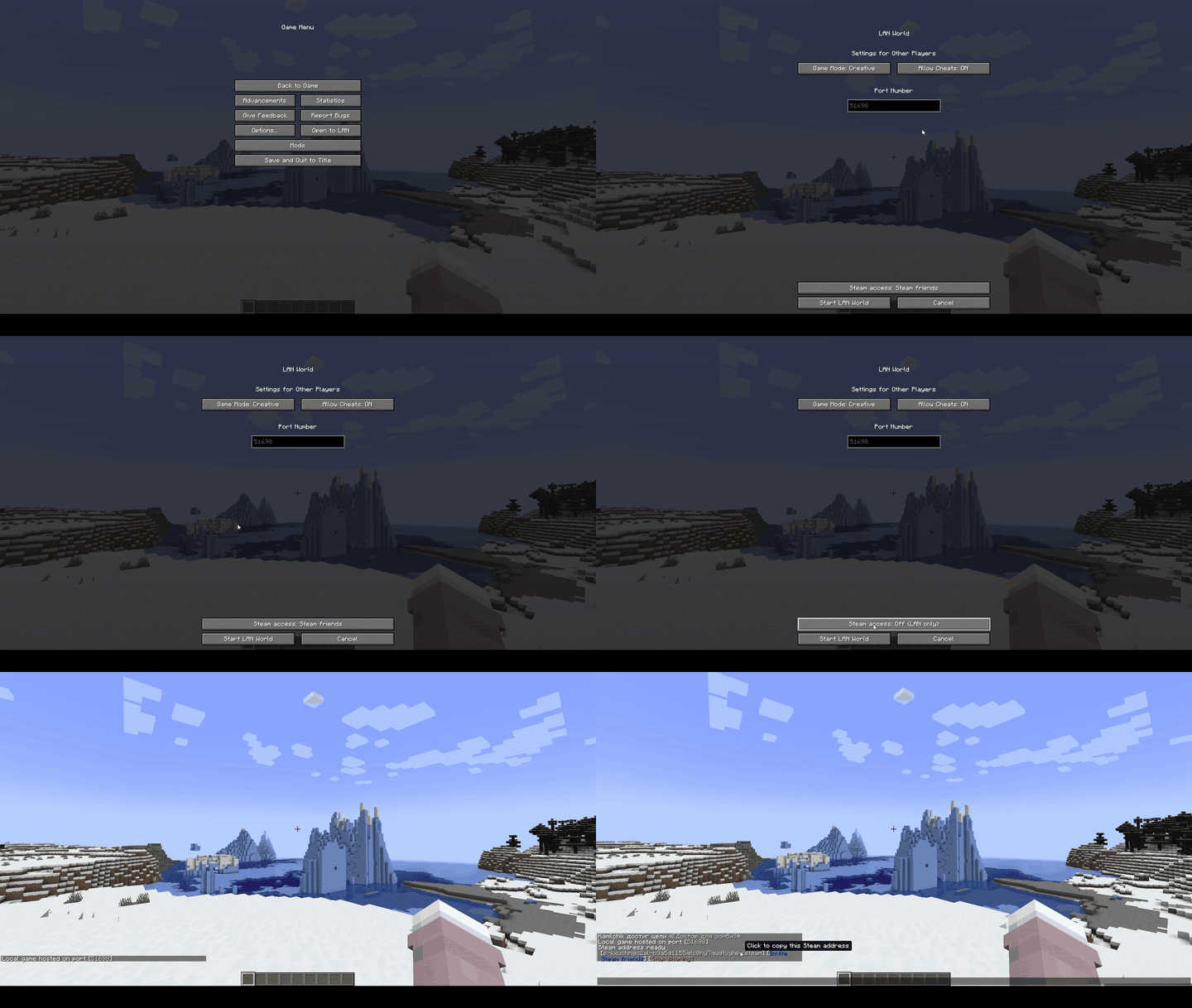
- Enter a singleplayer world and choose Open to LAN → Steam Friends or Invite Only.
- Press Invite friends, or copy the green address and send it to your friend.
Both players must use matching Minecraft, loader, and e4steam versions.
Dedicated servers use the normal matching JAR and a d-...steam address. See the dedicated-server guide.
Русский
e4steam открывает одиночный мир Minecraft или выделенный сервер друзьям через Steam P2P и ретрансляторы Valve.
- Режимы «Для друзей Steam» и «Только по приглашению».
- Приглашение через Steam или короткий адрес
s-...steam.
- Не нужен проброс портов, публичный IP или настройка роутера.
- Поддерживается TCP- и UDP-трафик.
Как играть
- Установите подходящий JAR e4steam на оба компьютера. Для Fabric и Quilt также нужен Fabric API.
- Запустите Steam, войдите в аккаунт и откройте Minecraft обычным способом.
- Зайдите в одиночный мир и выберите «Открыть для сети → Для друзей Steam» или «Только по приглашению».
- Нажмите «Пригласить друзей» либо скопируйте зелёный адрес и отправьте его другу.
У обоих игроков должны совпадать версии Minecraft, загрузчика и e4steam.
Для выделенного сервера используется обычный подходящий JAR и адрес d-...steam. Подробности есть в инструкции.
Demonstration / Демонстрация
Open Server / Открытие мира
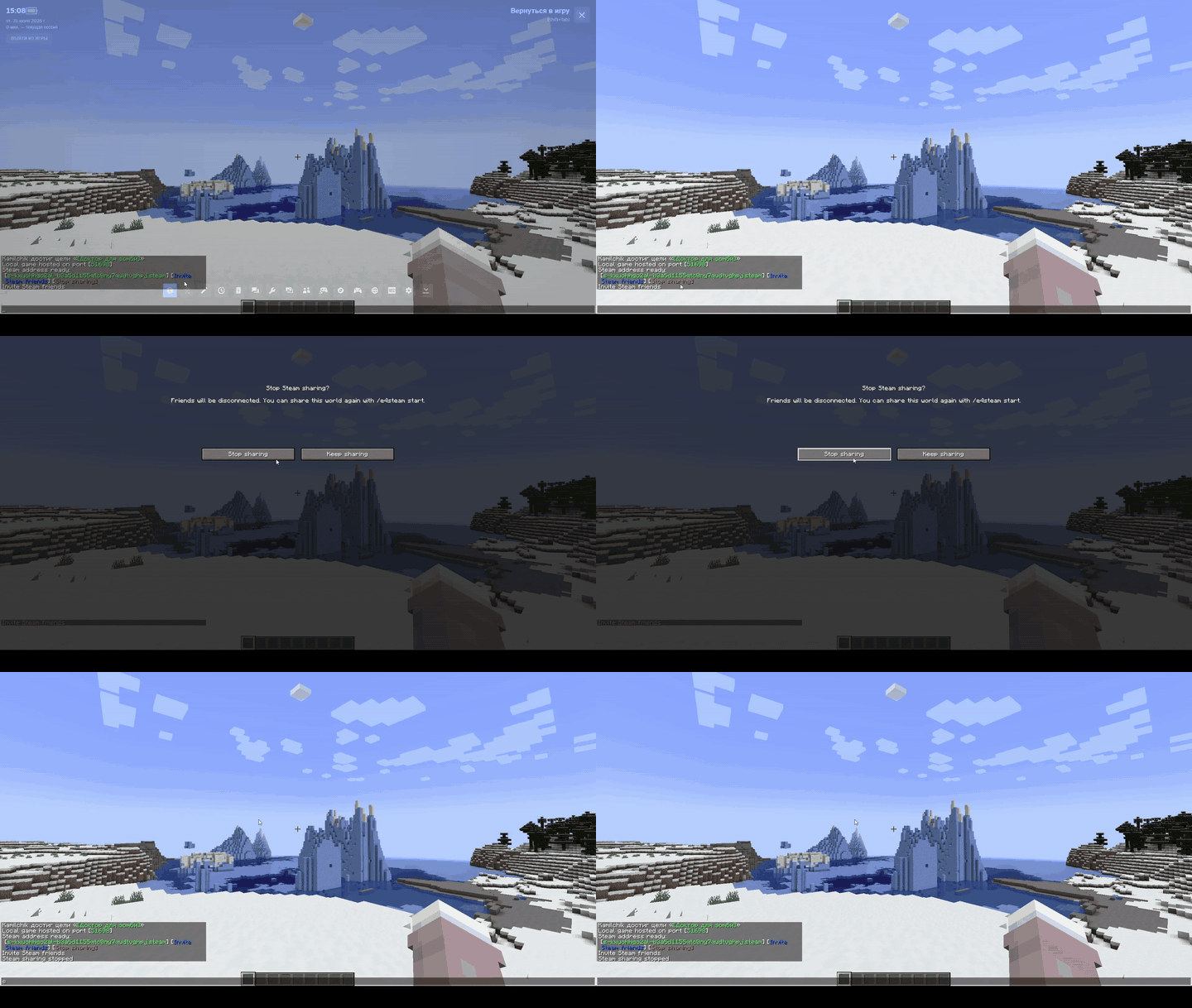
Close Server / Закрытие мира
Add-ons / Аддоны
| Icon |
Add-on |
Description / Описание |
CLIENT |
e4steam Friends
Minecraft 26.2 · Fabric / NeoForge |
Minecraft-style Steam friends screen.
Экран друзей Steam в стиле Minecraft. |
Addon API
For developers / Для разработчиков:
compileOnly("io.github.kamilhik:e4steam-api:1.1.0")
Maven Central · Documentation · Документация
Created and maintained by Kamilchik. e4steam is an unofficial derivative of e4mc, distributed under the Apache License 2.0.










![Terminus [Russian] project image](https://media.forgecdn.net/avatars/thumbnails/2053/413/256/256/639252722890488986.png)