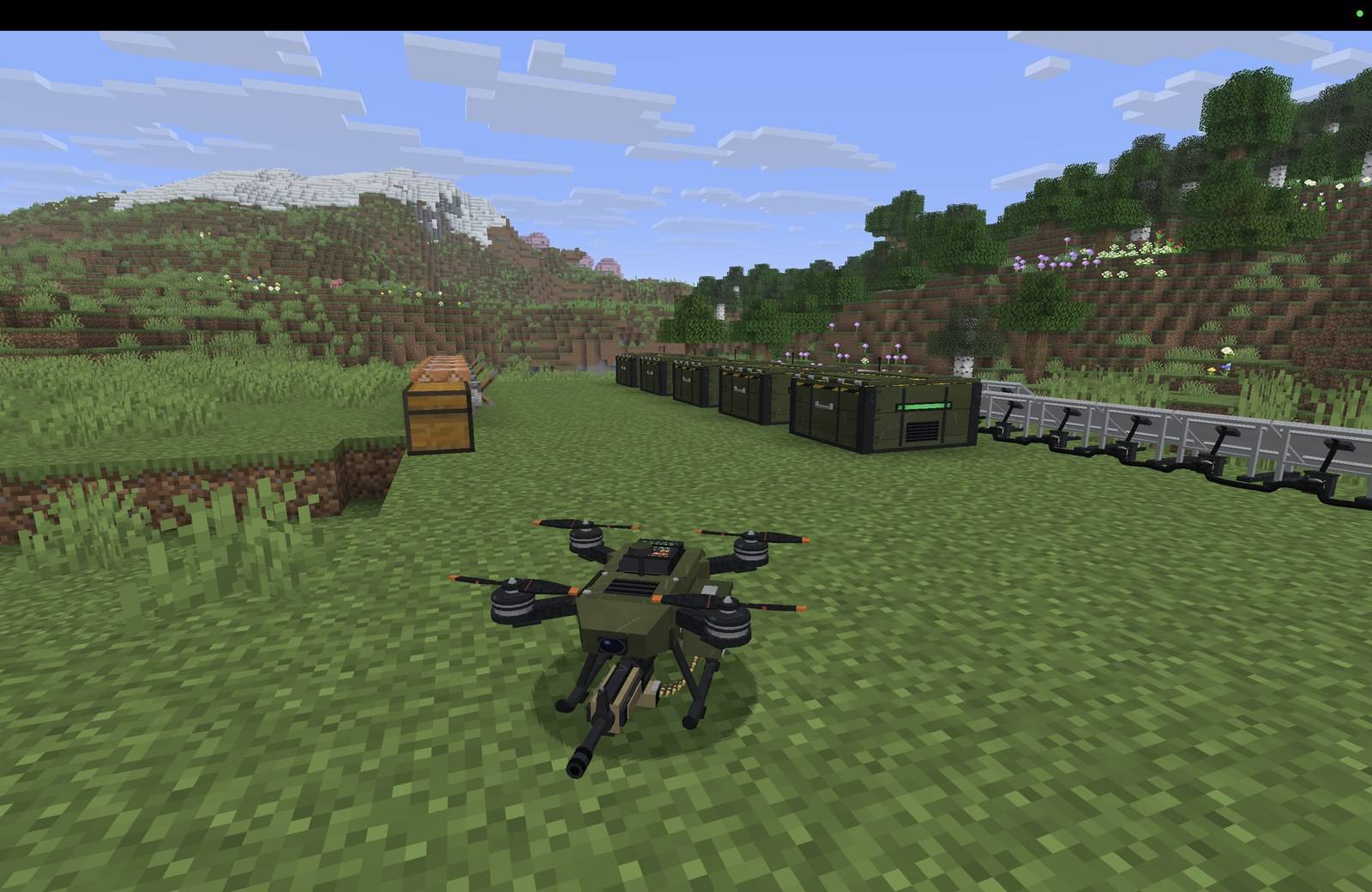
A quadcopter with a rifle, built from parts and flown from a remote.
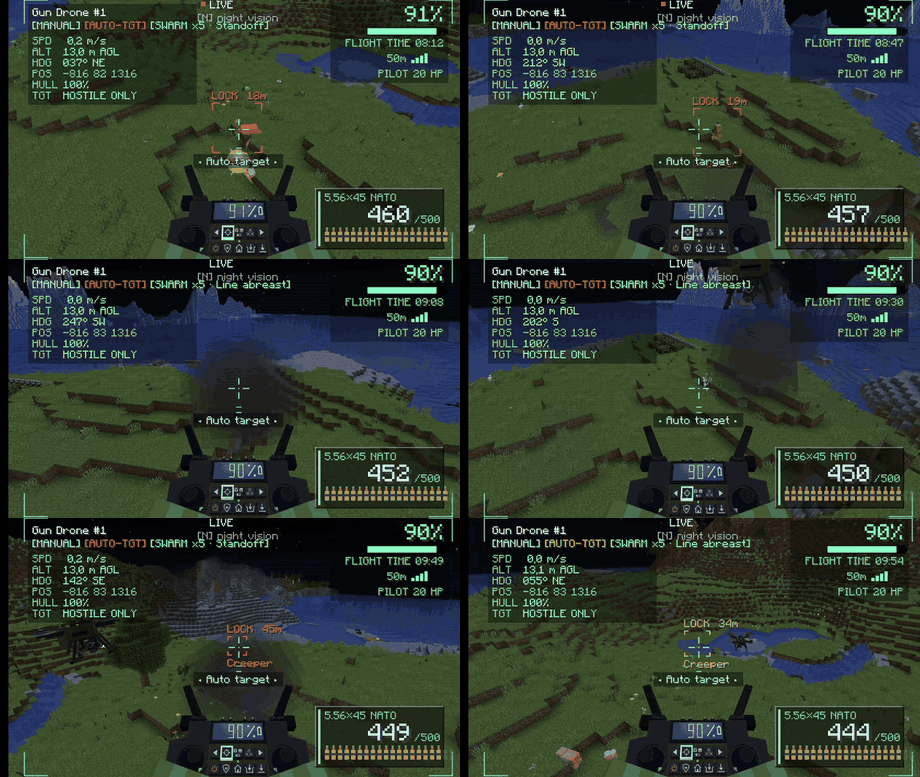
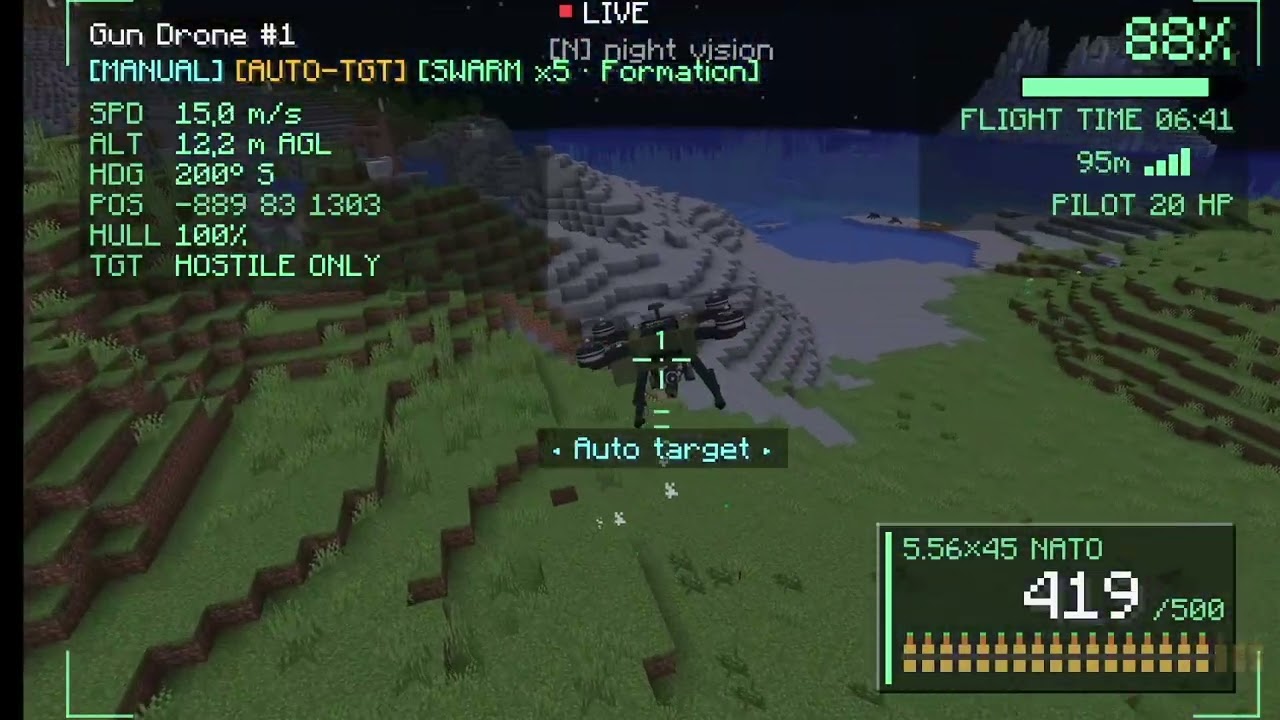
The drone finds, locks onto and fires at hostile mobs by itself.
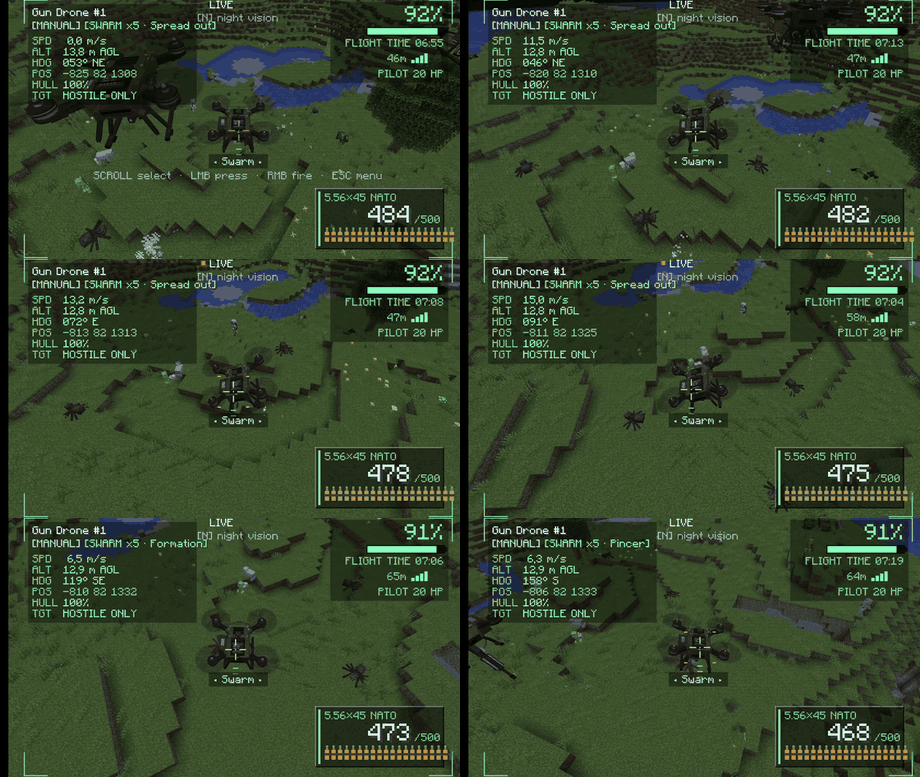
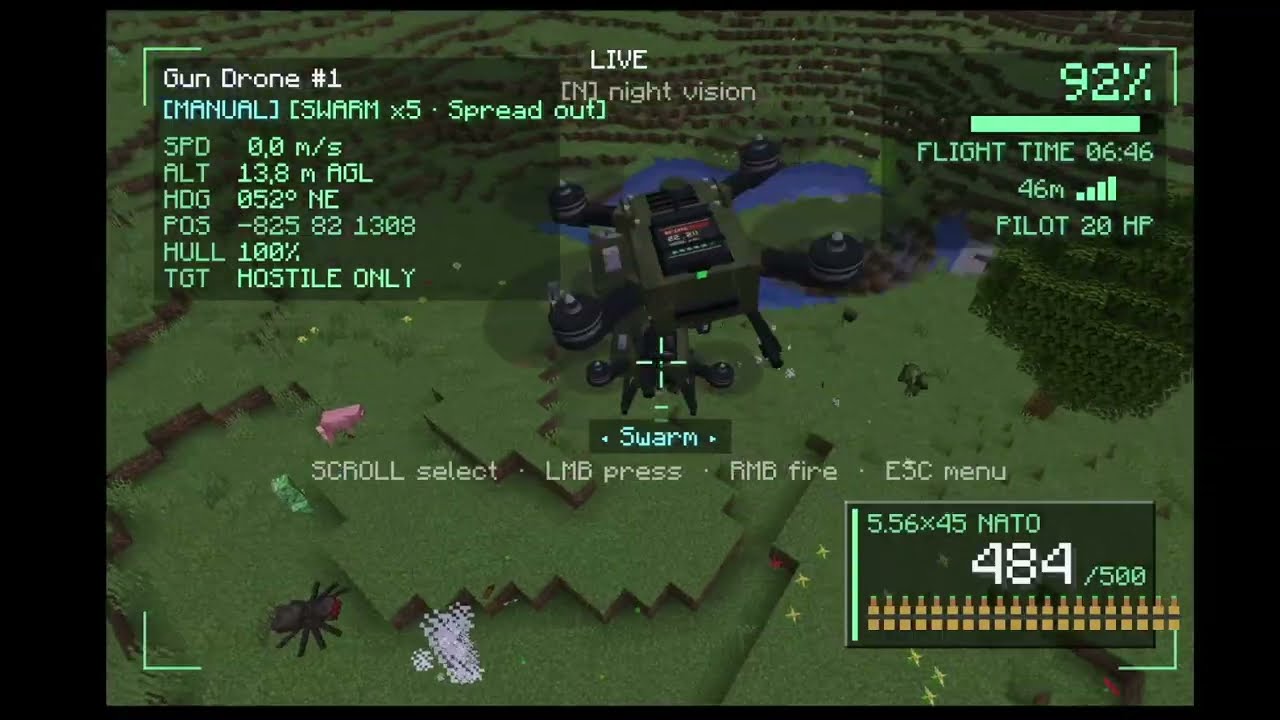
Up to five drones fly with the one you control and fight as a team.
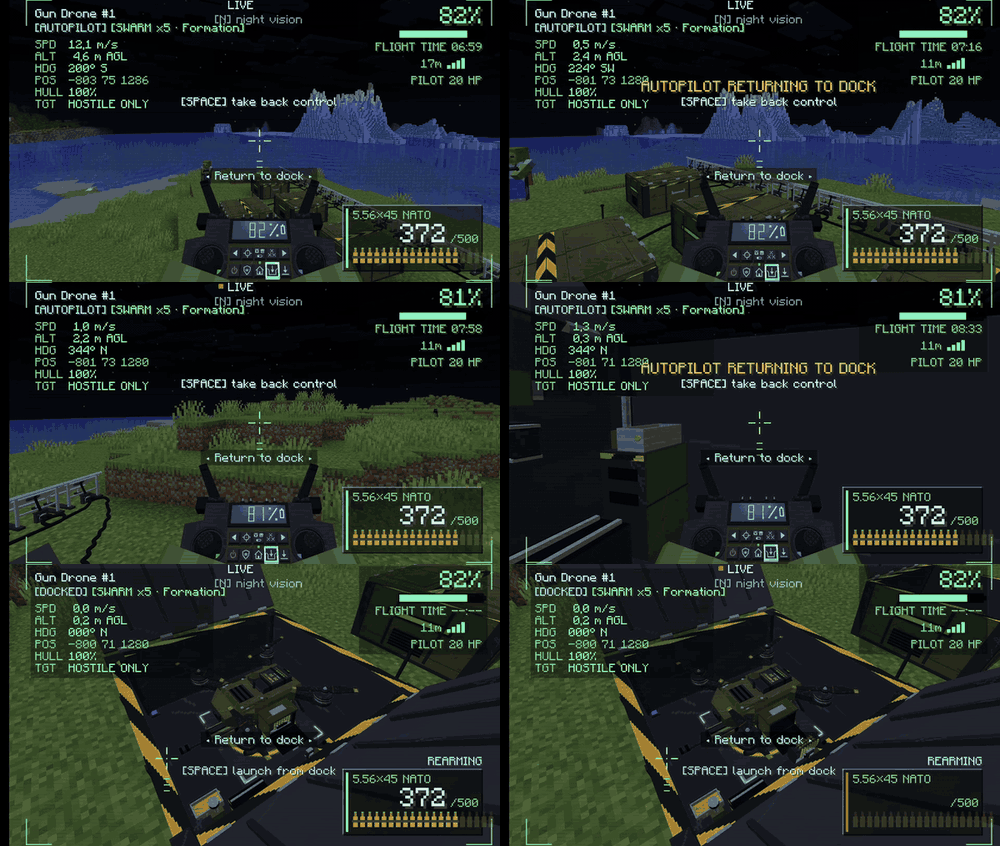
Return to dock: the drone flies home, lands in the bay, recharges and has its ammo belt reloaded.
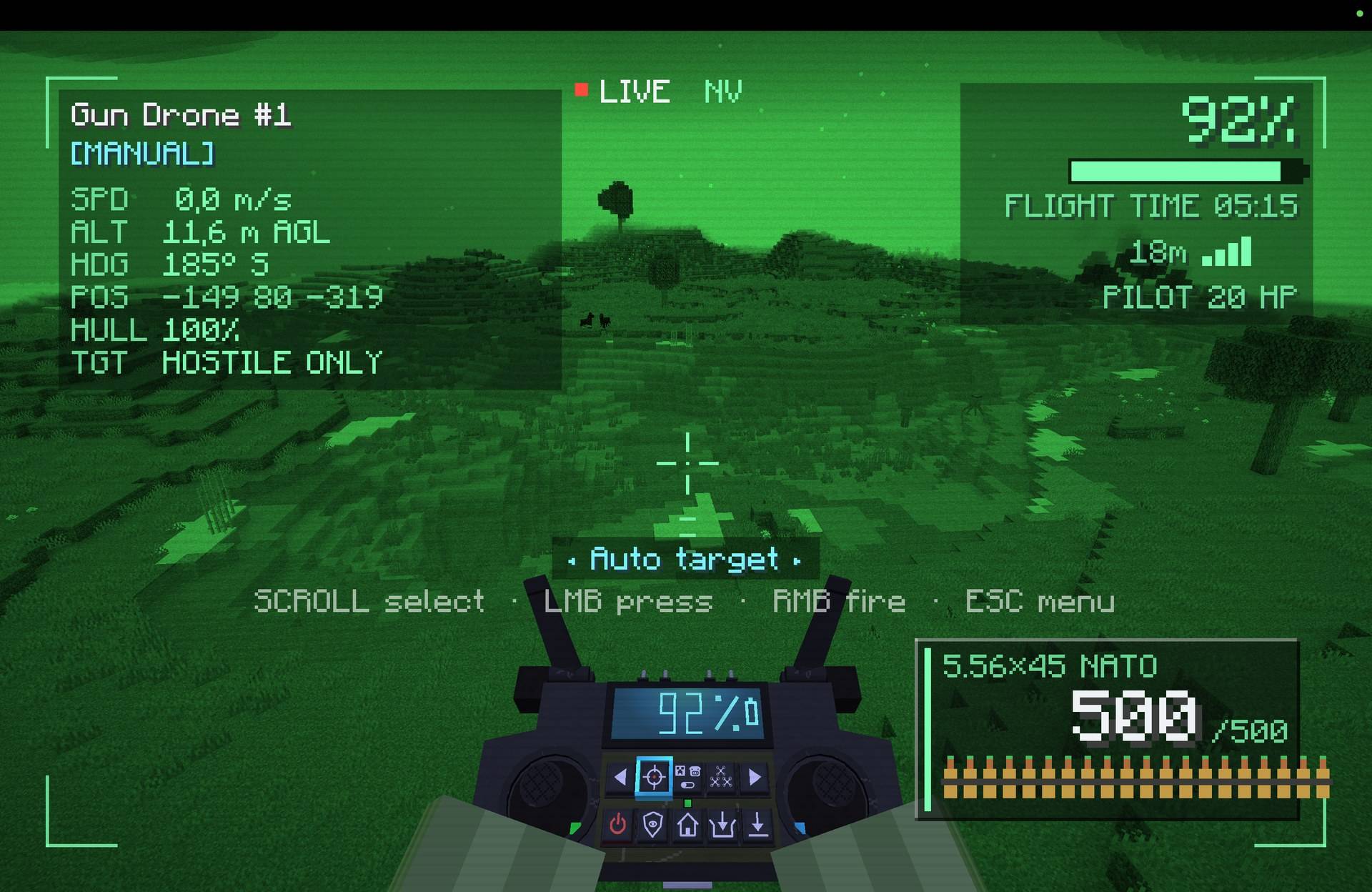
Press N while flying to switch the drone's camera to night vision.
Description

Drones Mod In Action: https://youtu.be/V7Wuh0gBuj8
Build and fly quadcopters with guns.
Bolt together a rifle-armed drone, grab the remote, and suddenly you are looking down on your world through a live camera feed, picking off zombies from the far side of the map. When the battery runs low, it flies itself home, drops into its dock and gets recharged and rearmed by a robotic arm, while you put the kettle on.
Meet the Gun Drone
Four rotors, one rifle, zero chill. You build it from real parts: a body with its flight controller and a drone-converted rifle, four motors and four rotors. Slot in a battery, feed it an ammo belt, set it down, and it is ready for take-off.

Fly it, or let it hunt
Your remote patches you straight into the drone's camera, with a live HUD for speed, altitude, battery, hull and ammo. Take the trigger yourself, or flip on Auto target and watch it find, lock onto and shred hostile mobs on its own. And it knows a creeper from your dog: you, your pets, villagers and other players are never on the menu.

Bring friends
One drone is cool. Five is a squadron. Pick up to four wingmen and they slide into formation around the drone you are flying. When a fight kicks off they spread out, flank and box the enemy in, picking their own tactics as they go.

Home, recharge, reload, repeat
Hit Return to dock and the drone flies itself home and settles neatly into its bay. Solar power tops up the battery while the dock's arm pulls out the ammo belt, refills it from the rounds in storage and slides it back in. Running low out in the field? It heads home all by itself.

And there's more
- Sentry mode: park a drone over a spot and it stands guard, nips home to recharge when it gets tired, then goes straight back on watch.
- Night vision: press N and the camera turns green and bright. The night does not stand a chance.
- Solar panels, power cables and a Battery Charger: build yourself a proper little airbase.
- A fleet of up to five, all listed in the remote's menu with their battery and status, wherever they are in the world.
Manual: getting started
Drones Mod Tutorial: https://youtu.be/pmzaUWlOu3I
Click "Show spoiler" to open it.
1. Craft the parts
The Gun Drone is built from small parts, so start there. Every recipe is also in REI or JEI in game, and each part unlocks the next as you craft.

- Copper Coil: 4 copper ingots in a ring make 4 coils. Coils go into motors, antennas and cables.
- Drone Motor: 6 copper coils and 3 iron ingots (coils on the sides, iron down the middle). A drone needs four.
- Drone Rotor: 4 iron ingots in the corners and a redstone in the middle make 4 rotors. A drone needs four.
- Circuit Board: 2 gold ingots, 4 redstone and 3 green dye.
- Flight Controller: 2 gold ingots, a compass, a circuit board and a diamond.
- Drone Gun: an iron block, 2 iron ingots, a tripwire hook and a dispenser.
2. Build the drone, its battery and its ammo

- Drone Body: 7 iron ingots around a flight controller in the middle and a drone gun below it.
- Gun Drone: the drone body in the middle, four drone motors on the sides and four drone rotors in the corners.
- Drone Battery: 6 copper ingots and 3 redstone. A full battery flies about 10 minutes.
- 5.56x45mm NATO Rounds: an iron nugget, a copper ingot and gunpowder in a column make 64 rounds.
- Ammo Belt: 3 chains over 3 iron ingots. One belt holds 500 rounds.
3. Place it, power it, arm it
Place the Gun Drone item on the ground like a block. Use a Drone Battery on it to fit the battery.

The ammo belt is loaded by hand. Take the belt out of the drone with an empty hand, then hold it and keep using it: rounds from your inventory press into its links, 25 at a time, so a full belt takes about 10 seconds. Then use the belt on the drone to fit it back. (A dock does all of this for you, see step 6.)

4. Make the remote and link up

- Radio Antenna: 4 copper coils around an iron bars make 2 antennas.
- Remote Screen: 4 glass panes around a redstone.
- Remote Battery: a copper ingot, a redstone and a copper ingot in a column make 2 batteries.
- Drone Remote: 2 radio antennas, the remote screen, a circuit board, 2 iron ingots and 2 remote batteries.
Hold the remote and use it. The first player to use a remote pairs it to themselves, and only they can use it from then on. The menu lists your drones with their number, battery and status. Click one and you are looking through its camera.

5. Fly it
Space takes off and climbs, WASD flies, the mouse aims, and right mouse fires. Scroll the remote's buttons and press one with left mouse. Esc takes you back to the drone menu, and your body stays where you left it, so keep an eye on what is around you. The full key list is in the controls table below.
6. Build a base

- Drone Dock: 4 iron blocks in the corners, 3 copper coils, a chest in the middle and a circuit board below it. It needs a clear 2 x 2 space.
- Solar Panel: 3 lapis lazuli, 3 redstone and 2 iron bars. It makes power in daylight.
- Battery Charger: 6 iron ingots, 2 copper coils and a circuit board. It charges spare batteries in its bays.
- Power Cable: 6 dried kelp and 3 copper coils make 4 cables.
Place the machines, then connect them with a cable: use it on one machine's port, then on the next (up to 24 blocks apart). Sneak and use it to unplug. A dock stores enough power for several drone charges, so a few solar panels see it through the night. Open the dock and put rounds in its storage, so it has something to reload the belt from.

7. Send it home
Press the remote's Return to dock button. The drone flies itself home, opens the dock's lid and settles into the bay, where it charges and has its ammo belt taken out, reloaded and put back by the robotic arm. A drone that runs low on battery heads for a free dock on its own. Press Space at any time to take control back, until it is settling into the bay. Return home and Auto land work the same way, without the dock.
8. Go further
- Auto target: switch it on and the drone finds, locks onto and shoots hostile mobs by itself. The target filter button switches between hostile mobs only and all mobs.
- Swarm: have at least two drones, press the Swarm button and pick up to four wingmen. They fly in formation with the drone you control.
- Sentry: press the Sentry button and the drone guards where it is, going to a dock to recharge when it runs low.
- Night vision: press N while flying.
- Picking a drone up: hit it with an empty hand.
Controls (while flying)
| Key | Action |
|---|---|
| W A S D | Fly forward, back and sideways |
| Space | Take off, climb, or take control back from the autopilot |
| Shift | Descend and land |
| Mouse | Aim |
| Right mouse | Fire |
| Scroll | Pick a button on the remote |
| Left mouse | Press the picked button |
| F5 | Drone camera or chase view |
| N | Night vision |
| Esc | Back to the drone menu |
Remote buttons: Previous / Next drone, Auto target, Target filter (hostile or all mobs), Swarm, Power off, Sentry mode, Return home, Return to dock, Auto land.
Dependencies

Fabric API is required. Roughly Enough Items (REI) is highly recommended: it shows every recipe in game, which is a big help with the parts and machines. The mod works without it.
Modpacks
Drone Swarm is made to live in modpacks, and you are welcome to put it in yours. It adds its own drones, machines and items and leaves vanilla and every other mod alone, so it slots into any pack. It may be used in modpacks as long as credit is given and the files are not modified. And if you add it to a pack, add REI too: your players will thank you when they go looking for recipes.
Drone Swarm Team