Dragon Mine Z: Do Anything
- By
Give a new race its own look and progression, rebalance transformations from DragonMine Z and compatible addons
race-builder.png
special-settings.png
super-saiyan-2-editor.png
Description
Create races, rebalance forms, and set your world’s rules in-game.
DMZ Do Anything is an unofficial DragonMine Z addon for modpack creators and server admins. Give a new race its own look and progression, rebalance transformations from DragonMine Z and compatible addons, or change how players earn and spend Training Points. Review your changes and apply them live in singleplayer or on a dedicated server.
Open the editor as an administrator with /dmzdoanything.
Minecraft 1.20.1 · Forge 47.4.10 or 47.4.28
Requires DragonMine Z 2.2.1 with GeckoLib, TerraBlender, and Curios API. Use matching addon builds on the server and all clients.
Race Builder
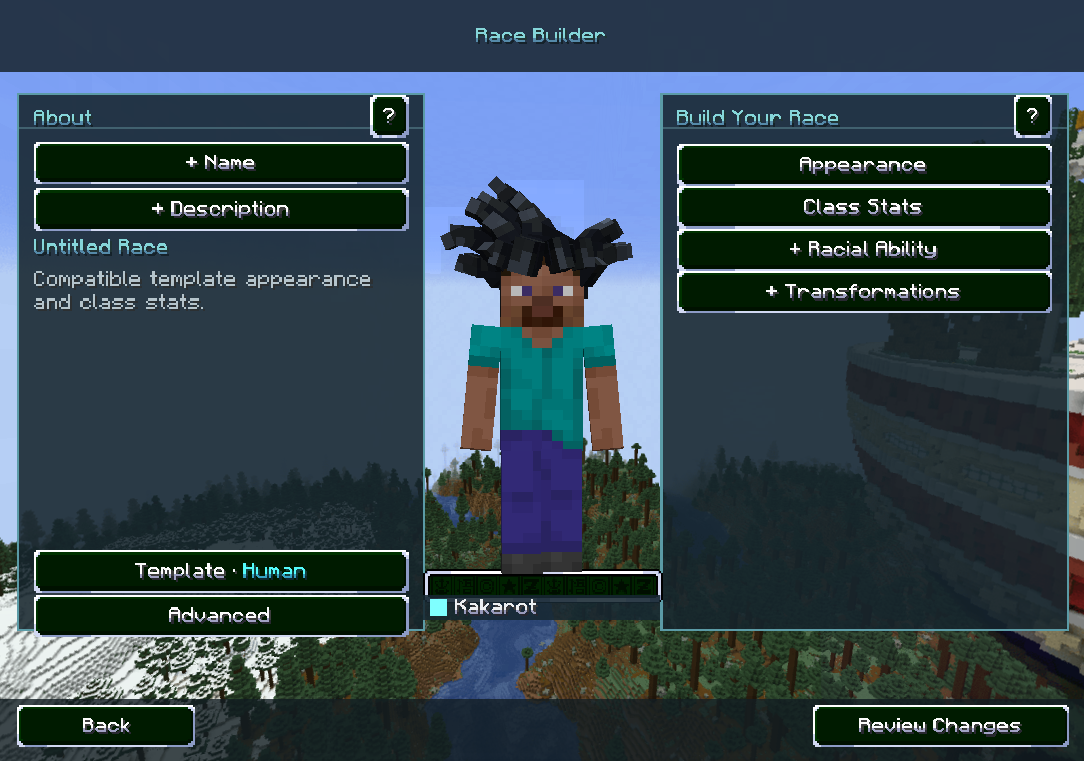
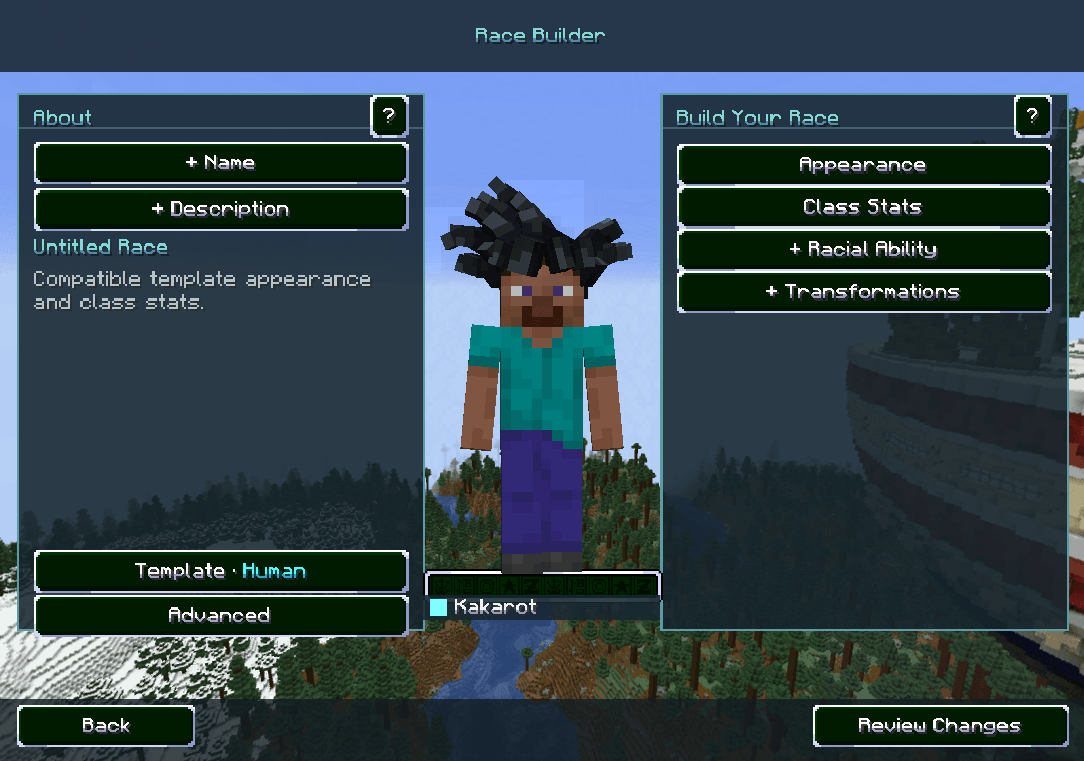
Start with a race template or clone an installed race to make your own variant. Name it, write its description, choose its starting appearance and class stats, and assign a compatible racial ability. Create new forms or copy compatible ones from the library, then switch between Base and each form on the rotating fighter. Publish the race and its forms together when they’re ready.
Race & Form Editor
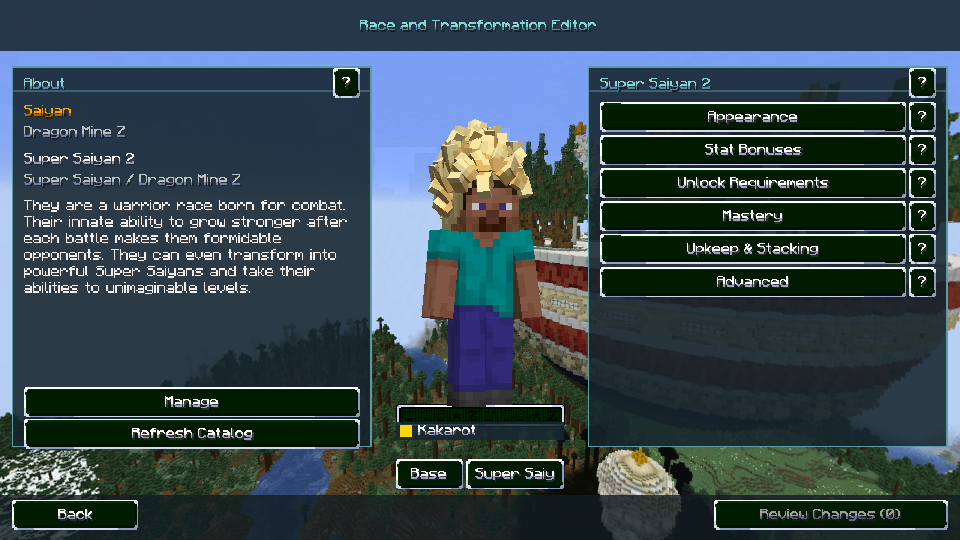
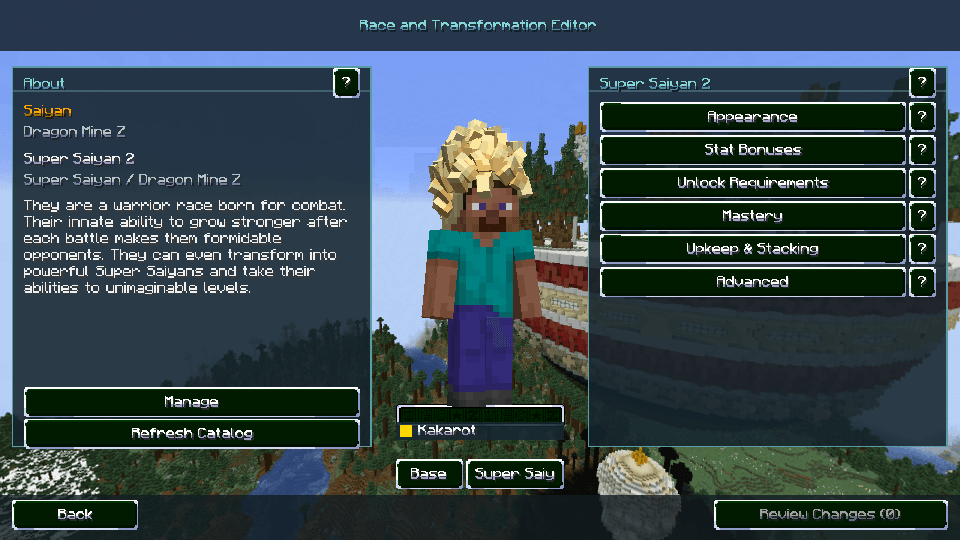
Browse every loaded race and its transformation groups, including DragonMine Z’s built-in races and races from addons such as RacePlus and DMZUltra. Switch between a race’s Base settings and any of its forms, or open Shared Transformations for forms used across races. Tune supported appearance settings, stat multipliers, Ki drain, mastery, unlock requirements, and Training Point prices. Super Saiyan 2 is shown here as an example. Fields controlled by addon code can be locked, and the editor offers an editable clone where supported.
Inside /dmzdoanything
Special Settings
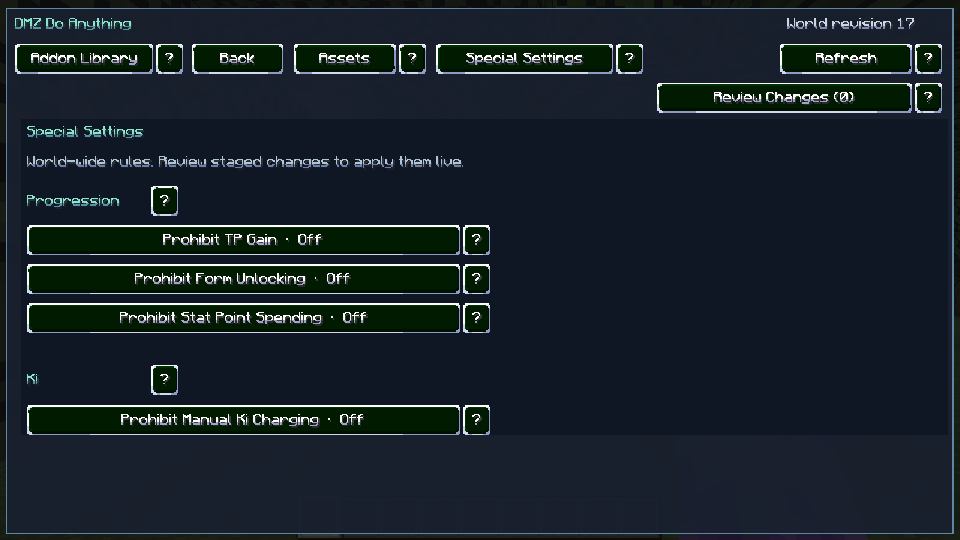
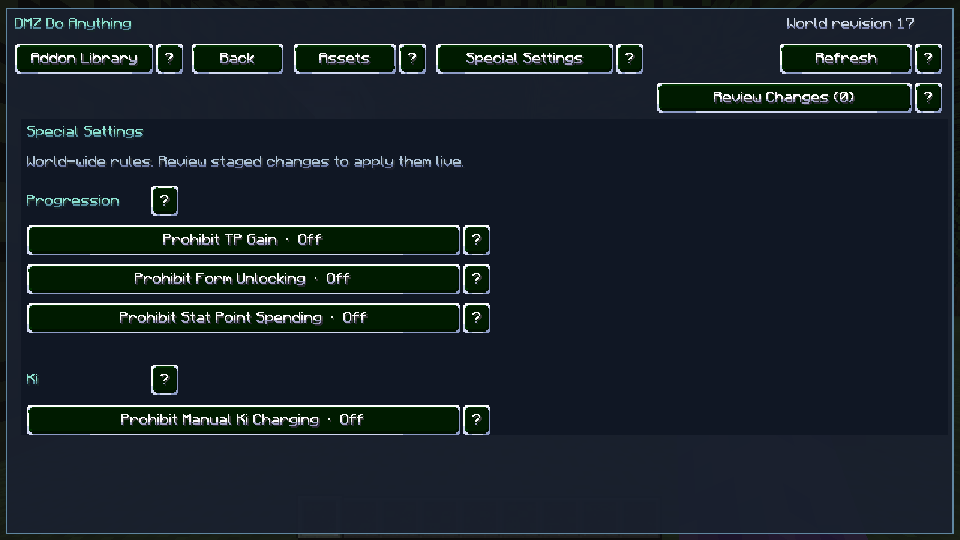
Set world-wide rules for training, progression, and Ki recovery. Each restriction starts off. Review and apply the ones you want while the world is running.
- Prohibit TP Gain blocks native gameplay Training Point rewards.
- Prohibit Form Unlocking blocks native purchases, upgrades, and grants of transformation skills. Players keep what they have earned.
- Prohibit Stat Point Spending blocks native Stats screen spending with TP or Attribute Points.
- Prohibit Manual Ki Charging blocks charge-key recovery while passive regeneration still works.
Library and world tools
- Addon Library groups races and transformations by source. Search by name, addon, group, or ID to find the exact entry you want.
- Assets lets you browse installed models, textures, skills, and abilities.
- Delete Race hides a race from new character creation while existing characters keep their progress. Restore Race brings it back.
- Review Changes shows before-and-after values and affected players. Apply race edits, form changes, and world rules in one revision.
- Revision History lets each world restore an earlier revision. Changes are saved with the world, so different worlds can use different settings.
Coming Next
Saga & Quest Editing
The planned Saga & Quest Editor will let you reshape individual missions and decide how players progress from one quest to the next.
- Choose which NPC starts a quest and who players need to talk to along the way.
- Configure which NPCs or enemies spawn during a quest.
- Set required items, objectives, prerequisites, and rewards.
Built for DragonMine Z by the DragonMine Z team. DMZ Do Anything is licensed under GPL-3.0-or-later.
Dragon Mine Z: Do Anything Team

Owner