Doya Free Hand Slot
- By

Screenshot 2026-09-28 153420.png
Screenshot 2026-09-28 153044.png
Description
Doya Free Hand Slot
Doya Free Hand Slot is a configurable hotbar reservation mod. It lets each player reserve any of the nine hotbar slots so important positions stay predictable instead of being filled by random pickups or inventory movement.
The original use case is simple: keep one hotbar slot permanently available as a true empty hand. But the same system can also reserve slots for specific weapons, tools, consumables, or any exact set of items you choose.
What can a reserved slot do?
Every hotbar slot has its own independent policy. A reserved slot can be configured to accept:
- Only an empty hand — leave its allowed-item list empty.
- An empty hand plus one exact item — for example, a diamond sword.
- An empty hand plus multiple exact item IDs — useful for several variants of a weapon or tool.
For example, you can keep Slot 1 empty for interactions, reserve Slot 2 for your sword, Slot 3 for a pickaxe, and Slot 9 for torches. Any hotbar slot that is not enabled remains completely vanilla.
All 9 hotbar slots are configurable
Slots 1 through 9 can be enabled or disabled independently. Each slot has its own reservation toggle and its own list of allowed item registry IDs.
An empty allow-list means empty hand only. If the list contains items, the slot may remain empty or contain one of those allowed items, but other items are rejected while the reservation system is active.
Master on/off switch
The mod also has a master toggle. Turning it off temporarily disables every reservation rule and restores normal vanilla hotbar behavior without deleting your setup.
Turn it back on and your saved slot policies become active again.
This is especially useful when you want full vanilla inventory behavior for a moment without reconfiguring every slot.
Manage everything in game with key bindings
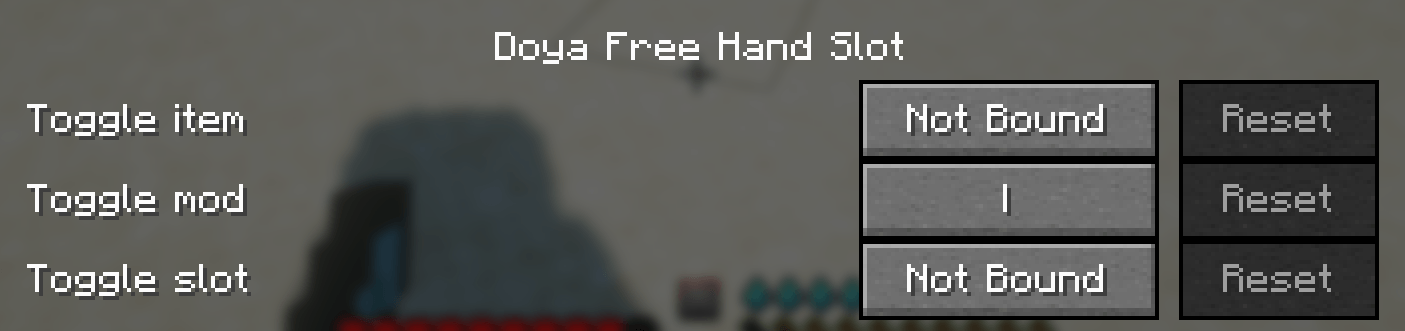
You do not need to keep opening the config screen. Doya Free Hand Slot adds three configurable controls under:
Options > Controls > Doya Free Hand Slot
- Toggle mod — enable or disable the entire reservation system.
- Toggle slot — enable or disable reservation for the hotbar slot you are currently standing on.
- Toggle item — look at the currently selected hotbar slot and add/remove the item in that slot from its allowed-item list.
All of these actions modify the same persistent client configuration. In-game action-bar messages confirm what was enabled, disabled, added, or removed.
If the selected slot is empty, the item-toggle action simply reports that there is no item to modify.
Smart pickup behavior
Reserved slots are not only protected from unwanted items — they can also become preferred destinations for the items they are configured to accept.
If you pick up an item that is explicitly allowed in an enabled reserved slot and that slot is empty, the mod tries to place the item there before using ordinary free inventory space.
This is especially useful when a weapon breaks and you do not want another random item occupying its position, when you accidentally drop your weapon and want it to return to its assigned slot when picked up again, or when you want tools and utility items to stay in consistent hotbar positions during exploration or missions.
If multiple reserved slots accept the same item, priority is evaluated from Slot 1 to Slot 9.
Safe handling when a rule is enabled
What happens if you enable a reservation while the slot already contains an invalid item?
The mod does not simply delete it. The server tries to relocate the stack safely by first merging it into compatible existing stacks, then trying another reserved slot that accepts the item, then normal free hotbar or inventory space, and finally dropping the remaining stack only if no valid inventory space is available.
Clear visual feedback
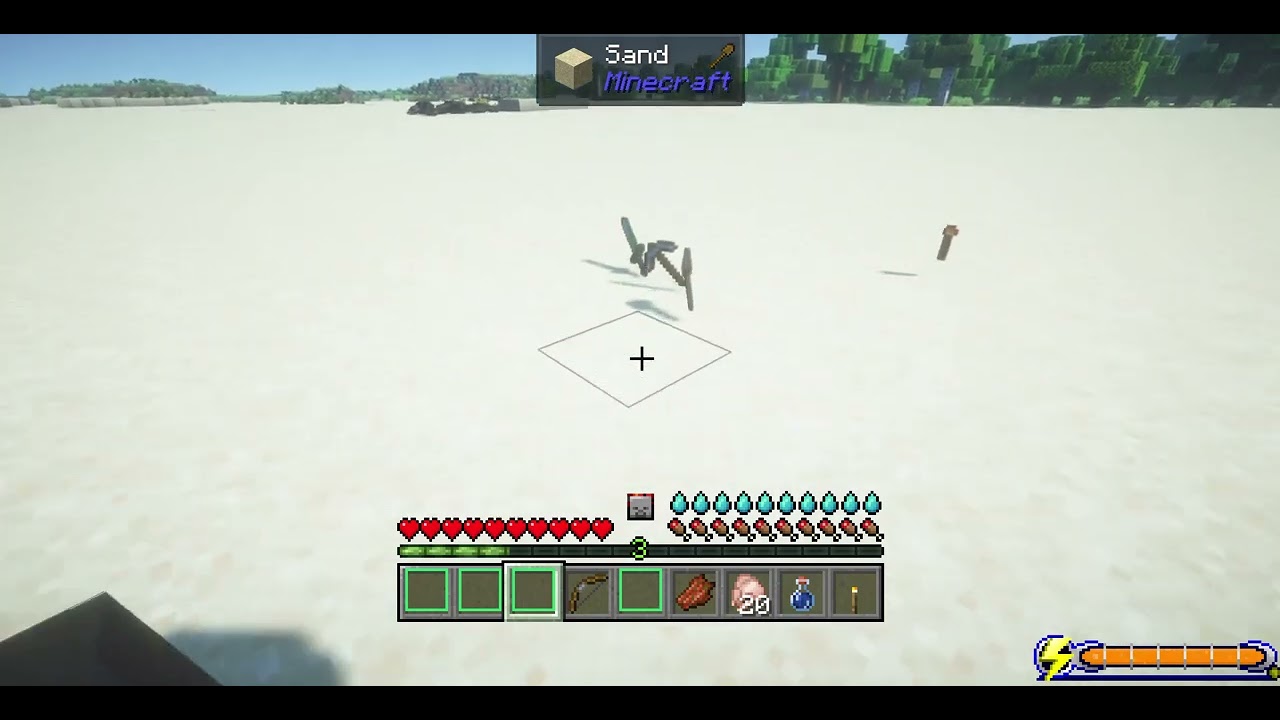
Every active reserved slot is marked with a light blue border directly on the vanilla hotbar, so you can immediately see which positions are protected.
The border only appears when the master system is enabled and that individual slot is reserved.
Per-player configuration in multiplayer
Doya Free Hand Slot is designed to work properly in multiplayer.
The mod is installed on both the client and the server, but reservation preferences are per player.
One player may reserve only Slot 1 for an empty hand, while another player on the same server can reserve several slots for weapons and tools.
The client owns the player's configuration and controls the UI and key bindings. That policy is synchronized to the server, which remains authoritative for inventory enforcement.
This design helps prevent client/server inventory desynchronization and keeps pickup behavior consistent.
Configuration example
[general]enabled = true
[slot1]enabled = trueallowedItems = []
[slot2]enabled = trueallowedItems = ["minecraft:diamond_sword"]
[slot3]enabled = trueallowedItems = ["minecraft:iron_pickaxe", "minecraft:diamond_pickaxe"]
In this example, Slot 1 is reserved for an empty hand, Slot 2 may be empty or contain a Diamond Sword, and Slot 3 may be empty or contain an Iron Pickaxe or Diamond Pickaxe. Other slots behave normally unless enabled separately.
Doya Free Hand Slot Team