Dochi`s Spawn Control
- By
It is designed for modpack creators, server owners, and adventure map makers who need direct control over where, when, and how registered mobs appear.
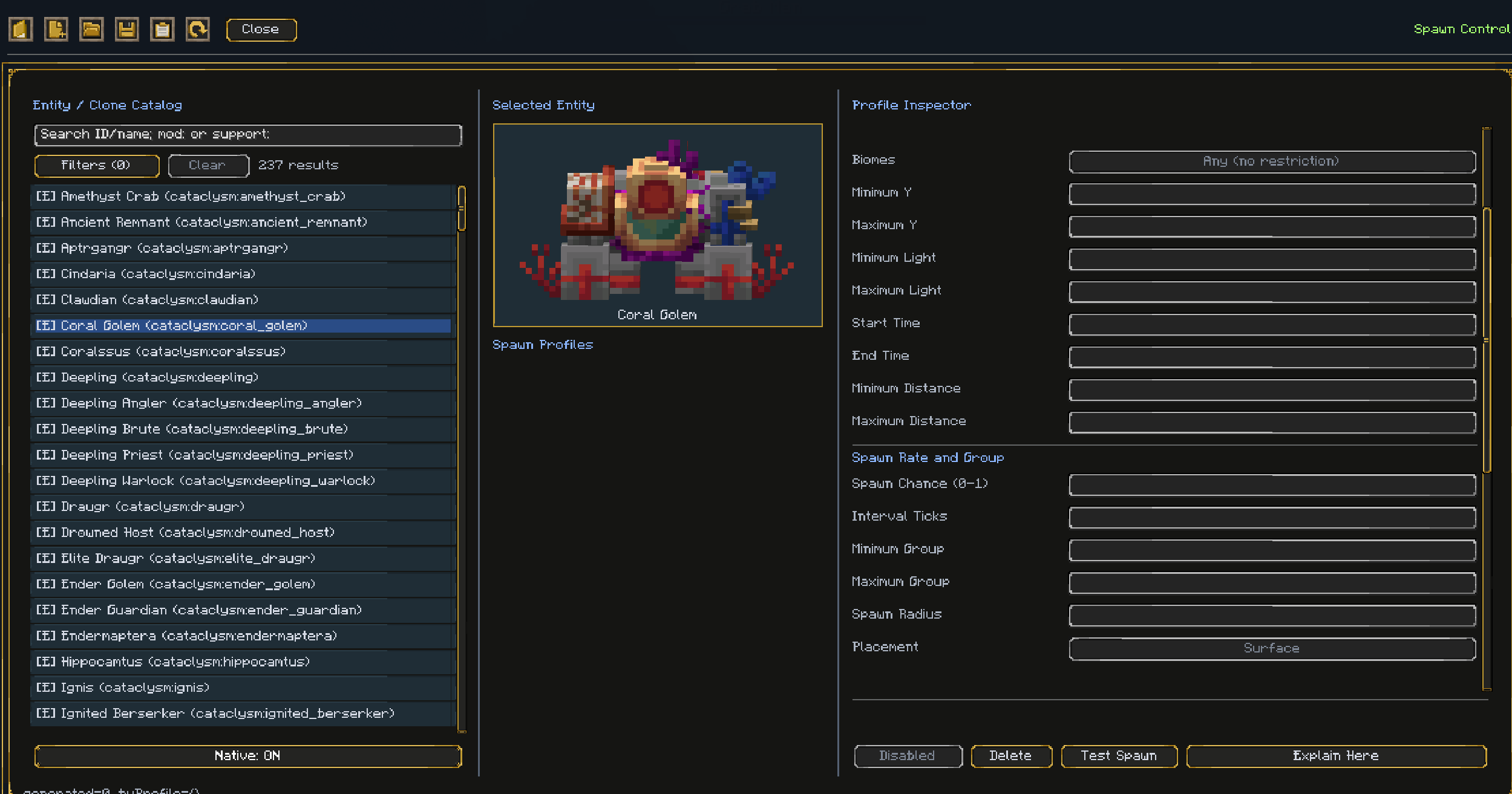
image.png
Description
Dochi's Spawn Control
Control natural spawns and custom spawners directly in-game. Dochi's Spawn Control gives tools for deciding where, when, and how mobs appear. Available for Forge 1.20.1, Fabric and NeoForge 1.21.1, and Fabric and NeoForge 26.3.
Features
- In-game editor: Open with the configurable
Kkey, search and preview supported targets, and create, duplicate, enable, or organize spawn profiles. - Detailed conditions: Configure dimensions, biomes, height, light, time, player distance, spawn chance, group size, placement, and evaluation intervals.
- Population control: Set profile, target, shared-group, player, chunk, dimension, and server caps, with persistence, lifetime, and distance-based despawn options.
- Custom spawners: Build encounters with configurable triggers, weighted spawn sources, population limits, custom appearance, break conditions, particles, sounds, and boss bars.
- Native spawn policy: Keep or block an entity type's original natural spawning without globally blocking commands, breeding, or other creation methods.
- Presets and diagnostics: Share spawn sets and target presets as JSON, choose how imports handle conflicts, check local conditions, and perform confirmed test spawns.
Population caps count entities spawned and tracked by this mod. Editing requires permission level 2 or creative-mode access.
Optional Integrations
- Dochi RPG Maker: Shared DRM editor access and styling.
- Dochi NPC Core through DRM: Spawn saved NPC clone templates with their authored settings and equipment.
- CustomNPCs: Server-clone targets on supported older builds. CustomNPCs is not supported on Minecraft 26.3.
- Dochi Warfare and supported vehicle mods: Additional clone and vehicle spawn sources where compatible builds are available.
The registered-mob workflow works without these integrations. Available integrations depend on the Minecraft version and loader.
Configuration
Authoring files are stored under the game or server directory:
config/dochi_rpg_maker/spawn_control/This folder contains the active configuration, spawn sets, target presets, and spawner definitions. Back it up before replacing configurations. When sharing presets, include any referenced clone or template files and the required mods or content packs.
Dochi`s Spawn Control Team