Diorama Addons: Web Map
- By
A live map of your server in the browser, drawn in the Diorama style with real textures, sun and shadows. Server-side only: players install nothing. Shows land claims when Claims is installed.
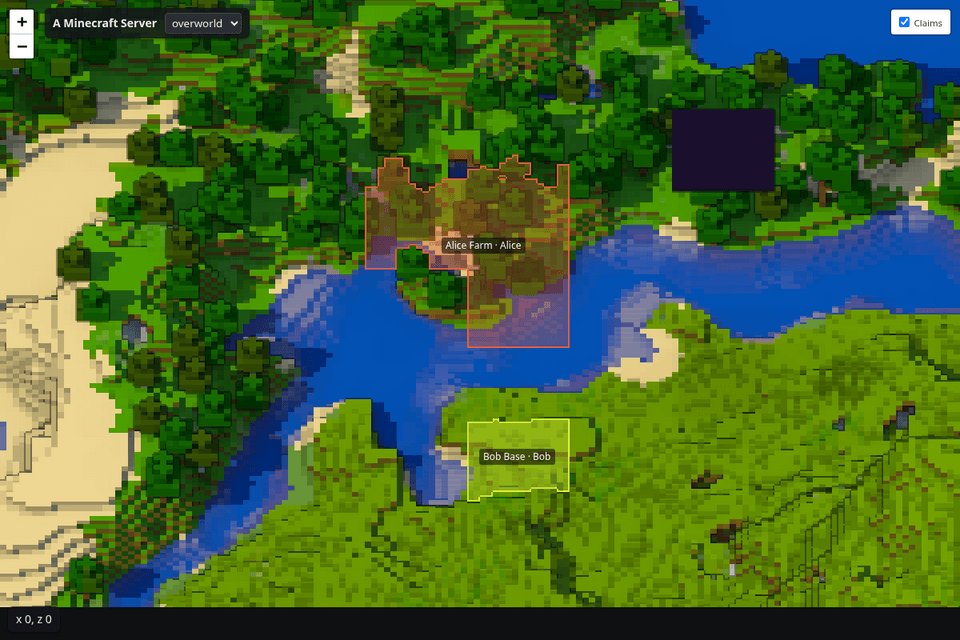
The world in the Diorama style, with claims painted on the terrain.
Description
Diorama Addons: Web Map
Your whole world in the browser — drawn at an angle in the style of the Diorama map, with real block textures, sun and shadows.
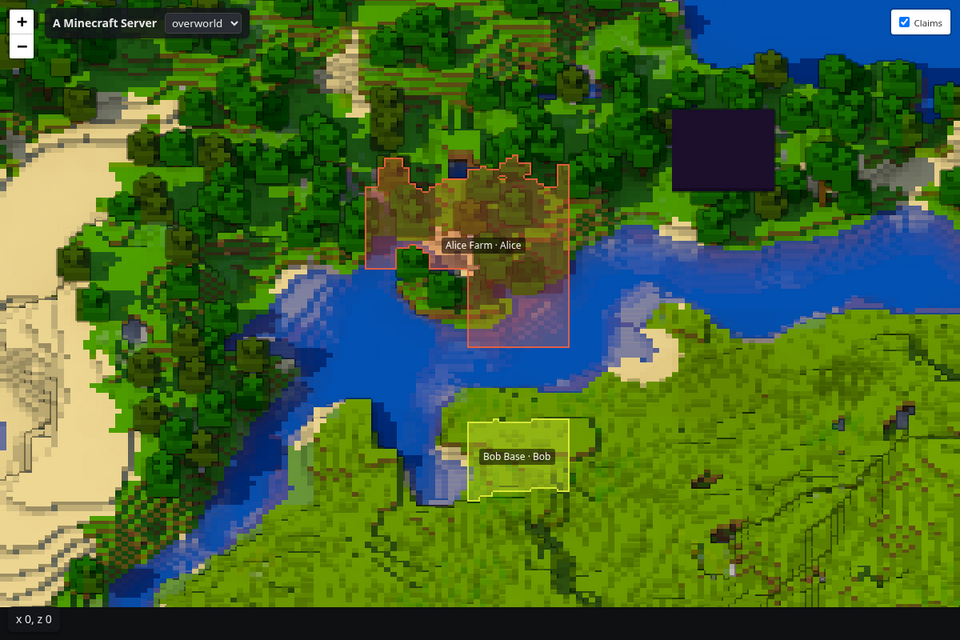
Web Map runs inside your NeoForge 1.21.1 server and serves a live map at http://<your-server>:8123/. Players don't install anything: they just open a link.
Features
- 🏰 Diorama-style rendering — the world is drawn at an angle from real block textures, with sun, shadows and outlines. Trees and cliffs stand up off the map.
- 🧩 Modded blocks look right — they use the textures from their own jars.
- 🐢 Light on your server — tiles are rendered in the background, at low priority and with a chunks-per-second cap. Only changed areas are redrawn.
- 🔍 Zoom and dimensions — zoom-out levels and a selector for every dimension you enable in the config.
- 🚩 Land claims — with Diorama Addons: Claims installed, claims are painted on the terrain with a colour per owner and a label with the claim name and owner. Members and permissions are never published.
- 🔒 Private by default — player positions are off unless you turn them on, because the map may be open to the internet.
- 🛟 Never takes the server down — if the port is taken, it logs a clear error and the game keeps running.
- 🗂️ JSON API —
/api/info,/api/claimsand/api/playersfor your own tools. - 📄 Flat map option — set
render.style = "TOP_DOWN"for a classic top-down map.
Installation
| Where | Needed? |
|---|---|
| Server | Required |
| Client | Not needed |
Requires Minecraft 1.21.1 and NeoForge 21.1.265 or newer.
- Drop the jar in the server's
modsfolder and start the server. - Open
http://<server-address>:8123/in a browser. - Change the port, bind address, render speed, dimensions and layers in
config/dioaddons_webmap-common.toml.
First start: the Diorama style uses vanilla textures from the official Minecraft client jar, downloaded once from Mojang (about 27 MB, verified with Mojang's SHA-1). The
TOP_DOWNstyle needs no download.
Commands (operators)
| Command | What it does |
|---|---|
/webmap status |
Web server, render queue and layers |
/webmap render [dimension] |
Render everything again |
/webmap clearcache |
Delete all tiles and start over |
HTTP API reference: docs/webmap-api.md.
Works great with
- Diorama Addons: Claims — land protection; its claims appear on the web map.
- Diorama Addons: Client Map — claims, shared exploration and waypoints inside the Diorama map.
Each mod works alone; together they share claims automatically.
About
Diorama Addons is an unofficial, community-made set of addons inspired by the Diorama map mod. It is not affiliated with or endorsed by the Diorama authors. The web interface uses Leaflet (BSD-2-Clause).
Open source under the MIT license — source code and issues on GitHub.
Diorama Addons: Web Map Team