Cukkoo's Quality of Life
- By
51 highly customizable Quality of Life (QoL) improvements in one mod. Client-side only (no server needed). Includes built-in presets for FPS and difficulty!
2026-04-29_15.17.29.png
2026-04-29_15.17.28.png
2026-04-29_15.17.23.png
2026-04-29_15.17.32.png
Description
Cukkoo's Quality of Life
51 modular quality-of-life (QoL) improvements in a single mod. Every feature can be toggled independently, most are fine-tunable, and it comes with built-in + user presets.
Minecraft: 26.1 / 26.1.1 / 26.1.2 · Loader: Fabric · Side: Client & Server (See note below)
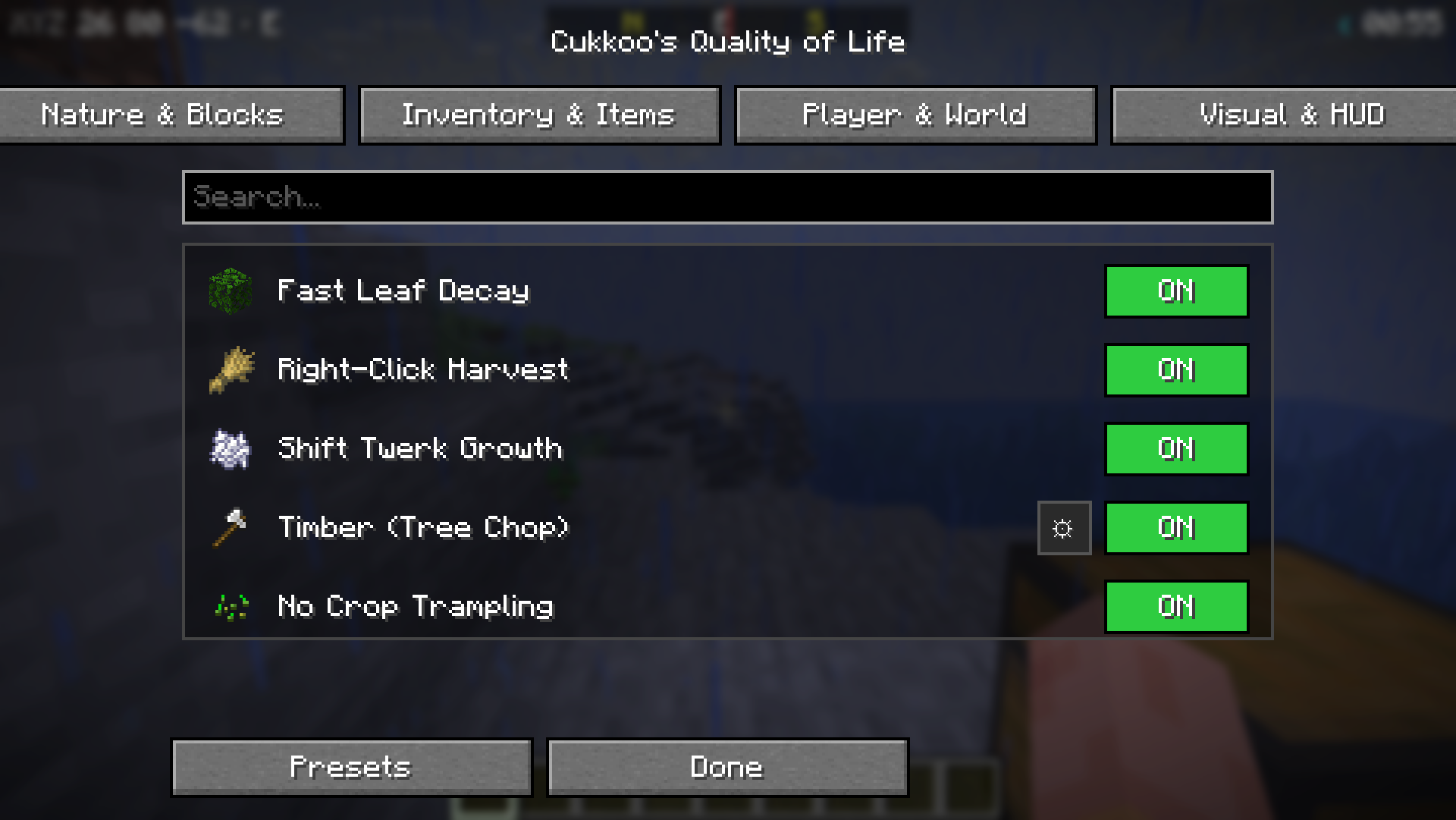
Screenshots
| Main Menu | Presets |
|---|---|
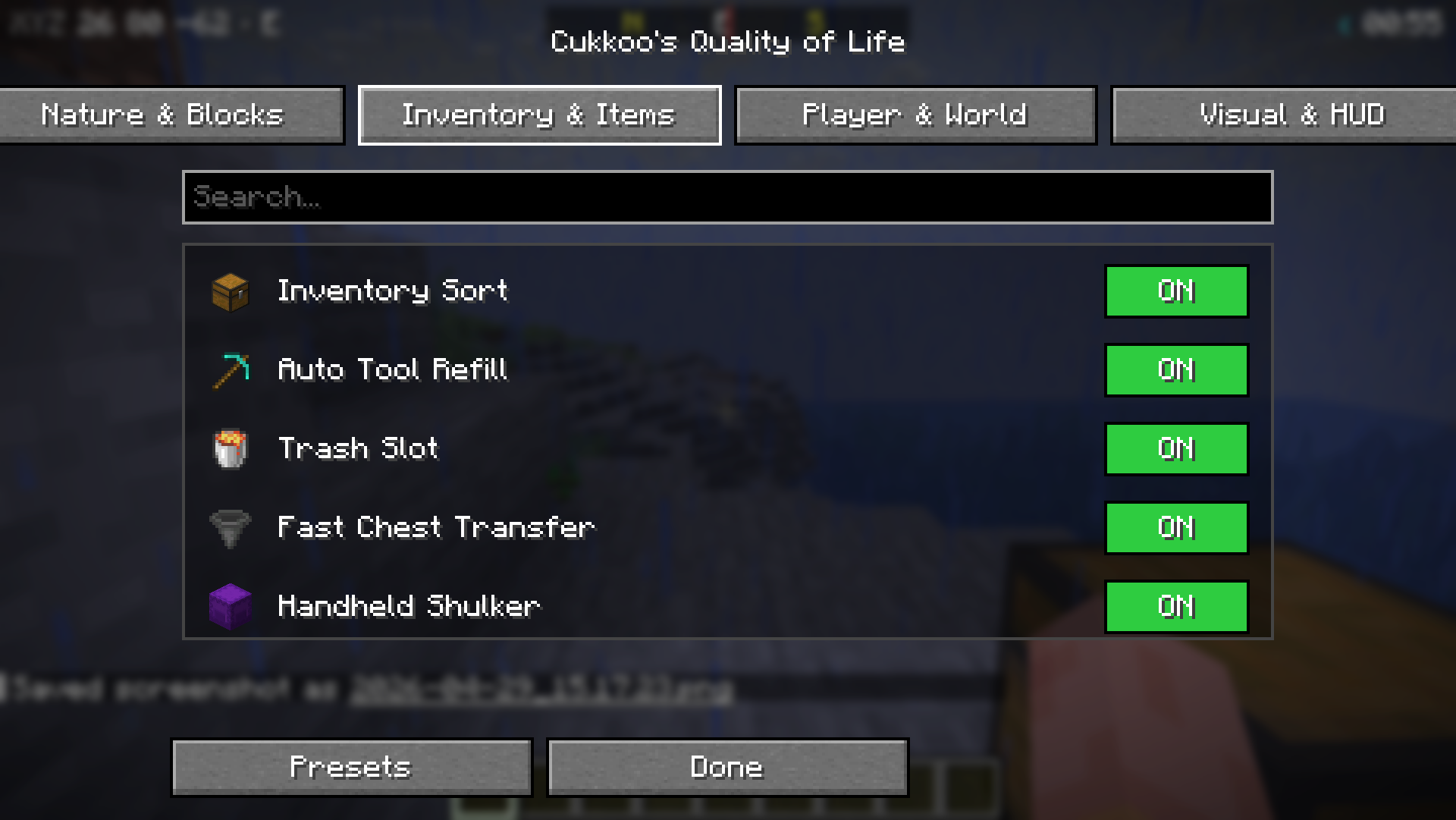 |
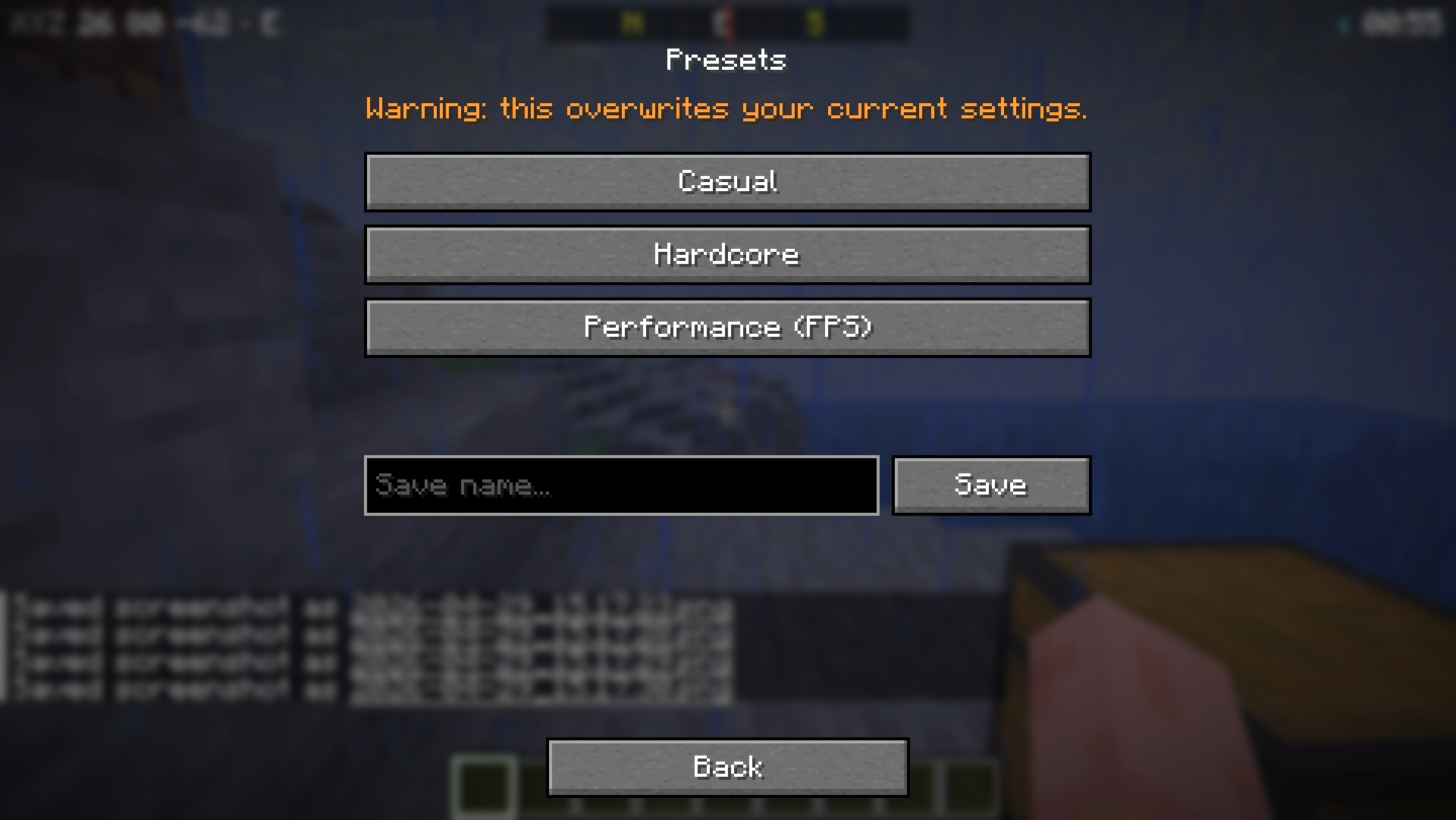 |
| Sub-Settings (⚙) | HUDs (Armor + Clock + Compass + Durability) |
|---|---|
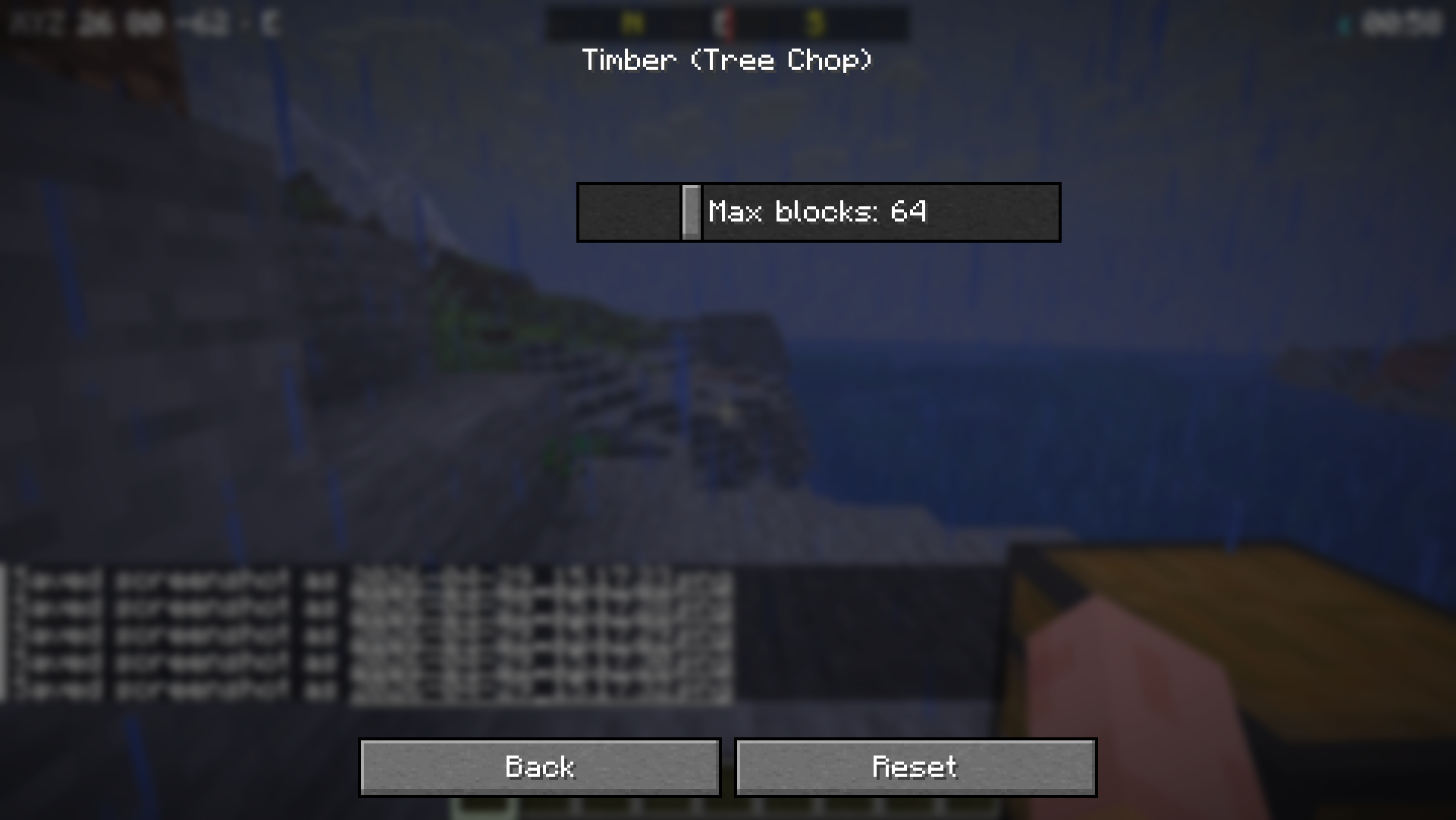 |
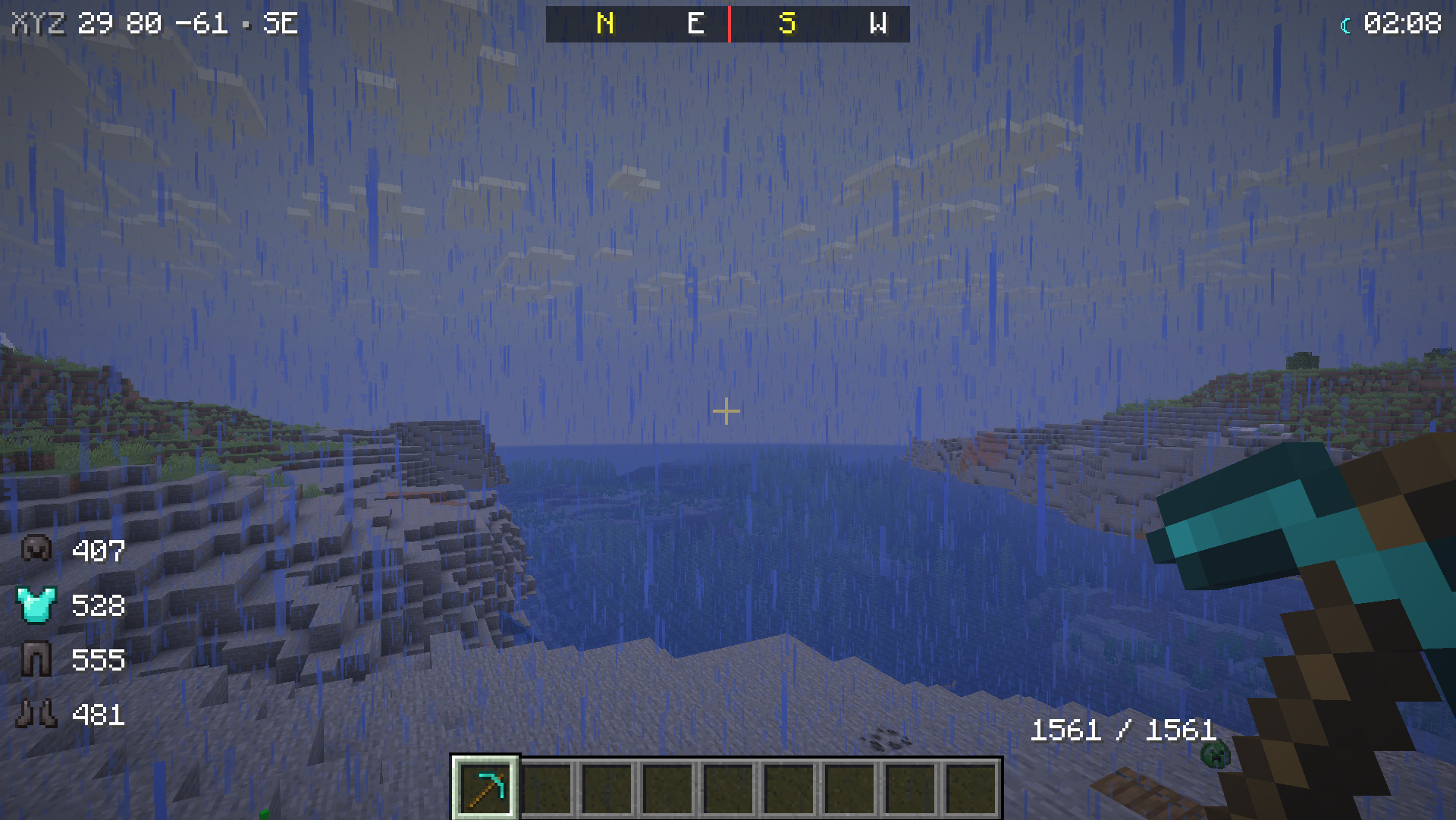 |
Installation
- Install Fabric Loader (≥ 0.19.2).
- Download Fabric API.
- (Optional) ModMenu — to access the menu from the Mods list.
- Drop the mod's
.jarfile into yourmods/folder. - Press K in-game or type
/cqol menu.
Features (51)
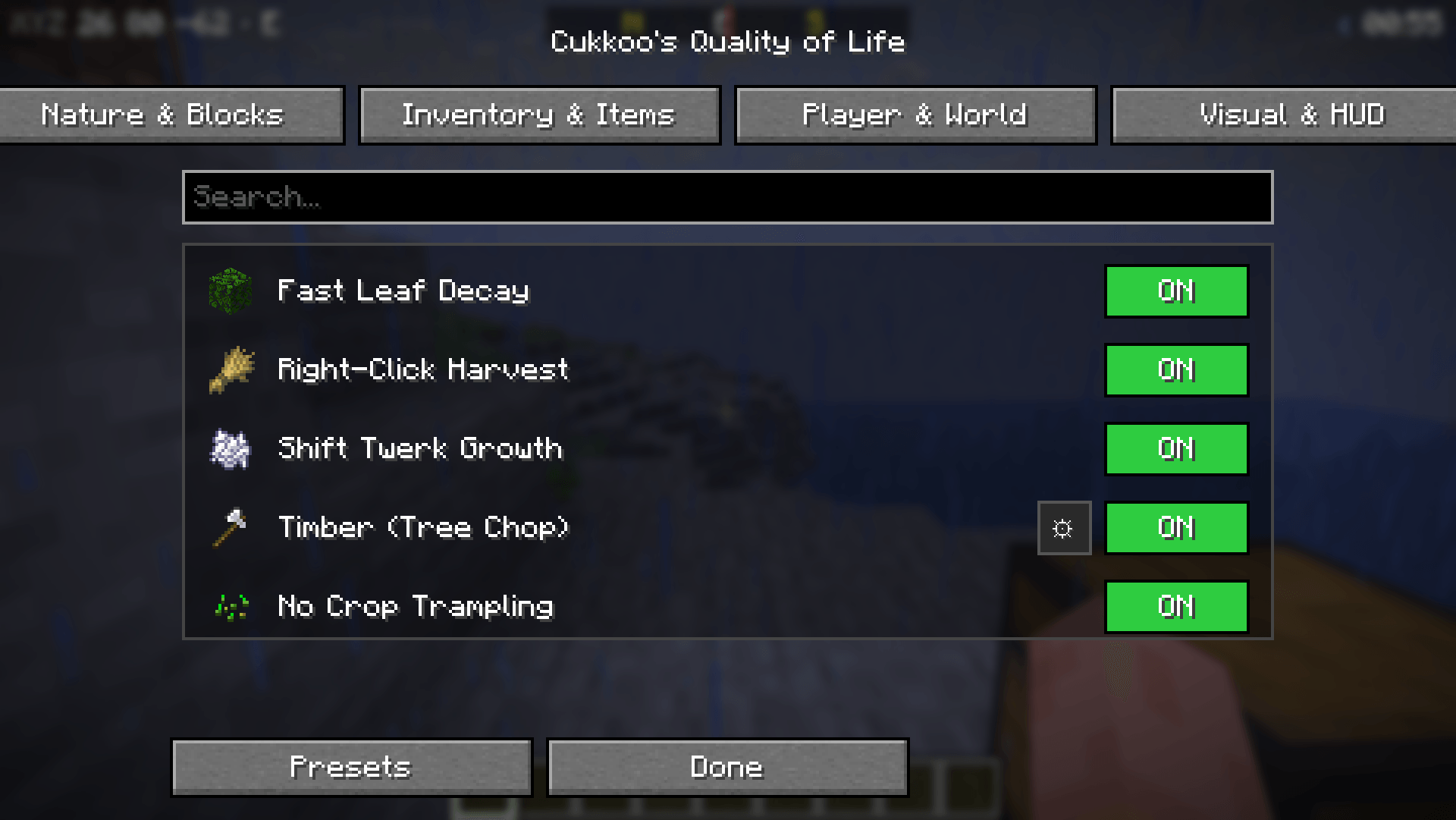
🌿 Nature and Blocks (10)
| Feature | Description |
|---|---|
| Fast Leaf Decay | Leaves decay instantly and drop loot when a tree is cut. |
| Right-Click Harvest | Right-clicking a mature crop harvests and replants it. |
| Shift Twerk Growth | Repeatedly crouching near plants grows them without bone meal. |
| Timber (Tree Chop) | Breaking one log fells the entire tree (configurable block limit). |
| No Crop Trampling | Farmland/crops are not trampled when jumped on. |
| Auto Sapling Plant | Dropped saplings automatically plant themselves. |
| Grass Extra Drops | Extra chance for seeds/saplings from grass (rates adjustable). |
| Cactus Protection | Items touching a cactus are no longer destroyed. |
| Vine Control | Shift + right-click to stop vines from spreading. |
| Infinite Anvil | Anvils never break. |
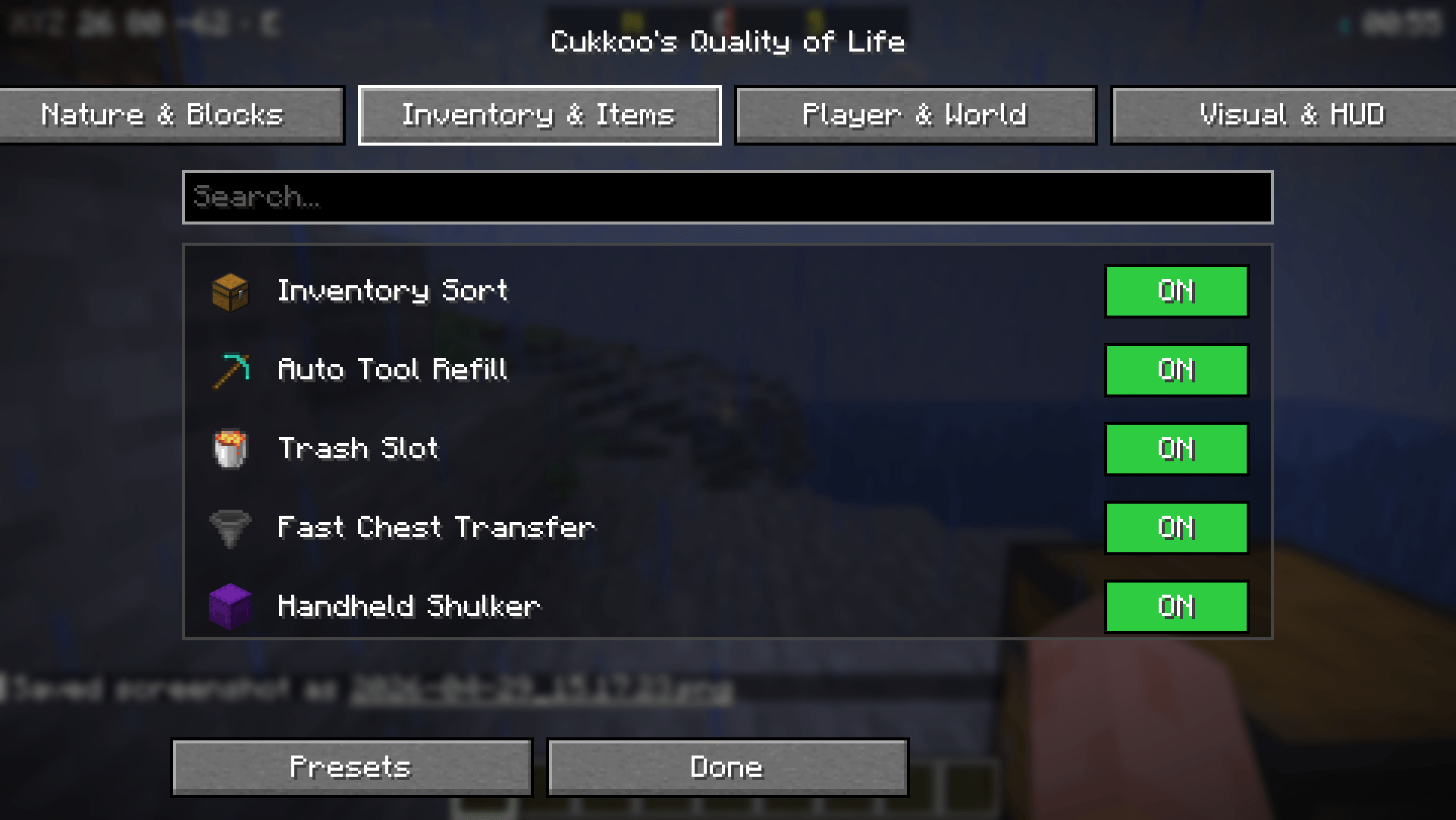
🎒 Inventory and Items (13)
| Feature | Description |
|---|---|
| Inventory Sort | Press R in any container to sort by name. |
| Auto Tool Refill | Automatically replaces a broken tool with a fresh one from your inventory. |
| Trash Slot | A dedicated slot for permanently deleting unwanted items. |
| Fast Chest Transfer | Press X in a chest to dump your entire inventory at once. |
| Handheld Shulker | Open shulker boxes directly from your hand without placing them. |
| Death Grave | Items are placed in a chest upon death. |
| Villager Trade Refill | Trades replenish automatically over time. |
| Item Merging (FPS) | Aggressive merging of dropped items to boost FPS. |
| XP Storage | Store your XP levels into bottles. |
| Shulker Preview | Hover over a shulker box to see its contents. |
| Hotbar Swap | Press V in inventory to swap hotbar with a backup row. |
| Auto Eat | Automatically eats food when hunger drops below a threshold. |
| Chest Search | Press Ctrl+F in a container to filter items. |
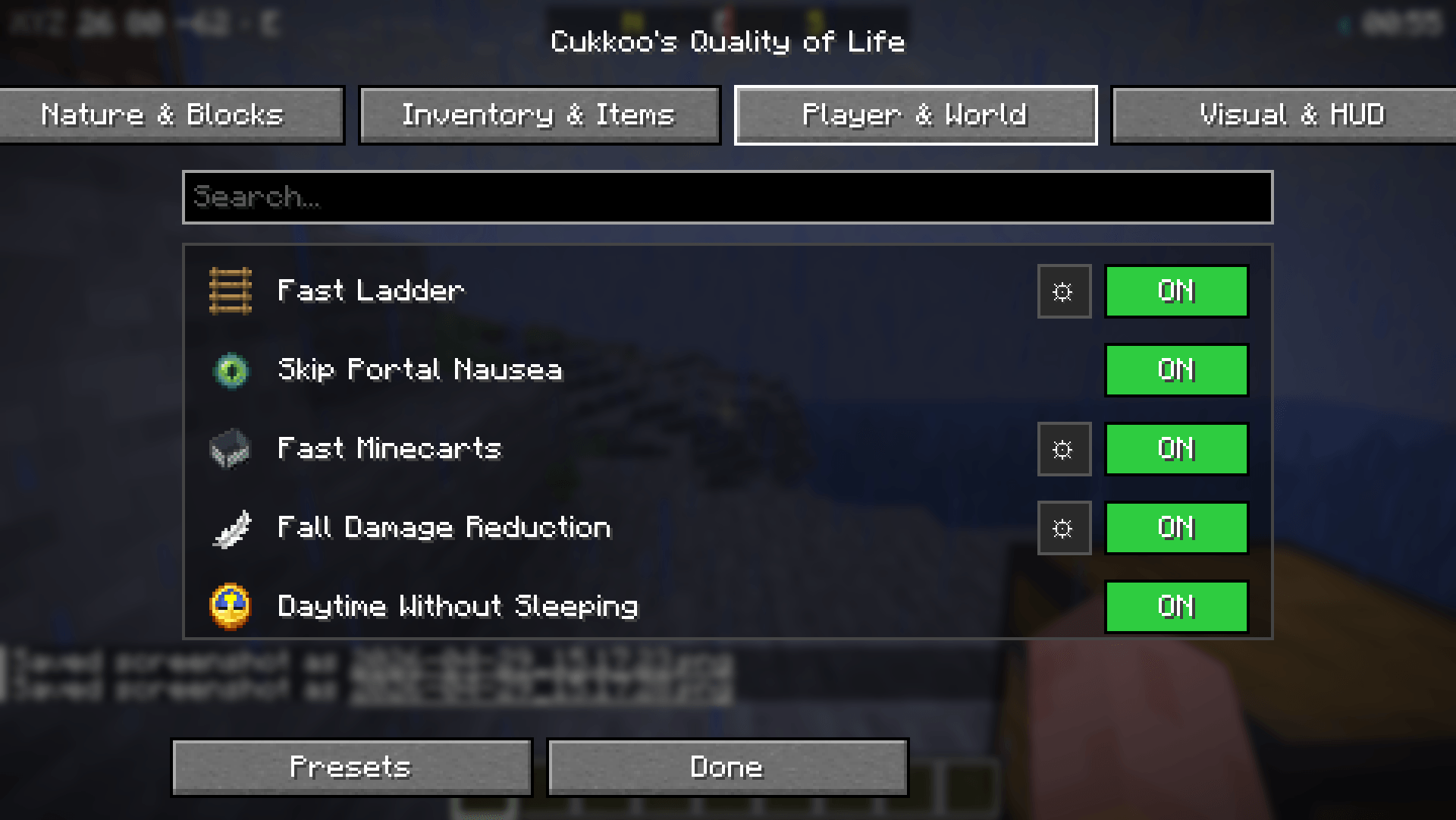
🏃 Player and World (12)
| Feature | Description |
|---|---|
| Fast Ladder | Increases climbing speed (adjustable). |
| Skip Portal Nausea | Removes the dizzying portal effect. |
| Fast Minecarts | Increases max speed (multiplier adjustable). |
| Fall Damage Reduction | Damage multiplier (0.0–1.0). |
| One-Player Sleep | Sleeping alone advances time to day. |
| Despawn Timer | Adjustable multiplier for item despawn time. |
| AFK Notify | Chat notification after N idle minutes. |
| Hunger Balancer | Hunger drains slower (multiplier adjustable). |
| Painless Ender Pearl | No damage taken from throwing pearls. |
| Fast Block Placement | Removes placement cooldown (tick adjustable). |
| Auto Respawn | Automatically respawns after death. |
| Death Coordinates | Prints your death location coordinates to chat. |
🎨 Visual and HUD (16)
| Feature | Description |
|---|---|
| Tool Break Warning | On-screen warning when durability is low. |
| Low Health Sound | Periodic warning sound when health is below threshold. |
| No Pumpkin Blur | Removes the overlay when wearing a pumpkin. |
| Low Fire | Pushes the fire overlay down (offset adjustable). |
| Clear Underwater | Removes underwater fog for perfect vision. |
| Numeric Durability | Shows durability as a number on items. |
| Mob Health Bar | Health bar nameplates above targeted entities. |
| No Damage Flash | Removes the red screen flash when taking damage. |
| Minimal Weather | Reduces rain/snow particles (multiplier adjustable). |
| Armor Status HUD | Displays equipped armor and durability. |
| Coordinate HUD | Displays X/Y/Z and facing direction. |
| Game Time HUD | Displays game time with day/night icon. |
| Compass Bar | Top-center N/E/S/W compass. |
| Ping HUD | Color-coded latency display for multiplayer. |
| Saturation HUD | Displays saturation value next to hunger. |
| Block Name HUD | Displays the name of the block you are looking at. |
Commands (/cqol)
| Command | Description |
|---|---|
/cqol menu |
Open the QoL Menu. |
/cqol list [category] |
List all features. |
/cqol enable <feature> |
Turn a feature ON. |
/cqol disable <feature> |
Turn a feature OFF. |
/cqol settings <feature> |
List settings for a feature. |
/cqol preset apply <id> |
Apply a preset. |
/cqol preset save <id> |
Save current settings as a new preset. |
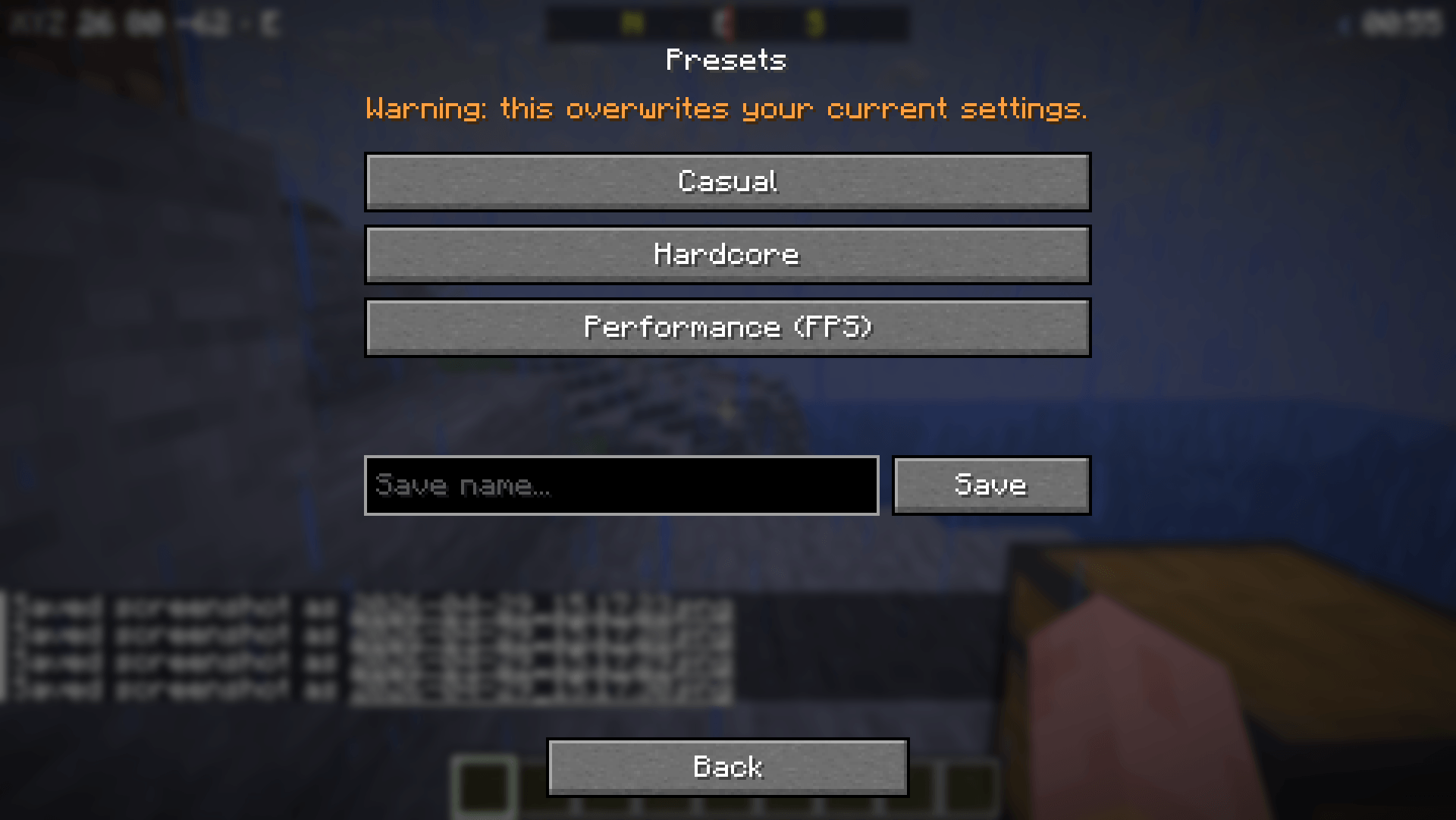
Presets
There are three built-in presets:
- Casual — All UX features enabled, relaxed survival mechanics.
- Hardcore — Only UI/UX improvements (sorting, warnings), keeps vanilla difficulty.
- Performance — FPS focused, minimal visual clutter.
Keybinds (Customizable in vanilla controls)
| Key | Task |
|---|---|
| K | Open QoL Menu. |
| R | Sort inventory (when container open). |
| X | Dump inventory (when chest open). |
| V | Hotbar swap (when inventory open). |
| Ctrl+F | Chest search (when container open). |
License
MIT — See LICENSE for details.
Note: For features like Timber, Auto-Replant, and Grave-on-Death to work in multiplayer, the mod must be installed on the server as well. Visual and HUD features work client-side everywhere!
The Cukkoo's Quality of Life Team