Crystal Tweaks KoHs
- By
Customize crystal glow, colors, sounds, and other-player crystal profiles.




Crystal Tweaks 2.6.0
The settings
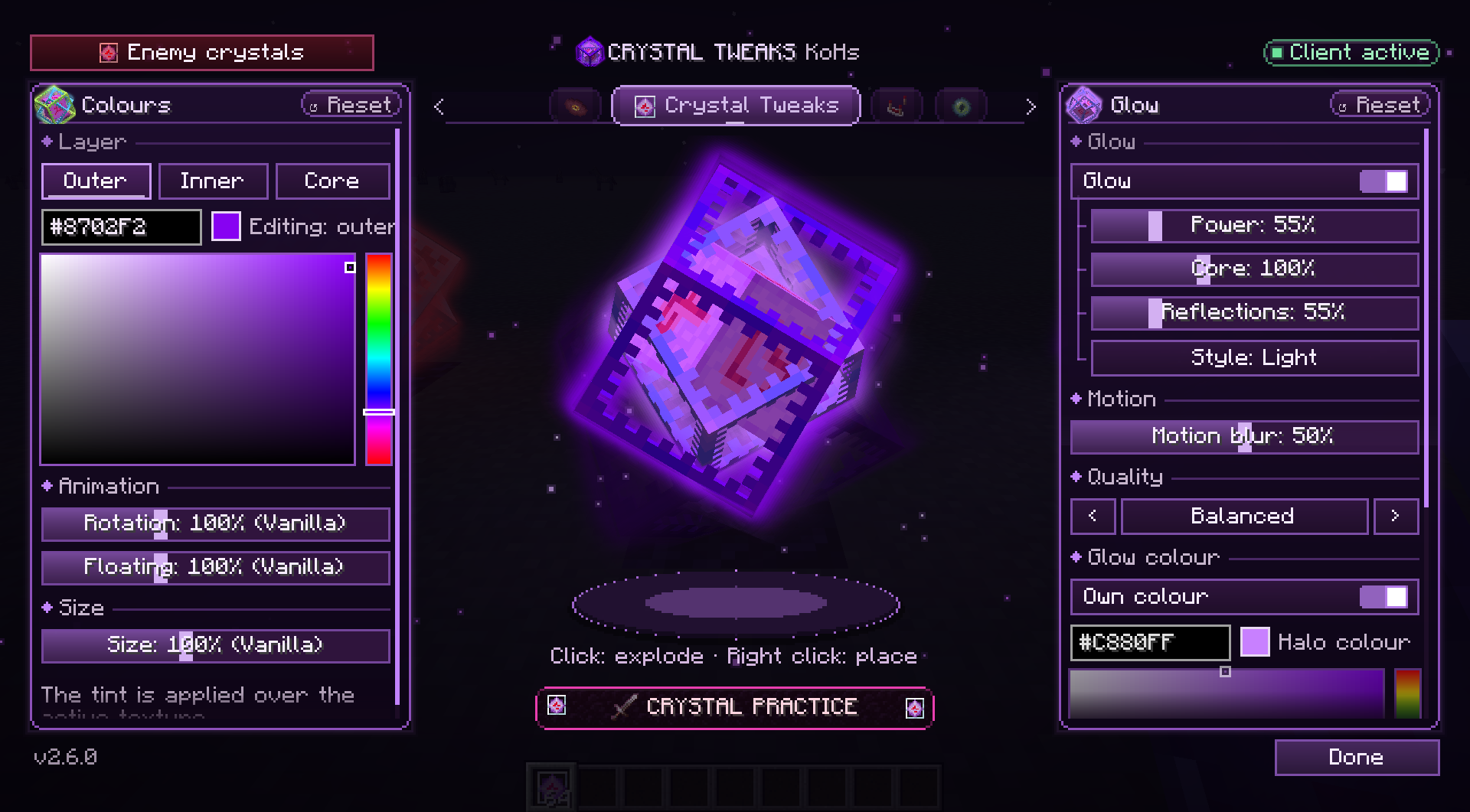
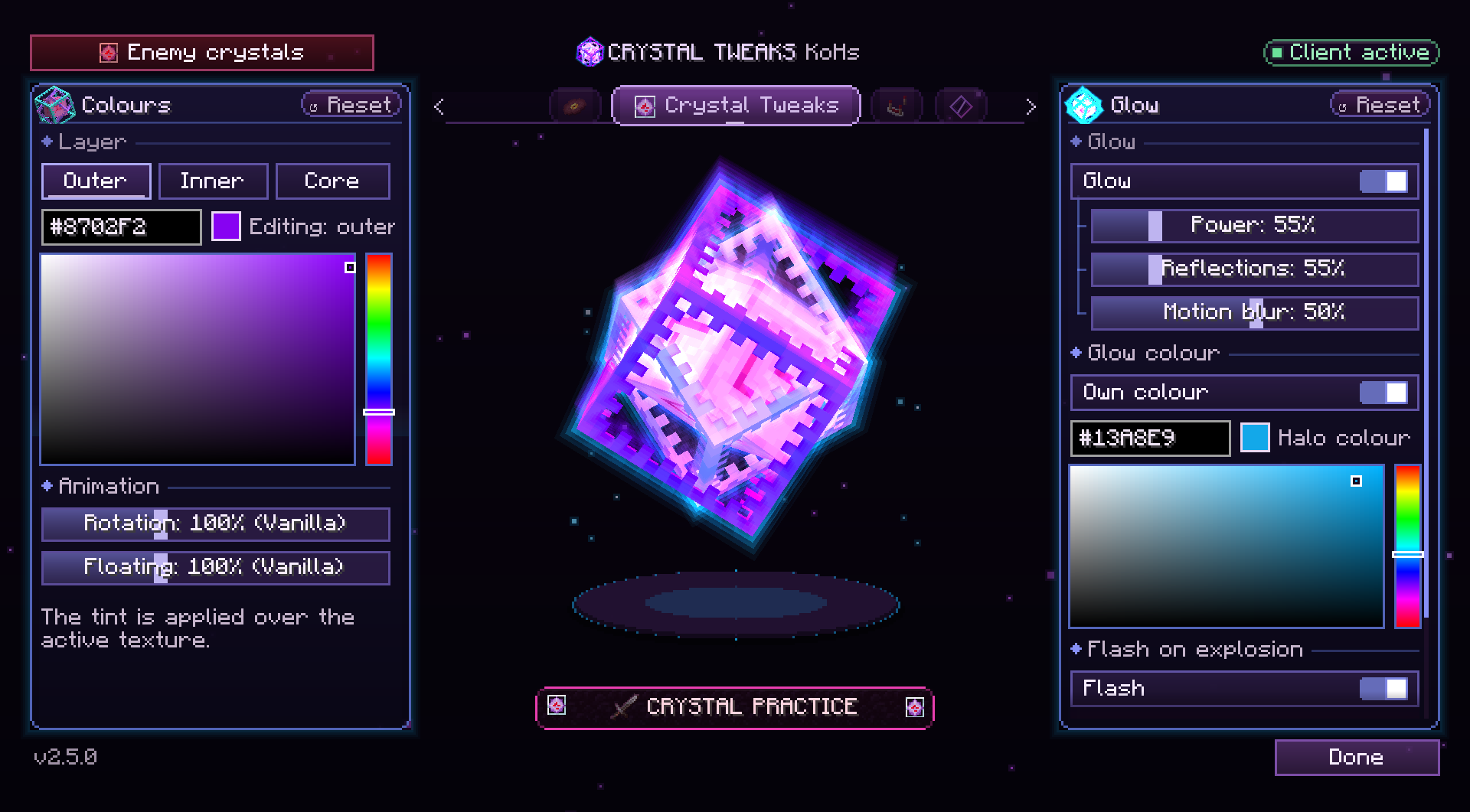
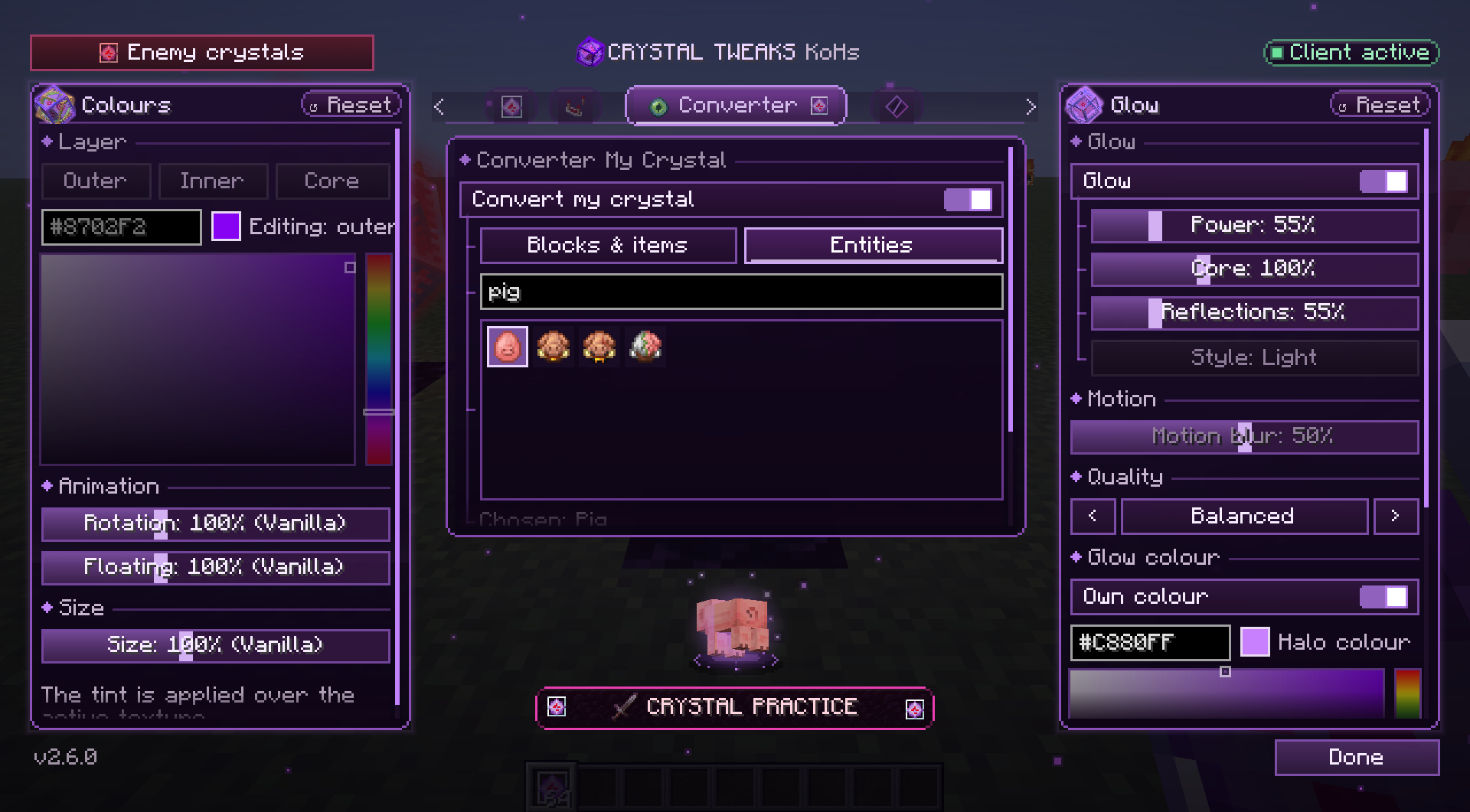
Open the settings and your crystal waits alone on a wall of stone its glow lights. Click it: the stone turns to obsidian and crying obsidian, bursts, and rains away as the menu comes up around the crystal, which wears everything you set, colours, glow, flash and sound.
- Colours on the left, Glow on the right; both panels take on the glow's colour while you change it.
- Tabs above the crystal, turned with the mouse wheel: Sound, Crystal Tweaks, Advanced, Converter and KoHs.
- Enemy crystals in the corner breaks your menu apart and drops the red one for other players' crystals.
- Crystal Practice under the crystal.
Glow
Open the Glow panel, on the right of the settings:
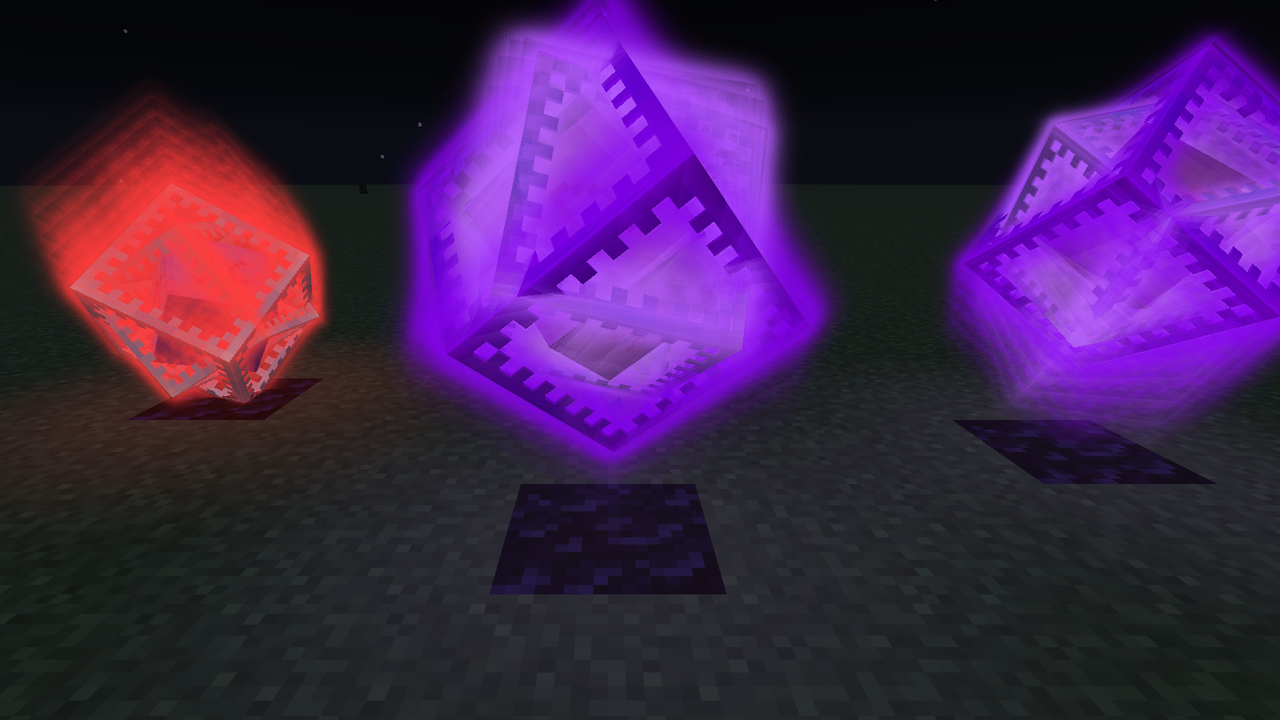
- The glow is in the crystal: its layers shine, each in its own colour, and the light turns and floats with them.
- Style: Light, a soft glow round every frame that keeps its colour in daylight, or Layers, stronger and more saturated.
- Power: from 0 to 300%. An extra glow layer keeps the effect visible in any lighting, not only at night.
- Core: how much the core glows, from 0 to 300%, with every kind of glow.
- Motion blur: the layers trail behind them as they turn, from 0 to 100%, with the glow on or off.
- Quality: Performance, Balanced or Quality decide how much the glow draws. Even on Quality it costs less than the glow of 2.5.0 did.
- Reflections: simulates colored light on the top faces of nearby blocks.
- Custom color: uses the same color picker as the rest of the menu. It colors the light only; the crystal's own layer colors stay as you set them.
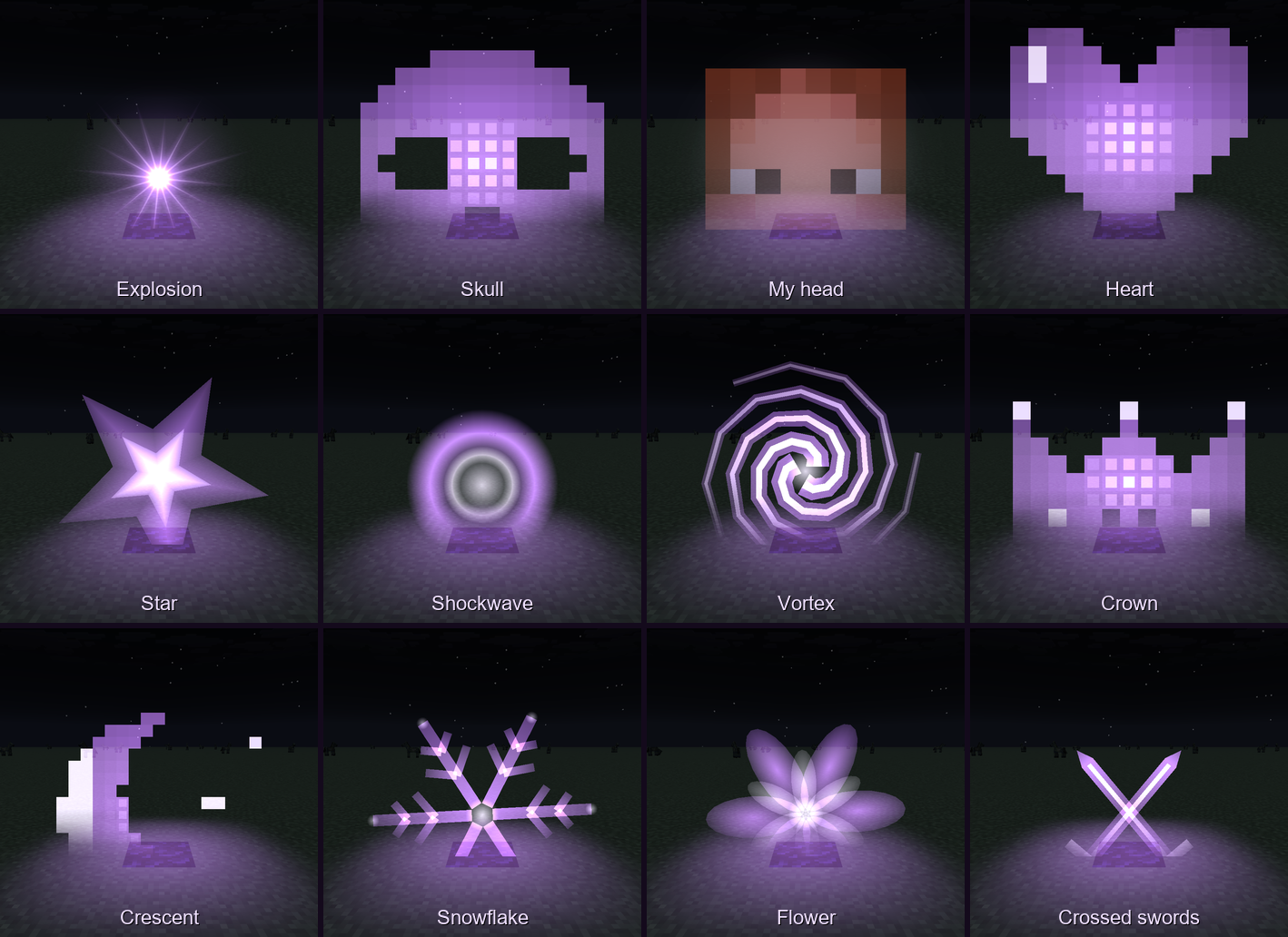
- Flash on explosion: the light a destroyed crystal leaves behind fades smoothly, in one of fourteen styles, sized from 10% to 300%.
The glow respects walls and does not use Vanilla's outline that shows through terrain. Prefer the halo it used to be? Old KoHs Crystal Glow, in the Advanced tab, brings it back.
Converter My Crystal
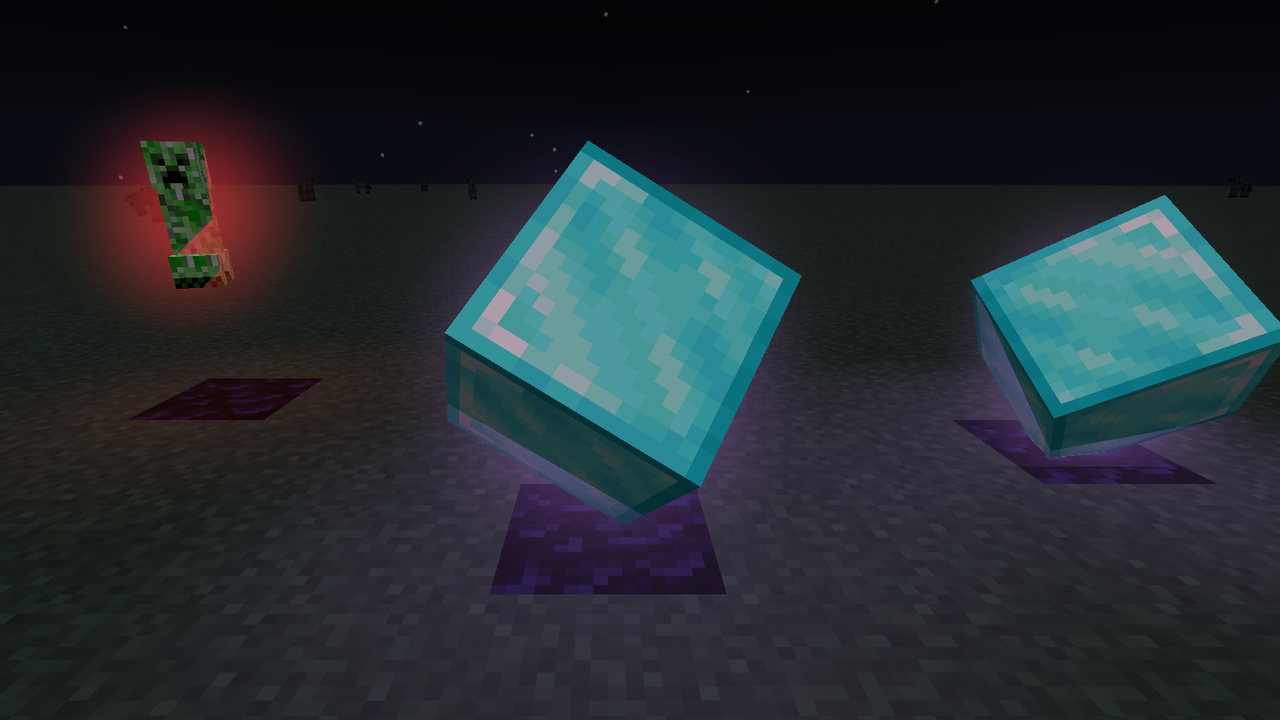
Turn your crystals into something else: any block, item or entity of your game version, picked from a searchable catalogue in the Converter tab. It is off until you turn it on.
- The crystal keeps its spin and its float, and follows Rotation, Floating and the new Size (30% to 200%).
- The enemy menu has a Converter of its own, so their crystals can be something else than yours.
- Your choice is drawn over Minecraft's own texture and over any resource pack's.
- Drawing only: the crystal stays where it is, with the same box to hit.
Other players' crystals
Give crystals you did not place their own visual profile, with separate colors, glow and animation speeds so they stand out immediately. Identification is approximate because the server does not tell the client who placed a crystal. Anything that does not match your recent placements—including crystals that were already there when you joined—uses the other-player profile. The server's own acknowledgement of your placement tells your crystal from one that reached the same base first, also in fast bursts. Switch to it with Enemy crystals in the corner of the settings.
Works alongside other mods
With Marlow's or another detected crystal optimizer installed, all Crystal Tweaks optimizations and interaction helpers stay off: instant break, instant explosion, removal reader, ghost crystals, Don't break obsidian and placement tracking. Pending predictions are cleared, and saved settings cannot reactivate these helpers during a conflict.
The helpers also stay off while compatibility is being checked. If the check cannot read every mod, they stay on and the menu says so. Colors, glow, other-player crystal appearances, sounds and the preview stay available. The menu shows why the helpers are paused.
Client Side Crystals, HCsCR and the "… Crystal Optimizer" mods count as optimizers: Client Side Crystals draws its own stand-in crystal the moment you place one, which is the ghost crystals' job. Mods that do things with crystals without optimizing them, such as Safe Crystal, Crystal Glow, Custom End Crystals, spin tweaks or counters, never pause anything, and neither do performance mods such as Krypton, Sodium or Lithium.
You also get optional ghost crystals (off by default), a scroll hint when more options are available, and a conflict monitor that warns about possible mod clashes.
Crystal Practice (experimental)
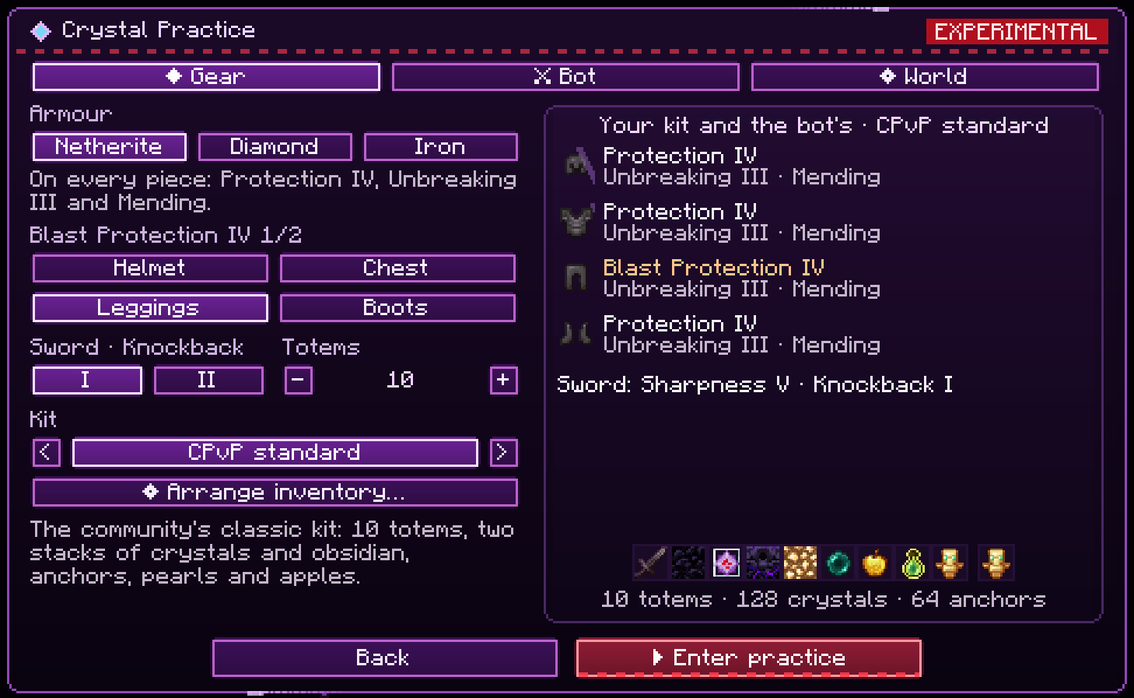
Practice crystal PvP against a bot in a world of its own, from the Crystal Practice button under the crystal in the settings:
- A bot that plays real techniques, by difficulty: hit-crystal, respawn anchors and face-placing on Normal; d-taps timed to the end of your damage immunity, safe anchors behind glowstone, top-blocking and hiding in holes on Hard; the butterfly, double anchors, triple taps and chain pops on Extreme. Its techniques cannot be switched off: the menu lists them, with how each one works. It carries your own kit and is held to human timing.
- Two styles: a smart bot that blocks off with obsidian, hides in holes and pearls away to heal, or an aggressive one that rushes and never backs off. Both mine their way out if you box them in, and every pearl is aimed by simulating its flight against the terrain before the throw.
- Your kit, your layout: netherite, diamond or iron armour, a Knockback I or II sword, 1 to 20 totems or a full inventory, and presets modelled on MCTiers, MCPVP and PVPHQ. Arrange the inventory in a kit editor with a kit room, Save and Reset.
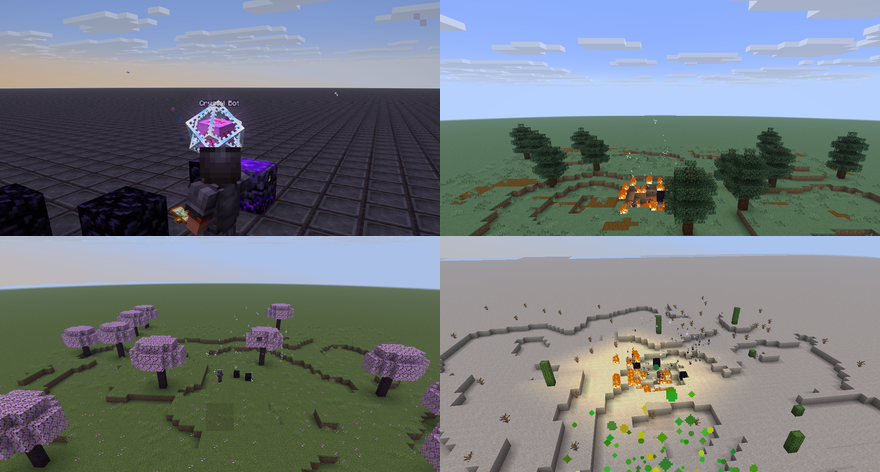
- Three grounds: a flat of netherite blocks, a hole arena, or an almost flat meadow with few trees and no caves in one of eight biomes. Every death starts a new round on a rebuilt arena.
Instant break, instant explosion
The crystal you hit disappears from your screen the moment you hit it, and its explosion, sound and burst, plays right then instead of a round trip later. A crystal the server removes, anyone's, stops being drawn the moment the removal arrives. All three are drawing and sound on your screen only: no packet is added, changed or delayed, and the server still decides every hit and placement.
Tested on a local server with Grim Anticheat and Ravenclaw's Ping Equalizer, walking and placing obsidian and crystals: no alerts, and the same packets, cycle for cycle, as Vanilla.
Built for fair play
Crystal Tweaks only changes local presentation and local helpers. It does not change reach, camera, cooldowns or click timing, and it does not invent or repeat actions. Crystal Practice and its bot only exist in their own singleplayer worlds. Server rules can differ, so always check the rules of the server you play on.
Compatibility
Minecraft 1.21.11, 26.1, 26.1.1, 26.1.2, 26.2 and 26.3 on Fabric. Download the file matching your exact Minecraft version and install the matching Fabric API. Mod Menu is optional.
Archived versions: Minecraft 1.21 to 1.21.10 are archived. Their last release, 2.2.7, stays available for download on Modrinth, but they no longer receive updates or fixes.
Crystal Tweaks KoHs Team