
Create Wareworks
- By
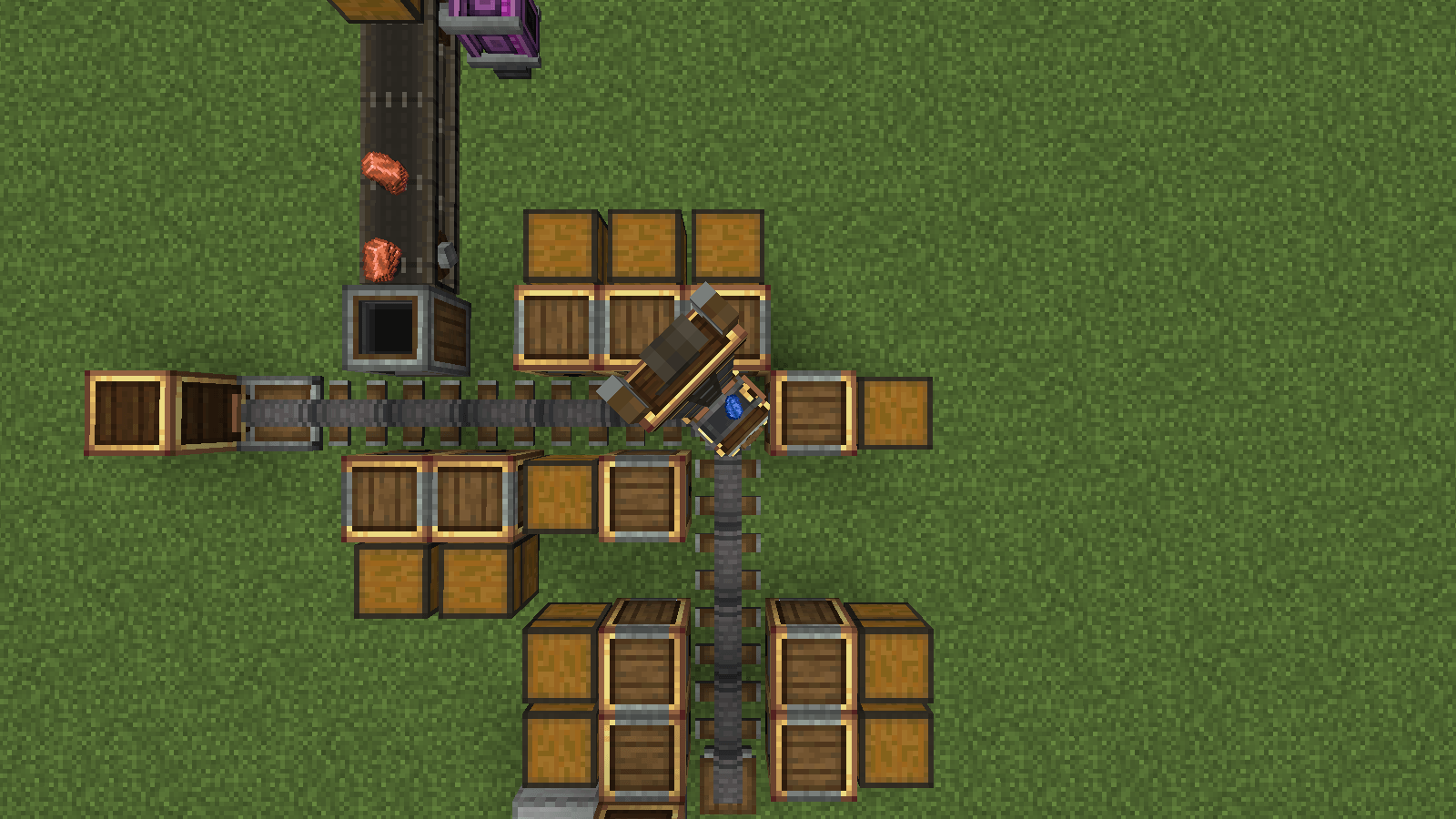
05-crane-turning-corner.png
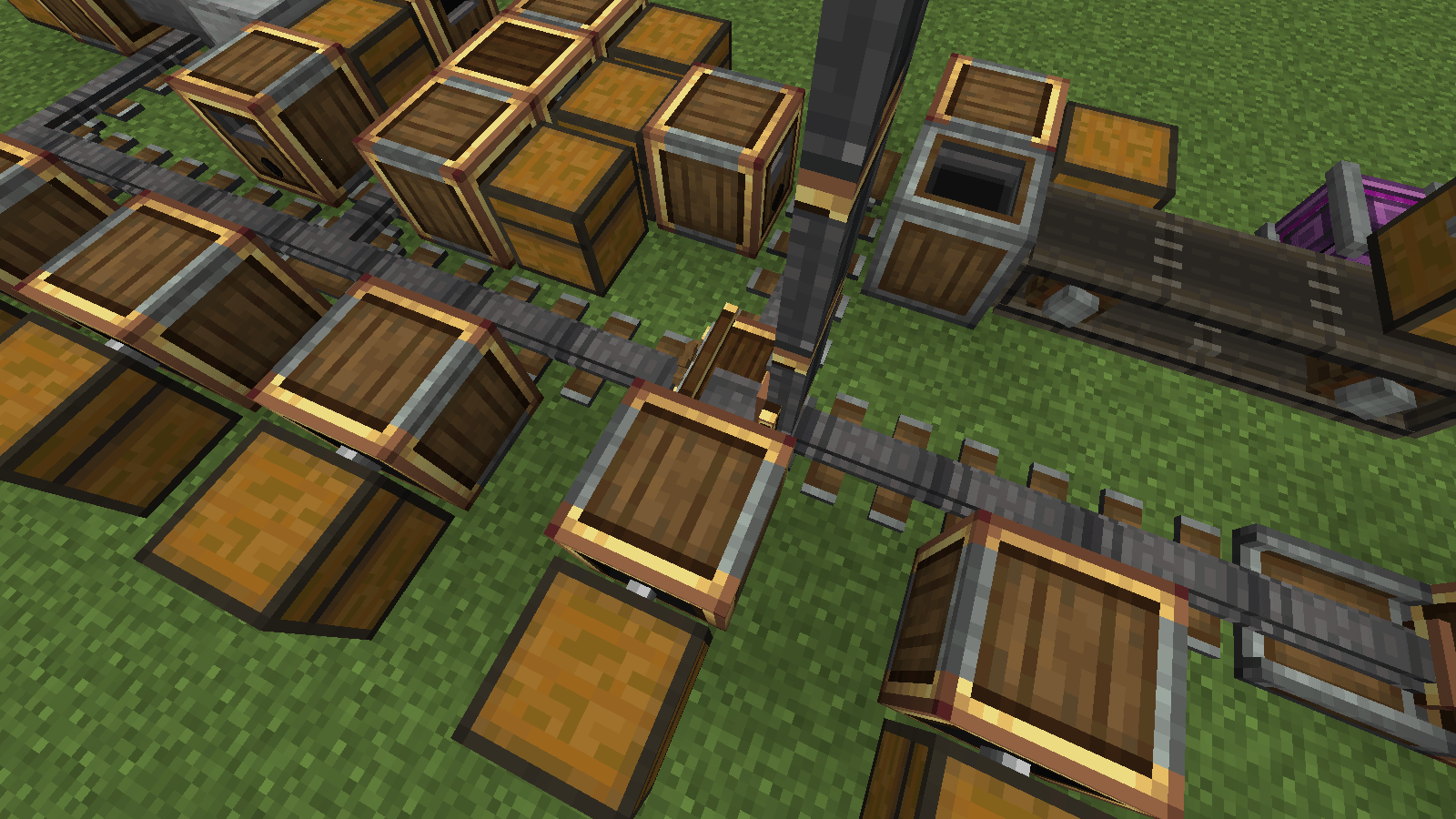
07-junction-rack.png
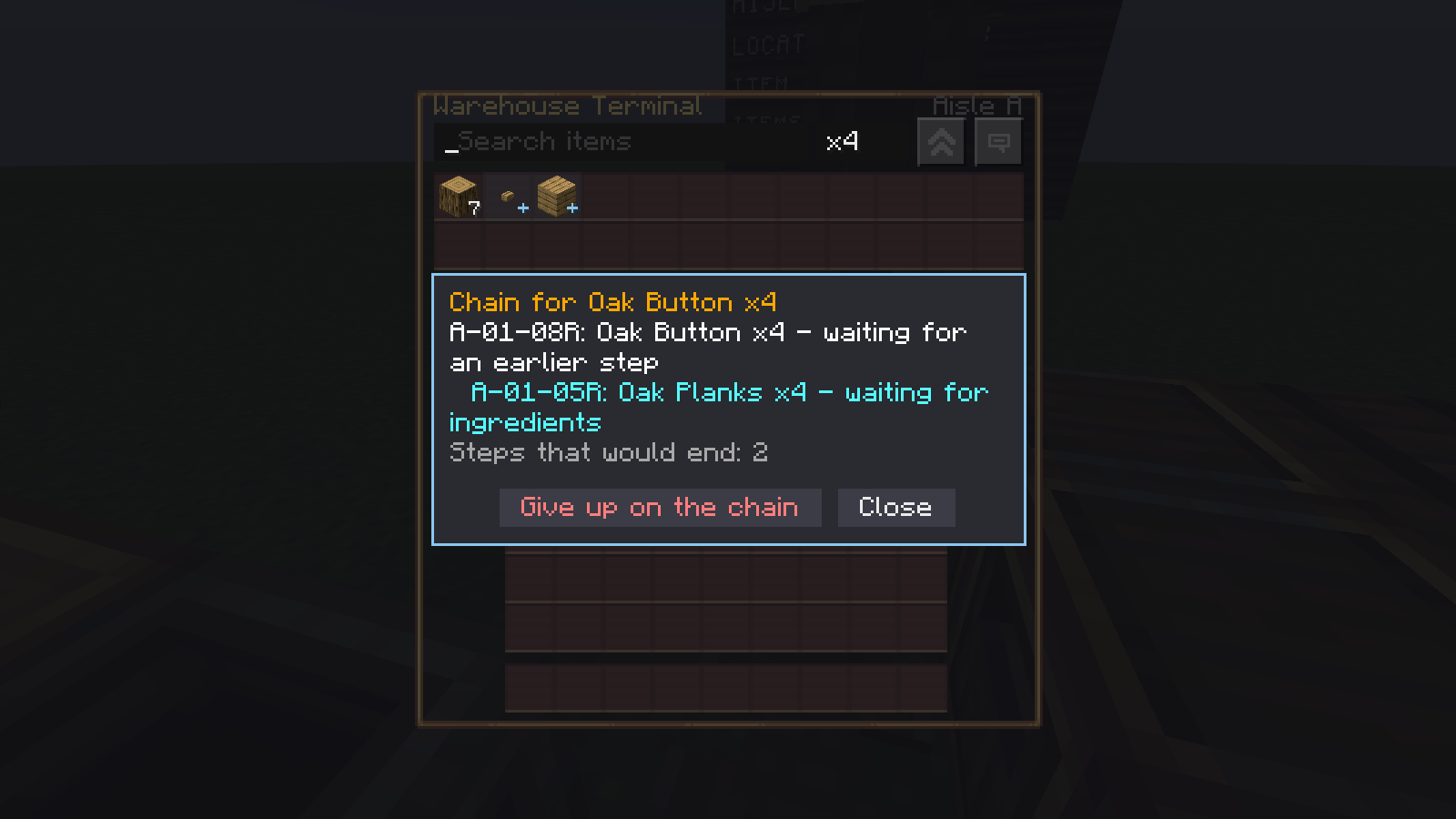
08-terminal-production-chain.png
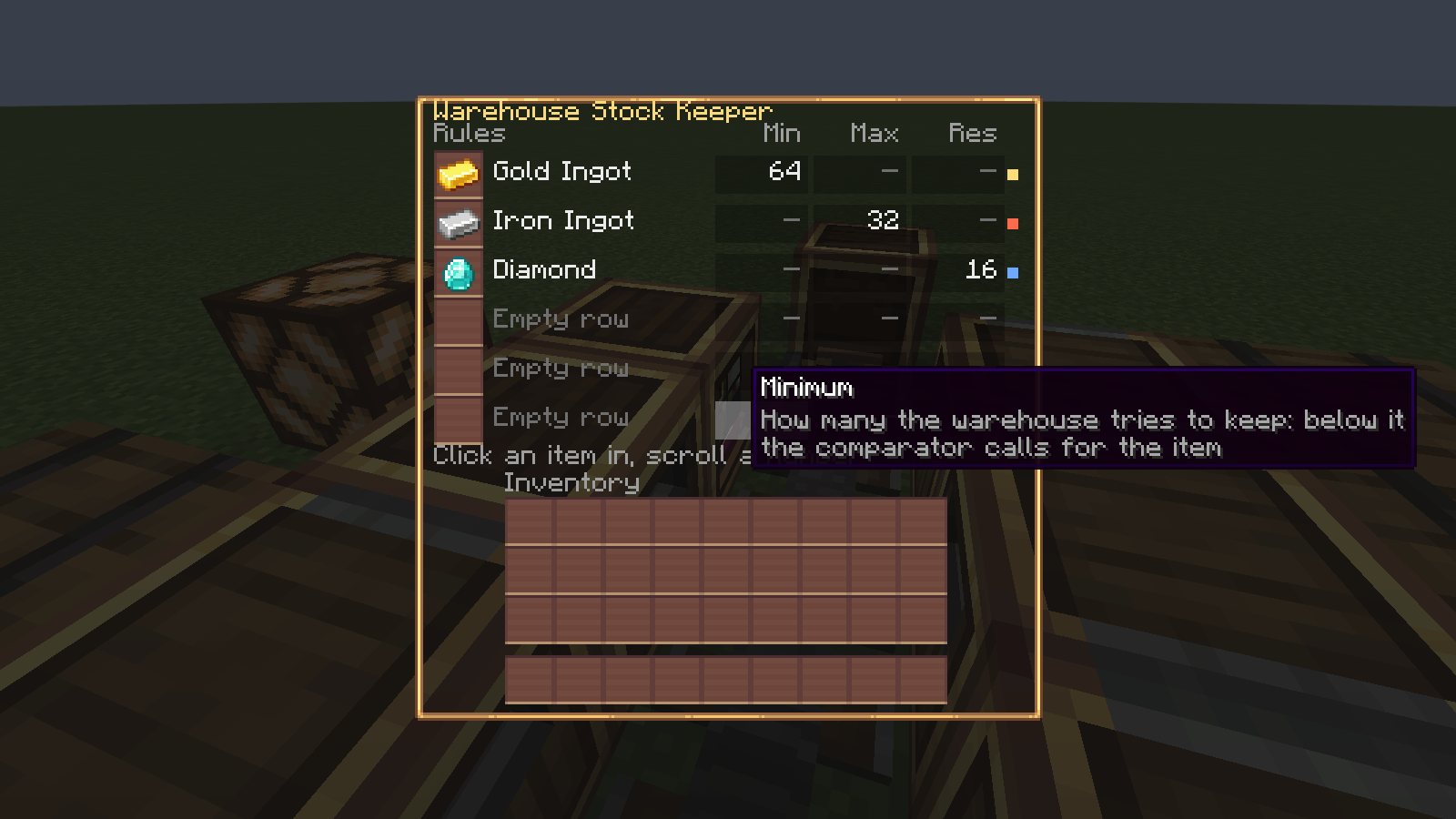
09-stock-keeper.png
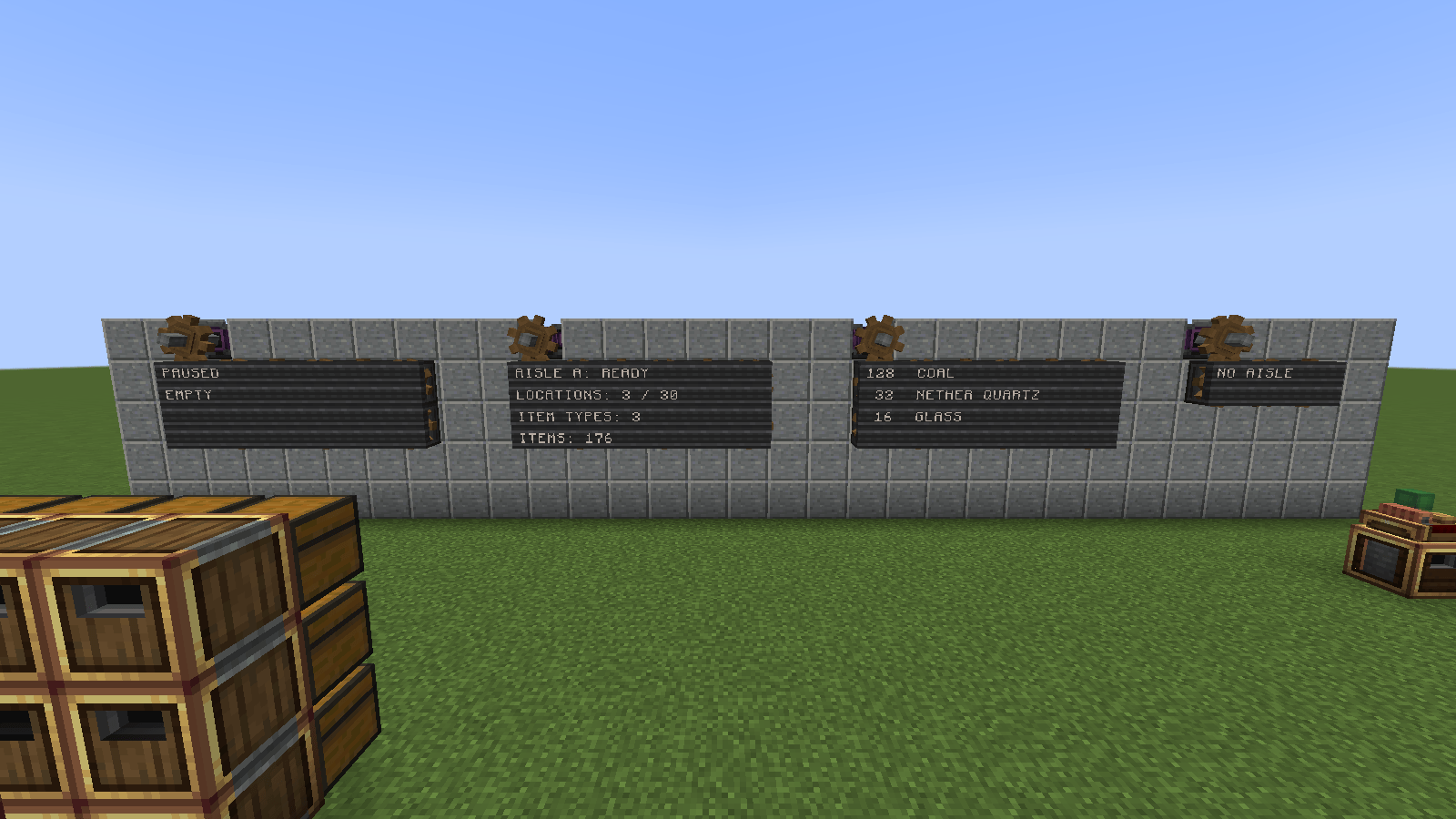
10-display-boards.png
Description
Create: Wareworks
Mechanical Storage & Intralogistics for Create
Most storage mods make items vanish into a network and reappear somewhere else. Wareworks does the opposite: you build a real high-bay warehouse, and a stacker crane drives through it, lifts its carriage, reaches into the rack and carries every single item by hand. How big you build, how fast you spin it and how well you lay it out decides how fast your warehouse is.
The machine is the feature.
What it adds
Stacker Crane - A kinetic Create machine on rails. Its crane is fully animated: a chassis on bogies, a mast, a lift carriage, a telescopic arm and a grabber with the carried items on it. Travel, lift, arm and turning speed follow the RPM of your network, and it consumes stress like any other Create machine.
Warehouse Rail - The warehouse itself. Rails that touch connect, so a second run laid at right angles makes a corner the crane swings around, and a run leaving the middle of another makes a junction. Lay an L around your base, a comb of side aisles off one main run, or a ring. A wrench closes a rail you would rather keep out.
Warehouse Controller - The brain. It finds your storage locations, keeps track of what is stored where, reserves stock and plans every job for the whole network. It never moves an item itself - only the crane does.
Warehouse Interface - Place it in front of a chest, a barrel, a Create vault or storage from other mods, and that inventory becomes an addressed storage location such as A-03-07R. Anything with a standard item inventory works. Its filter decides what may go in, and its priority decides which racks fill first.
Warehouse Input - The way in: belts, funnels, chutes, hoppers or a Mechanical Arm.
Warehouse Output - The way out, and more than that: a port with three directions. It hands out what you request, takes in what the warehouse cannot store, or fetches from a machine of yours. See below.
Warehouse Terminal - A request station with a screen: the whole stock in a searchable grid, click an item, and watch the crane go and fetch it.
Warehouse Production Station - Holds patterns and feeds your own machines, so you can order things the warehouse does not have.
Warehouse Stock Keeper - Minimum, maximum and reserve per item. The warehouse keeps itself stocked.
Warehouse Home Point - "Wait here." The crane parks where you want it between jobs.
One warehouse, however it is shaped
Every straight run of rails is an aisle with its own letter, and one controller letters the lot, so an address stays something you can read out loud: A-03-07R is aisle A, level 3, position 7, right side. Letters and positions are pinned to the rails, so extending an aisle never reshuffles addresses you have already written on a sign.
With junctions there is more than one way from A to B, so the warehouse measures routes in blocks driven plus quarter turns and the crane drives the cheapest one. Racks in corners and at junctions work: a rack belongs to the aisle its interface faces away from, and that is the whole rule.
One controller, one terminal, one stock list, one address space - for an L, a comb or a ring alike.
The port: four ways to use one block
A wrench sets the direction, the amount value sets when (on a pulse, while powered, or unless powered), and in the accepting direction a rank decides the order:
| Direction | Typical use |
|---|---|
| Request on a pulse | Hand out on a button press |
| Request while powered | Keep a machine supplied, no clock needed |
| Accept, negative rank | Overflow: only what no rack will take, straight onto a belt to your shredder or back to the farm |
| Accept, positive rank | Divert: everything incoming leaves at once while the signal is on |
| Collect | The crane fetches from the inventory behind it, so a machine needs no return belt |
Brass means requesting, andesite accepting, copper collecting - you can see what a port does from across the aisle.
Keep your warehouse stocked
A Stock Keeper holds a list of items with three numbers each:
- Minimum - below it the warehouse orders the item from your own machines, and a lamp and comparator tell your farm to get going
- Maximum - above it nothing more is stored, and your belt backs up on purpose instead of filling every rack with cobblestone
- Reserve - the last few are protected from your own automation; you may still take them, and the terminal asks before it spends them
If a machine swallows a batch and gives nothing back, the warehouse stops making that item and says so on the station, until you have had a look and clicked resume.
Order what you do not have
Ask for a chest when the warehouse holds nothing but logs. At the moment you click, it works out the whole chain from your patterns - planks from logs at your saw, the chest from those planks at your crafter - and either creates every step at once or tells you the item that is really missing.
Every step is your machine doing the work, every intermediate travels through a real rack on the crane, and the terminal shows the chain as one line: click it for every step with its state and the rack address of the machine to walk to.
Wareworks never crafts anything itself. It delivers and collects.
Sort, see and automate
- Filters on an interface: List, Attribute and Package Filters all work. Dedicated racks fill first, filters restrict only what goes in, and changing one never moves what is already stored
- Priorities on an interface decide which racks fill first - your big vault before the general chests
- Mechanical Arms work with the stations directly: the input takes items in, output, terminal and production station hand them out
- Display Links read the warehouse: an aisle summary, a stock list, the stock of a filtered item, or what the crane is doing - on a display board or nixie tubes
- Engineer's Goggles on any block: addresses, stock, reservations, the current job, and why something is waiting
- Hold W on any Wareworks item for Ponder scenes, including rails around a corner and rails that split
Build your first warehouse
- Place the Stacker Crane facing the way the aisle should run, and power it with a shaft from below
- Lay Warehouse Rails in front of it - straight for now, around a corner once you have the hang of it
- Put the Warehouse Controller directly behind the crane
- Put chests beside the rails with a Warehouse Interface in front of each
- Add a Warehouse Input, and a Warehouse Output or a Terminal
- Feed it, and watch
There is no setup screen: your build is the configuration.
Requirements
- Minecraft 1.21.1
- NeoForge 21.1.250 or newer
- Create 6.0.10 or newer 6.0.x
Works in singleplayer, multiplayer and on dedicated servers. English and German translations included.
Status and known limitations
This is an early alpha. Please back up your world and report anything odd.
- One crane per warehouse. Several cranes sharing one rail network are planned and need traffic rules first.
- Chunk loading is off by default. A warehouse only works while its chunks tick. A server operator can let an aisle hold its own chunks while it has work, bounded and visible, but until then the crane pauses when you walk away and continues when you come back.
- The moving crane is only drawn while its dock is within your render distance.
- Ingredients handed to your machine are your machine's responsibility. If an order is cancelled or times out, items already inside the machine are not returned - the warehouse then stops making that item until you resume it.
AI disclosure
- Images: artwork such as the project logo was generated with AI. The screenshots are in-game captures.
- Code: the code was written with AI assistance.
- Human review: every AI-generated part, whether image or code, was reviewed by a human before it was released.
Create Wareworks Team
