🔍 Create: Storage Terminal
- By
Create: Storage Terminal makes large storage systems easier to search, manage, and access—without opening every container individually.
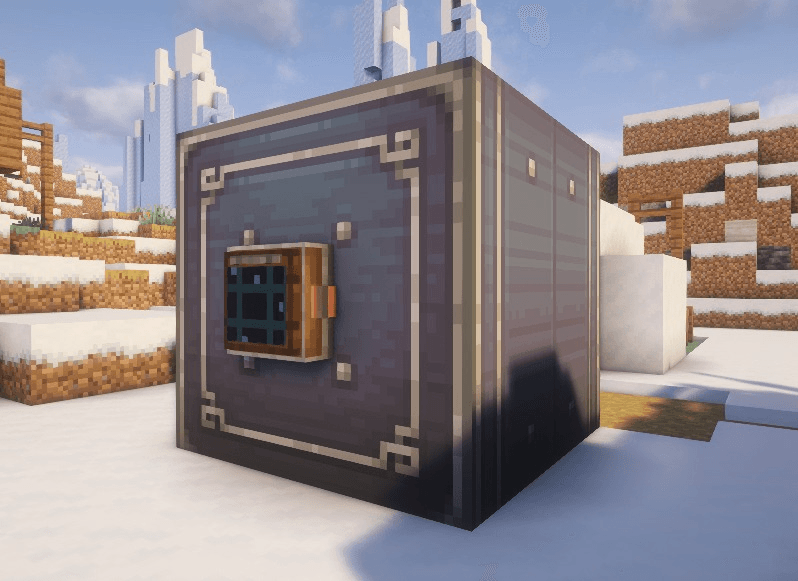
Terminal placed on an item vault_compressed.png
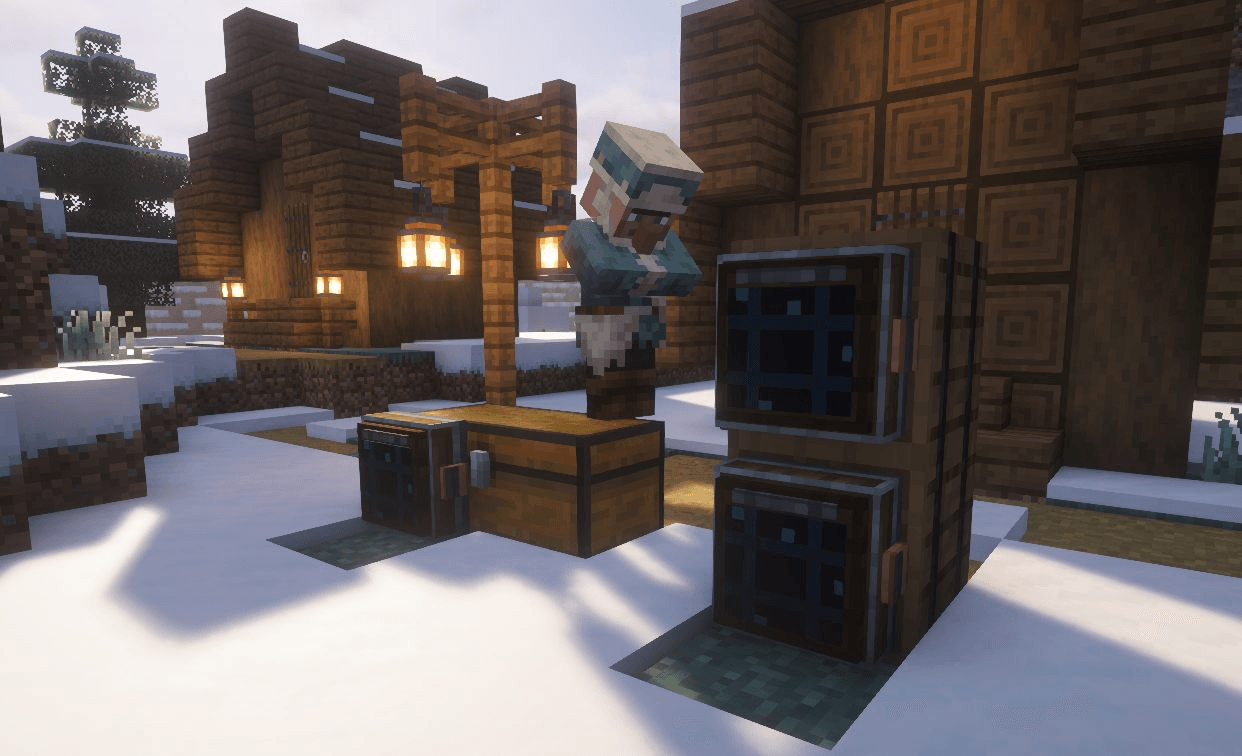
Terminal can be placed on any chest or modded storage block_compressed.png
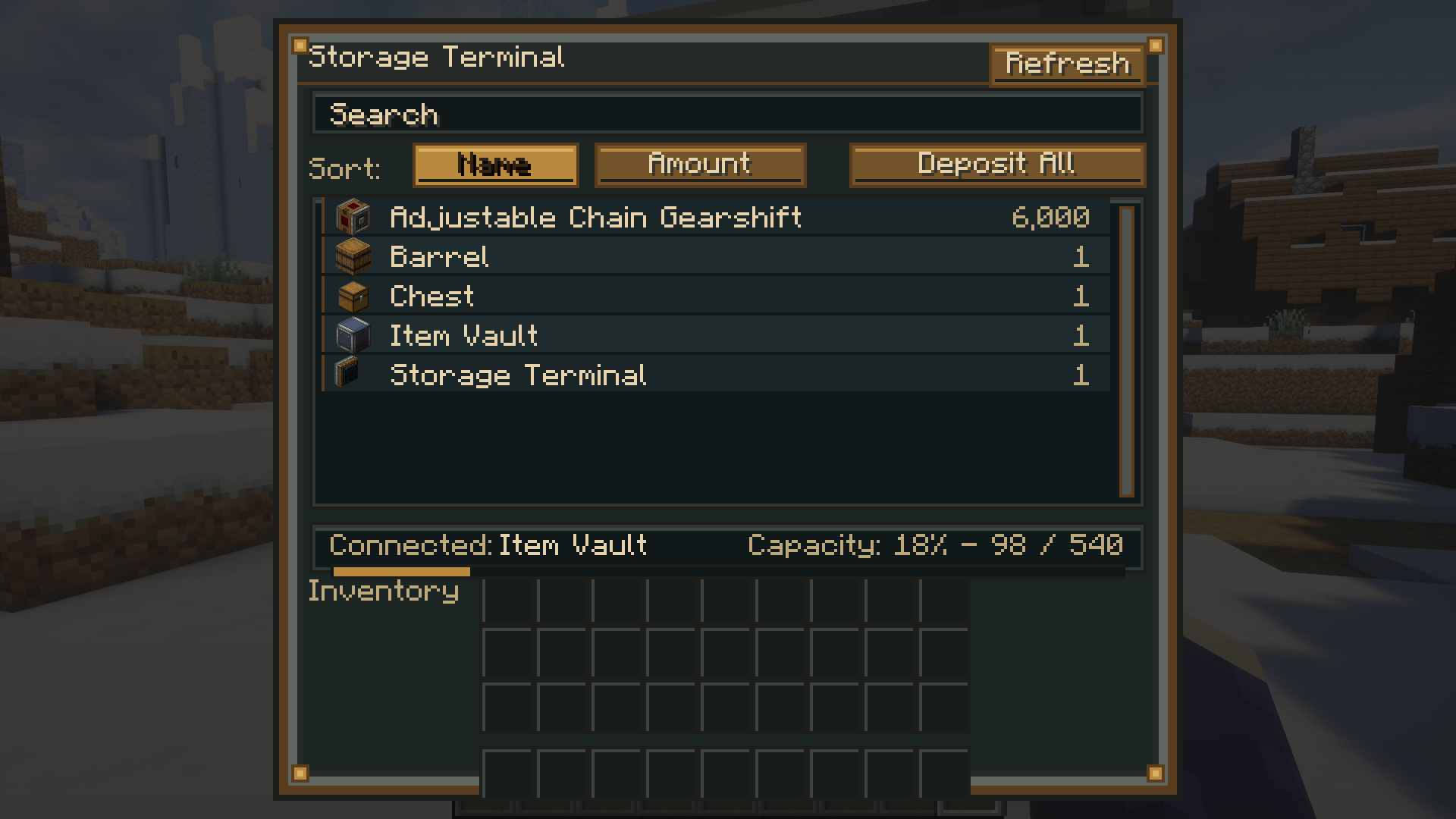
GUI terminal.png
Support Team SmartStreamLabs
Create a server, get 25% off your first month

Description
📦 Create: Storage Terminal
Create: Storage Terminal adds a convenient, Create-inspired storage interface to Minecraft!
Place the Storage Terminal next to compatible storage—especially Create Item Vaults—to view, search, deposit, and retrieve stored items from one clean terminal screen.
⚙️ Features
🔍 Search your storage
Quickly find specific items by typing their name into the search bar.
📊 Sort stored items
Sort the item list by:
- Item name
- Stored amount
📥 Deposit items
Move items directly from your player inventory into the connected storage.
📦 Deposit All
Automatically deposits as many compatible items from your inventory as possible.
📤 Retrieve items
Take items out of the connected storage directly through the terminal interface.
🔄 Refresh button
Instantly refresh the displayed contents of the connected storage.
📈 Storage information
See which storage is connected, how many items are stored, and how much capacity remains.
🖱️ Item Controls
- Left-click: Retrieve one stack
- Right-click: Retrieve half a stack
- Shift-click: Retrieve as many items as possible
- Double-click: Retrieve a full stack
- Shift-click from your inventory: Deposit the selected stack
- Deposit All: Deposit all possible inventory items
The terminal will only transfer as many items as the connected storage or your inventory can hold, preventing items from being lost.
🧱 How to Use
- Craft a Storage Terminal
- Place it against or next to compatible storage
- Open the terminal
- Search, sort, deposit, and retrieve your items!
The terminal is designed especially for Create Item Vaults, while also supporting compatible inventories that expose item storage.

This mod have been created with IntelliJ
⚠️ This is an unofficial create addon. Do not report addon bugs to the original create developers.
Disclaimer about product: NOT AN OFFICIAL MINECRAFT PRODUCT. NOT APPROVED BY OR ASSOCIATED WITH MOJANG OR MICROSOFT
🔍 Create: Storage Terminal Team

Owner

![[TaCZ] [SBW] Tactical Breaching project image](https://media.forgecdn.net/avatars/thumbnails/1825/193/256/256/639152533052183754.png)
![[MTS] IV Render & FPS Fix project image](https://media.forgecdn.net/avatars/thumbnails/1951/177/256/256/639209451893432916.png)