Create: Stock Instant Craft
- By
Adds a Stock Crafter that crafts directly from connected Item Vaults and other storage on your Create stock network using a real, automatically refilling 3×3 grid.
Create: Instant Stock Crafting
Create: Instant Stock Crafting adds a dedicated Stock Crafter that lets you craft directly from the inventories connected to a Create stock network.
The Stock Crafter combines Create’s stock network with a real 3×3 crafting grid, allowing you to craft directly with items stored in connected inventories such as Item Vaults. After each craft, used ingredients are automatically pulled from the network to refill the grid.
Features✅
- A real 3×3 crafting grid inside Create’s stock interface
- Direct access to Item Vaults and other connected storage inventories
- Automatic item refilling after every craft
- Send crafted items directly into the stock network
- Return unused items to storage, with overflow returned to the player
- JEI/TMRV and EMI recipe transfer support
- Shift-click to move one stack directly into your inventory.
- Middle-click to pin or unpin an item. Pinned items always remain at the Top.
- Use the sort button to switch between quantity (highest item amount first) and name (A–Z).
- Optional integration with Create: Factory Controller Production Orders
How to use⚙️
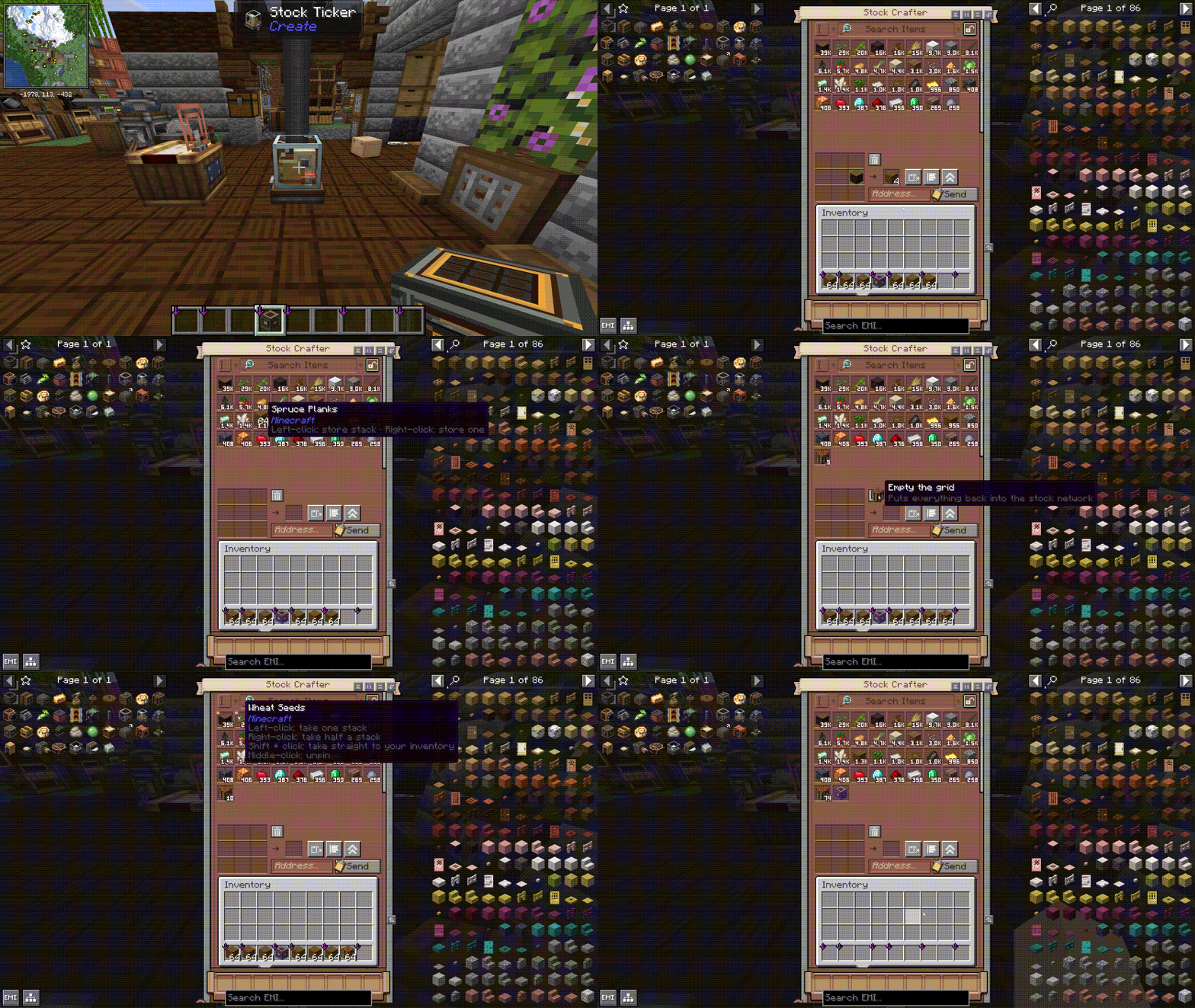
- Craft the Stock Crafter out from a Stock Ticker, Precision Mechanism, and Crafting Table.
- Hold the Stock Crafter in hand and right-click a block on the Stock network like Stock Ticker to link it.
- Place and open the Stock Crafter.
- Crafting manually or transfer a recipe with JEI/TMRV or EMI.
- Click to craft once, or Shift-click to craft a full stack.*
- Use the network button to Craft items directly into connected storage.*
- Use the trash button to clear the crafting grid.
- Use the view button to switch to Create’s Stock Keeper or compatible Production Orders screen.
Requirements🖥️
- Minecraft 1.21.1
- NeoForge 21.1.219 or newer
- Create 6.0.10 — required
- Java 21
JEI or EMI is not required, but it is recommended. Recipe transfer makes it much faster to fill the crafting grid from items stored across the stock network.
Create: Factory Controller is also optional. When installed, the Stock Crafter can hand its current ingredients directly to the Production Orders screen.
Credits and licensing
Create: Instant Stock Crafting is an independent addon for Create and is not affiliated with or endorsed by the Create Team.
Portions of the Stock Crafter interface are adapted from the MIT-licensed Create codebase:
Optional compatibility is provided for Create: Factory Controller:
No graphical, audio, or other binary assets from Create or Create: Factory Controller are bundled with this addon.
Create: Instant Stock Crafting is licensed under the MIT License.
Create: Stock Instant Craft Team