Create: Factory Routing
- By
Route each ingredient in a Create Factory Gauge recipe to its own target address — with native Create behavior and optional Factory Controller compatibility.
Screenshot 2026-08-12 000942.png
Description
Create: Factory Routing
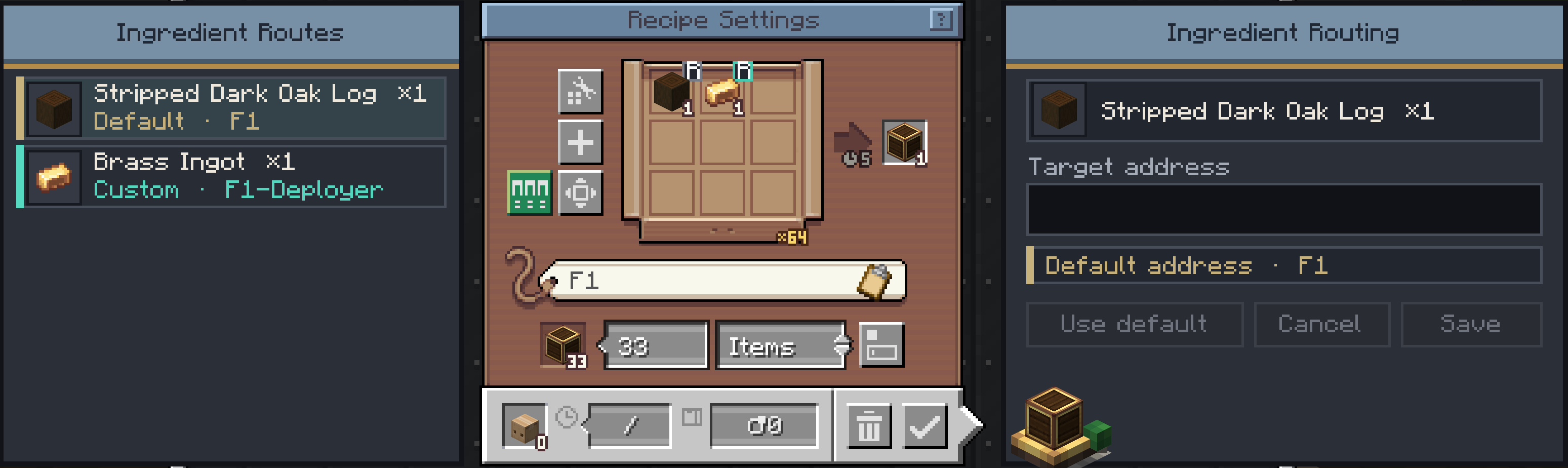
Create: Factory Routing adds optional delivery-address overrides to the ingredient connections of Create Factory Gauge recipes.
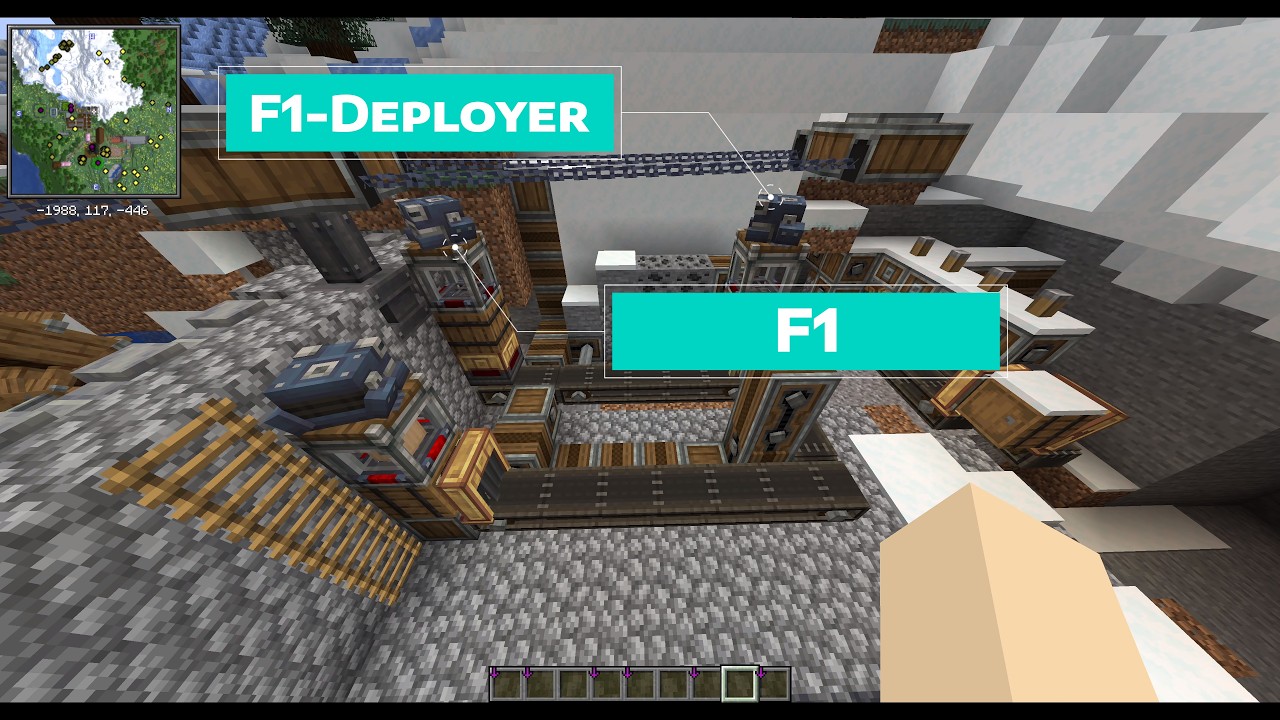
Normally, every requested ingredient uses the recipe gauge's default address. With this addon, each ingredient connection can keep that default or use its own custom address. This allows one recipe gauge to distribute ingredient deliveries across multiple destinations without splitting the setup across several gauges.
Features
- A separate custom delivery address for each ingredient connection
- Automatic inheritance from the recipe gauge's default address
- Embedded ingredient list on the left and address editor on the right
- Compact paged fallback when there is not enough screen space
- Support for regular Create Factory Gauges
- Optional support for Create: Factory Controller virtual gauges
- Persistent, server-authoritative routing data
- No new blocks or items
How to use
- Open a Factory Gauge in recipe mode.
- Select the routing icon to show the routing panels.
- Select an ingredient from the list on the left.
- Enter its target address and select Save.
- Select Use default to remove the override and use the recipe gauge's default address again.
Requirements
- Minecraft 1.21.1
- NeoForge 21.1.227 or newer
- Create 6.0.10 — required
- Java 21
- Create: Factory Controller is not required, but it is recommended. Its virtual gauge screen makes larger recipe and routing setups much easier to organize and configure.
Credits and licensing
Create: Factory Routing is an independent addon for Create and is not affiliated with or endorsed by the Create Team.
Portions of the request-planning implementation are adapted from the MIT-licensed Create codebase:
Optional compatibility is provided for Create: Factory Controller:
No graphical, audio, or other binary assets from Create or Create: Factory Controller are bundled with this addon.
Create: Factory Routing is licensed under the MIT License.
Create: Factory Routing Team