Create: Enchantment Press
- By
Automate enchantment copying and recover Liquid Experience from enchanted items with Create-powered machines.
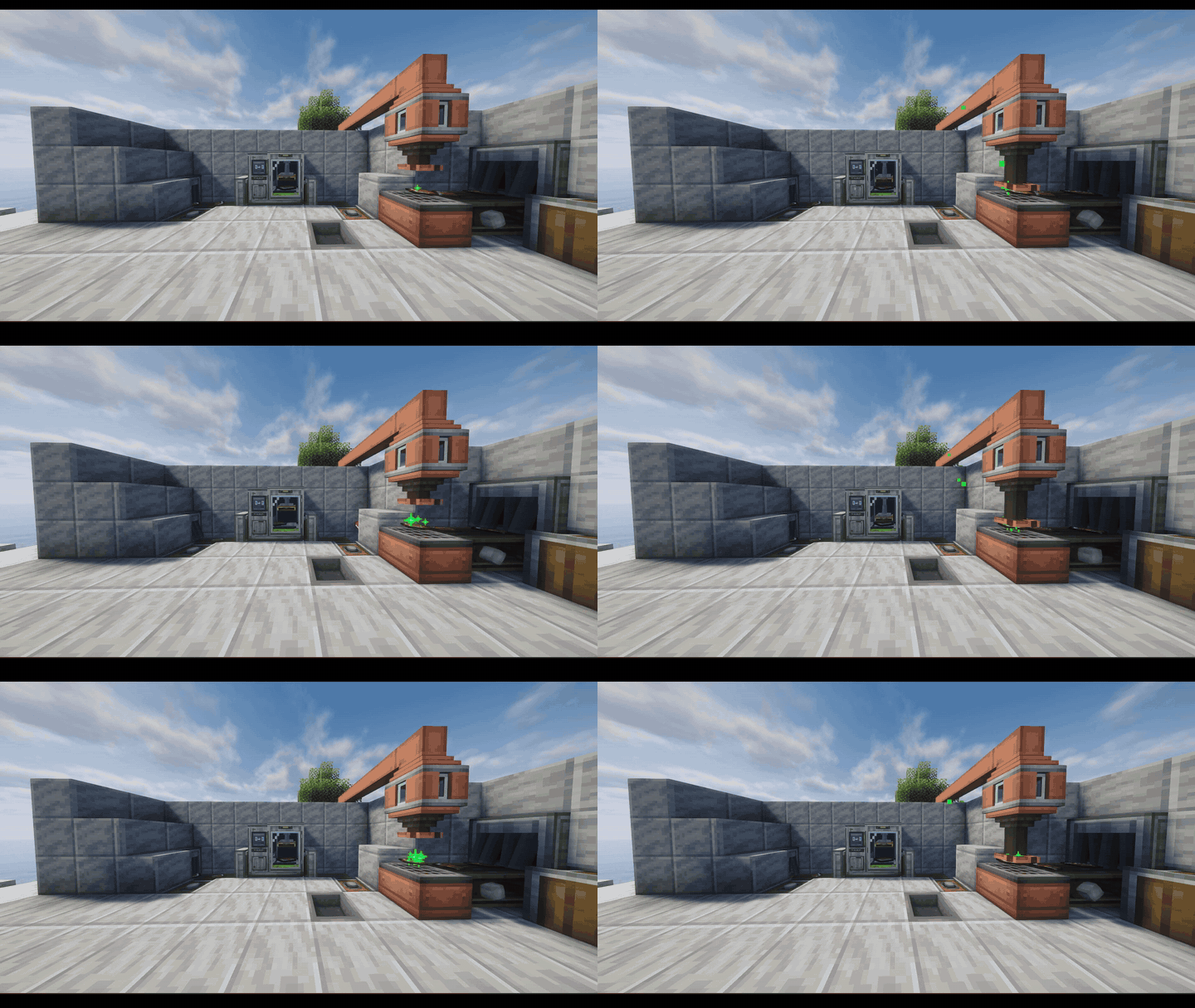
Create-Enchantment-Press-Active
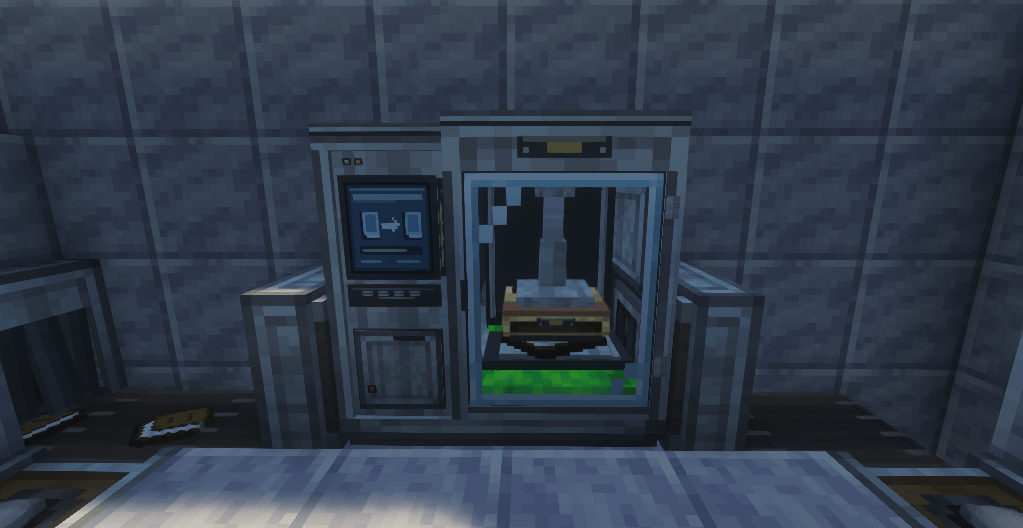
Enchantment press
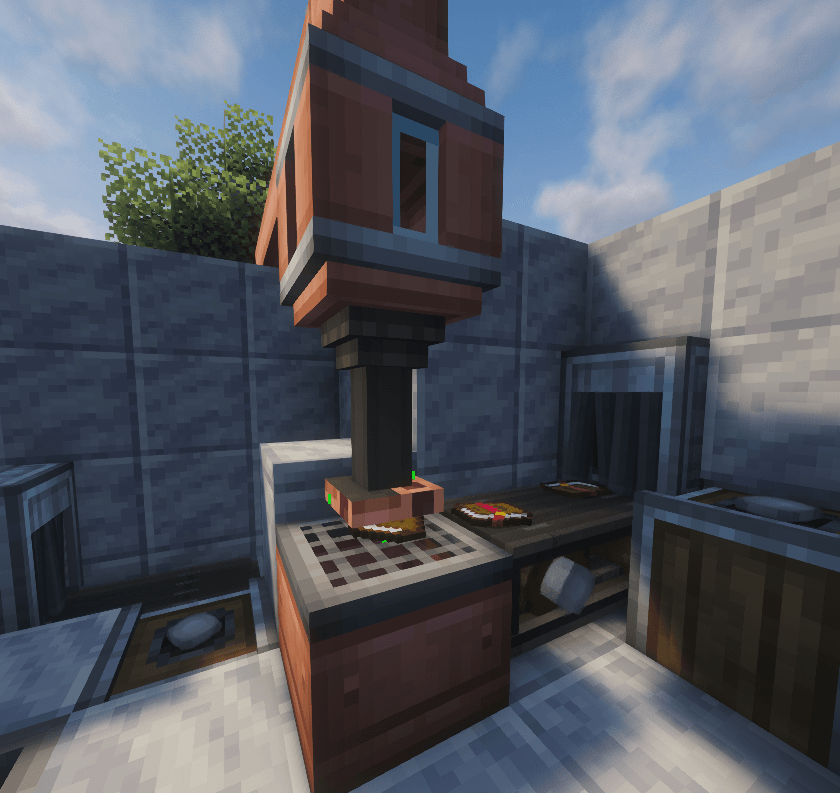
Experience extractor
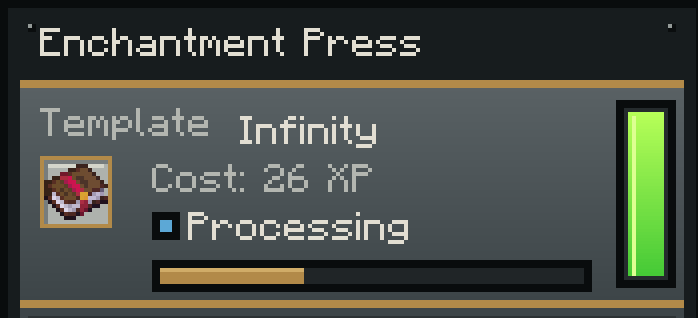
GUI
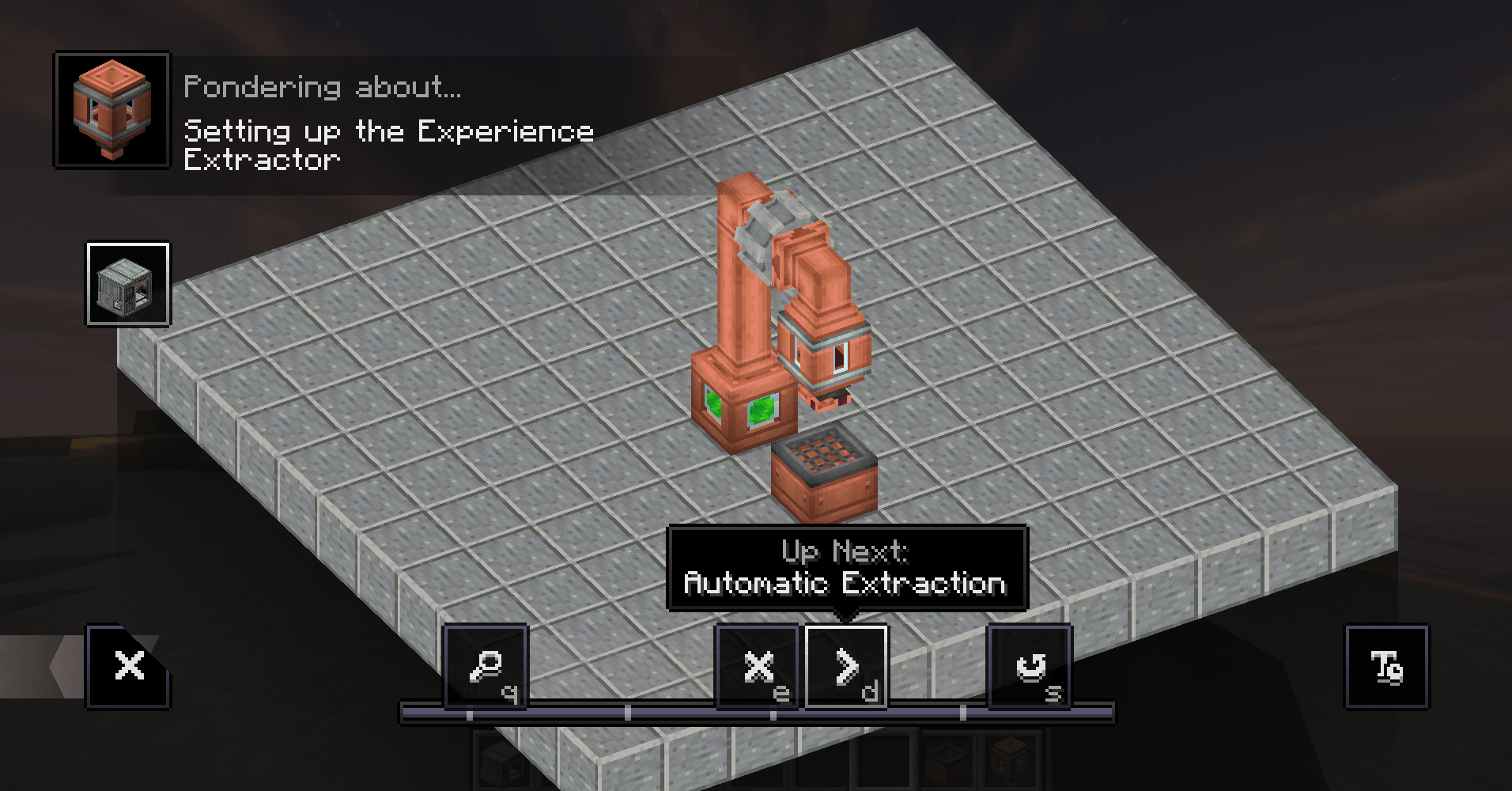
experience extractor ponder
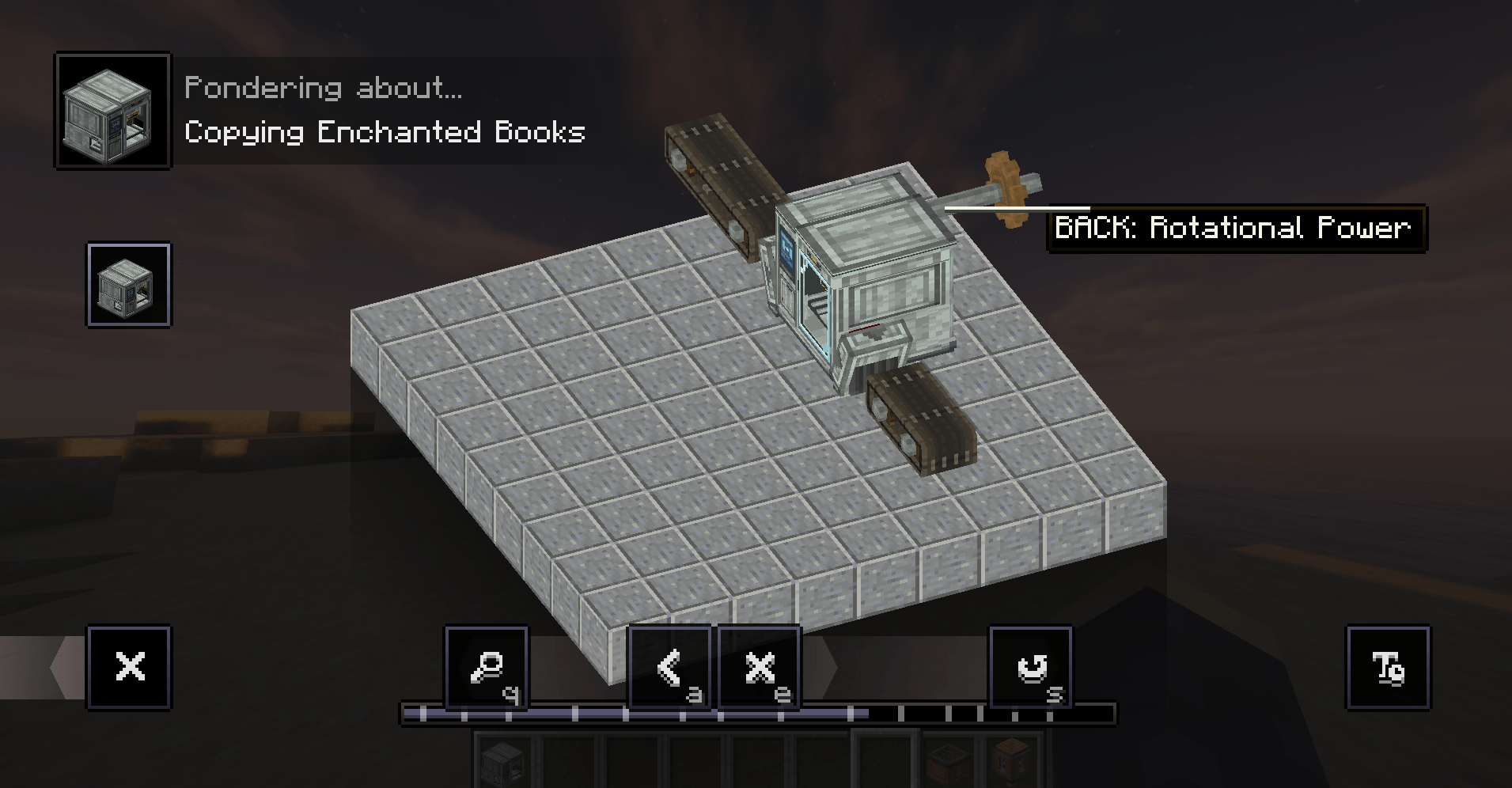
Ponder enchanter
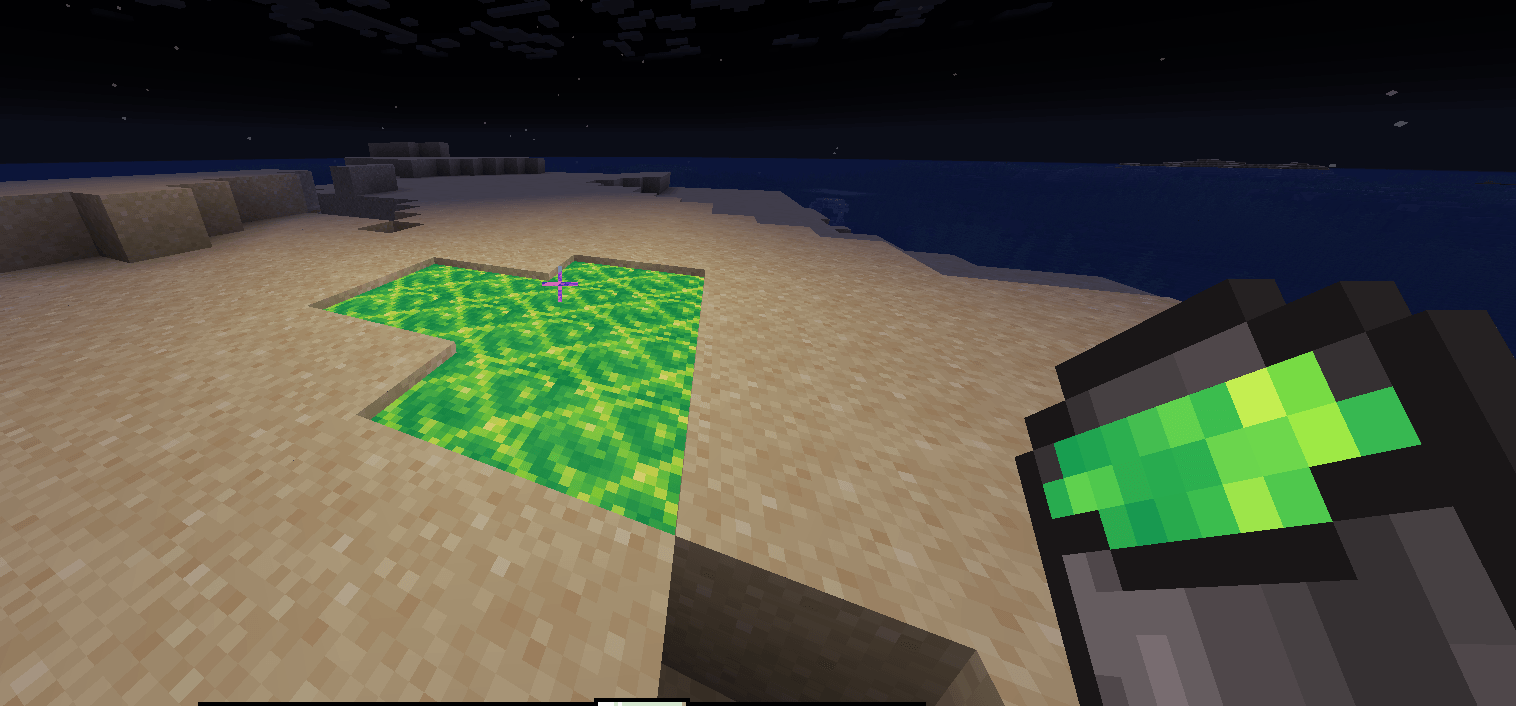
Liquid experience bucket

Description
Create: Enchantment Press
Create: Enchantment Press adds a fully automatable enchanting production chain built around Create.
Recover Experience from enchanted items, store it as Liquid Experience, and use enchanted books as reusable templates to automatically create exact copies.
The entire process can be automated using Create Belts, Funnels, Fluid Pipes, Mechanical Pumps, Fluid Tanks and Item Drains.
⚙️ Enchantment Press
The Enchantment Press copies the enchantments from an enchanted book onto normal books.
Instead of random enchanting, you decide exactly which enchantments will be copied by inserting an enchanted book as a reusable template.
Requirements
- Fully assembled 2×2×2 Enchantment Press
- Rotational Power
- Liquid Experience
- Enchanted Book template
- Normal Books
Connections
Back: Rotational Power / Shaft
Left: Normal Book input
Right: Enchanted Book output
Bottom: Liquid Experience input
The bottom connection is fluid-only. The rear connection is rotational-power-only.
How it works
- Open the Enchantment Press.
- Insert an Enchanted Book into the Template slot.
- Supply Liquid Experience.
- Connect Rotational Power to the rear.
- Feed normal Books into the left side.
- The Book moves underneath the press.
- The press copies the enchantments.
- Liquid Experience is consumed.
- The finished Enchanted Book exits from the right.
Important
- The template book is never consumed.
- Enchantments and their levels are copied exactly.
- XP cost depends on the enchantments on the template.
- Enchanted Books keep their proper data and enchantment glint.
- If the output is blocked, the machine safely waits.
- Processing will not start without a valid template, Book, Liquid Experience and Rotational Power.
✨ Experience Extractor
The Experience Extractor automatically removes removable enchantments from enchanted items and converts them into Liquid Experience.
It works together with Create's Item Drain.
Correct setup
There must be exactly one empty block between the Experience Extractor and Item Drain.
Correct:
Experience Extractor
↓
Air
↓
Create Item Drain
Placing the Extractor directly against the Item Drain will not work.
Leaving two or more empty blocks between them will also not work.
How it works
- Place a Create Item Drain.
- Leave one empty block above it.
- Place the Experience Extractor above that space.
- Move an enchanted item onto the Item Drain.
- The extraction head moves downward.
- Removable enchantments are extracted.
- Experience is converted into Liquid Experience.
- The extraction head returns upward.
- The processed item continues through your automation.
Supported items
- Enchanted Books
- Enchanted Tools
- Enchanted Weapons
- Enchanted Armor
- Supported modded enchanted items
- Create Experience Nuggets
Results
Enchanted Book → Normal Book
Tools, weapons and armor remain the same base item, but their removable enchantments are removed.
Curses are not removed.
💚 Liquid Experience
Liquid Experience connects both machines.
The Experience Extractor produces it and the Enchantment Press consumes it.
Features
- Animated still texture
- Animated flowing texture
- Emits light
- Can be placed in the world
- Works with Create Fluid Pipes
- Works with Create Fluid Tanks
- Visible inside both machines
The Experience Extractor has an internal 4,000 mB tank.
Pumping Experience out
Connect a Create Fluid Pipe to the top of the Experience Extractor.
Add a Mechanical Pump and make sure it pumps away from the Extractor.
Liquid Experience can then be transported to:
- Create Fluid Tanks
- The Enchantment Press
The Experience Extractor fluid connection is output-only.
🏭 Full Automation
A complete production line can work like this:
Enchanted Items
↓
Create Belt / Funnel
↓
Item Drain
↑
Experience Extractor
↓
Liquid Experience
↓
Fluid Pipe + Mechanical Pump
↓
Enchantment Press
↑
Normal Books + Enchanted Template
↓
New Enchanted Books
This allows old enchanted equipment to be recycled into Experience that can then be used to produce new Enchanted Books.
🎬 Ponder Support
Both machines include dedicated Create Ponder tutorials.
Hover over the machine in your inventory and hold W.
The tutorials explain:
- Enchantment Press setup
- Rotational Power connection
- Liquid Experience input
- Book input and output
- Belt and Funnel automation
- Correct Experience Extractor spacing
- Liquid Experience output
- Fluid Pipes and Mechanical Pumps
- Sending recovered Experience to the Enchantment Press
❤️Do you know ? we have over 120 mods!

💡 Suggestions & Bug Reports
Found a bug or have an idea ? Join the discord!
Feedback and suggestions are always welcome! 💬

An independent Minecraft mod, unaffiliated with and not endorsed by Mojang or Microsoft.
The Create: Enchantment Press Team

Owner