CraftTube
- By
Build a creator career in Minecraft: record videos, stream to a simulated audience, edit your footage, and grow your own studio.
CraftTube Turn your Minecraft adventures into a creator career. Start with a smartphone, create your channel, and record or stream while exploring, building, and surviving in your own world.
Grow your audience, discover what keeps viewers watching, and spend your earnings on better equipment and a studio of your own. Your studio starts in your pocket Receive a smartphone when you first enter a world. Its portrait home screen gives you access to CraftTube, your recording gallery, the Blockzon shop, camera controls, and settings.
Switch between front and rear cameras, watch the camera image on your held phone, and keep up with your simulated live chat. Record, edit, and publish Capture actual gameplay footage with optional microphone audio. Save your recordings, watch them again after restarting, and prepare your next upload.
- Trim, split, and rearrange clips.
- Add five included original sound effects or import WAV/OGG audio.
- Create thumbnails from recorded frames, photos, or imported PNG/JPEG images.
- Customize thumbnails with cropping, text, frames, and stickers.
- Place a laptop or studio PC to access advanced editing tools. Computers require a separately attached camera for streaming. Upgrade your setup with action cameras, other handheld cameras, tripods, microphones, lighting, and a creator tablet. Build an active audience New channels start small, with viewers gradually discovering your streams and videos. Different viewer personalities bring greetings, contextual messages, questions, comments, likes, and occasional donations.
Video performance considers progression, pacing, repetition, visible events, and audible explanations. Thumbnail contrast and a limited set of supported title subjects also influence discovery.
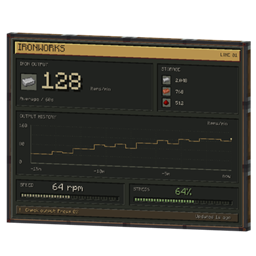
Optional local speech recognition supports German and English. It transcribes your microphone and allows simulated viewers to respond to supported spoken questions. A microphone indicator displays actual input levels and distinguishes quiet input, mute, idle, and errors. Follow your progress The analytics dashboard includes large metric cards, a highlighted balance, game-day filters, labeled line and bar charts, and transaction history.
Track views, subscribers, revenue, individual video performance, and estimated audience retention. Upgrade your setup and celebrate milestones Earn Creator Coins through eligible videos, streams, donations, and sponsor tasks. Order equipment and selected Minecraft items through Blockzon, then receive physical PostBoy delivery parcels.
Unlock creator awards at 1,000, 10,000, 100,000, 1,000,000, and 10,000,000 subscribers. Unbox your awards and display them in your world.
CraftTube includes 29 original Blockbench models. Requirements
- Minecraft Java Edition 1.21.1
- Java 21
- Fabric Loader
- Fabric API for Minecraft 1.21.1 For multiplayer, install CraftTube and Fabric API on both the client and server.
Microphone transcription requires the optional German/English speech models. Recognition runs locally without a paid AI service. Interface text and future generated viewer messages follow Minecraft’s language, with German and English supported. Current scope Recordings use CraftTube’s JPEG/PCM format; MP4 export is not included. Minecraft sound is reconstructed from captured sound events rather than full system or third-party voice-chat audio.
Viewers use local simulation rules, not an unrestricted conversational AI. Optional finished-video sharing is available with server and recipient permission; live video broadcasting between players is not included.
This release was tested on Windows x64. Other operating systems, shaders, renderer mods, Forge, and NeoForge have not been validated.
CraftTube Team