2026-11-06_09.55.50.png
ChatGPT-Bild 6. Nov. 2026, 09_06_34.png
ChatGPT-Bild 6. Nov. 2026, 09_10_51.png
ChatGPT-Bild 6. Nov. 2026, 09_55_24.png
Agent11082 | AlwaysLoaded
Create your game server with 

Description
Always Loaded Chunk loading, right where you need it. Your base, your machines, your next project—keep their chunks loaded without leaving your map.
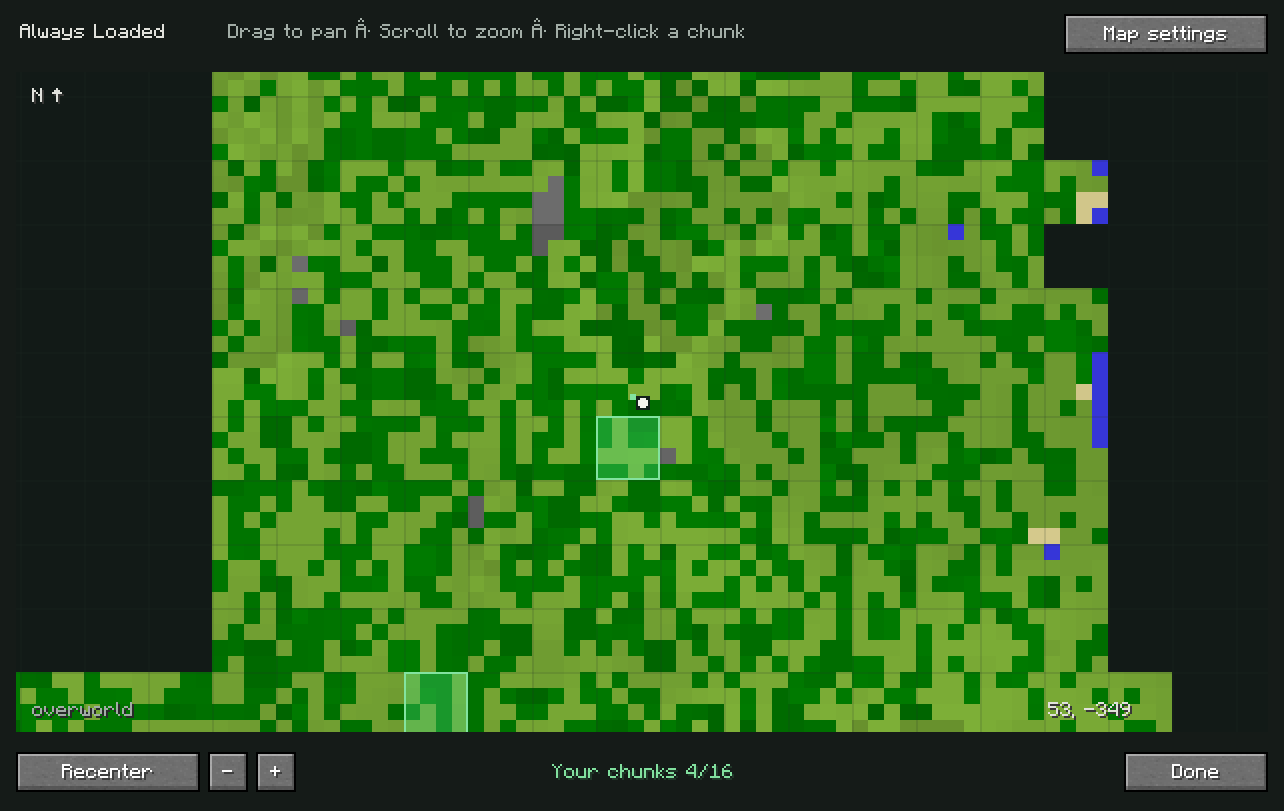
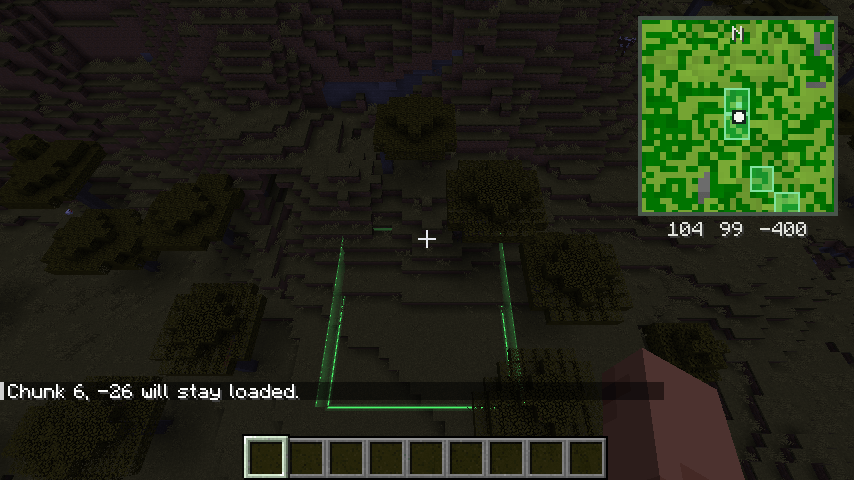
Always Loaded combines a simple minimap, named waypoints and persistent chunk loading in one familiar Minecraft interface. Press M, right-click a chunk and choose Load Chunk. A green outline marks your selection. When you no longer need it, choose Unload Chunk from the same menu.
No special block to craft. No other minimap mod required.
A map that stays out of your way
Keep a small, north-facing minimap in your preferred screen corner, or open the full-screen map for a wider view.
- See your position, heading and coordinates.
- Drag the world map to move around.
- Scroll to zoom, or use the + / − buttons.
- Select Recenter to return to your location.
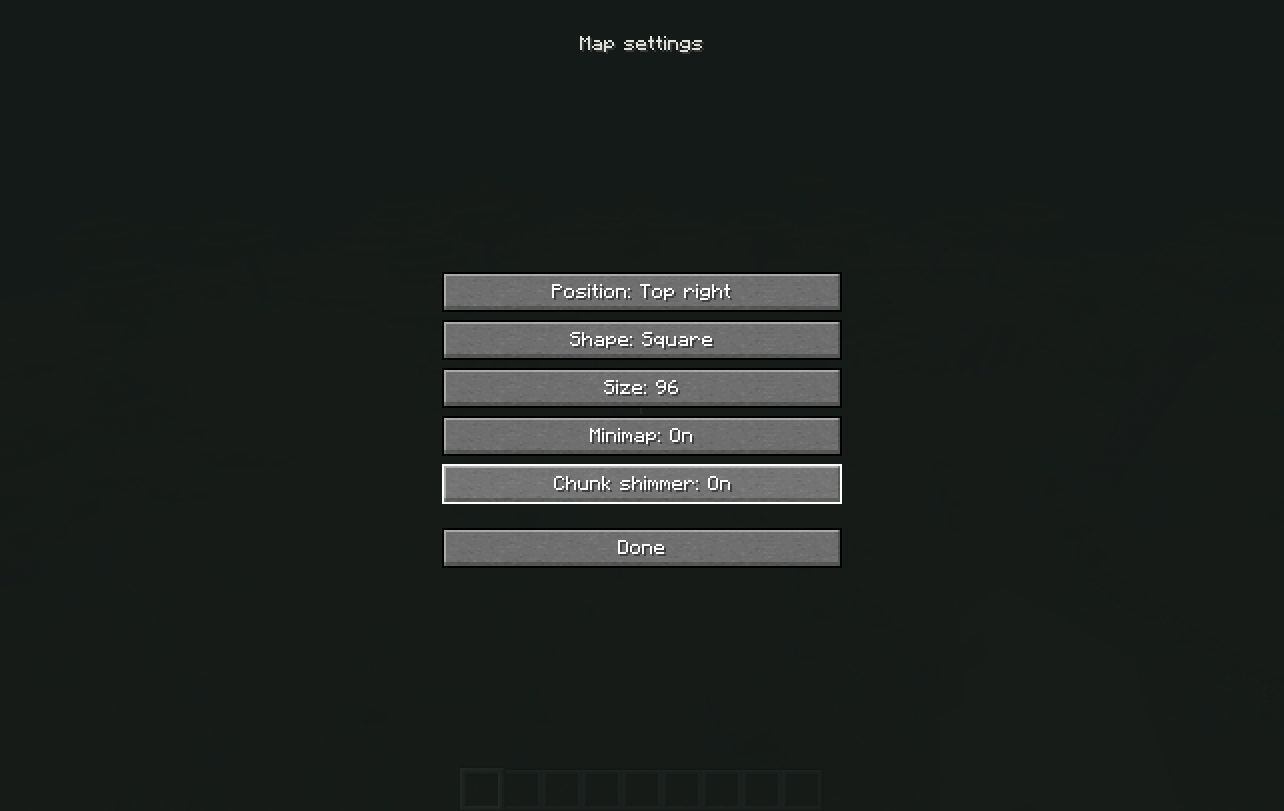
- Choose a square or circular minimap.
- Adjust its size, position and visibility. The map records surface terrain from chunks already received by your client. Explored areas remain available to view, while unknown terrain stays dark. Its simple terrain rendering uses color samples from 4×4-block patches.
Your important places, marked
Right-click a chunk, enter a name and select Add waypoint.
A gold marker appears at the selected chunk’s center, with its name visible on the world map. Use waypoints to remember your base, a building site or somewhere worth returning to.
Waypoints are stored locally and separated by world or server and dimension. They are personal map markers, not land claims.
See which chunks you are keeping loaded
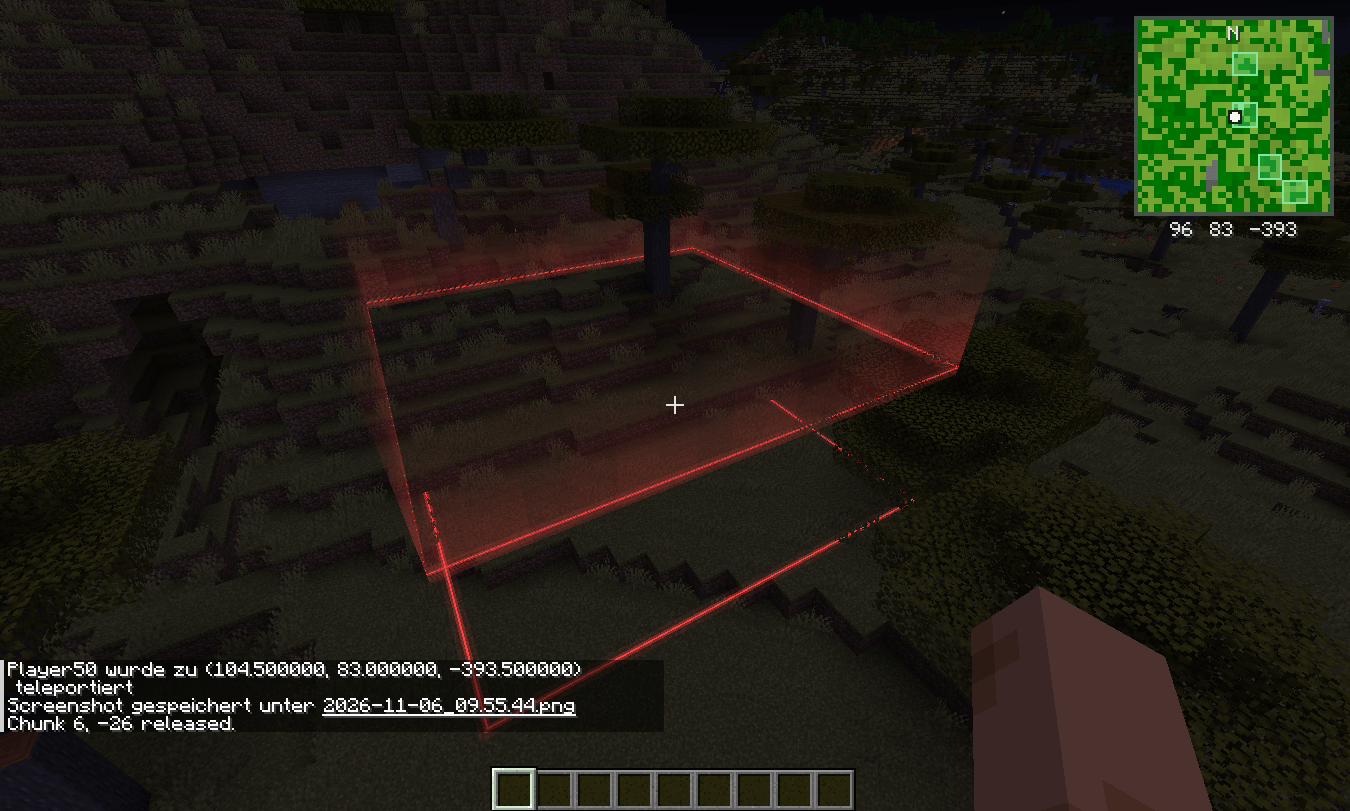
Chunks managed by Always Loaded receive a green tint and outline on both maps.
Changing a selection also produces a visible effect along its borders:
- Loading: bright green particles travel upward.
- Releasing: the particles travel downward. The animation lasts approximately six seconds at normal server speed. Two dense bands of self-lit particles make the transition visible even at night. Up to four recent transitions can animate at once.
Prefer a quieter view? Switch Chunk shimmer off in the map settings.
Saved selections that survive a restart
Chunk selections are stored with the world and restored when the server starts again. They remain loaded while the server runs, including after their owner logs out.
Always Loaded uses Minecraft’s vanilla force-loading mechanism. It does not simulate a nearby player. Mob spawning, random ticks and other mechanics that depend on player proximity still follow Minecraft’s normal rules. Selecting a chunk does not guarantee that every type of farm will operate without a player.
Closing a singleplayer world stops its integrated server, so the world does not continue running after you close it.
Simple multiplayer limits
The default allowance is 16 chunks per player across all dimensions. New selections must be within 64 chunks of the player and inside the world border.
Players can release their own selections. Server operators can release anyone’s.
Administrators can stop the server and adjust maxChunksPerPlayer and maxDistanceInChunks in the world’s alwaysloaded.json. Both accept values from 1 to 256, with a global registry cap of 4096 selections.
These permissions control chunk loading; they do not provide land claiming or grief protection. Avoid managing the same chunk with multiple chunk-loading tools.
Supported versions Loader Minecraft versions Fabric 1.20.1, 1.20.4, 1.20.6, 1.21.1, 1.21.4, 1.21.11 Forge 1.20.1 NeoForge 1.21.1, 1.21.4
Use Java 17 or later for the 1.20.1 and 1.20.4 builds, and Java 21 or later for the newer supported versions. Minecraft 26.x is currently unsupported.
Installation
- Install the loader for your Minecraft version.
- Put the matching Always Loaded JAR into your mods folder.
- For Fabric, also install Fabric API for that Minecraft version.
- For multiplayer chunk loading, install the matching mod on both the client and server.
- Enter a world and press M. Install only one matching Always Loaded JAR per instance. Fabric, Forge and NeoForge files are separate builds.
On servers without Always Loaded, the minimap and local waypoints remain usable, but chunk-loading controls stay disabled.
Controls at a glance Action Control Open the world map M, configurable in Controls Move the map Left-click and drag Zoom Mouse wheel or + / − Open chunk actions Right-click a chunk Return to your position Recenter Close the map Done or Escape
Storage and configuration
Client preferences are saved in config/alwaysloaded.json. Explored terrain and waypoints are stored in the client’s alwaysloaded folder. Server selections and limits are stored in alwaysloaded.json inside the world folder.
Each dimension remembers up to 8192 mapped chunks, discarding the oldest when that limit is exceeded. Back up local map files before resetting them, as they also contain your waypoints.
All mod-provided menus and messages are English, regardless of Minecraft’s selected language.
AlwaysLoaded Team