


Corner Coords
- By
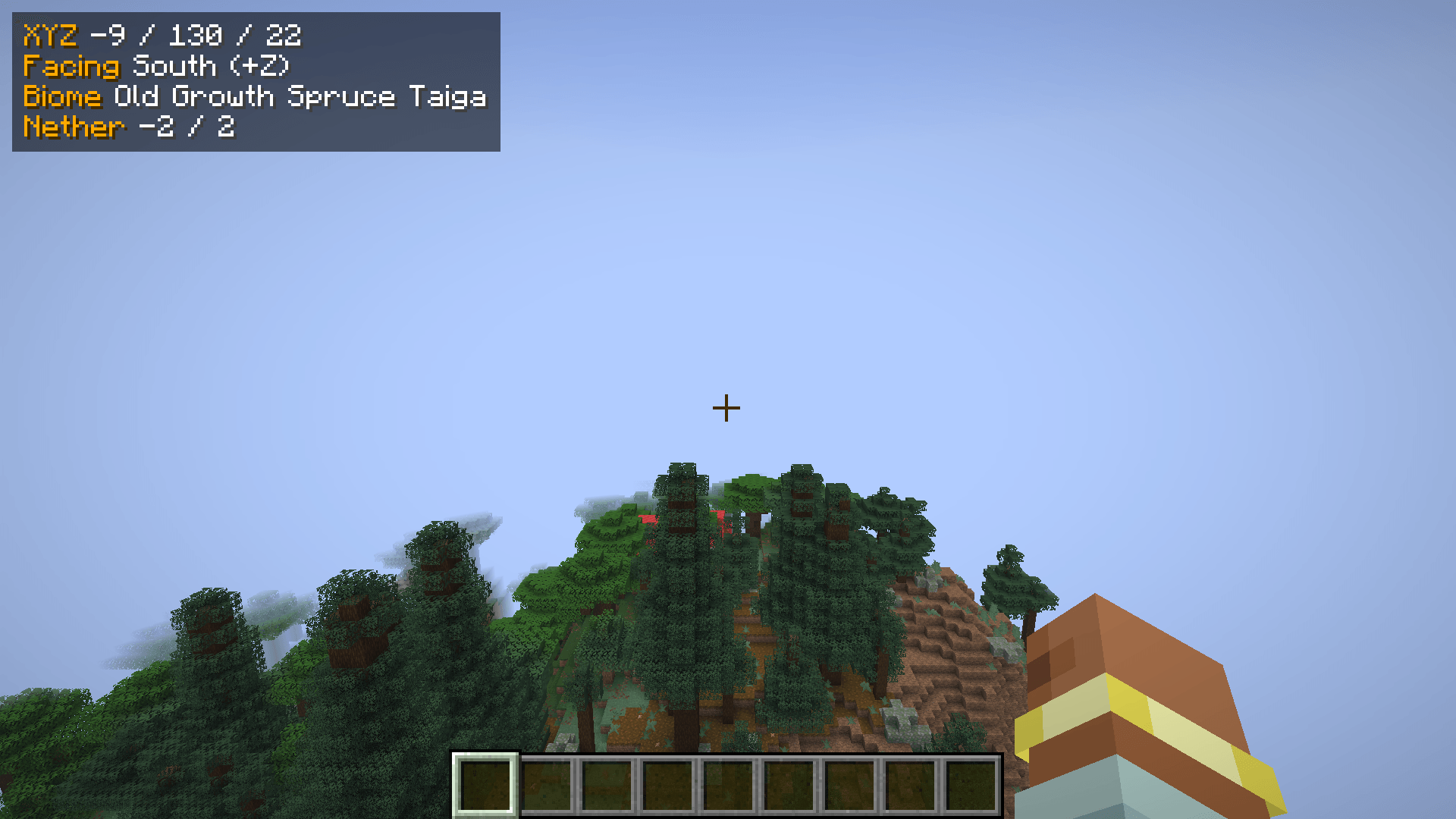
XYZ, facing, biome and Nether coordinates at a glance, in the corner you choose.
Description
Corner Coords
Your coordinates, in the corner you choose.
Corner Coords shows your position in a clean little box, and you decide where it goes: pick one of seven spots like top right or bottom left, or simply drag it anywhere with your mouse. No F3 clutter, no config files to edit.
Features
- 📍 XYZ coordinates, always visible
- 🧭 Facing direction: North, East, South, West, with the axis (
-Z,+X, ...) - 🌳 Biome name in your game language
- 🔥 Nether coordinates: in the Overworld you see where you'd be in the Nether (÷8), in the Nether the Overworld position (×8). Building linked portals has never been easier.
- 🖱️ Seven positions + drag & drop: top left, top center, top right, middle left, middle right, bottom left, bottom right, or your own spot
- 🎨 Make it yours: 7 accent colors, 6 sizes (50 % – 200 %), background on/off
- ⌨️ Hotkeys:
Kopens the settings,Hshows/hides the box (both can be changed in Controls) - 🧩 Mod Menu support: click Configure in the mod list
- 💊 Smart placement: in the top right it moves below your potion effect icons automatically
- 🤝 Fair play: hides itself when a server turns on reduced debug info (UHC, events) so you never break the rules by accident. You can turn this off for your own worlds.
- 🌍 English and German
How to use
- Install Fabric Loader and Fabric API
- Put Corner Coords into your
modsfolder - Join a world and press K, choose a position, done
FAQ
Does it work on servers?
Yes. It is 100 % client-side, the server does not need it.
Is it allowed on servers?
It only shows information your game already has (the same as F3). With Fair play turned on it also respects servers that hide coordinates. Still, always follow the rules of the server you play on.
Does it need Mod Menu?
No. Mod Menu is optional, the K key always opens the settings.
Which versions?
Minecraft 26.3 with Fabric. More versions will follow.
Corner Coords Team
