Compact Chat - Stack Duplicate Messages & Longer History
- By
Repeated chat messages are merged into one line with a counter (x2, x3...), chat keeps 1000 lines instead of 100, and your chat stays when you switch world or server. Client Side
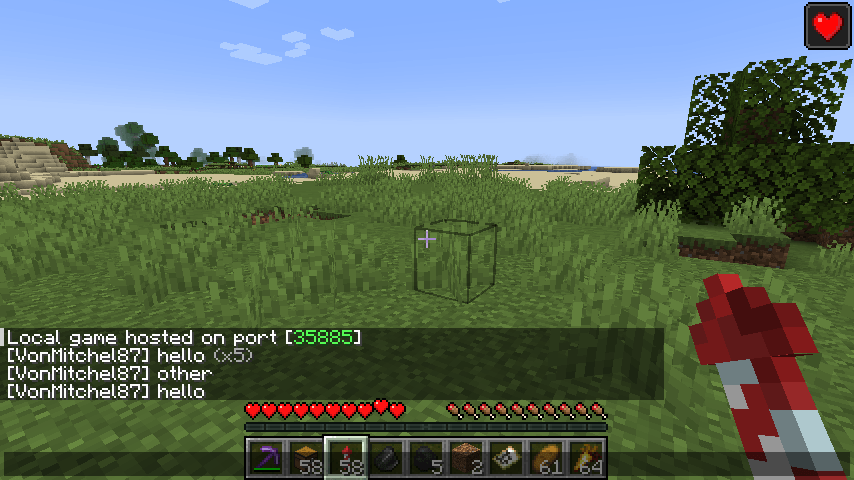
2026-11-18_10.58.39.png
Description
## Clean up the spam
On servers the same message often comes in again and again: "You can't do that here", "Welcome back!", vote reminders, plugin warnings... Your chat fills up with copies and the messages that matter scroll away.
**Compact Chat** merges a repeated message into **one line with a counter**:
> You can't break blocks here **(x7)**
## Features
- **Stack duplicates** - the same message several times in a row becomes one line with (x2), (x3), ...
- **Longer chat history** - keeps 1000 lines instead of vanilla's 100 (you choose the number).
- **Keep chat when you leave** - your chat (and the messages you sent, for the up-arrow) stays when you switch world or server.
- Ignores timestamps at the start of a message, so it also works together with timestamp mods.
- No key needed.
## Settings
The file `config/cleancompactchat.properties` is created on first launch:
- `stackDuplicates` (true)
- `chatHistoryLines` (1000; vanilla 100, max 10000)
- `keepChatOnDisconnect` (true)
## Works on servers
This is a **client-side only** mod. It only changes how chat is shown on your own screen; it doesn't block, send or change any messages. Works on any server and on Realms.
## Honest limitations
- Only messages **directly after each other** are stacked; if another message comes in between, the counter starts again.
- Messages are compared by their text; two messages that look the same but have different colors are still stacked.
- Chat is kept while the game is running; after you close Minecraft it starts empty (like vanilla).
- Other chat mods that also change chat lines may conflict.
- The settings are in a config file; there is no in-game settings screen yet.
## Requirements
- Minecraft 1.21 / 1.21.1
- Fabric Loader 0.16 or newer
- Fabric API
- Java 21
## Installation
1. Install Fabric Loader for Minecraft 1.21.1.
2. Put **Fabric API** and **Compact Chat** in your `mods` folder.
3. Start the game.
## Modpacks
You are welcome to include this mod in any modpack. No need to ask.
## Also by this author
- **Mount HUD** - keep your hunger and XP bar while riding horses and other mounts
- **Simple Waypoints** - save locations and see them in the world with name and distance
- **Food Info Tooltip** - hunger and saturation of every food in the tooltip
- **Elytra Flight HUD** - speed, height, ground distance and elytra durability while gliding
- **Camera & Screen Tweaks** - lower fire overlay, no camera bobbing, hide totem and portal effects
- **Block & Mob Info HUD** - see what block or mob you're looking at, its health and the right tool
- **Map Preview Tooltip** - see a map's picture by hovering over it in your inventory
- **Biome Titles** - a big fading title when you enter a new biome or dimension
- **Clean Item Finder** - search box above chests: matching items light up
- **Clean Background FPS** - lower FPS and volume while Minecraft is in the background
- **Clean Auto Reconnect** - automatically rejoins the server after a disconnect
- **Clean Keystrokes** - WASD, mouse buttons and CPS on screen for PvP and streaming
- **Clean Item Mover** - Shift + drag and scroll to move items faster in any inventory
- **Clean Outline** - custom block outline and crosshair: color, thickness, rainbow
- **Clean Chat Heads** - player faces next to chat messages, optional timestamps
- **Light Level Overlay** - press F7 to see where mobs can spawn
- **Clean Ping Display** - real ping numbers in the Tab list
- **Clean Horse Stats** - a horse's speed, jump and health at a glance
- **Clean Info HUD** - coordinates, facing, biome and FPS in a tidy panel
- **Status Effect Timers** - your potion effects as a clean list with countdowns
- **Death Location Helper** - an on-screen arrow back to where you died
- **Item Pickup Notifier** - see everything you pick up at the side of the screen
- **Smooth Zoom** - hold a key to zoom, scroll to change the zoom level
- **Item Container Preview** - see Shulker Box contents in the tooltip
- **Clean Tooltip Enchants** - color-coded enchantments with (MAX) tags
- **Smart Torch Placer** - place torches with one key, optional Auto-Light for mining
- **Smart Crop Harvest** - right-click ripe crops to harvest and replant
- **Floating Damage Indicators** - damage, heal and crit numbers above mobs
- **Smart Tool Safety** - durability warnings and tool break protection
- **Smart Chest Organizer** - sort buttons and quick deposit for chests
- **Dynamic Armor HUD** - armor, held item and arrow durability on screen
- **Smart Auto-Trash** - quickly trash or auto-throw junk items
- **Dynamic Item Glow** - rarity colors and glow for items
## About the images
The project logo is an illustration created with AI assistance; it is not an in-game screenshot. The screenshots in the gallery are real, unedited in-game captures.
Compact Chat - Stack Duplicate Messages & Longer History Team