

Minecolonies: ColonyWeb
combat.png
needed.png
buildings.png
map.png
overview.png
Description
ColonyWeb
A server-side-only Minecraft mod for 1.20.1 (Forge) and 1.21.1 (NeoForge) that adds a live web dashboard for MineColonies colonies. Open it in any browser to see builder progress, resource needs, citizens, research, defence stats, and warehouse stock — all with live updates via server-sent events.
Players sign in with a pairing code from /colonyweb sync and only see colonies they belong to. The mod does not need to be installed on the client
For support please do not contact the offical minecolonies support. Use the issue option to report issues.
Features
Eight tabs, every one of them live — colony data streams in over SSE, so nothing here needs a manual refresh.
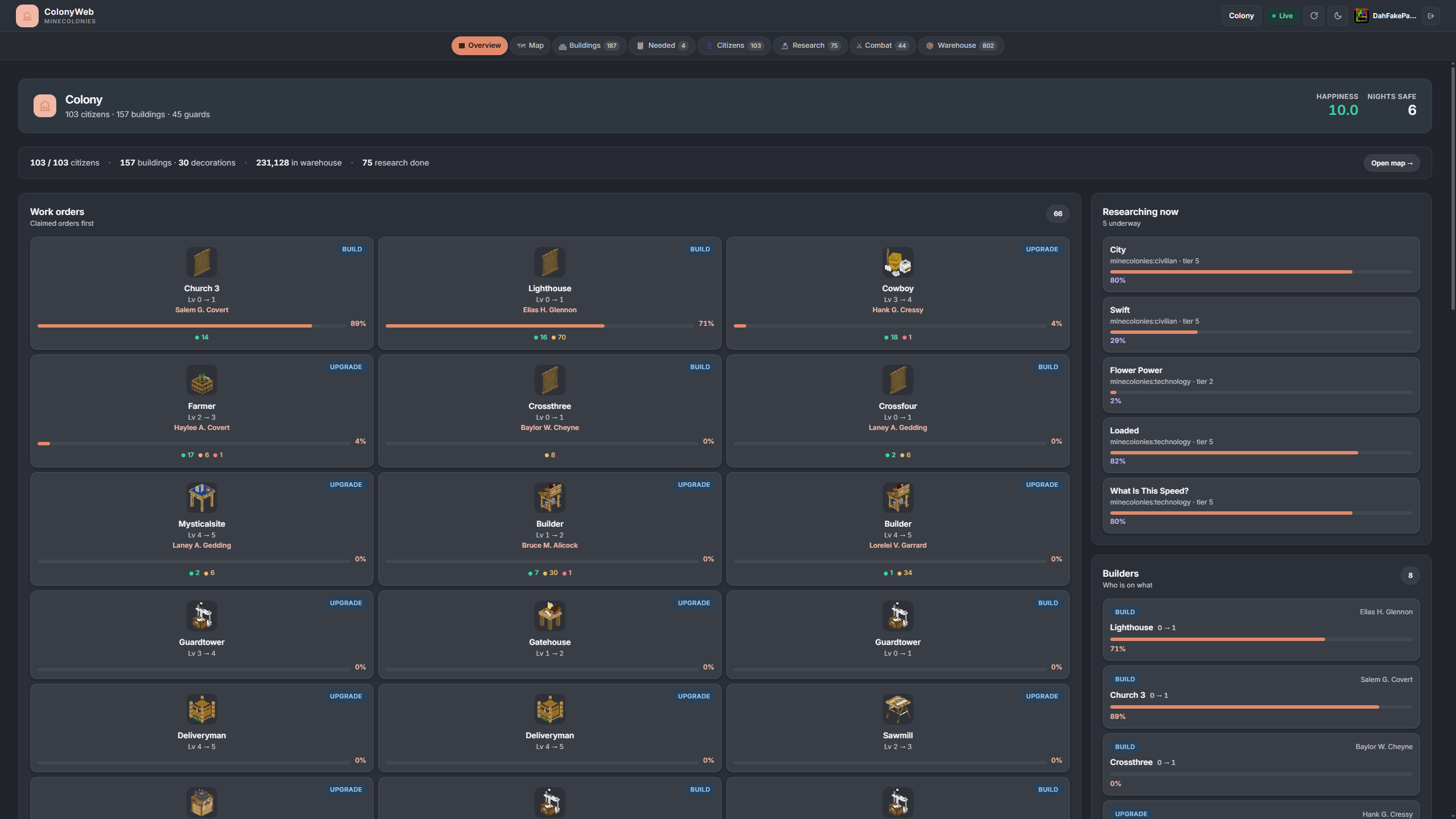
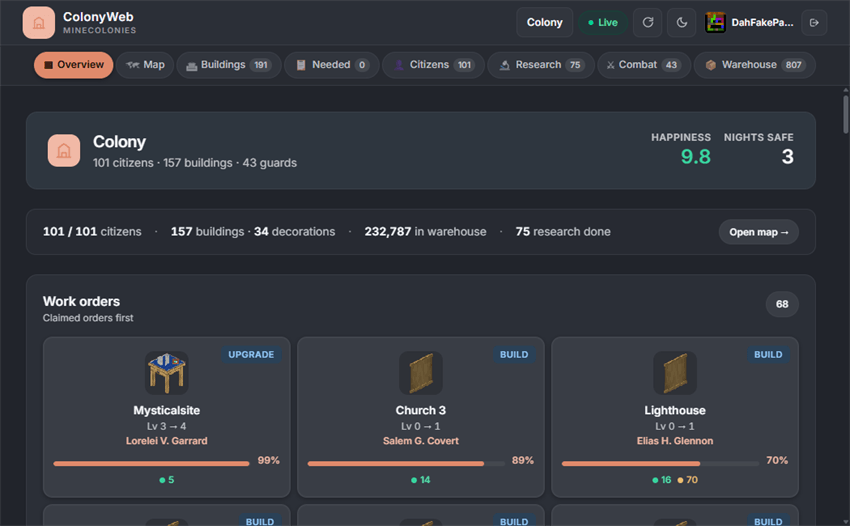
Overview
The colony at a glance. Stat tiles for citizens, happiness, buildings, defence, warehouse and research sit above the builder roster, and every work order sorts by activity — whatever is moving sits at the top. Active research and builder assignments are right there so you always know what's happening.
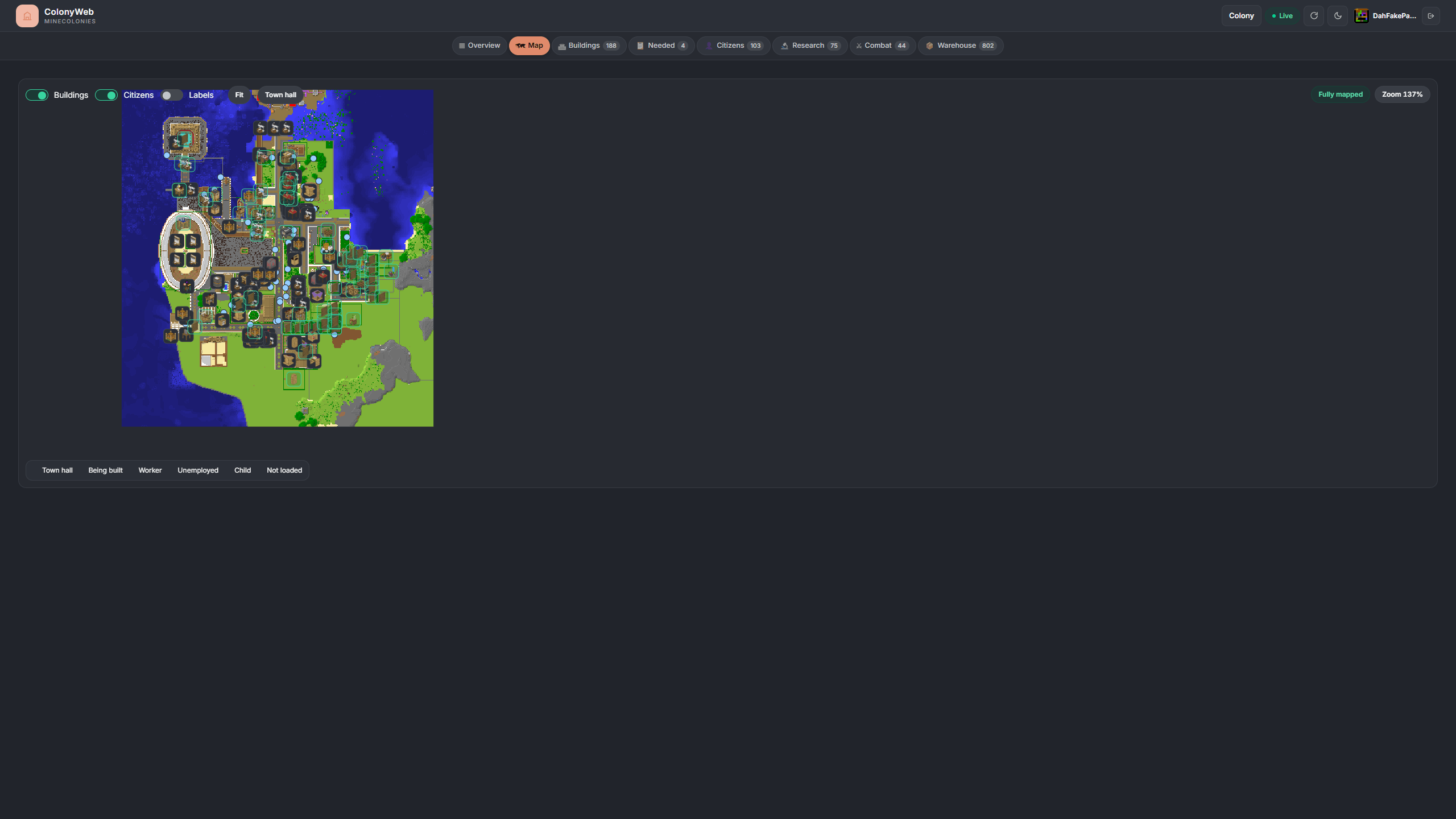
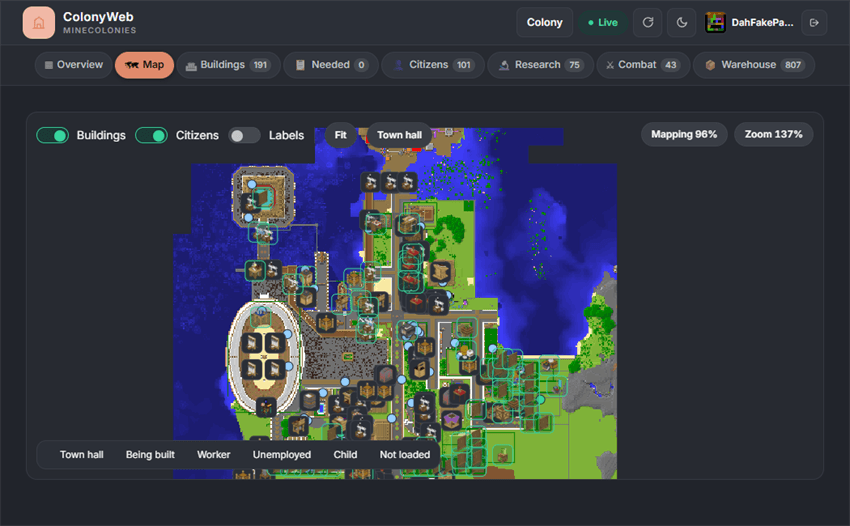
Map
A pannable, zoomable top-down render of the colony at one pixel per block. Building pins mark every structure and live citizen dots move as they do. Toggle buildings, citizens and labels independently, auto-fit to the colony bounds, or snap straight to the town hall.
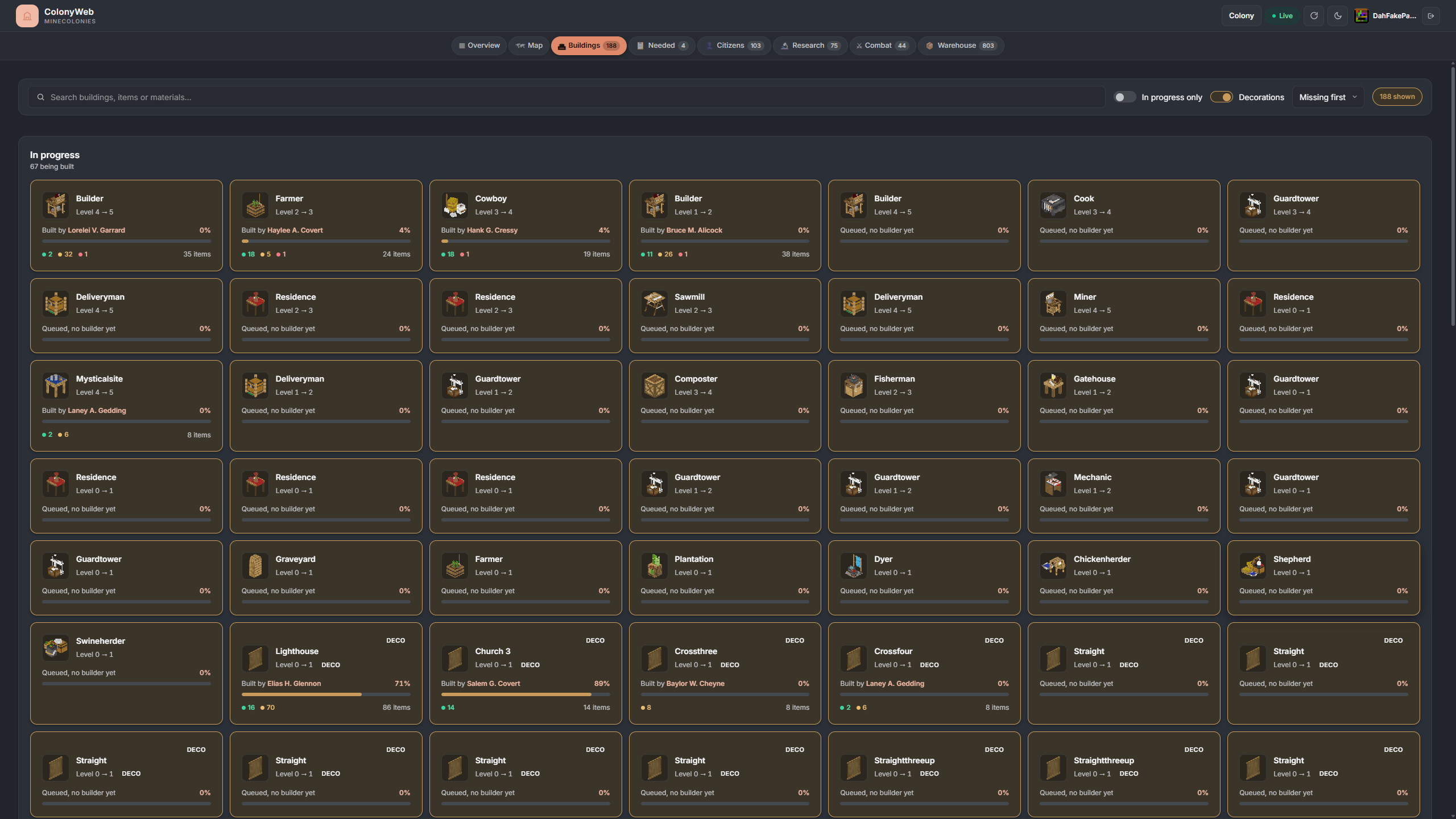
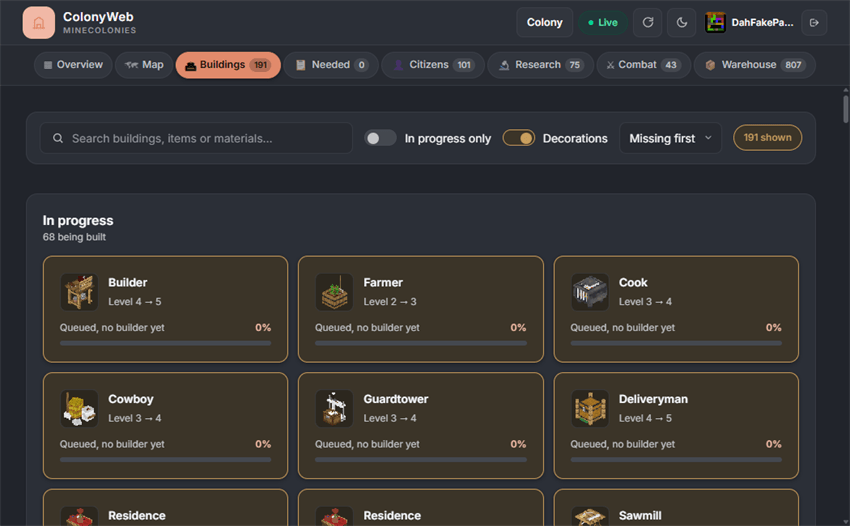
Buildings
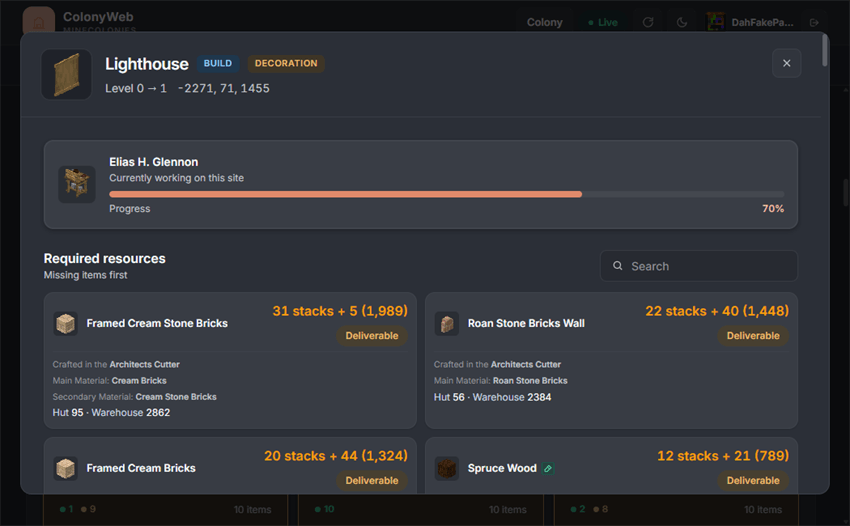
Every building in the colony as a scannable card grid. Search by name, filter to in-progress builds or decorations, and sort by status, name, progress or level. Click any card to see exactly what resources it still needs — right down to the item count.
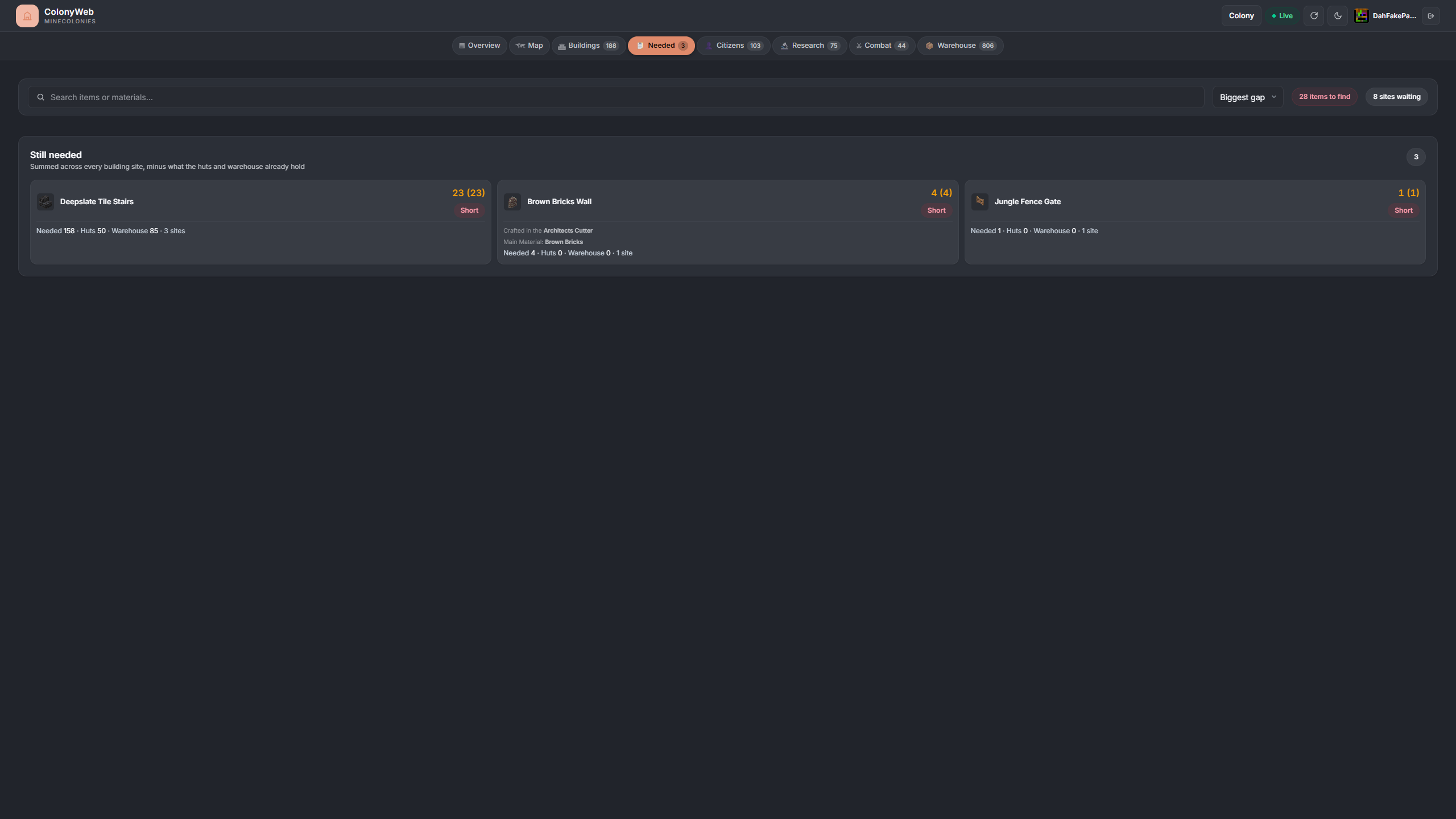
Needed
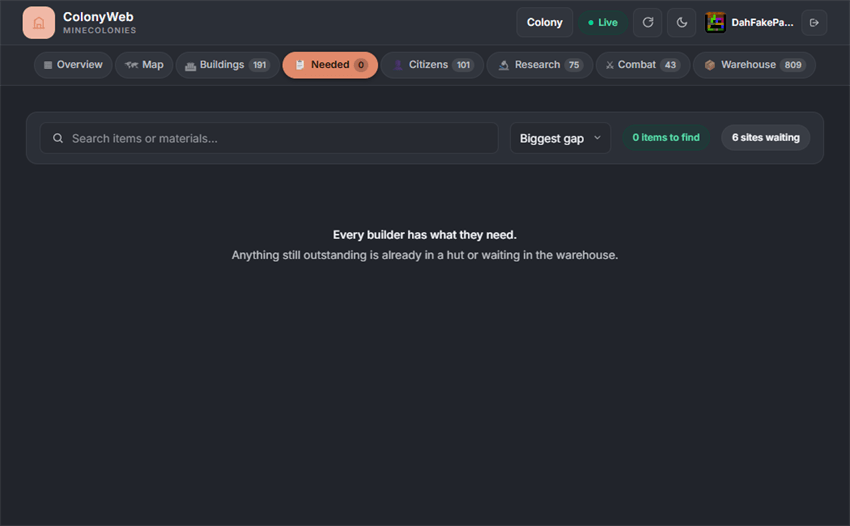
A consolidated view of every resource currently needed across all in-progress builds, aggregated and deduplicated. Instead of clicking through individual buildings, see at a glance what the colony is short on — and exactly how many.
Citizens
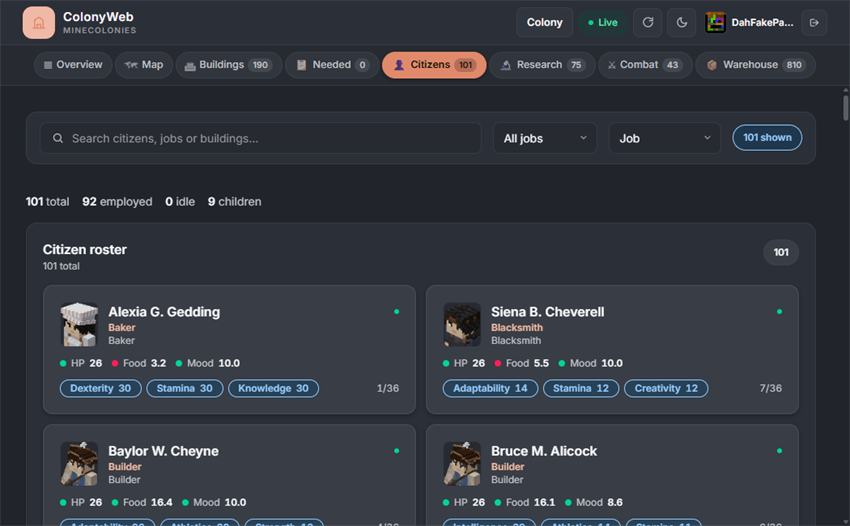
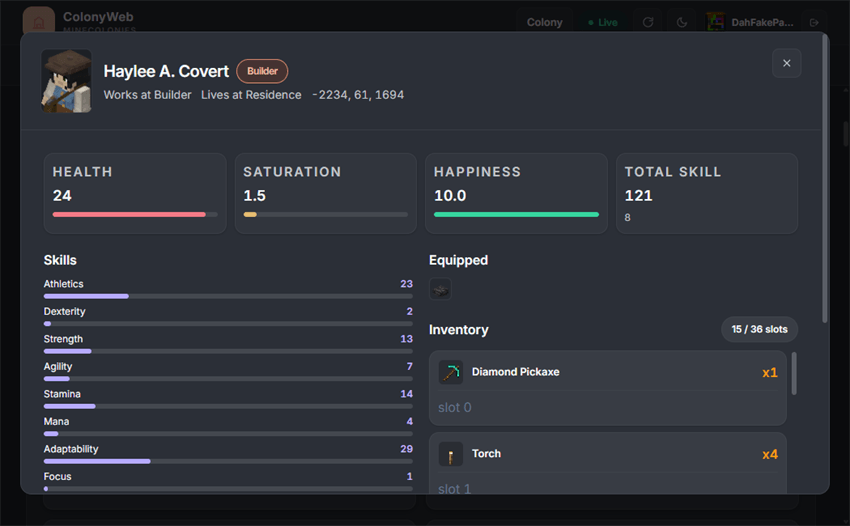
The full roster with a job filter and text search. Each citizen opens into a detail panel with their skill breakdown, health and happiness meters, and their inventory and equipment slots. See who is working, who is idle, and what they're carrying.
Research
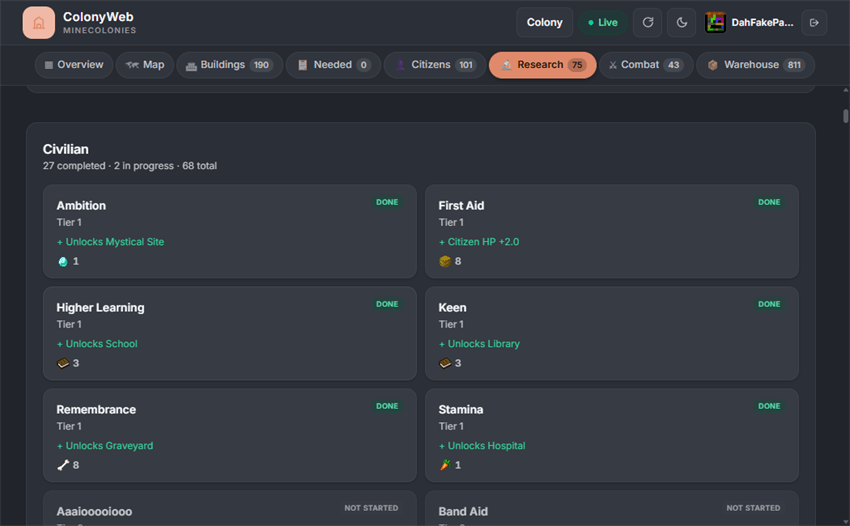
Every university branch drawn as progress bars with state pills — queued, in-progress or complete — and item-cost icons for whatever each unlock wants. Instantly see what's researching now and what's waiting behind it.
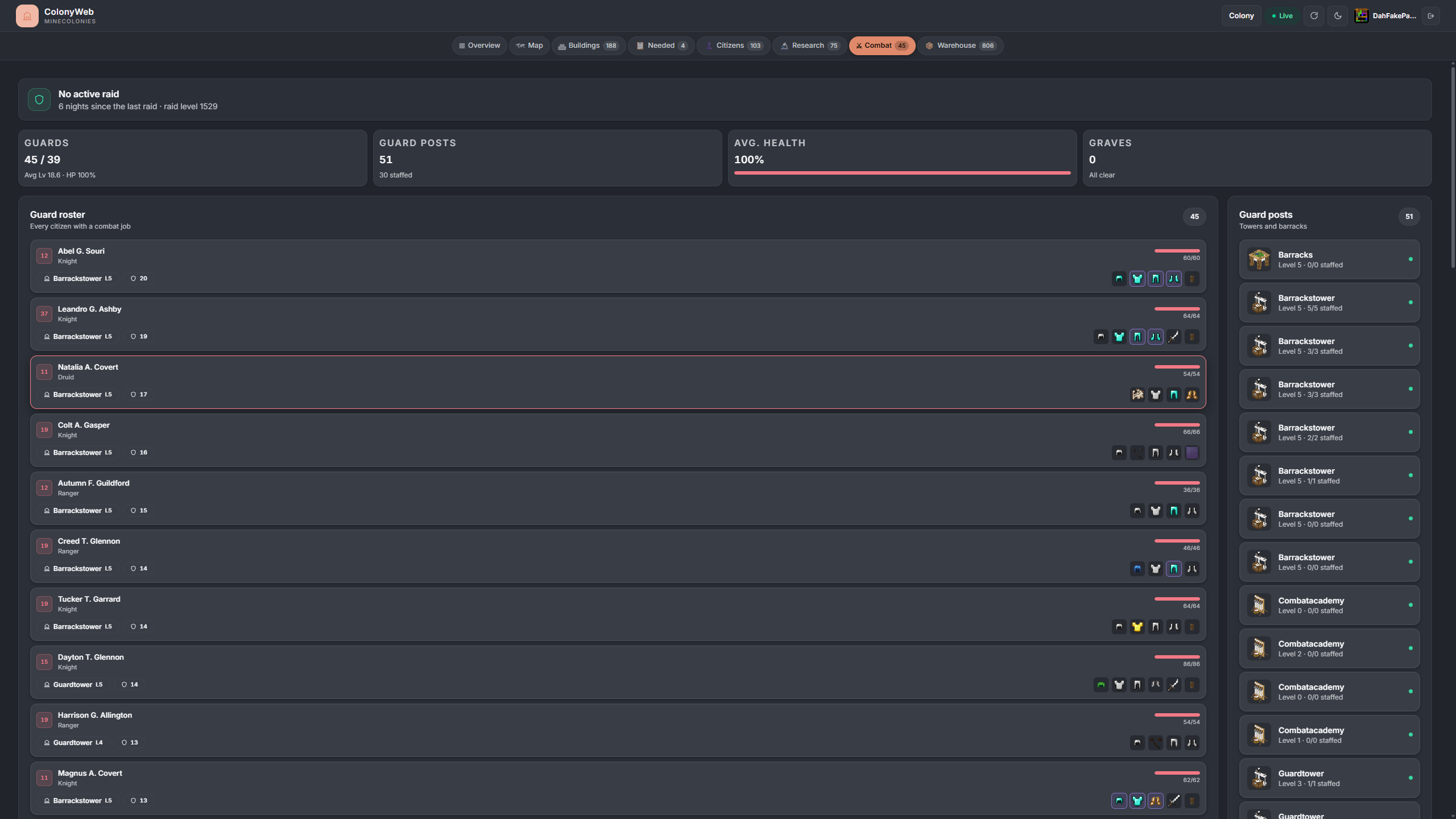
Combat
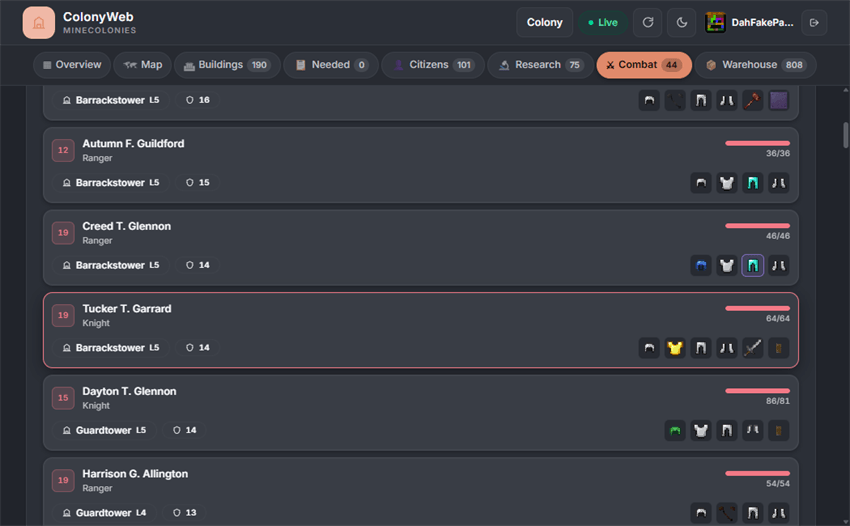
Guard post staffing at a glance — ok, delivery needed or missing — with individual guard health and a raid banner counting the nights since the last attack. Know whether your defences are ready before the next raid hits.
Warehouse
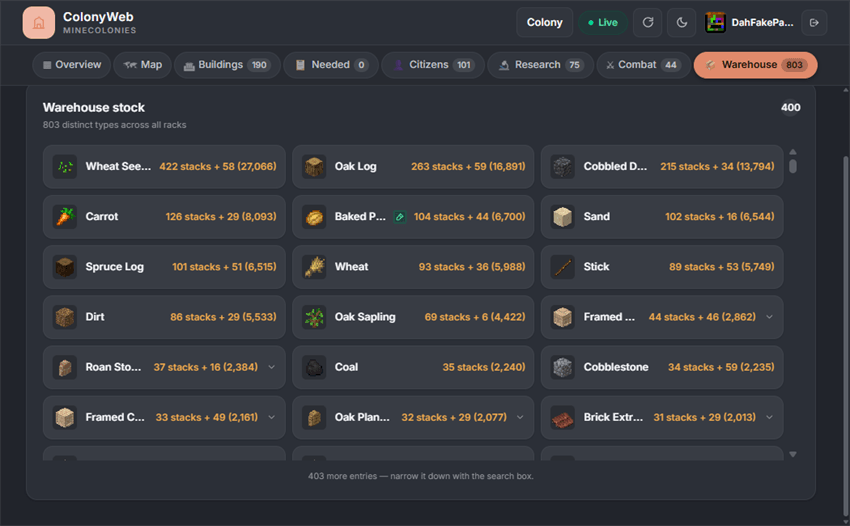
Aggregated colony stock across every rack and hut block, searchable and sortable by count or alphabetically. Exactly what you'd open the warehouse hut to check, without walking there.
Dependencies
All three are required — install them alongside ColonyWeb.
| Mod | Notes |
|---|---|
| KotlinForForge | Provides the Kotlin runtime the mod is compiled against. Use the Forge variant for 1.20.1 and the NeoForge variant for 1.21.1. |
| MineColonies | The source of every colony the dashboard renders. |
| Domum Ornamentum | Dynamically textured decorative blocks used by MineColonies builds. The dashboard shows their icons. |
Installation
- Drop the ColonyWeb jar and its dependencies into your server's
mods/folder. - Start the server — the config file
config/colonyweb-common.tomlis generated automatically. - Open
http://your-server-ip:8723in any browser. - Run
/colonyweb syncin-game and enter the pairing code on the web page.
Configuration
File: config/colonyweb-common.toml
| Option | Default | Description |
|---|---|---|
httpPort |
8723 |
HTTP server port |
bindAddress |
0.0.0.0 |
Bind address (set to 127.0.0.1 with a reverse proxy for production) |
publicHost |
(blank) | Host name used in the link /colonyweb prints. Blank means the server's detected address |
refreshIntervalSeconds |
3 |
How often colony data is re-scanned and pushed over SSE |
autoDownloadVanillaAssets |
true |
Download the matching vanilla client jar on first start so vanilla item/block icons can be shown |
mapEnabled |
true |
Show the colony map tab |
mapRadius |
256 |
How far from the colony centre the map reaches, in blocks |
authEnabled |
true |
Require pairing-code authentication. Turning this off makes the dashboard public to anyone who can reach the port |
sessionDays |
30 |
How long a browser stays signed in after entering a pairing code |
loginCodeMinutes |
10 |
How long a pairing code from /colonyweb sync stays valid |
In-Game Commands
| Command | Permission | Description |
|---|---|---|
/colonyweb |
Any | Print the dashboard link |
/colonyweb sync |
Any | Generate a one-shot pairing code for yourself |
/colonyweb port |
Any | Show the port the dashboard is listening on |
/colonyweb sync <player> |
OP | Issue a pairing code for someone else |
/colonyweb access grant <player> <colony> |
OP | Grant a player access to one colony by ID |
/colonyweb access revoke <player> <colony> |
OP | Take that grant away |
/colonyweb access list <player> |
OP | Show which colonies a player can see |
/colonyweb logout <player> |
OP | Invalidate all of a player's web sessions |
/colonyweb status |
OP | Show service, auth and session stats |
Signing In
- Run
/colonyweb syncin-game. A short code appears in chat (e.g.3B7X-K2L9). - Open your browser to the server's dashboard URL.
- Type the code into the pairing screen. Codes are case-insensitive.
The code is single-use and expires after 10 minutes by default (loginCodeMinutes). Once accepted, the browser stays signed in for sessionDays — 30 days by default.
Troubleshooting
| Symptom | Likely cause |
|---|---|
| Page won't load / connection refused | Server port not reachable — check firewall and port forwarding |
| "No colonies to show" | Player hasn't joined a MineColonies colony yet, or the pairing code was for a different player |
| Pairing code not accepted | Code expired (loginCodeMinutes, 10 min by default) or already used — run /colonyweb sync again |
| Dashboard loads but all tabs are empty | MineColonies not installed or not loaded on the server |
| Images / textures missing | First load downloads vanilla assets — may take a minute on slow connections |
See the server log (latest.log) for lines prefixed with [ColonyWeb].
License
GNU General Public License v3.0
The Minecolonies: ColonyWeb Team

