Cobblemon Spawner
- By
Stop writing spawn commands. Cobblemon Spawner adds a Pokémon spawner block for adventure maps, configured from a 3D interface — levels, shiny, water or ground placement, and boss encounters included.
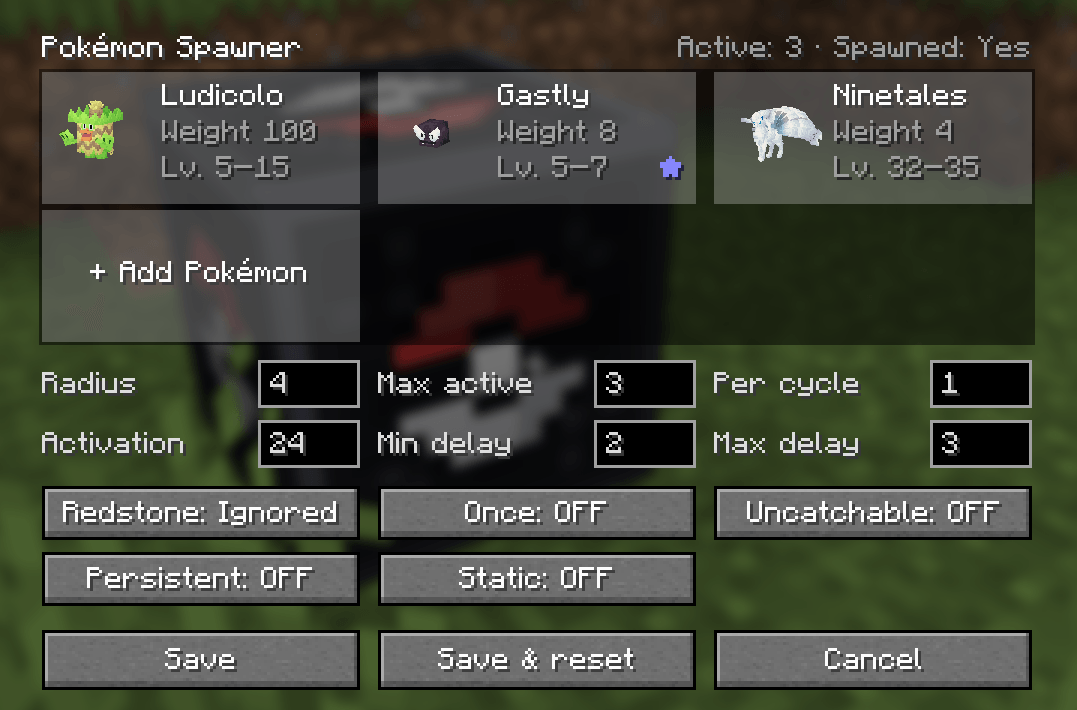
Spawner GUI
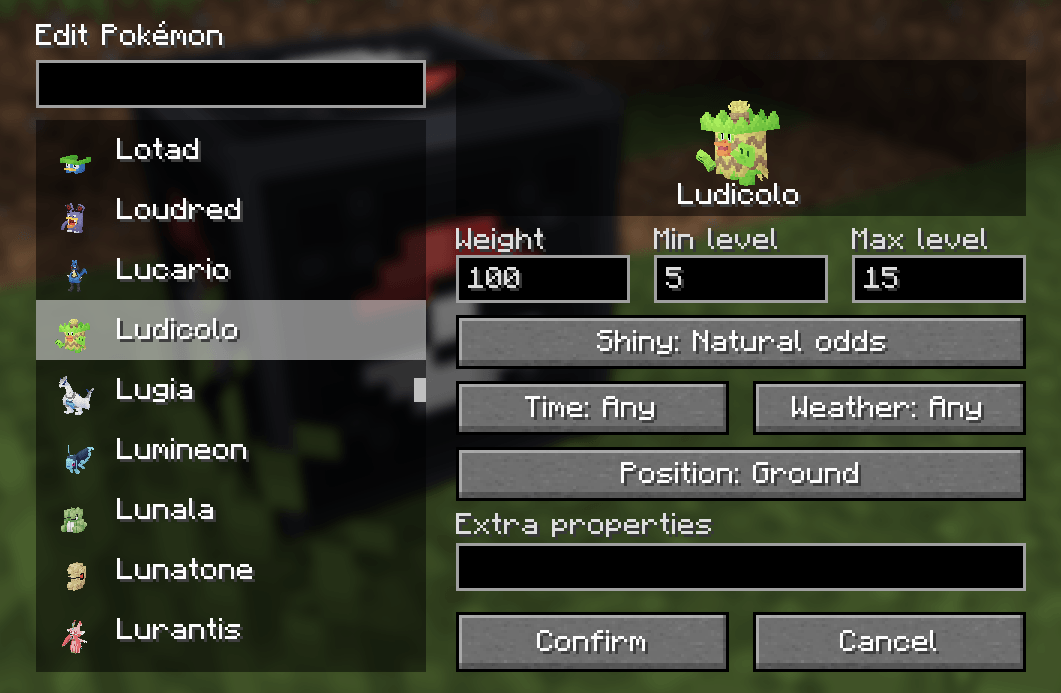
Pokémon list and parameters
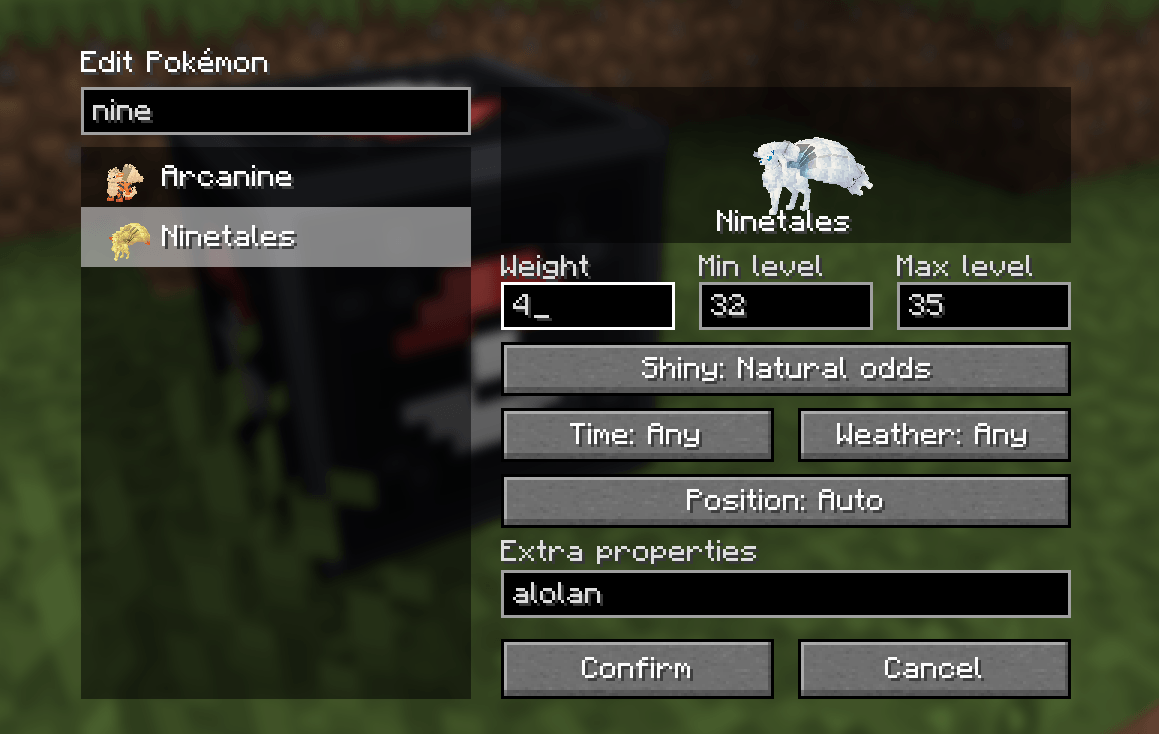
Example for regional forms
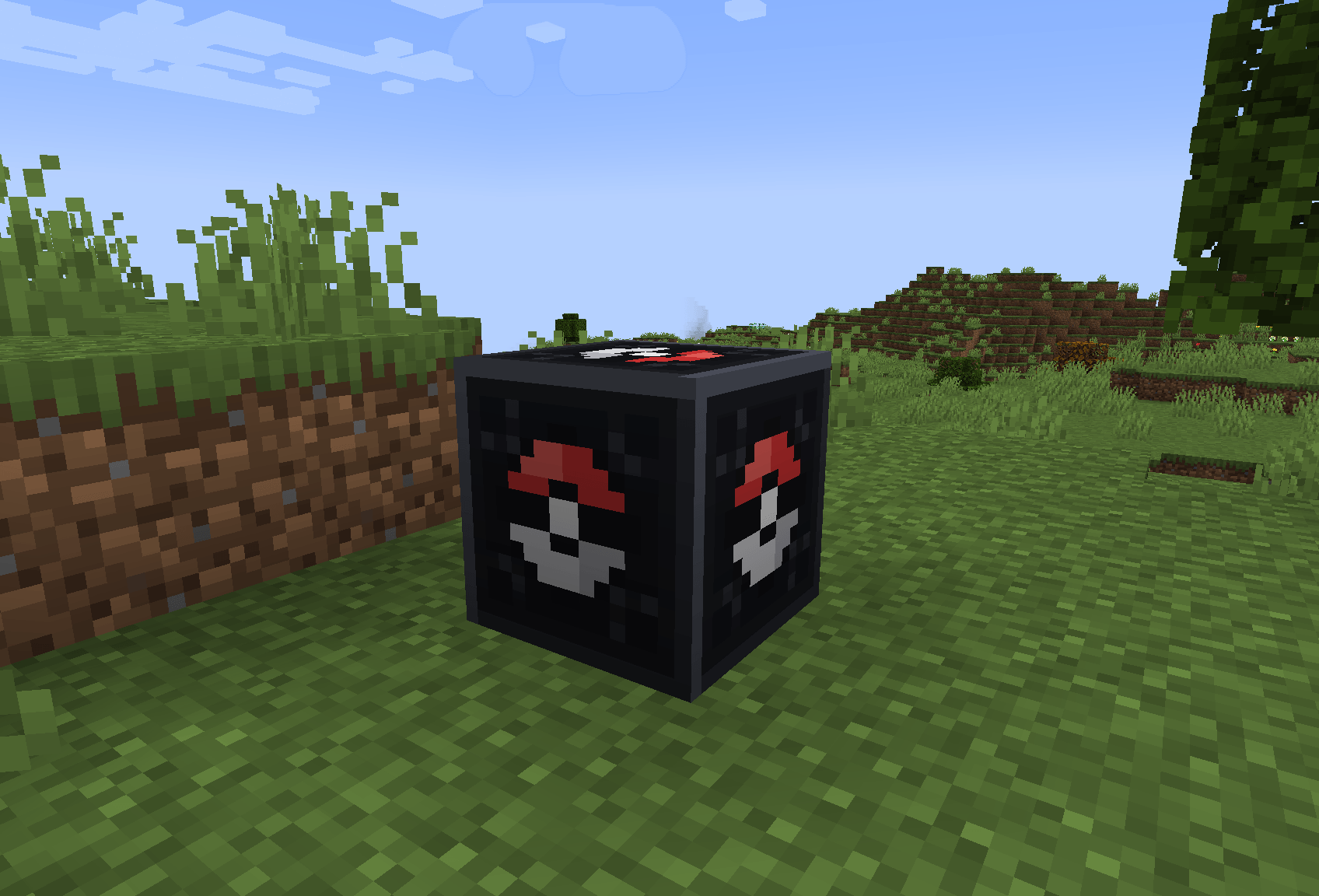
Spawner block
Description
Cobblemon Spawner
A Cobblemon addon that adds a configurable Pokémon Spawner block, in the spirit of Pixelmon's spawner, built for adventure maps.




Features
- A spawner block configured entirely through a graphical interface, no commands or JSON.
- A pool of Pokémon shown as cards with their animated 3D model.
- Per-Pokémon weight, level range, shiny mode, time of day, weather, spawn position and extra Cobblemon properties.
- Spawn position presets (ground, water, seafloor, lava, air), or Auto to reuse where the species naturally spawns in Cobblemon.
- Adventure-map tools: spawn once (bosses), uncatchable, persistent, static, redstone conditions.
Requirements
| Loader | Dependencies |
|---|---|
| Fabric | Fabric API, Fabric Language Kotlin, Cobblemon 1.8.0+ |
| NeoForge | Kotlin for Forge, Cobblemon 1.8.0+ |
The mod must be installed on both the client and the server.
Getting the block
/give @s cobblemonspawner:pokemon_spawner, or the Operator Utilities creative tab (enable it in Options > Controls > "Operator Items Tab").
Like a command block:
- only an operator in creative mode can place and configure it;
- it can only be broken in creative mode (unbreakable in survival and adventure, immune to explosions, cannot be pushed by pistons).
Breaking the spawner removes the wild Pokémon it created, except those currently in battle.
Configuring a spawner
Right-click the block to open the spawner screen.
The pool
The top of the screen shows the Pokémon pool as cards: 3D model, name, weight and level range, with status marks:
| Mark | Meaning |
|---|---|
| ✦ | always shiny |
| ☀ / ★ | day only / night only |
| ☼ / ☂ / ⚡ | clear weather / rain / thunderstorm only |
- Click + Add Pokémon to add an entry.
- Click a card to edit it.
- Hover a card and click the ✕ to remove it.
- Scroll with the mouse wheel when the pool has more than five entries.
Editing a Pokémon
The editor shows a searchable species list, each species with its small 3D model, and a spinning 3D preview on the right. The preview reflects the shiny mode and the form aspects typed in the extra properties.
| Setting | Default | Description |
|---|---|---|
| Weight | 10 | Relative chance of being picked among the spawner's Pokémon (1–10,000) |
| Min / Max level | 5 / 15 | Level range, capped by Cobblemon's max level |
| Shiny | Natural odds | Natural odds / always / never |
| Time | Any | Any / day only / night only |
| Weather | Any | Any / clear only / rain only (thunderstorms included) / thunderstorm only |
| Position | Auto | Where the Pokémon may appear, see below |
| Extra properties | empty | Optional Cobblemon properties, same syntax as /pokespawn |
Extra properties cover everything the interface does not, for example:
alolan
nature=modest gender=female
galarian ability=...
A level= written in the extra properties overrides the level range.
Spawn positions
| Position | The Pokémon appears… |
|---|---|
| Auto | where the species naturally spawns in Cobblemon; Ground if it has no natural spawn (legendaries, datapack species) |
| Ground | on a solid block, out of any liquid |
| Submerged | fully underwater, at any depth |
| Water surface | floating on the water surface |
| Seafloor | underwater, resting on a solid block |
| Lava | in lava, resting on a solid block |
| Air | in the air, never on the ground |
If no valid spot exists within the spawn radius (for example a water Pokémon with no water nearby), the Pokémon simply does not appear.
Spawner settings
| Option | Default | Range | Description |
|---|---|---|---|
| Radius | 4 | 0–32 | Horizontal spawn radius in blocks. 0 = on or right around the block |
| Max active | 2 | 1–32 | Max Pokémon from this spawner alive at the same time |
| Per cycle | 1 | 1–16 | Pokémon spawned at once |
| Activation | 24 | 1–128 | A player must be within this many blocks |
| Min / Max delay | 10 / 30 | 0–3600 | Seconds between two spawns |
| Redstone | Ignored | Ignored / only when powered / only when unpowered | |
| Once | Off | Spawns a single time, then stays inactive until reset | |
| Uncatchable | Off | Poké Balls bounce off the spawned Pokémon | |
| Persistent | On | Spawned Pokémon never despawn naturally | |
| Static | Off | Spawned Pokémon do not move (NoAI) |
The top-right corner shows how many Pokémon from this spawner are currently alive, and whether it already spawned.
- Closing the screen (Escape or Done) saves automatically.
- Save & reset also removes the current Pokémon and clears the Once state. It is the only action that needs a click.
- Cancel closes without saving.
In the Pokémon editor, Escape keeps your changes as well; only Cancel discards them.
Entries whose species cannot be resolved are dropped on save, and a message in chat lists them.
How spawning works
- The spawner only works while a player is within the activation range and the redstone condition is met.
- Each spawn picks among the Pokémon allowed by the current time of day and weather, so a single spawner can hold day, night and rain Pokémon at once.
- It counts its own Pokémon (tagged with the spawner position), so reloading the world never duplicates them.
- When a Pokémon is defeated or caught, the spawner waits a full delay before replacing it.
- The spawner does nothing when its pool is empty.
Adventure map examples
- Legendary boss: one entry, level 70–70, Once on, Persistent on, Radius 0, Max active 1. Use Save & reset to replay the encounter.
- Story Pokémon that cannot be caught: Uncatchable on, Static on, Radius 0.
- Fishing pond: Magikarp and Feebas in Auto, placed next to a pond; they only appear in the water.
- Day and night area: Pidgey and Sentret set to Day, Gastly and Hoothoot set to Night, in the same spawner.
- Rainy route: Lotad and Wooper set to Rain, a rare Rotom set to Thunder.
- Triggered encounter: Redstone set to Powered, wired to a pressure plate or a button.
Building from source
./gradlew buildThe jars are written to fabric/build/libs and neoforge/build/libs.
Architectury multiloader project (Fabric + NeoForge, Minecraft 1.21.1):
common: block, block entity, spawn logic, placement presets, GUI, payloads;fabric/neoforge: registration, networking and entry points only.
License
MIT
The Cobblemon Spawner Team


Owner