Cobblemon Safari
- By
A highly configurable Safari Zone for Cobblemon: hunt rare Pokémon of the day against the clock on an island that changes daily. Time limits, allowed Poké Balls, spawns, rewards and the shop are all yours to tune.
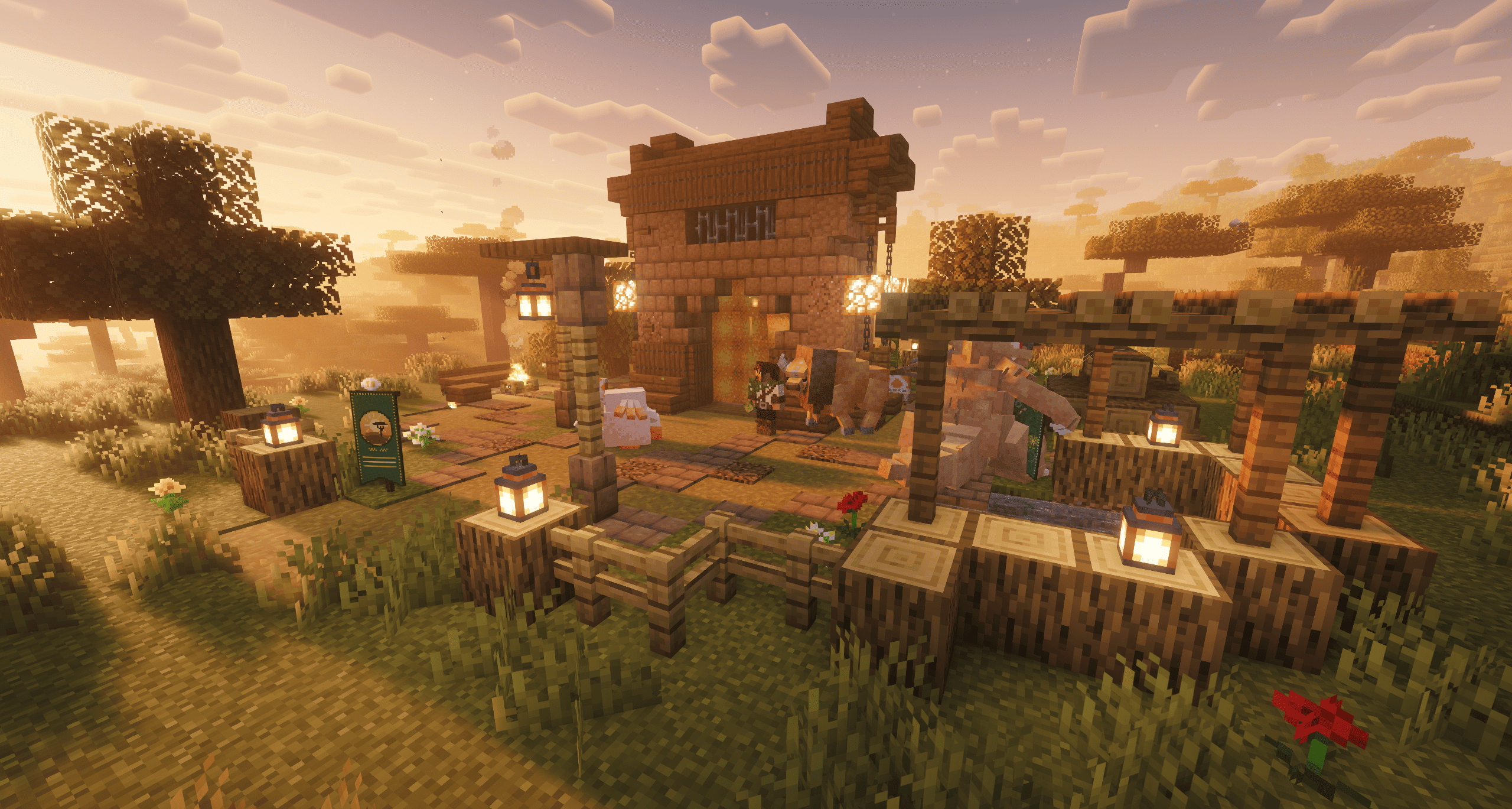
Find a Safari Gate in the overworld, show your ticket and start the hunt
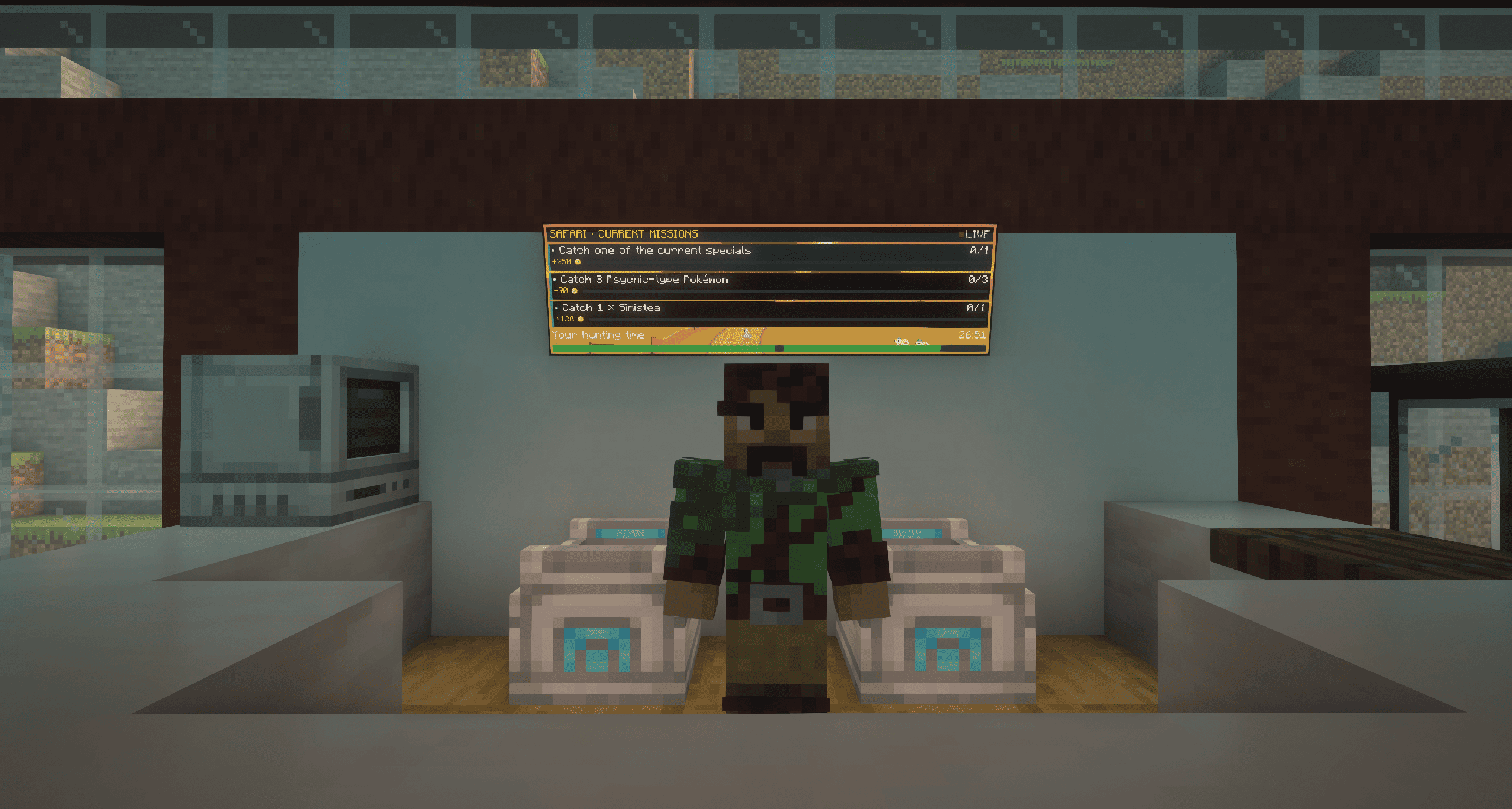
The Safari Clerk, the one to talk to in every rest house: shop, missions, and an early way out with your unused time refunded
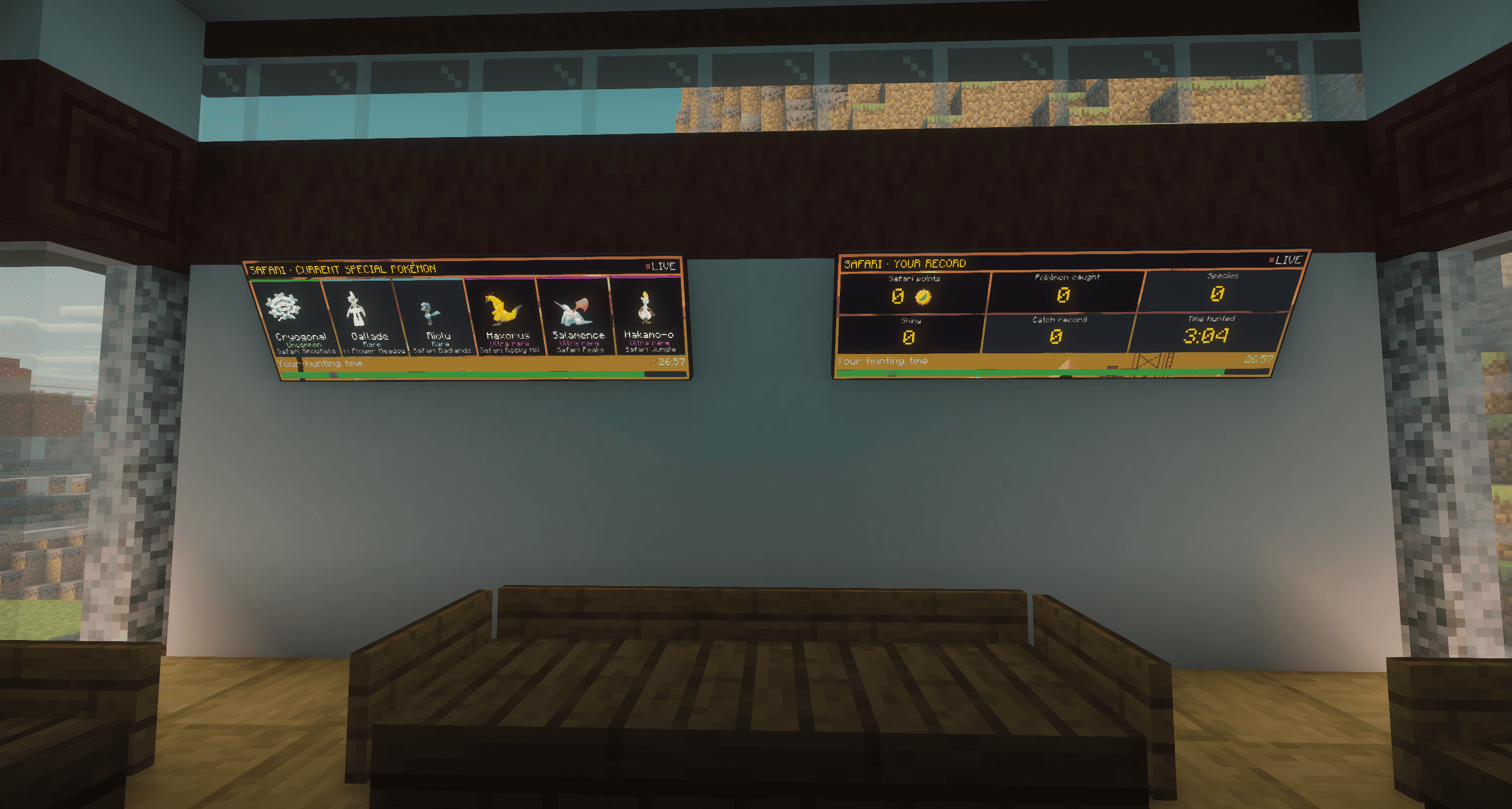
Wall screens show today’s special Pokémon with their animated models, and your own Safari record
Description
Cobblemon Safari
A highly configurable Safari Zone for Cobblemon: hunt rare Pokémon of the day against the clock on an island that changes daily. Time limits, allowed Poké Balls, spawns, rewards and the shop are all yours to tune.





Features
A park of its own
The Safari is its own dimension: a single island in a turquoise sea, with its own world border, sky, music and sounds.
- Fourteen habitats laid out around a central summit: grassland, savanna, dunes, badlands, jungle, marsh, mushroom grove, flower meadow, woodland, deep forest, taiga, snowfield, glacier and rocky hills, plus the peaks, a volcano, lakes and rivers.
- Caves everywhere, a giant pillared cavern under the summit and a lush cavern in the south, each reached by its own winding passage.
- Cobblemon ruins and Gimmighoul towers scattered over the island.
- A new map every day. At the first server start of a new day, the island is regenerated with a new layout. Sessions, stats, banked time and points are kept.
- Its own soundtrack: six original tracks, one per zone, and the cries of the Pokémon that actually live in each biome.
- Nothing to break. Inside, players take no damage and cannot change the terrain. Poké Cakes and Poké Snacks can still be placed as bait.
Safari Gates
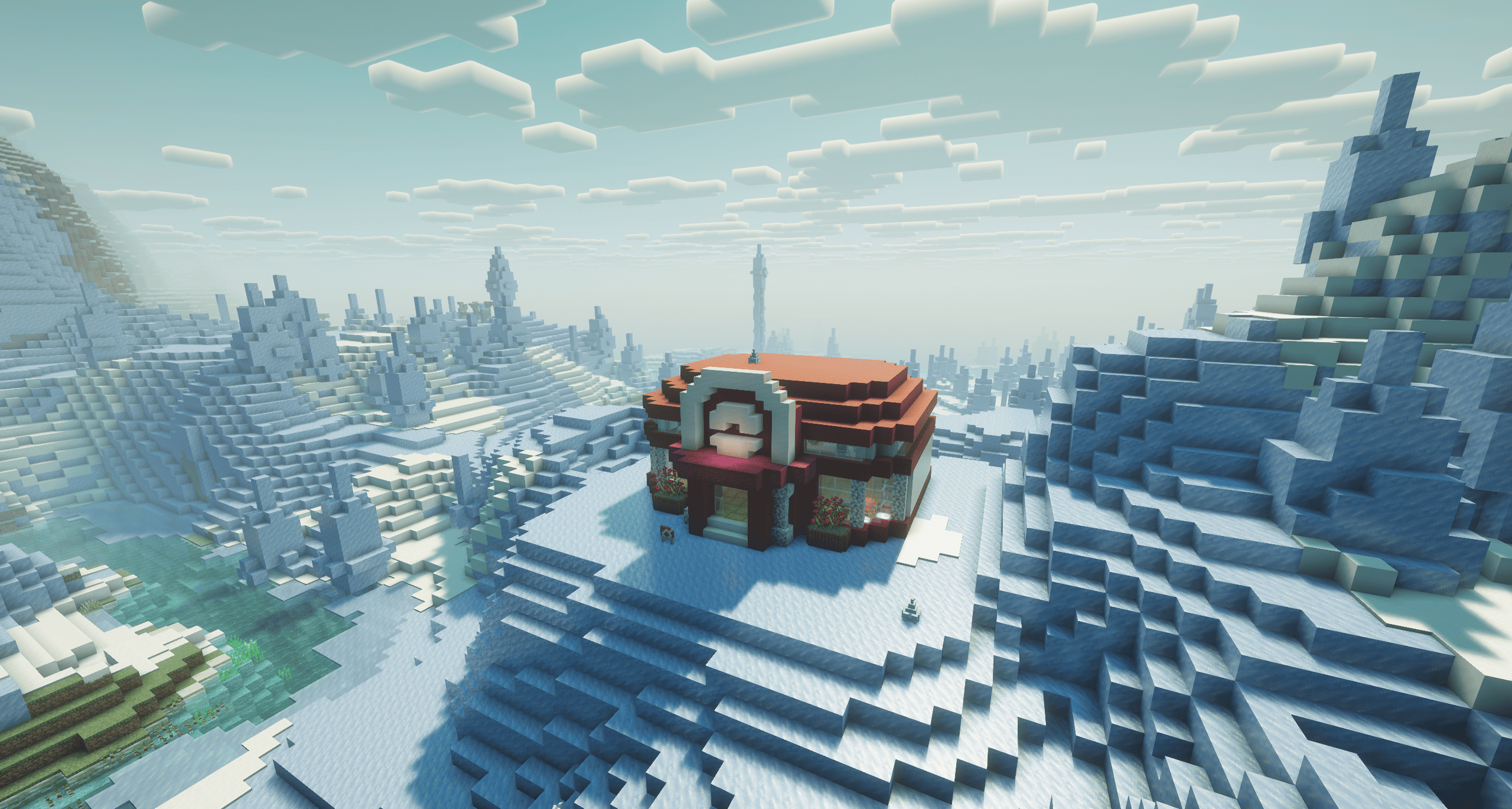
Rare lodges in the overworld's plains, meadows, light forests and savannas. Stand in the shimmering pane like a nether portal, or talk to the Safari Warden next to it, and you are in. His Pokémon roam the plaza: they cannot be caught, battled or hurt. Use /locate structure cobblemon_safari:safari_gate to find the nearest one.
Timed hunts
- Safari Tickets add 30 minutes of Safari time, banked up to 4 hours. Entering at a gate spends the bank, up to 2 hours per hunt.
- Earn tickets by trading overworld goods at the shop (16 Apricorns, 24 Berries or 1 evolution stone, once per rotation each) or by finding them in village houses, desert and jungle temples and Cobblemon ruins.
- A stopwatch HUD, made of a Safari Ball, whose hand spins faster as time runs out, with chat warnings from 15 minutes down to 10 seconds.
- An end-of-game recap with every Pokémon caught. Leave early through a rest house clerk and the unused time goes back to your bank.
Restricted Poké Balls
Only Safari Balls and Master Balls work inside by default (configurable). A Safari Ball thrown at a Pokémon outside of battle gets a strong catch bonus, so hunting without battling feels right. The shop hands out 30 free Safari Balls once a day.
Rare Pokémon of the day
Every four hours, the mod draws a few uncommon, rare and ultra-rare species from whatever is installed (Cobblemon and your spawn datapacks) and spawns them near players, only in their own habitat and at their own hours: a nocturnal species comes out at night, a cave dweller waits for darkness. Legendary, mythical, ultra beast and paradox Pokémon each have their own switch and a per-rotation cap.
Cobblemon's natural spawns fill the park too, faster than usual, and they favour species you have not caught yet.
Rest houses
Eight Pokémon Centers stand on every map, the entrance one right where you arrive. Each has two Healing Machines, a PC, a cooking corner with a Poké Pot, and a Safari Clerk who runs the shop, lists the missions and can walk you out early.
Missions and Safari points
- Every catch earns Safari points, more for rare species, today's specials and shinies.
- Each rotation brings three missions (catch Pokémon of a type, a given species, or one of today's specials), the same for everyone, paid once per player, with a bonus when all are done.
- The shop sells a fixed list plus random Pokémon, items and Poké Balls that change with each rotation, a cooking tab, and the ticket trades. Pokémon cards show the animated Cobblemon model.
Safari Wall Screens
A screen on an arm that you can tilt toward the floor or the ceiling, up to three wide. It shows today's specials with their animated models, your own Safari record, or the missions with your progress, over a pixel-art landscape that follows the time of day. Every colour can be changed.
Decoration
- Safari Banners: 17 pictures, 11 of them animated (river waves, fireflies, a waterfall, a Poké Ball throw…). Resource packs can add their own.
- Coat rack with a ranger's jacket and a hat you can dye in 16 colours.
Escape Rope
Lent on entry and taken back on exit. Use it in a cave to get back to the surface right above you.
Everywhere else
- Fabric and NeoForge, same features on both.
- Fully configurable: three JSON files cover the rules, the shop and each player's display. See CONFIG.md.
- Datapack-friendly: target the park with its biome tags (
#cobblemon_safari:safari_forest…), replace the NPCs, dialogues and structures. The example folder has a sample of everything. - Translated in English, French, German, Spanish (Spain and Mexico), Italian, Portuguese (Brazil), Polish, Russian, Japanese, Korean and Chinese (Simplified).
How to play
- Get a Safari Ticket: trade Apricorns, Berries or an evolution stone at a Safari shop, or loot one from a chest.
- Use the ticket (right-click) to bank its time.
/safarishows your time and points. - Find a Safari Gate and stand in its pane, or ask the warden.
- Hunt: throw your Safari Balls, check the wall screens for the specials and missions, heal at the rest houses.
- When the clock hits zero you are sent back where you came from, with a recap of your catches.
Crafting
| Item | Recipe |
|---|---|
| Safari Wall Screen | 3 iron ingots on top; glass pane, Safari Ticket, glass pane; glass pane, redstone dust, glass pane |
| Safari Banner | Any banner + a Safari Ticket (shapeless) |
| Coat rack | Leather on top, a stick under it, three wooden slabs at the bottom |
The Safari Gate block is creative-only, for operators who want to build their own gate.
Commands
Players have one command: /safari, which shows their time left, banked time and points. Everything else goes through the gates, the NPCs and the wall screens.
Operators (level 2) have /safari info, enter, exit, time, credit add, points add, stats, top, today, shop, rotate, reset and reload.
Installation
- Install Cobblemon 1.8.0 or later for Minecraft 1.21.1.
- Drop the Cobblemon Safari jar for your loader into the
modsfolder. - Start the game. The config files are created in
config/cobblemon_safari/.
Dependencies
| Dependency | Required | Version |
|---|---|---|
| Minecraft | Yes | 1.21.1 |
| Cobblemon | Yes | 1.8.0+ |
| Fabric API | Yes (Fabric) | any for 1.21.1 |
| Fabric Language Kotlin | Yes (Fabric) | any |
| NeoForge | Yes (NeoForge) | 21.1.182+ |
Client or server?
Both. The mod adds a dimension, blocks, items and screens, so it must be installed on the server and on every client. On NeoForge, a client without the mod is refused when it joins.
In single player, nothing else to do.
More
- CONFIG.md: every setting of the three config files.
- TECHNICAL.md: how the mod works under the hood, for datapack makers and contributors.
- example/: a sample config, datapack and resource pack.
Credits & License
- Developer: Darcosse
- Music, textures, Pokémon sprites and NPC models: original, made for the mod
- License: MIT
Found a bug or have an idea? Open an issue on GitHub.
Cobblemon Safari Team

Owner