Cobblemon Ball Satchel
- By
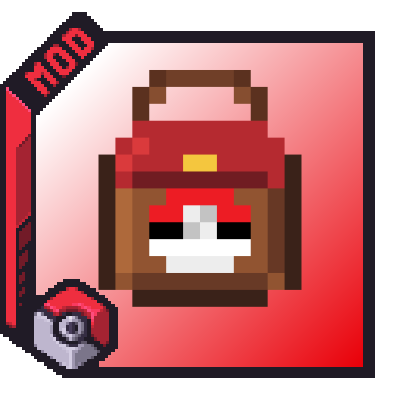
A dedicated Poké Ball and Apricorn satchel for Cobblemon, with storage, quick selection, direct throwing, and removable upgrades.
HappyMorphose | Cobblemon Ball Sat...
Create a server, get 25% off your first month

Description

Cobblemon Ball Satchel
A practical Poké Ball storage, selection, and throwing addon for Cobblemon.
Minecraft 1.21.1 • Fabric • Client and server
Cobblemon Ball Satchel is a quality-of-life addon for Cobblemon on Minecraft 1.21.1 Fabric.
It adds a dedicated satchel that can store, organize, select, and throw Poké Balls without filling your hotbar or cluttering your inventory.
Features
Dedicated Poké Ball storage
Each Ball Satchel contains 27 internal slots reserved for Poké Balls.
Every satchel keeps its own:
- Stored Poké Balls
- Selected Poké Ball type
- Installed upgrades
- Automatic-storage setting
Apricorn Storage
Cobblemon Ball Satchel now includes a dedicated Apricorn storage category with its own 27-slot inventory. You can switch between Poké Ball storage and Apricorn storage using the small Poké Ball and Apricorn icons at the bottom-left of the satchel interface. The Automatic Storage Upgrade works with Apricorns as well, automatically moving incoming Apricorns into the satchel, while the Stack Upgrade also increases the maximum Apricorn stack capacity inside the satchel.
The contents remain attached to the item when the satchel is moved, dropped, stored in another inventory, or carried between game sessions.
Vanilla-style inventory
Open the satchel to access a Minecraft-style inventory containing:
- 27 Poké Ball slots
- 3 removable upgrade slots
- A compact green or red automatic-storage status bar
The satchel currently being viewed is locked in its inventory slot while the screen is open. This prevents accidental movement, hotbar swaps, offhand swaps, duplication issues, and inventory desynchronization.
Bundle-style inventory interactions
Poké Balls can be inserted directly from the player inventory without opening the satchel.
- Left-click a Poké Ball stack onto the satchel to insert as many as possible.
- Right-click a Poké Ball stack onto the satchel to insert one Poké Ball.
- Hold the satchel with the cursor and click compatible Poké Ball stacks to transfer them directly.
- Use Shift + click inside the satchel inventory for quick transfers.
Only valid Cobblemon Poké Balls are accepted.
Fast Poké Ball selection
Hold the satchel and use Alt + Mouse Wheel to cycle through the Poké Ball types stored inside it.
A compact HUD appears to the right of the hotbar:
- The middle slot remains visible while the satchel is held.
- The middle slot displays the currently selected Poké Ball.
- Scrolling temporarily displays the previous and next available Poké Ball types.
- The stored amount of each displayed Poké Ball type is shown.
- Poké Ball types with no remaining stock are skipped automatically.
Throw Poké Balls directly
While holding the satchel, right-click to throw the currently selected Poké Ball.
The addon uses Cobblemon's own Poké Ball and projectile systems, preserving the selected Ball type and its normal capture behavior.
- In Survival mode, one matching Poké Ball is removed from the satchel after being thrown.
- In Creative mode, the selected Poké Ball is not consumed.
Controls
- Shift + Right Click while holding the satchel: open the satchel inventory.
- Right Click the satchel in an inventory slot with an empty cursor: open the satchel directly from the player inventory.
- Alt + Mouse Wheel while holding the satchel: select another stored Poké Ball type.
- Right Click while holding the satchel: throw the selected Poké Ball.
- Left Click Poké Balls onto the satchel: insert as many as possible.
- Right Click Poké Balls onto the satchel: insert one Poké Ball.
Upgrade system
The satchel includes three removable upgrade slots. Upgrades can be installed, moved between slots, and removed whenever you want.
Automatic Storage Upgrade
The Automatic Storage Upgrade automatically transfers Poké Balls that enter the player's inventory into the satchel.
- Open the Ball Satchel.
- Place the Automatic Storage Upgrade into one of the three upgrade slots.
- Click the small status bar beneath the upgrade slots to enable or disable the effect.
Poké Ball Saver Upgrade
Poké Balls now have a 10% chance to not be consumed when thrown with the upgrade installed.
Poké Ball Stack Upgrade
The Stack Upgrade doubles Poké Ball stack capacity inside the satchel.
Poké Ball Impact Upgrade
Poké Balls thrown from an upgraded satchel can deal 1 heart of damage to non-Pokémon living entities.
Addon compatibility
Cobblemon Ball Satchel recognizes Poké Balls through Cobblemon's standard Poké Ball implementation and the official cobblemon:poke_balls item tag.
Compatible Poké Balls added by other Cobblemon addons can therefore be stored, selected, and thrown when they use Cobblemon's standard systems.
Required dependencies
All of the following are required:
- Fabric Language Kotlin 1.13.13+kotlin.2.4.10 or newer
- Cobblemon 1.8.0 or older for Minecraft 1.21.1
For multiplayer, install Cobblemon Ball Satchel and every required dependency on both the server and every connecting client.
This addon is made for Fabric. It is not compatible with Forge or NeoForge.
Multiplayer and modpacks
Cobblemon Ball Satchel supports both singleplayer and multiplayer.
Feel free to use Cobblemon Ball Satchel in modpacks.
❤️Support Me❤️
Creating mods takes a lot of time. If you enjoy my work and would like to support me, you can join my Patreon. Members can also get early access to test versions of my mods.

My mods








Cobblemon Ball Satchel Team