Clockwork: Core
- By
Clockwork: Core provides the shared foundation for the Clockwork mod series, including miniature copper golems, the Shrinking Machine, Town Halls and the systems used by Clockwork mods..
Clockwork: Core
Shrink copper golem statues and captured animals, bring miniature golems to life, and start a colony with a Town Hall.
What's included
- Water Bottle Oxidation. Right-click an unwaxed copper block or copper golem with a water bottle to advance oxidation by one stage. This works on vanilla and miniature golems. In Survival, you get the empty glass bottle back.
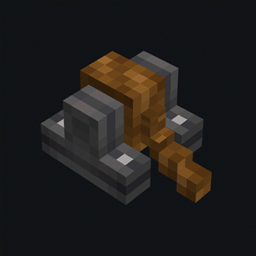
- Shrinking Machine. Turn vanilla copper golem statues and caged animals into miniatures. Statues keep their copper finish and pose, and animals keep their appearance, including details like sheep colour.
- Animal Cages. Capture cows, sheep, chickens, pigs, and rabbits. Data packs can add more animals to the cage list.
- Miniature Copper Golems. Set down a miniature statue inside your colony and scrape it with an axe to bring it to life. Golems keep their names, traits, and skills when moved as statues. Right-click a golem to check its profile, condition, and lubrication.
- Town Hall. Establish a colony, manage your golem population, and upgrade the Town Hall to grow your territory. The placement preview shows where the building will sit and whether it fits.
- Copper Tongs. Pick up and relocate miniature golems and statues.
- Clockwork Guide. Hover over a Clockwork item and press Ctrl+G to open its guide page. The shortcut also works in JEI and can be rebound in Controls.
Compatibility
- Minecraft 26.1.2 with NeoForge 26.1.2.129 or later.
- FTB Teams is optional and lets teammates share a colony.
- Jade is optional and shows golem information when you look at one.
- JEI is optional and supports the guide shortcut from its item list.
Clockwork Colonies
Clockwork Core can be installed on its own. Add Clockwork: Colonies to give your golems jobs in mines, farms, lumberyards, and other workplaces. Golems can haul goods to warehouses, and Repair Stations can service them while the colony runs.
Clockwork: Core Team

Owner