Claimstone Protection System
Secure your territory by placing a Claimstone, which anchors ownership of nearby chunks and prevents unwanted building or griefing. Starting with a single protected chunk, Claimstones can be upgraded through Tier 1–5 by right-clicking them with the required materials, expanding your protected land into a much larger claim area.
Players who do not own or have permission within a claim cannot place or break blocks, ensuring your base and creations remain safe. However, normal interactions such as using doors, trapdoors, fence gates, buttons, and levers remain available. Whenever a player enters another survivor's claimed territory, a HUD notification will appear identifying the claim.
Building a community is easy. Owners can grant permanent building access by renaming a piece of paper to a player's exact username and right-clicking the Claimstone to trust them. Alternatively, owners can sneak-right-click the Claimstone with paper to generate a Claim Access Code, which can be shared with friends. Other players can then use the code—or recreate it by renaming paper—to add themselves as trusted members of the claim.
Trusted players retain their permissions through server restarts, world reloads, and Claimstone upgrades, making long-term cooperative building seamless. Designed for Minecraft Forge 1.20.1, the system keeps everything simple and immersive with an in-world, paper-and-right-click workflow—no complicated commands required. Just craft a Claimstone, place it, upgrade it, and invite your friends to build together.
Quickstart
- Open your crafting table — all five Claimstone recipes are already unlocked in your recipe book under Building Blocks.
- Craft a Tier 1 Claimstone and place it in the world. The chunk you placed it in is now claimed and protected.
- Press ] (default) to open the Claim Map and see your claim highlighted among nearby chunks.
- To give a friend build access, rename a piece of paper to their exact username on an anvil, then right-click your Claimstone while holding it.
Overview
Claimstone Tiers lets you stake ownership over Minecraft chunks by crafting and placing one of five tiers of Claimstone blocks. Once placed, a Claimstone protects the claimed area from outside interference — other players cannot place or break blocks inside your claim. Higher tiers cover more chunks and require progressively rarer materials to craft.
What It Adds
| Tier |
Key Materials Needed (on top of previous tier) |
Key Upgrade Material |
| 1 |
4× Lapis Lazuli, 2× Copper Ingot, 2× Deepslate, 1× Stone |
Lapis, Copper, Deepslate, Stone |
| 2 |
8× Iron Ingot |
8 Iron Ingots |
| 3 |
4× Gold Nugget, 4× Gold Ingot |
4 Gold Ingots |
| 4 |
2× Diamond Block, 2× Diamond |
8 Diamonds |
| 5 |
4× Redstone Dust, 2× Netherite Block, 2× Nether Star |
4 Netherite Ingots |
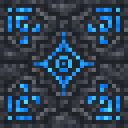
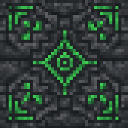
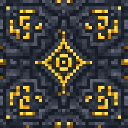
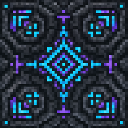
Each tier has a distinct color. All Claimstone blocks require a diamond-tier pickaxe to mine.
Crafting And Obtaining
All recipes are shapeless and appear in the crafting table recipe book as Building Blocks recipes. You can view every recipe from your first login, even before you have the required materials.
Tier 1 Claimstone
Each tier is crafted by surrounding the previous tier with the appropriate upgrade material. You can craft any tier directly at a crafting table without needing to place intermediate tiers first.
How To Use
Placing a Claimstone
Place any tier of Claimstone block in the world to immediately claim the surrounding chunks. The claim is centered on the chunk containing the block. A higher-tier stone claims a larger area the moment it is placed.
Upgrading In Place
You can upgrade an already-placed Claimstone by right-clicking it while holding the required upgrade material. The block swaps to the next tier's color and expands the claim, while preserving ownership and all trusted-player access. The same material cost applies as in the crafting recipe (e.g., 8 diamonds to upgrade to Tier 4).
Protection Rules
- Non-owners cannot place or break blocks inside claimed chunks.
- Non-owners can use buttons, levers, doors, trapdoors, and fence gates.
- Attempting to modify a protected block shows a message naming the claim owner.
Entering a Claimed Area
When you walk into a claimed chunk, a HUD message appears indicating the owner's name and the claim tier. Walking into your own claim shows a personalized message instead.
Abilities And Mechanics
Granting Build Access
As the owner of a Claimstone, you have two ways to give another player build access:
- By Name: Rename a piece of paper to the exact username of the player you want to trust, then right-click your Claimstone while holding it. That player gains full build access to your claimed area.
- By Access Code: Sneak + right-click your Claimstone while holding any paper to generate a Claim Access Code — a short alphanumeric code. Share this code with other players so they can use it to gain access. The code persists through world reloads and even survives upgrades to higher tiers.
Claim Map
Press the Open Claim Map keybind (default ], configurable in Options → Controls → Claimstone Tiers) to open a live map of chunks around your current position. The map shows:
- Unclaimed chunks
- Claimed chunks (with owner name and tier on hover)
- Chunks where you have access
- Your current chunk position
A Refresh button updates the map from the server. The map subtitle also displays your current chunk coordinates.
Progression And Strategy
- Start with Tier 1 to protect your base chunk immediately using only early-game materials.
- Upgrade to Tier 2 or 3 once you have iron or gold to expand protection around your base without needing to place multiple stones.
- Save diamonds and netherite for Tier 4 and 5 — these are expensive (8 diamonds or 4 netherite ingots each time, even for in-place upgrades), but they cover a 4×4 or 5×5 chunk area, making them ideal for large builds or community hubs.
- Use the Claim Map to scout unclaimed land before building outposts, and to verify your claim boundaries after upgrading.
- Set up Access Codes rather than per-name paper invites when you want to share access with a group — one code works for everyone and survives future upgrades.