City Builder for MineColonies
- By
Plan and build your MineColonies town in a city builder format!
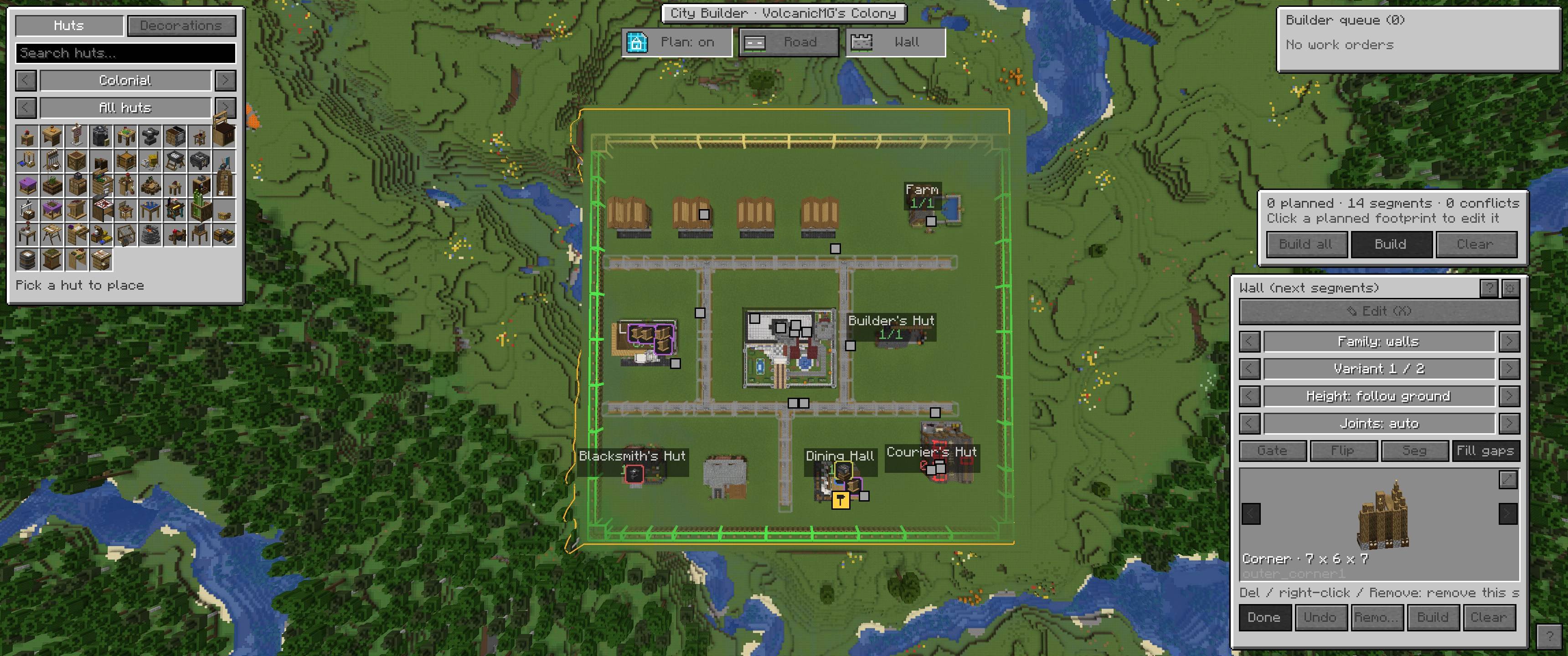
07-wall-loop-plan.jpg
08-plan-mode.jpg
09-3d-guide.jpg
10-main-street.jpg
01-town-overview.jpg
Description
Plan and build your MineColonies town
Press "J" inside your colony and the camera lifts into an overhead, city-builder view. Place huts and decorations, draw walls and roads with your style pack's real pieces, and run your builders, all through MineColonies' own build and work-order system. Your character stays where you left it.
- Beta. Tested in survival, creative and on dedicated servers, but expect rough edges. Bugs and ideas: issue tracker.
Features
Overhead camera: pan, zoom, turn and tilt over your colony. It glides over hills and keeps to your colony's borders.
Place huts and decorations: pick from your style packs (and a hut's alternate designs), preview the real build, rotate, mirror and nudge. Choose the level to build to and which builder takes the job. In survival, an "In your inventory" tab shows the huts you can place right now.
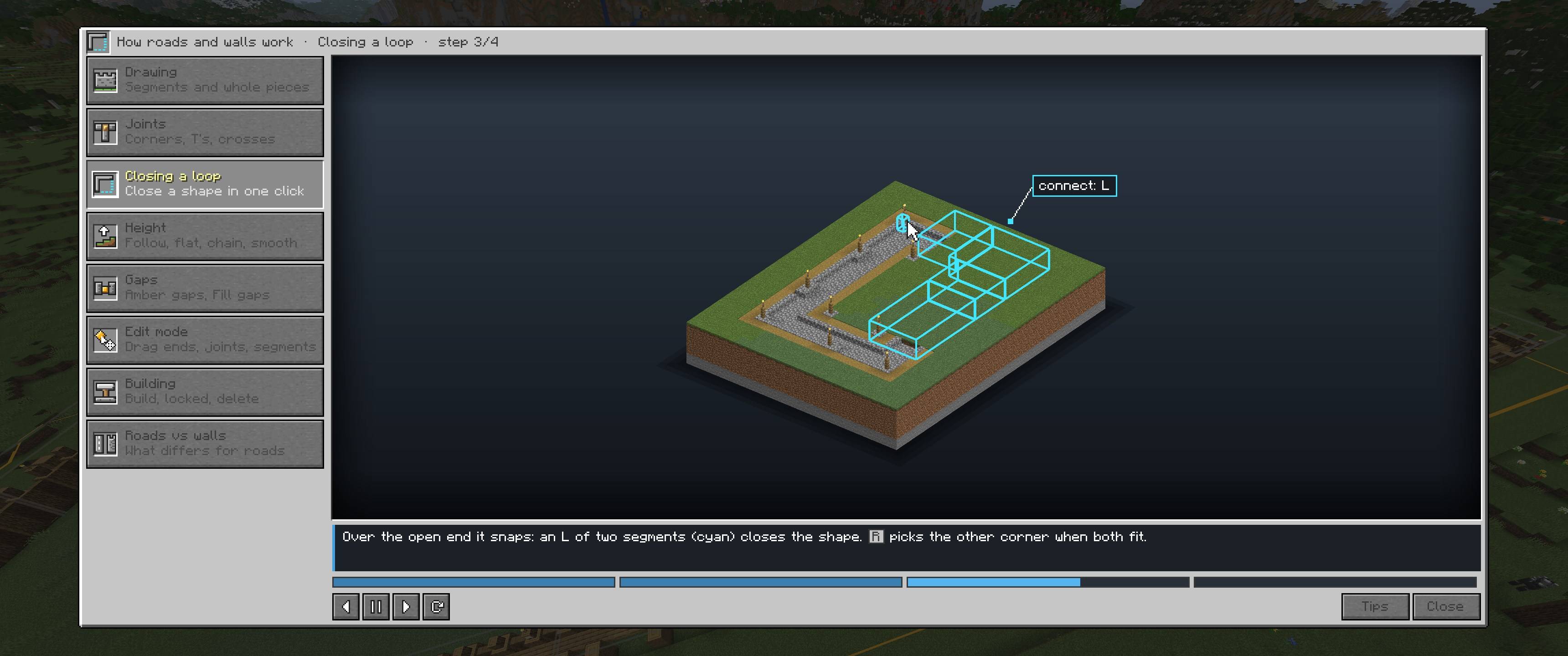
Walls and roads: draw segments with your style pack's wall and road pieces. Corners, T-junctions and crossroads join automatically, loops close with one click, and Fill gaps closes the cells whole pieces can't reach. Give a whole run to one builder, or leave it open so several builders work different segments.
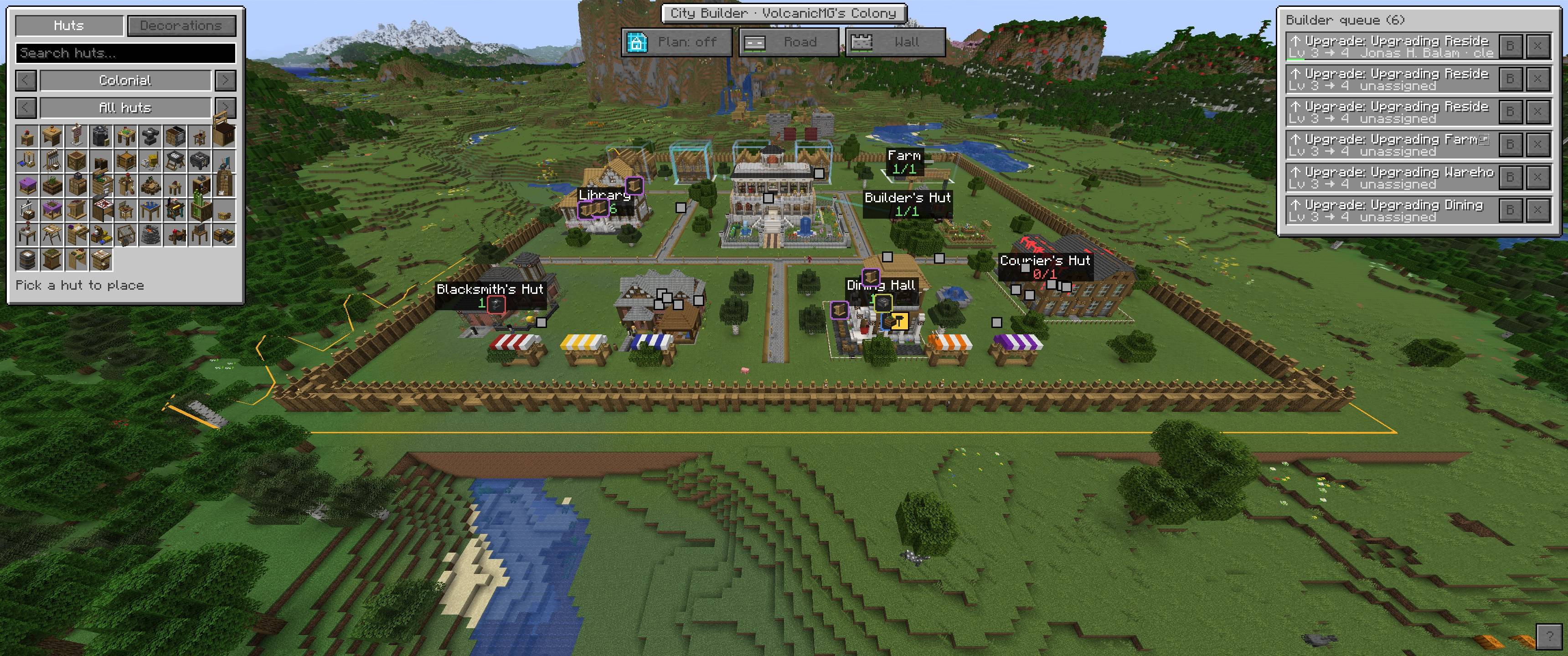
Builder queue: every work order with its builder, stage and progress. Drag to reorder, assign the next builder, or cancel.
Manage buildings: click any building to build, upgrade, repair, move (creative), pick up or remove it. In survival, Upgrade opens MineColonies' own window with the materials and builder choice, and a hut that hasn't been built yet can be picked back up into your inventory.
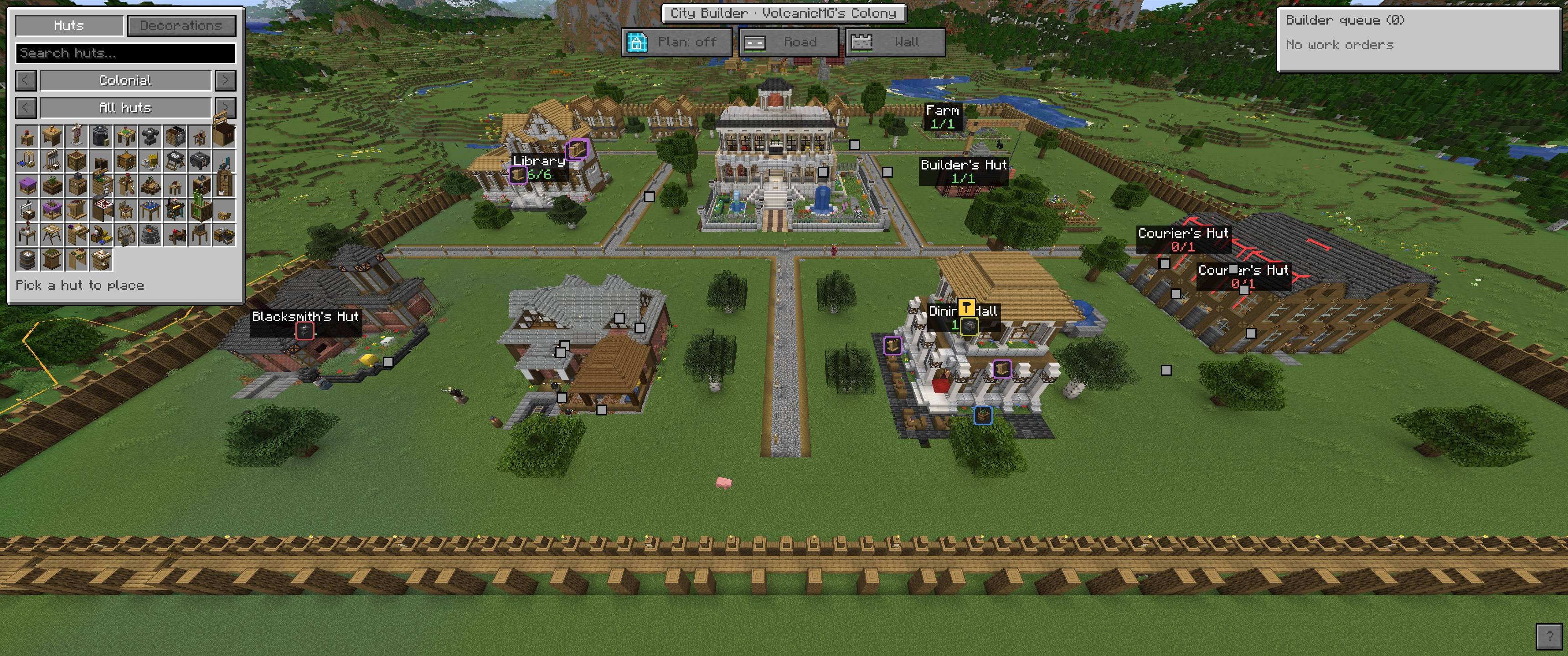
See your colony: hut names and worker counts float over each building. Citizen markers show what each worker holds and wears; hover one to see what's stopping them working, their status, health, food, happiness and job skills. Selecting a hut draws lines to its workers. Buildings and workers stay visible even past your render distance.
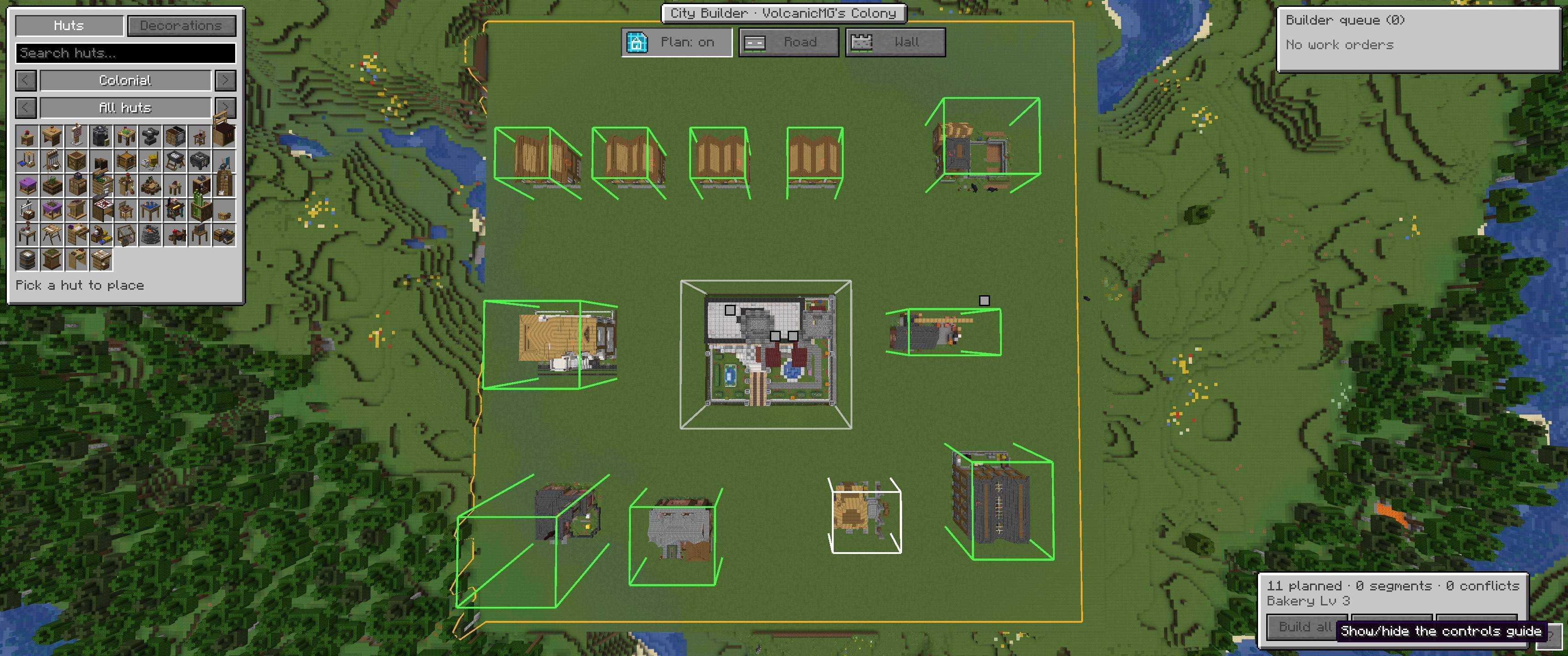
Plan mode: lay out a whole district first, with no hut items needed, then build it all at once or piece by piece.
Multiplayer: colony members see each other's placements and plans live, share built walls and roads, and every action is checked by the server against MineColonies permissions. Admins get settings for survival access.
Built-in help: a 3D, step-by-step guide for walls and roads, and a controls panel that only shows the keys for what you're doing.
Creative and survival
- Survival works like playing by hand: you need the hut item, builders do the work, and materials come from your colony.
- Creative adds instant tools: place, upgrade, repair, move and remove buildings and decorations at once. Removing restores the ground that was there before.
Requirements
- Minecraft 1.21.1, NeoForge 21.1.262+
- MineColonies 1.1.1403+ and Structurize 1.0.832+
- Install on both client and server.
Server settings
In
world/serverconfig/mccitybuilder-server.toml:
-
plannerRemoteInventories (off): lets survival players open hut and citizen inventories from the overhead view.-
strictInventoryReach (off): closes any hut, rack, grave or citizen inventory a survival player opens from beyond reach, including MineColonies' own remote windows.
Getting started
1. Stand in your colony and press J.
2. Pick a hut on the left, move it, click to place.
3. N for roads, B for walls: click to start, click to drop.
4. The ? on the road/wall panel opens the guide.
City Builder for MineColonies Team