MapHorizons | Distant Horizons on Xaero's Maps
- By
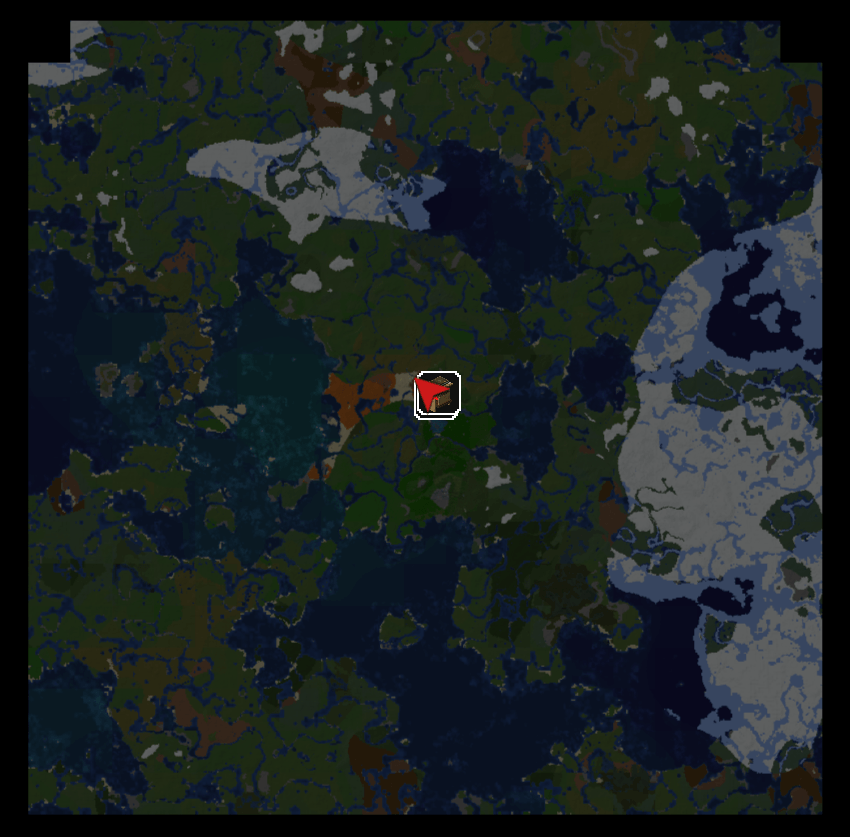
MapHorizons fills Xaero's World Map and Minimap with the terrain Distant Horizons has loaded, and syncs your team's exploration so everyone's map grows together. Bring LODs to your map!
DH.png
Description
MapHorizons fills Xaero's World Map and Minimap with the terrain Distant Horizons has loaded, and shares terrain between players so everyone's map grows together.
Distant Horizons shows land far beyond your render distance, but Xaero's maps stay black until you personally walk there. MapHorizons fixes that:
• Distant terrain on your map: anything Distant Horizons has loaded gets painted onto both Xaero maps.
• Shared terrain: on a server, land other players explored is sent to you, even beyond your own Distant Horizons range. It shows on Xaero's maps and in the Distant Horizons 3D view, and stays after you log out.
Sync and sharing
• The server records where each player has explored and syncs it within seconds.
• Exploration is saved with the world, so it survives restarts.
• Terrain is sent nearest first, with per-player and total bandwidth limits.
• Server modes:
• Full atlas (default): everything Distant Horizons has
• Open: everything any player has explored
• Team (opt-in, needs FTB Teams): only your team's and your allies' exploration. Other teams' bases stay off your map.
• Joining or leaving a team updates everyone's map right away.
On a server without MapHorizons, the client still paints all the terrain Distant Horizons sends you.
Map quality
• Two colour styles: Xaero (matches your explored map) or Distant Horizons
• Slope shading and depth-shaded water, matched to Xaero's look
• Your real explored map always wins: walk into an area and Xaero's own map takes over
• Nothing is written to your Xaero map saves: remove the mod and your maps are untouched
• Nether support: maps the floor, not the bedrock roof
• Works on the minimap and the world map
Settings: Mods > MapHorizons > Config, or the MapHorizons… button in Xaero's World Map settings.
Notes
• Terrain sharing needs Distant Horizons on the server too, with the same version on both sides.
• Map painting isn't a security boundary: Distant Horizons itself still shows all terrain in your 3D view.
• Exploration from before MapHorizons was installed isn't counted until someone revisits it.
Requires: NeoForge 1.21.1, Distant Horizons 3.3.x, Xaero's World Map
Optional: Xaero's Minimap, FTB Teams
Install on clients, and on the server for sync and terrain sharing.
MapHorizons | Distant Horizons on Xaero's Maps Team