promotional bannermobile promotional banner

Chronos Backups

A multi-loader Minecraft backup utility. Designed to save the most important parts of your world, keeping backups smaller.
banner.png

banner.png

Description

Chronos Backups

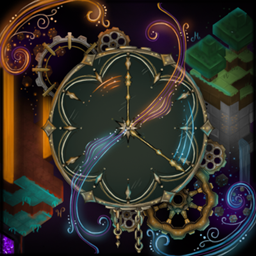
Mod Banner

The wonderful mod icon and banner were created by Mylèna Yarah Krijnen.

Chronos Backups is a multi-loader, multi-version Minecraft backup utility. Saves only the most important parts of your world, keeping backups smaller.

Features

  • Multi-version, multi-loader architecture (Fabric, NeoForge, Forge).
  • Scheduled and manual backups via an in-game /chronos command with a configurable permission level.
  • Backups are pruned and filtered to only include the most important parts of your world, keeping backups much smaller than traditional backups.
  • Configurable file copy blacklist to exclude specific files and folders from the backup, prefilled with common server-related files and folders.

Commands

Command Description
/chronos backup Run a manual backup immediately.
/chronos cancel Stop the backup currently in progress.
/chronos speedtest <seconds> Run repeated backups for benchmarking (diagnostic. not for normal use).

The required permission level defaults to 4.

Limitations

Chronos prioritizes aged world data, chunks that do not yet count as "old enough" for pruning can be left out of a snapshot. If you enter a new chunk, change blocks or items, and a backup runs before that area is included, those changes may be missing from that backup (depending on configuration). That situation is seen as extremely rare and can only cause loss on restore, never duplication.

Supported versions

All currently supported versions are listed below. If a specific subversion does not have a modloader associated with it (eg 1.7.3-1.7.9), it may still appear as supported if the major version is supported.

Minecraft Support Loader(s) Backup Config Notes
26.2.x βœ… Supported Fabric + NeoForge βœ… 🟠 File-only -
26.1.x βœ… Supported Fabric + NeoForge βœ… 🟠 File-only -
1.21.x βœ… Supported Fabric + NeoForge βœ… 🟠 File-only -
1.20.x βœ… Supported Forge + Fabric + NeoForge βœ… 🟠 File-only Forge 1.20.0-1.20.1. Fabric 1.20.x. NeoForge 1.20.2-1.20.6.
1.19.x βœ… Supported Fabric + Forge βœ… 🟠 File-only -
1.18.x βœ… Supported Fabric + Forge βœ… 🟠 File-only -
1.17.x βœ… Supported Fabric + Forge βœ… 🟠 File-only -
1.16.x βœ… Supported Fabric + Forge βœ… 🟠 File-only -
1.15.x βœ… Supported Fabric + Forge βœ… 🟠 File-only -
1.14.x βœ… Supported Fabric + Forge βœ… 🟠 File-only -
1.13.x βœ… Supported Forge βœ… 🟠 File-only [^2]
1.12.x βœ… Supported Forge βœ… 🟠 File-only [^2]
1.11.x βœ… Supported Forge βœ… 🟠 File-only [^2]
1.10.x βœ… Supported Forge βœ… 🟠 File-only [^2]
1.9.x βœ… Supported Forge βœ… 🟠 File-only [^2]
1.8.x βœ… Supported Forge βœ… 🟠 File-only [^2]
1.7.x βœ… Supported Forge βœ… 🟠 File-only [^1], [^2]
1.6.x ❌ Unsupported Forge ❌ πŸ”΄ None [^2]
1.5.x ❌ Unsupported Forge ❌ πŸ”΄ None [^2]
1.4.x ❌ Unsupported Forge ❌ πŸ”΄ None [^2]
1.3.x ❌ Unsupported Forge ❌ πŸ”΄ None [^2]
1.2.x ❌ Unsupported Forge ❌ πŸ”΄ None -
Beta & Alpha ❌ Unsupported Babric ❌ πŸ”΄ None Beta & Alpha versions may be supported in the future, but the flagship Chronos feature (world pruning) will be unavailable.

[^1]: Forge 1.7.2 does not build yet (Unimined#184).

[^2]: Might also be supported on Fabric through Legacy Fabric in the future.

Configuration

The mod's configuration is stored in the config/chronos.toml file. This file is automatically created when the mod is first run, and is located in the config folder of the mod's directory. For the forseeable future, there is no GUI configuration available. Config options include:

  • backupFolderName: The name of the folder that will contain the backups.
  • pruneChunks: Whether chunk pruning is enabled for backups.
  • pruneTimeRequirementSeconds: Minimum playtime (in seconds) for a chunk to count toward world pruning.
  • pruneMaxWorkerThreads: Maximum worker threads for pruning. 0 (or less) means "auto" (pruner picks a sensible default).
  • scheduleBackups: Whether to run backups on a timer.
  • backupIntervalSeconds: Seconds between automatic backup runs.
  • maxStoredBackups: Maximum backups kept per world. After a successful backup, oldest backups are removed if the limit is exceeded. Recommended value: 5. Values lower than 3 can be used to save space, but risks serious data loss if a catastrophic error occurs. Values below 1 disable automatic removal.
  • compressionMethod: Whether to compress the backups into a zip file or store it as an uncompressed folder. Accepts "zip" or "none".
  • commandRequiredPermissionLevel: Permission level required to run /chronos.
  • copyBlacklist: Folders and files to exclude from the backup.

This list may be out of date. To see the latest available configuration options and their descriptions, see ChronosTomlSpec.java.

Nightly releases

Github Actions automatically builds and uploads nightly releases to the GitHub Releases page. These are not the same as stable releases found on Modrinth, CurseForge or Github Releases, and should not be relied upon or assumed to be stable.

The Chronos Backups Team

profile avatar
  • 6
    Projects
  • 92.5K
    Downloads

I HATE making Minecraft mods

Donate

More from MagicJinn_View all

  • The Block Keeps Ticking project image

    The Block Keeps Ticking

    • 8.0K
    • Mods

    Simulates block ticking and entity growth in unloaded chunks, so your farms, furnaces, and passive mobs keep growing and working even when you're far away.

    • 8.0K
    • June 24, 2026
    • Mods
    • +1
  • Beacon Aura project image

    Beacon Aura

    • 2.3K
    • Mods

    Improves beacons by allowing you to soak in a beacon's effects with duration stacking over time

    • 2.3K
    • June 23, 2026
    • Mods
  • Quantum Things project image

    Quantum Things

    • 75.6K
    • Mods

    Quantum Things, a 1.12.2 continuation of Lumien231's Random Things

    • 75.6K
    • June 10, 2026
    • Mods
    • +2
  • Portalfarm Despawn Fix project image

    Portalfarm Despawn Fix

    • 157
    • Mods

    Prevents mobs from despawning in portal farms on multiplayer servers by limiting the despawn range.

    • 157
    • November 7, 2025
    • Mods
  • The Block Keeps Ticking project image

    The Block Keeps Ticking

    • 8.0K
    • Mods

    Simulates block ticking and entity growth in unloaded chunks, so your farms, furnaces, and passive mobs keep growing and working even when you're far away.

    • 8.0K
    • June 24, 2026
    • Mods
    • +1
  • Beacon Aura project image

    Beacon Aura

    • 2.3K
    • Mods

    Improves beacons by allowing you to soak in a beacon's effects with duration stacking over time

    • 2.3K
    • June 23, 2026
    • Mods
  • Quantum Things project image

    Quantum Things

    • 75.6K
    • Mods

    Quantum Things, a 1.12.2 continuation of Lumien231's Random Things

    • 75.6K
    • June 10, 2026
    • Mods
    • +2
  • Portalfarm Despawn Fix project image

    Portalfarm Despawn Fix

    • 157
    • Mods

    Prevents mobs from despawning in portal farms on multiplayer servers by limiting the despawn range.

    • 157
    • November 7, 2025
    • Mods