Chronicles of Kings - Blueprints - (Support for Litematica & Schematic files)
- By
Capture, preview and place structures with the Blueprint Wand. Ghost previews, .schem/.litematic support, shape fills, undo/redo and optional construction sites.

Build Your Legend
📜 About the Mod
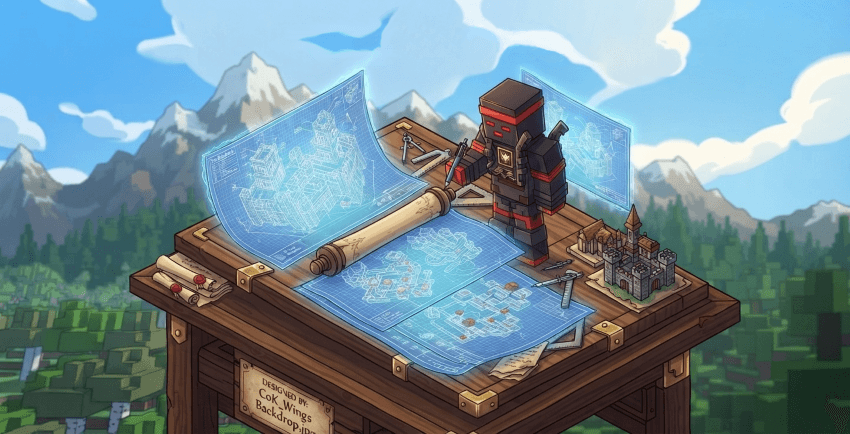
CoK Blueprints: Chronicles of Kings places the architect's craft in your hands. Capture your greatest creations in mystical schematic scrolls, conjure ghostly previews of grand structures before a single stone is laid, and deploy your designs across the realm in an instant. Every fortress, every tower, every masterwork — preserved and ready to rise again wherever your kingdom demands.
✨ Key Features
🪄 Blueprint Wand
A single tool that does it all — select regions, open the placement screen, and save new schematics, all from the tip of one arcane instrument.
👻 Ghost Structure Preview
See a translucent phantom of your structure in the world before placing it, with full rotation and offset control, so you always get the positioning right on the first try.
📄 Multiple Schematic Formats
Save and load structures in industry-standard formats: Sponge v2 .schem and Litematica v6 .litematic, ensuring compatibility with your existing schematic library.
📋 Copy, Cut & Paste
Select any region of your world, copy or cut it to a clipboard, then paste it anywhere as a full ghost preview ready for placement.
🧱 Geometric Shape Fill
Fill any region with a block in five geometric shapes — Box, Sphere, Cylinder, Disc, and Pyramid — in three fill modes: Filled (solid), Hollow (surface shell), or Walls (vertical faces only). Preview the exact shape as a ghost overlay before committing.
🌱 Restore Region
Revert any selected area back to its original seed terrain in one action — perfect for clearing failed experiments without leaving a mark on the landscape.
↩️ Undo & Redo
Made a mistake? Roll back the last placement, fill, or restore with a single keybind. Changed your mind? Redo brings it right back. Up to 10 operations per player are kept on the server at all times.
⚙️ How It Works
1. Wield the Blueprint Wand
Craft or obtain the Blueprint Wand and hold it in your hand. Right-clicking a block marks the first corner of your selection; right-clicking a second block marks the other corner, highlighting the full region between them.
2. Place Schematics
Right-clicking in the air opens the Placement Screen, where you can browse every schematic stored in the config/cok_blueprints/schematics/ folder — including subdirectories. Adjust:
- Rotation: Rotate the structure 90° at a time with a keybind in free-roam mode
- XYZ Offset: Nudge the ghost up, down, or sideways until the position is perfect
- Placement: Confirm to build the full structure instantly on the server
3. Save Your Creations
Sneak and right-click with the wand to open the Save Screen. Enter a name (subdirectory paths like castles/fortress are supported), choose your format, and hit Save. The schematic is written to disk and immediately available for future placements.
4. Copy, Cut and Paste
With a region selected, use the Copy or Cut button in the Placement Screen to capture the area to your clipboard. The clipboard is stored as a temporary schematic and instantly activates as a ghost preview, ready to be placed anywhere in the world.
5. Fill, Restore, Undo & Redo
Select a region and use the Insert tab to fill it with a block in the shape of your choice — Box, Sphere, Cylinder, Disc, or Pyramid — in Filled, Hollow, or Walls mode. Use Restore to reset the area to its natural seed terrain. If the result isn't what you expected, press the Undo keybind to roll back. Press Redo to reapply. The server tracks up to 10 operations per player so you always have room to experiment.
👑 Build Your Legacy
CoK Blueprints isn't just a building tool — it's the royal decree made manifest. Design once, deploy anywhere, and let your architectural vision outlast the ages. Your kingdom's grandeur is only limited by your imagination.

© 2026 CoK Team - Chronicles of Kings
Every great kingdom begins with a blueprint.
Chronicles of Kings - Blueprints - (Support for Litematica & Schematic files) Team