Character Not Container
- By
Adds a character screen for build crafting that also replaces the curios screen with a more useful one
Description
Character Not Container
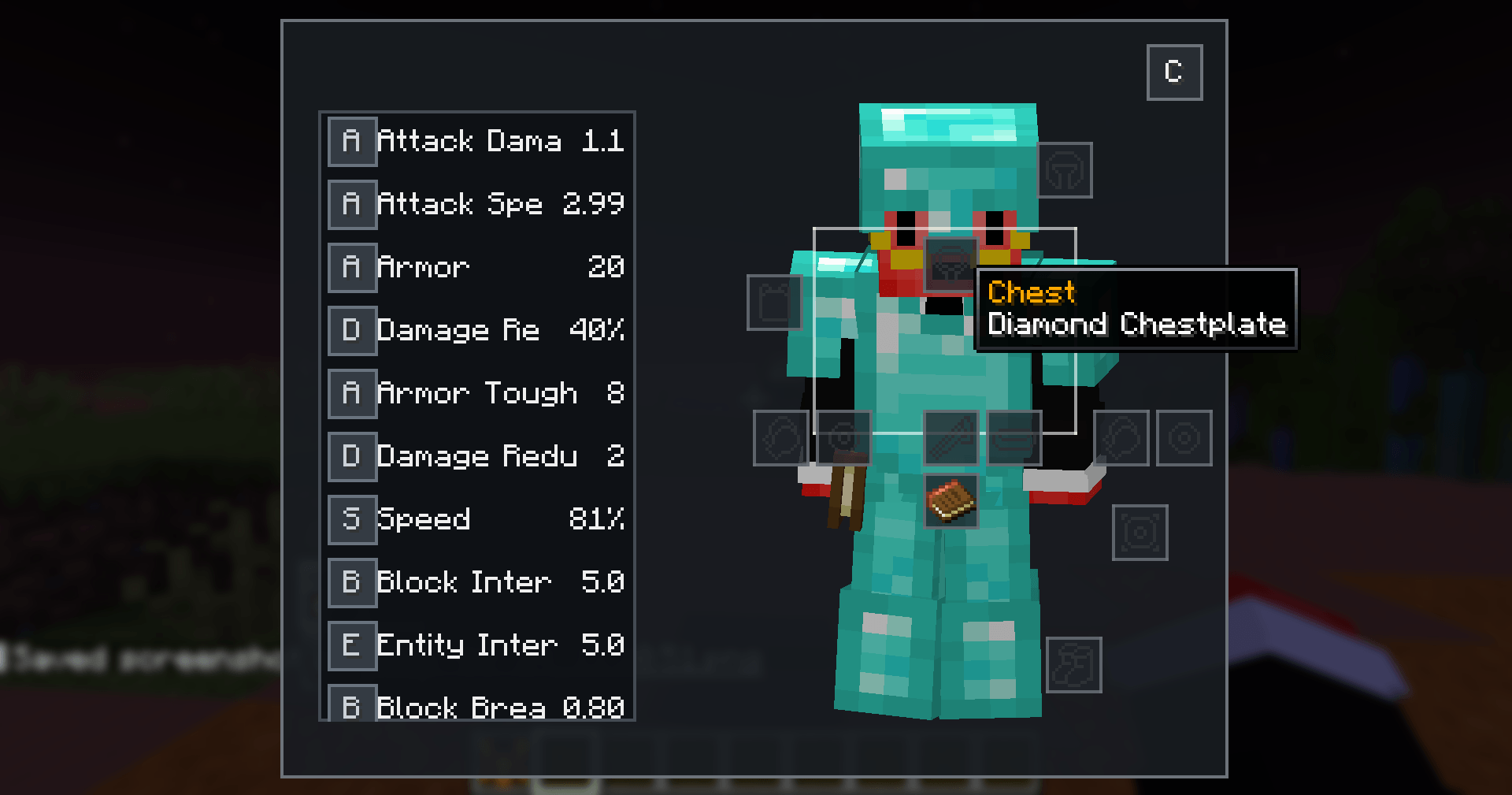
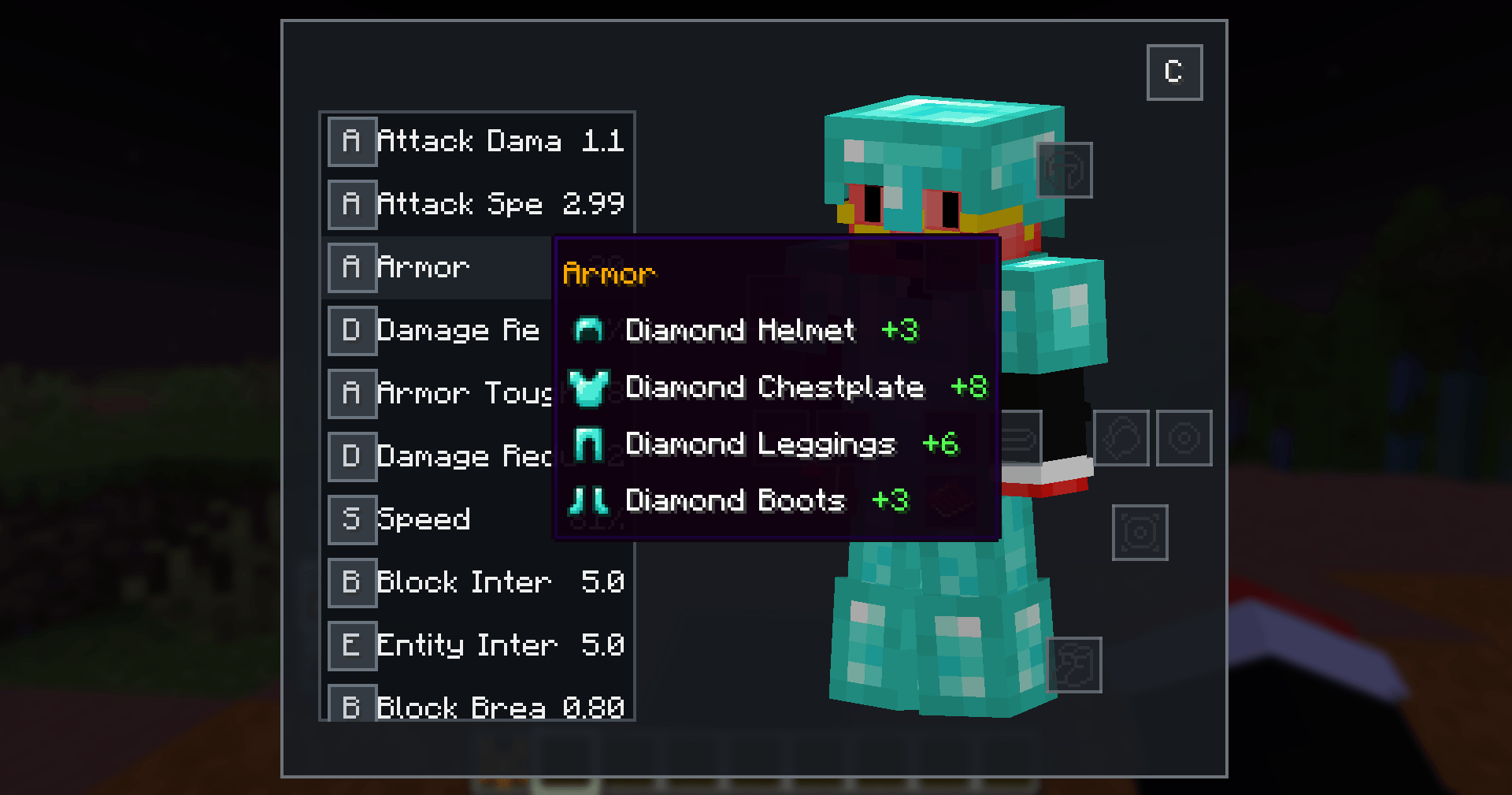
Character Not Container is a NeoForge 1.21.1 character and equipment screen. It opens independently on a configurable key (default C); Minecraft's E inventory remains vanilla, while the Curios buttons in the survival and creative player inventories open this character screen by default.
Features
- Shows the current effective value of each attribute that differs from that player's own base value. New modded player attributes are added to the flat catalog once per world join or client resource reload.
- Explains changed attributes with exact additive or percentage amounts for armor, held items, Curios, active effects, and direct Needs, Not Necessities sources. Active meals use the food's item icon and name; unresolved modifiers are combined into one
???remainder instead of being guessed. - Renders the real local player, including skin, equipped armor, animation, normal render layers, and explicit head/body tracking toward the mouse.
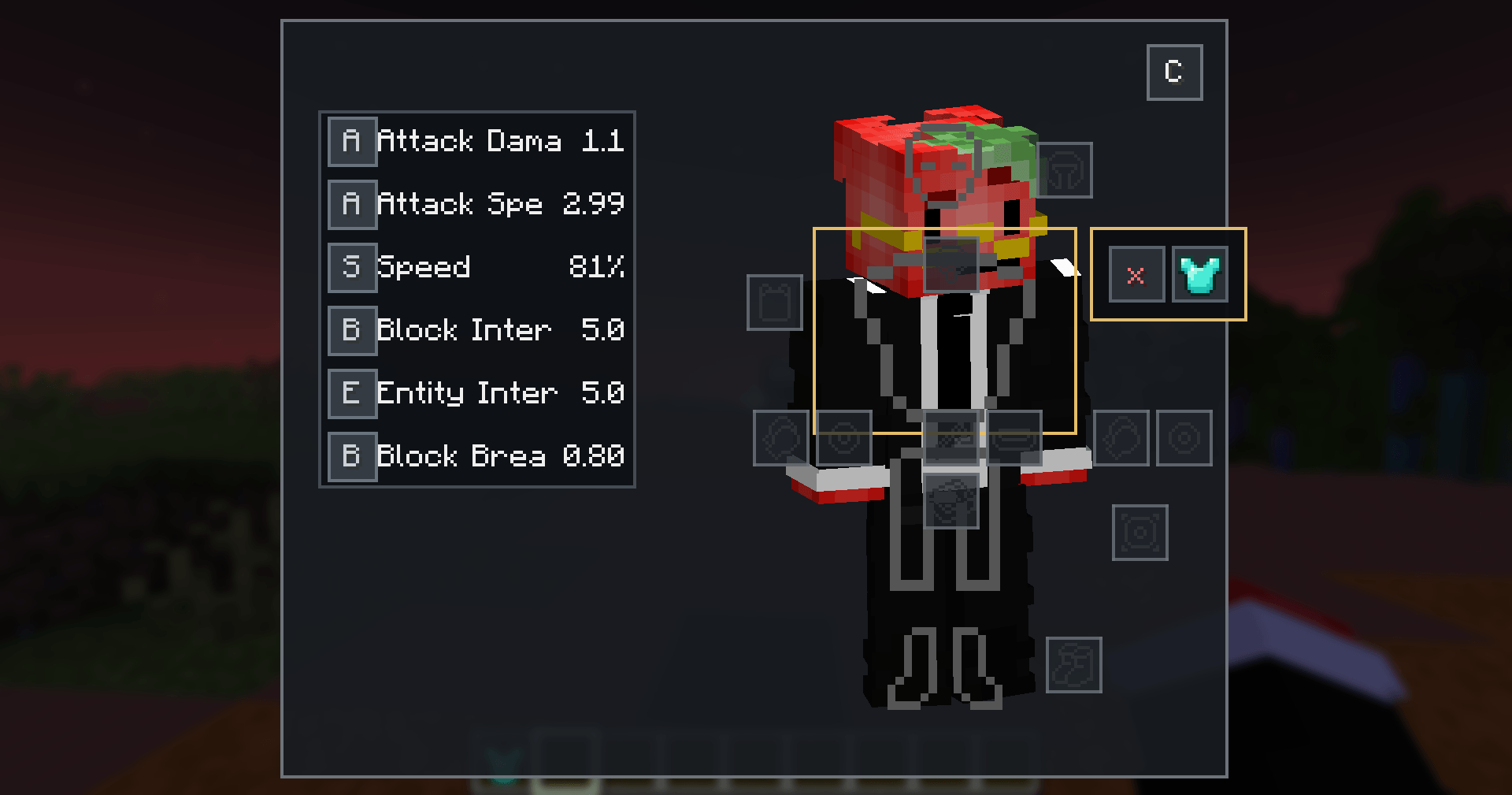
- Turns broad, transparent head/chest/legs/feet body regions into the equipment controls instead of showing an armor grid.
- Opens a content-sized picker beside the selected body slot containing compatible player and nearby-source items plus an explicit Empty/Unequip action.
- Pulls from nearby armor stands and any block or entity exposing NeoForge's generic item-handler capability when the server also has the mod.
- Performs validated, server-authoritative swaps without dropping or deleting items. A one-for-one replacement needs no spare slot; a standalone unequip is refused when no inventory capacity exists.
- Discovers visible, active Curios slots dynamically, uses their native icons and validation, supports multiple slots, and keeps unknown slot types visible in the fallback region.
- Switches between functional and cosmetic Curios slots from inside the character screen, with both paths using validated server-authoritative swaps.
- Runs without Curios installed; Curios classes are isolated behind guarded compatibility entry points.
Configuration
First use creates these files under config/characternotcontainer/:
general.json
stats.json
equipment_screen.json
The interface and all anchor positions are built into the mod. equipment_screen.json only binds Curios slot-type IDs to fixed anchors. The generated file is pre-filled with common Curios names:
{
  "slots": {
    "head": "head",
    "hat": "head",
    "face": "head",
    "mask": "head",
    "neck": "neck",
    "necklace": "neck",
    "amulet": "neck",
    "back": "back",
    "cape": "back",
    "wings": "back",
    "belt": "belt",
    "spellbook": "belt",
    "waist": "belt",
    "sheath": "belt",
    "body": "belt",
    "hands": "hands",
    "hand": "hands",
    "ring": "hands",
    "bracelet": "hands",
    "feet": "feet",
    "shoes": "feet",
    "anklet": "feet",
    "charm": "other",
    "curio": "other"
  }
}
Valid fixed anchors are head, neck, back, belt, hands, left_hand, right_hand, feet, and other. Add a modded slot ID as another key to bind it; namespaced keys are supported. Unknown types use other. Older UI-builder and movable-anchor copies are migrated automatically and deprecated fields are removed.
general.json contains:
{
  "enableSeparateKeybind": true,
  "redirectCuriosInventoryButton": true,
  "enableNearbyEquipmentSources": true,
  "nearbyEquipmentSearchRadius": 8.0,
  "equipmentPickerOpensLeft": false,
  "equipmentPickerColumns": 5,
  "equipmentPickerVisibleRows": 3,
  "debugEquipmentHitboxes": false,
  "showEquippedItemIcons": false
}
Set redirectCuriosInventoryButton to false to restore Curios' normal button destination. Set debugEquipmentHitboxes to true while tuning the body regions. showEquippedItemIcons controls whether equipped vanilla armor also gets a small item indicator over the model; empty slots always show the vanilla empty-equipment icon.
Nearby equipment is server-authoritative and activates only when Character Not Container is present on the server. A client-only installation still connects normally and retains the character UI, but equipment changes and nearby pulls are unavailable. nearbyEquipmentSearchRadius is capped at 32 blocks. Set equipmentPickerOpensLeft to true to place the picker left of its selected slot; equipmentPickerColumns and equipmentPickerVisibleRows control wrapping and scrolling (defaults: 5 columns and 3 rows).
stats.json is a flat ordered attribute catalog. A definition may set visible to false, override its localized name, provide an icon sprite, or adjust value formatting. Categories and the old delta-specific fields are no longer used. On world join or client resource reload, supported player attributes missing from the file are appended once with generic decimal formatting; the screen does not rewrite or rediscover them every frame.
Example:
{
  "attributes": [
    {
      "attribute": "minecraft:generic.movement_speed",
      "visible": true,
      "format": "DECIMAL",
      "decimalPlaces": 0,
      "scale": 1000.0,
      "suffix": "%"
    }
  ]
}
Leave name blank to use the attribute's localized display name. If the attribute has no translation, the registry ID is converted into a readable name (for example, minecraft:generic.movement_speed becomes Movement Speed). A nonblank JSON name always takes priority.
Run /characterui attributes to log registered attribute IDs. Operators can run /characterui reload after editing general.json or stats.json; the minimal equipment anchor file is re-read whenever the screen opens.
The screen compares each effective value with that player's current attribute-instance base. A mod that deliberately replaces the base therefore establishes a new baseline and is not shown as a change. Sources are named only when they are positively identified from equipment, an active effect, or the direct Needs, Not Necessities integration. Everything else is represented by one combined ??? row with its net numeric or percentage effect.
Optional GUI sprites
The layout remains built into the mod, but resource packs can skin its major elements through fixed GUI sprite resource locations. Character Not Container does not bundle files at these locations: if a PNG is absent, that element uses the current procedural colors, borders, letters, and vanilla tooltip background. No configuration entry is required.
Every sprite ID starts with characternotcontainer:character_screen/ and maps to a PNG under:
assets/characternotcontainer/textures/gui/sprites/character_screen/
For example, characternotcontainer:character_screen/picker/background is loaded from:
assets/characternotcontainer/textures/gui/sprites/character_screen/picker/background.png
Supported sprite IDs and their destination sizes are:
Resource location after character_screen/ |
Destination size and purpose |
|---|---|
screen/background |
Entire 400 x 320 logical screen |
screen/player_preview_background |
220 x 296, behind the player |
screen/player_preview_frame |
220 x 296, above the player and below equipment controls |
stats/panel |
134 pixels wide; height shrinks to the visible rows |
stats/row_hovered |
134 x 26 logical row |
stats/scrollbar_track |
8 x 258 logical track |
stats/scrollbar_thumb |
6 pixels wide with a dynamic height |
stats/fallback_icon |
16 x 16 replacement for the generated letter icon |
equipment/slot |
Base body-control overlay; destination is 60 x 52 for head, 112 x 88 for chest, 78 x 75 for legs, or 78 x 56 for feet |
equipment/slot_hovered, equipment/slot_selected |
Hover/selection overlays using the same body-control destination |
equipment/curio_slot, equipment/curio_slot_hovered, equipment/curio_slot_selected |
Functional Curios slot and state overlays, 18 x 18 |
equipment/cosmetic_curio_slot, equipment/cosmetic_curio_slot_hovered, equipment/cosmetic_curio_slot_selected |
Cosmetic Curios slot and state overlays, 18 x 18 |
equipment/show_cosmetics_button, equipment/show_cosmetics_button_hovered |
Complete 18 x 18 button shown in functional mode; custom sprites replace the default C label |
equipment/show_equipment_button, equipment/show_equipment_button_hovered |
Complete 18 x 18 button shown in cosmetic mode; custom sprites replace the default E label |
picker/background |
Dynamic picker panel: columns x 20 + 10 pixels, plus 5 pixels when scrolling; rows x 20 + 10 pixels high |
picker/cell, picker/cell_hovered |
Picker cell and hover overlay, 18 x 18 |
picker/unequip |
16 x 16 replacement for the red x |
picker/scrollbar_track, picker/scrollbar_thumb |
2 pixels wide with dynamic heights |
tooltip/source_background |
Dynamic background used by the custom attribute-source tooltip |
Character Not Container Team