BuildAI
- By
Describe a Minecraft build, preview the blueprint, and construct it in Creative or Survival using real materials.
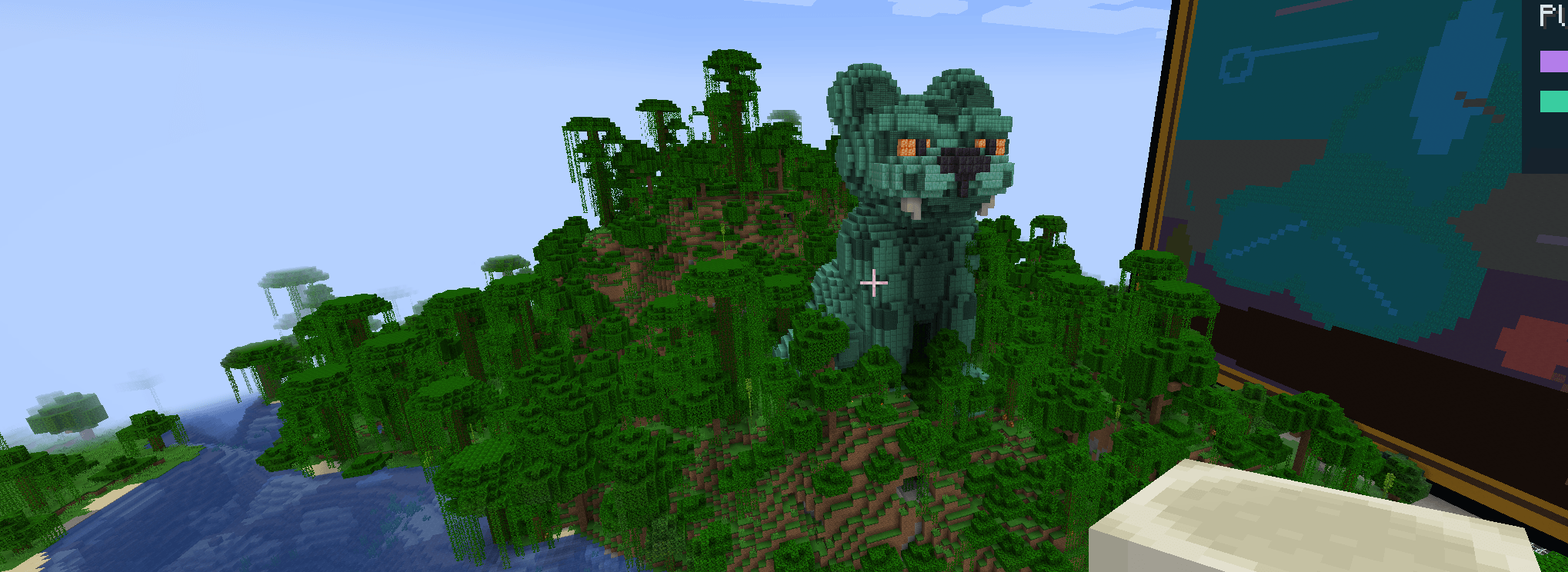
This Jaguar was built with BuildAI, pasted with /buildai confirm excavate:no foundation:no for a seamless paste into a jungle biome.

Builds that my son described how he wanted them, the gecko is my favorite! The fishtank next to it has a shark in it. Both the duck and gecko are populated with rooms within them, designed and built by BuildAI.
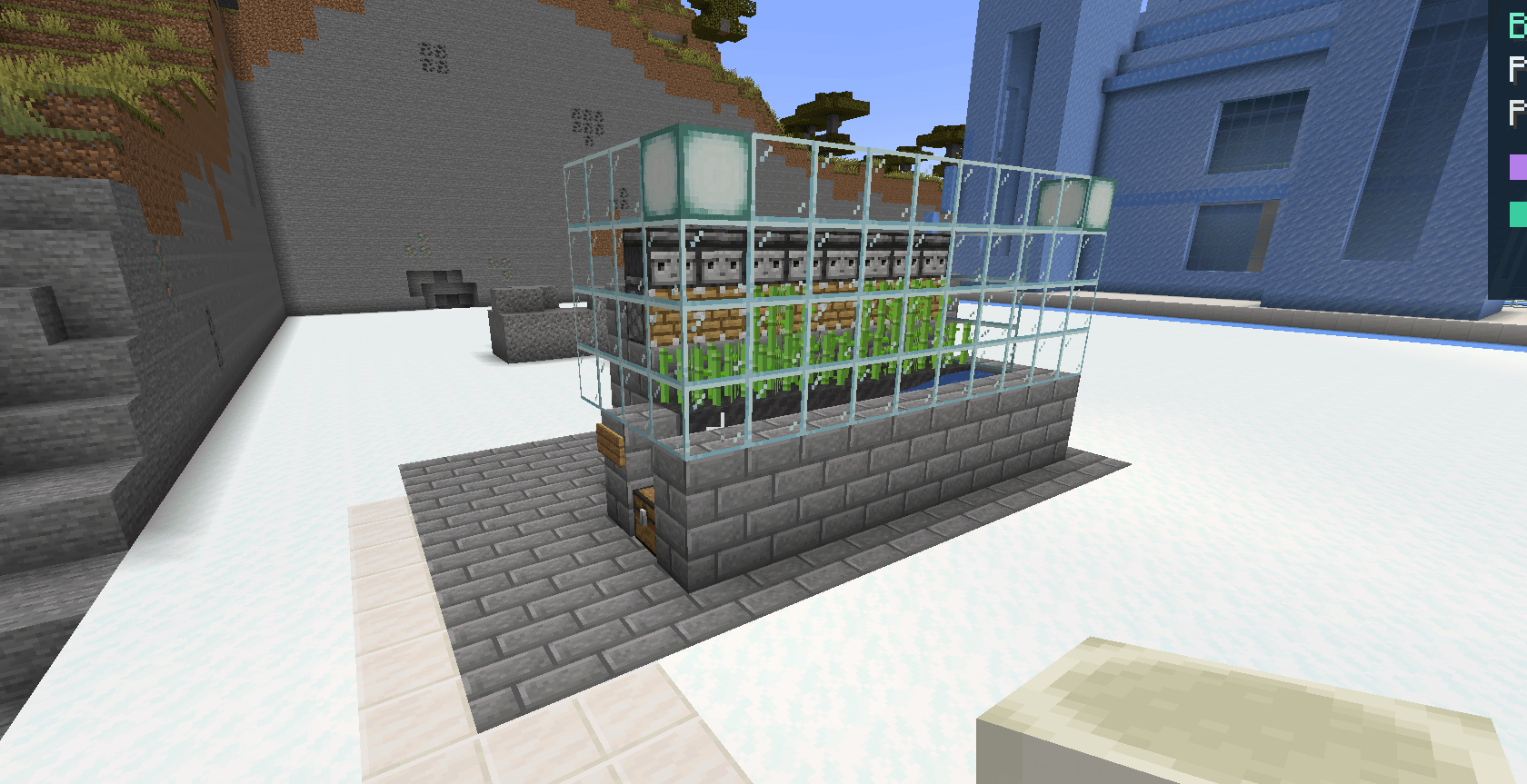
BuildAI demonstrating it's redstone capabilities. It has displayed competence and I have worked towards bolstering it's redstone savviness with a built in handbook as well as a redstone code/language to refer back to during builds.
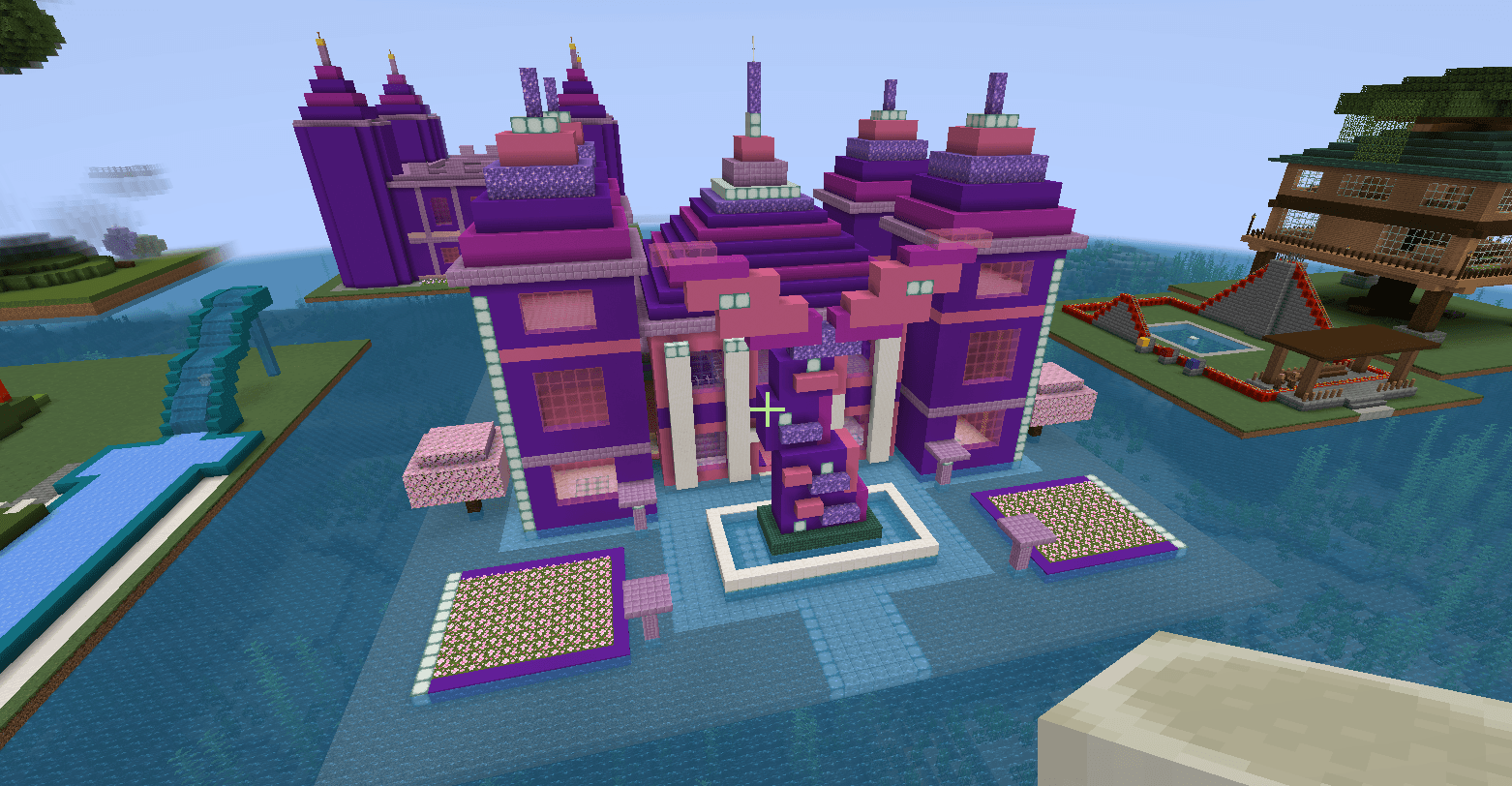
Blocky build, but still a well designed mermaid tail feature at the front. If you want rounder builds, make that known.
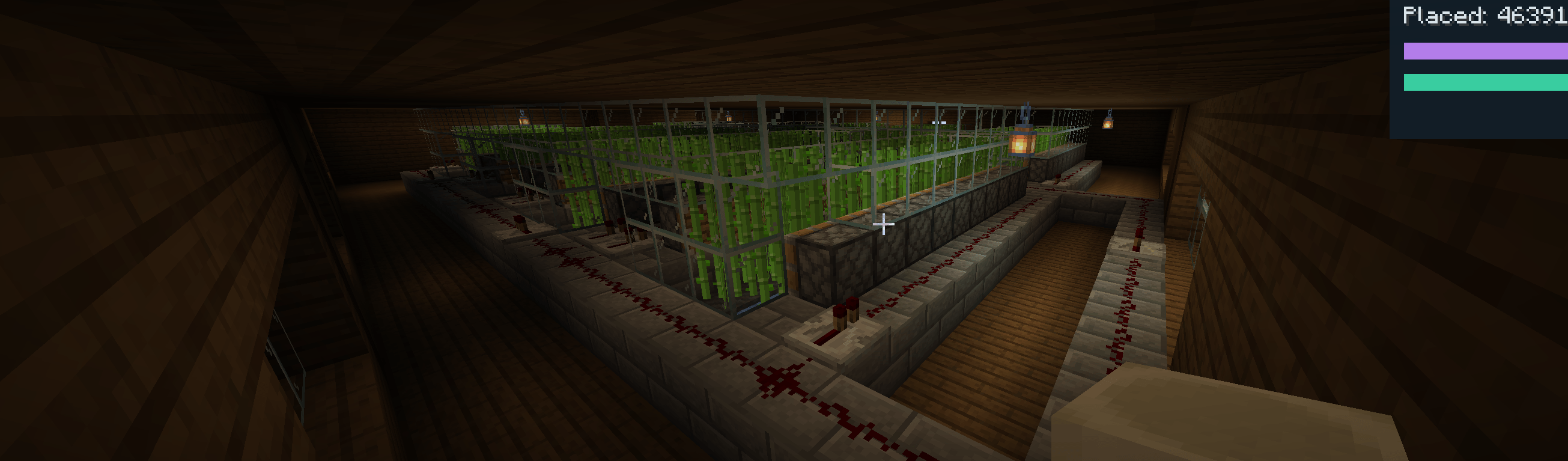
This build features a 5 story farm that self-sorts the crops with hoppers and guided chests. While this can be a difficult result to reproduce, further enhancements will hopefully bolster the mod's redstone competence even further in the future.
Description
BuildAI — Describe It. Preview It. Build It.
Imagine it. Build it. Refine it. Make it yours.
BuildAI is an AI-powered Minecraft building mod that transforms your ideas into real, fully constructible Minecraft structures. (Connect your ChatGPT account within GUI to utilize your ChatGPT subscription).
From cozy survival cottages and beautifully detailed medieval towns to massive jungle temples, elaborate castles, automated farms, and intricate redstone contraptions, BuildAI brings your imagination into the world of Minecraft.
But BuildAI goes beyond simply generating structures.
BuildAI adapts to your building style. Through blueprint ratings, personalized feedback, and architectural references, you can teach it what you love, what you dislike, and how you want your future creations to look.
The more meaningful feedback you provide, the more context BuildAI has to create structures that reflect your preferences.
Your Imagination Is the Blueprint
BuildAI's creations are heavily influenced by the quality and detail of your prompts.
Want a simple starter house? Ask for one.
Want a breathtaking, heavily detailed fantasy castle with towering spires, intricate archways, layered stonework, and dramatic architecture? Describe it!
Tired of plain, boxy Minecraft buildings?
Tell BuildAI exactly what you want:
Create a highly detailed medieval fantasy house with varied wall depths, richly textured stone and timber, rounded-looking archways, recessed windows, curved-looking rooflines, decorative supports, and a natural, handcrafted appearance. Avoid flat walls, repetitive patterns, and simple rectangular construction.
Minecraft is built from cubes, but your architecture doesn't have to feel like a collection of plain boxes.
Ask for depth, texture, intricate decorations, organic shapes, layered construction, and architectural complexity.
Better descriptions lead to better design guidance. Experiment with different prompts, refine your ideas, and discover what BuildAI can create.
A Personal AI Builder That Adapts to YOU
Everyone has their own building style. BuildAI gives you a way to develop yours.
Every saved blueprint can become an opportunity to improve future creations.
Navigate to F8 → Feedback & Styles → My Build Feedback to review previous blueprints and schematics.
-
Rate your builds: Assign ratings from 1 to 5 stars.
-
Leave detailed feedback: Explain what you liked, what looked wrong, and what you want improved.
-
Develop your signature style: Express preferences for materials, architecture, roof shapes, textures, decoration, proportions, and functionality.
-
Improve future generations: BuildAI incorporates your saved feedback history into subsequent AI generation requests.
-
Use architectural references: Analyze existing builds and provide visual or schematic examples of the styles you want.
Love detailed stonework but dislike flat walls? Tell it.
Prefer grand medieval architecture over modern minimalism? Make that known.
Want future buildings to use more arches, pillars, balconies, decorative trim, and natural-looking contours? Save those preferences through your feedback.
BuildAI uses this information to create an increasingly personalized building experience.
Your builds. Your feedback. Your style.
Personalization uses locally saved preferences and architectural context supplied to future AI requests. It does not retrain the underlying AI model, and results will still vary between generations.
Redstone Engineering and Functional Builds
BuildAI isn't limited to beautiful architecture.
It can also design redstone-powered structures, automated systems, mechanical contraptions, and interactive builds.
BuildAI includes a dedicated Minecraft 1.21.1 redstone reference system, covering components such as pistons, observers, repeaters, comparators, hoppers, crafters, and other technical mechanics.
This technical knowledge helps guide the AI when designing functional systems rather than relying solely on decorative construction.
Potential creations include automated farms, hidden entrances, mechanical doors, sorting systems, and elaborate redstone-powered builds.
Complex redstone engineering is an ambitious and evolving capability. Particularly intricate machines can take significantly longer to generate, stall, or fail to produce fully functional designs. Some creations will require additional revision and in-game testing.
That doesn't mean redstone is an afterthought—it's an important part of what BuildAI is designed to accomplish.
Help Improve Redstone Building
Found a redstone problem? Figured out how to correct it?
Visit F8 → Feedback & Styles → Community Share → Redstone Insight to prepare a contribution documenting the problem, your observations, and an optional corrected schematic.
Contributions can be submitted for maintainer review to help develop better technical references and future improvements.
Community submissions are reviewed rather than automatically accepted as working designs or used to retrain the AI.
Creative and Survival Construction
Creative Mode
Generate and construct impressive structures without gathering the required materials. Preview and position your blueprint, confirm the construction, and watch BuildAI bring your creation to life.
Survival Mode
BuildAI supports real material-based construction.
Place your supplies in nearby chests marked with a sign reading BuildAI, and BuildAI automatically discovers those chests and progressively constructs your project using the materials provided.
Watch the construction progress, replenish supplies when necessary, and monitor material requirements directly in-game.
BuildAI also supports construction undo and returning consumed materials to their original supply chests during the active session.
Features at a Glance
-
AI-powered structure and blueprint generation.
-
Personalized building preferences through saved ratings and feedback.
-
Architectural style analysis and schematic-based references.
-
Creative and resource-consuming Survival construction.
-
Detailed 3D schematic previews, positioning, and rotation.
-
Progressive block-by-block construction.
-
Blueprint import, export, revision, and personal libraries.
-
Foundation detection, schematic sanitization, and terrain controls.
-
Redstone-aware generation with dedicated technical references.
-
Material tracking and automatically discovered Survival supply chests.
-
Undo, world restoration, and material refunds.
-
Multiplayer Builder and Administrator permissions without requiring vanilla operator privileges for authorized builders.
-
Built-in guides and tutorials accessible through F8.
-
Singleplayer support with Minecraft cheats disabled.
Getting Started
-
Install Fabric Loader and Fabric API for Minecraft Java 1.21.1.
-
Install BuildAI into your Minecraft mods folder.
-
Launch Minecraft and press F8 to open BuildAI.
-
Import an existing schematic, explore the available demo functionality, or connect a supported AI service.
-
Describe your creation, generate the blueprint, and preview it in your world.
-
Position and confirm your construction.
-
Review your results in Feedback & Styles to personalize future generations.
AI generation requires access to a compatible external service and may involve separate API usage fees or limits. Schematic import and other offline features do not require AI generation.
Beta Release — Help Shape BuildAI
BuildAI is actively evolving, and feedback from the Minecraft community is an important part of that process.
While architectural generation, Survival construction, and redstone-aware design are already supported, exceptionally large or mechanically complex projects can encounter generation delays, incomplete builds, or verification failures.
Construction and refund journals are not yet crash-persistent, so always back up important worlds before experimenting with large projects.
Your feedback matters. Rate your creations, share your building preferences, document redstone discoveries, and help guide the future of BuildAI.
Whether you're an ambitious Creative builder, a dedicated Survival player, or a redstone engineer, BuildAI is designed to give you more creative possibilities and a building experience that increasingly reflects your vision.
BuildAI — Your imagination. Your architecture. Your AI builder.
BuildAI Team