Blueprint HUD
- By
A client-side mod that overlays reference images on your screen, so you can follow blueprints and build references without leaving the game.
2 (2).png
3 (2).png
Description
Blueprint HUD
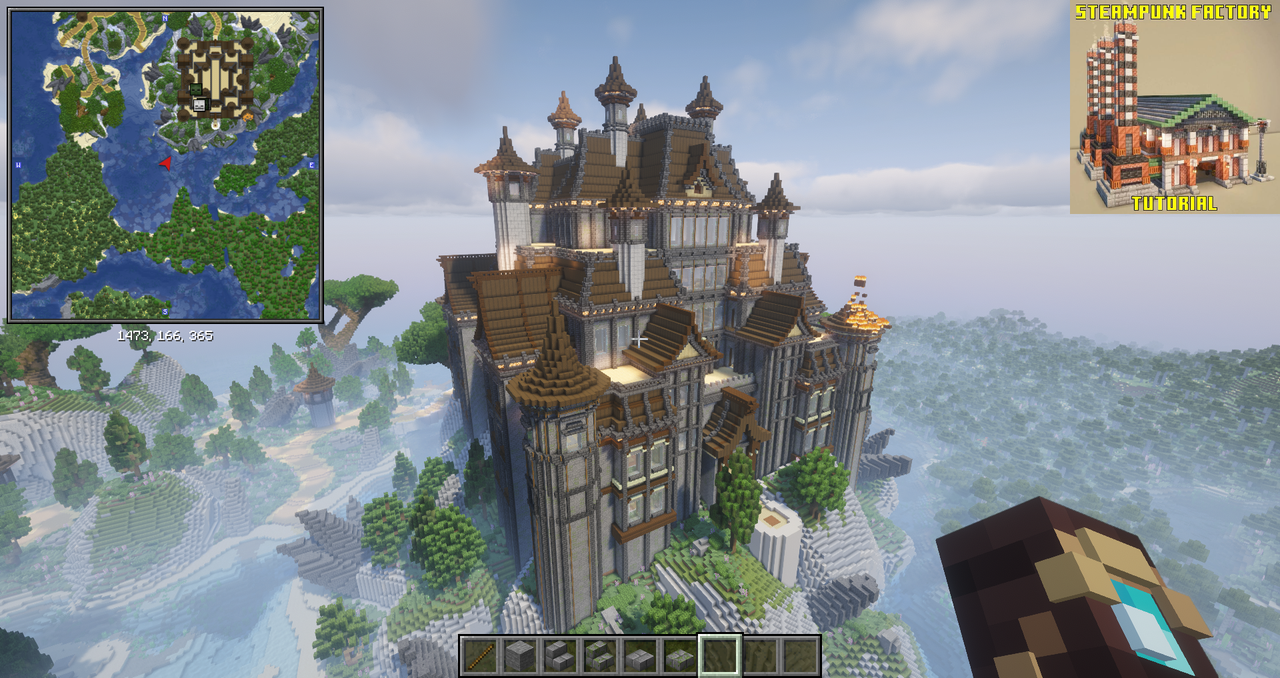
Blueprint HUD is a lightweight client-side Minecraft mod that lets you display reference images as an on-screen overlay. Whether you're following a detailed build guide, recreating a structure from a screenshot, or just need inspiration, Blueprint HUD keeps your references visible while you build.
No more alt-tabbing or switching windows — just build with your blueprint right in front of you.
✨ Features
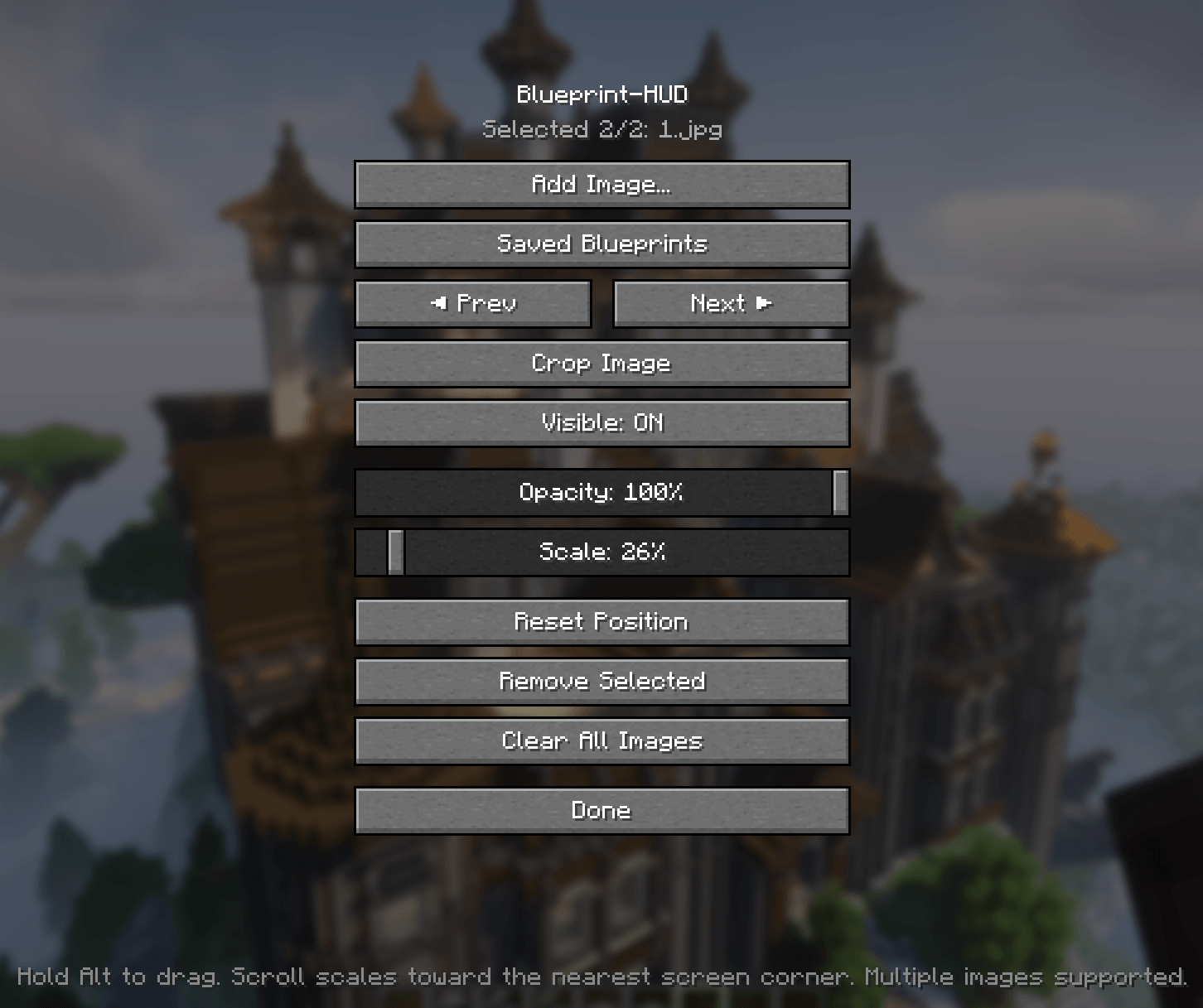
- On-screen overlay — display any image directly on your screen while playing
- Adjustable transparency — control how much the reference blends with the game
- Resizable & movable — scale the image and drag it around the screen by holding Alt
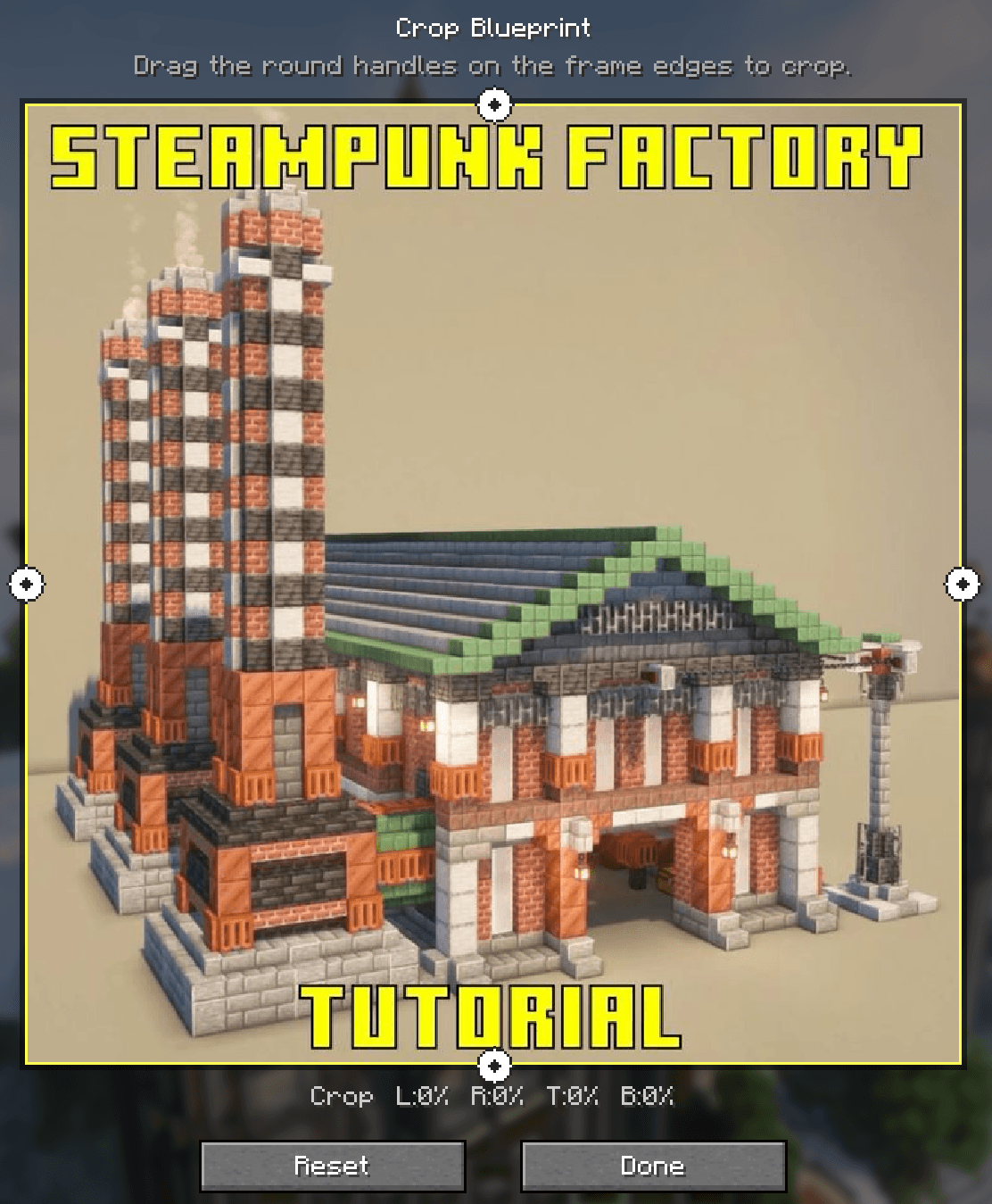
- Built-in image editor — crop and resize reference images directly in-game
- Toggle hotkey — quickly show or hide the reference with a keybind
- Multiple images — cycle through several references on the fly
- Persistent settings — your layout and preferences are saved between sessions
📦 Installation
- Install Fabric Loader
- Install Fabric API (required dependency)
- Download the latest version of Blueprint HUD
- Place the
.jarfile into yourmodsfolder - Launch Minecraft and enjoy!
⚙️ Configuration
All settings can be accessed via the in-game config menu or by editing the config file directly.
- Overlay opacity — transparency level of the overlay (0.0–1.0), default
0.7 - Overlay scale — scale multiplier for the image, default
1.0 - Toggle key — keybind to show/hide the overlay, default
B - Image path — path to the reference image
- Drag modifier — hold Alt to move the overlay around the screen
🔗 Links
📜 License
This project is licensed under the MIT License — see the LICENSE file for details.
Blueprint HUD Team