BlockHideAndSeek
- By
A Minecraft 1.12.2 Forge mod that provides a complete engine for the "Block Hide and Seek" minigame. Hiders can transform into blocks to blend into the terrain, while Hunters must find and eliminate all Hiders within a time limit.
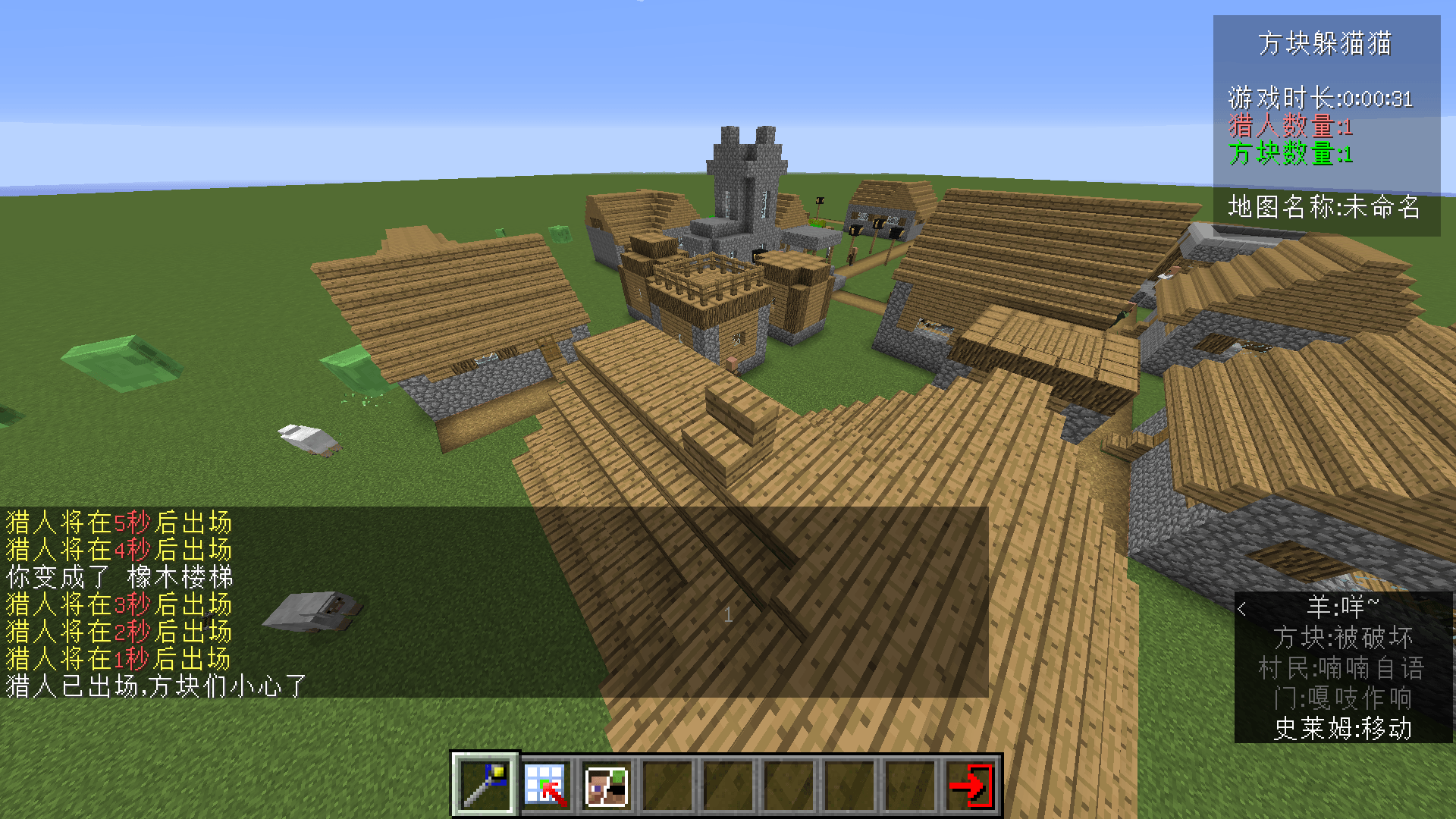
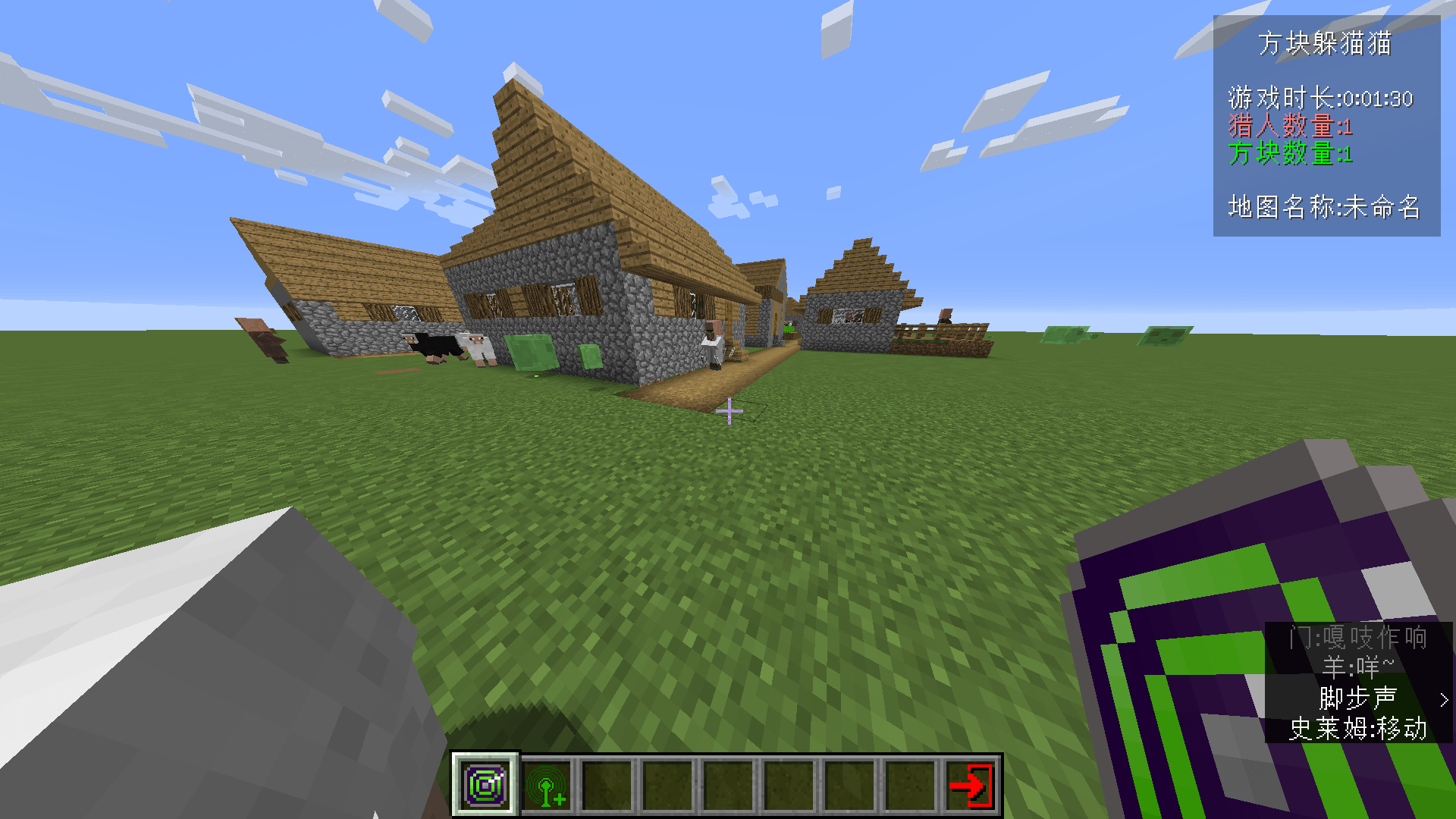
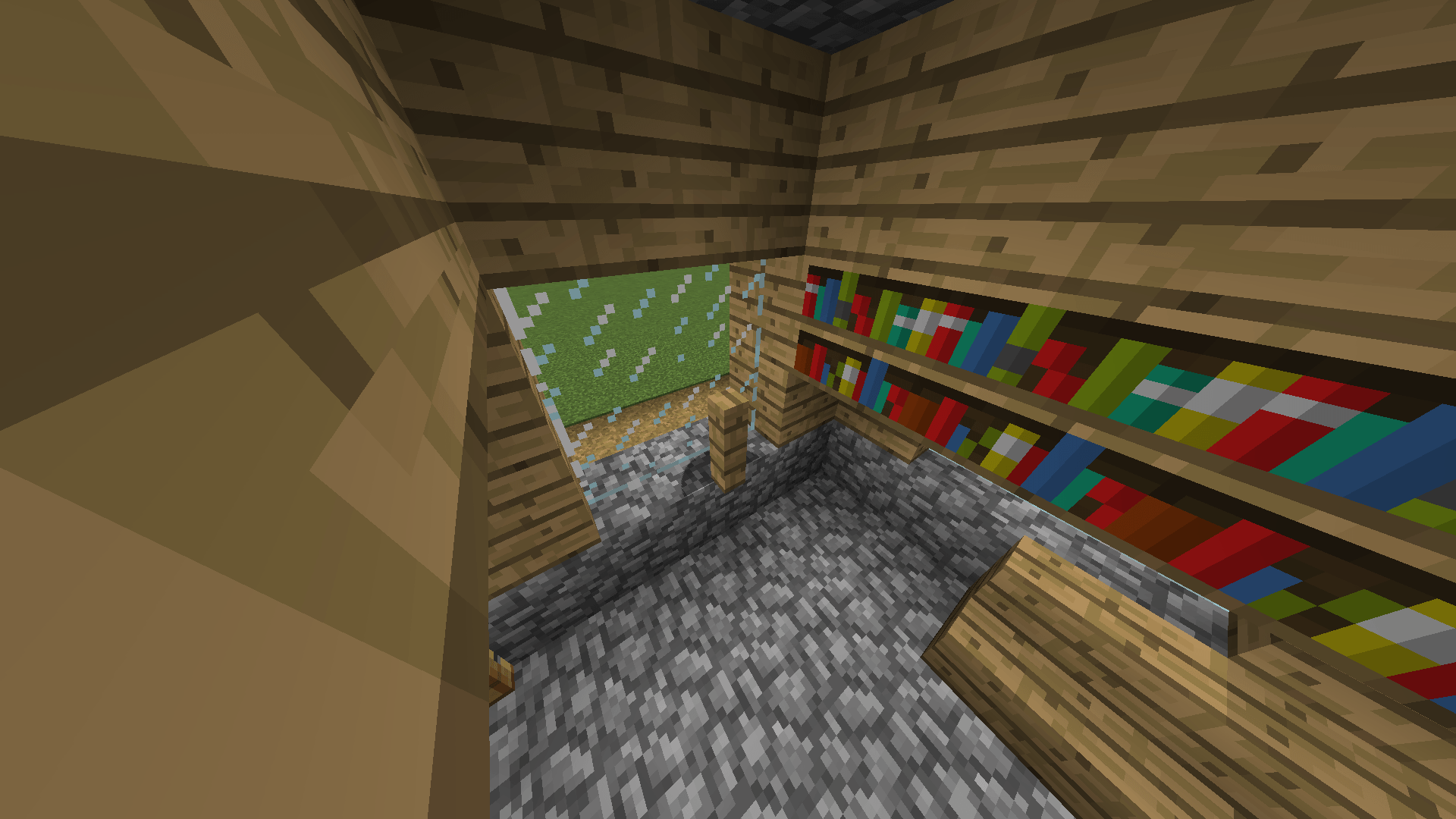
Morphed into a block (depends on Metamorph)
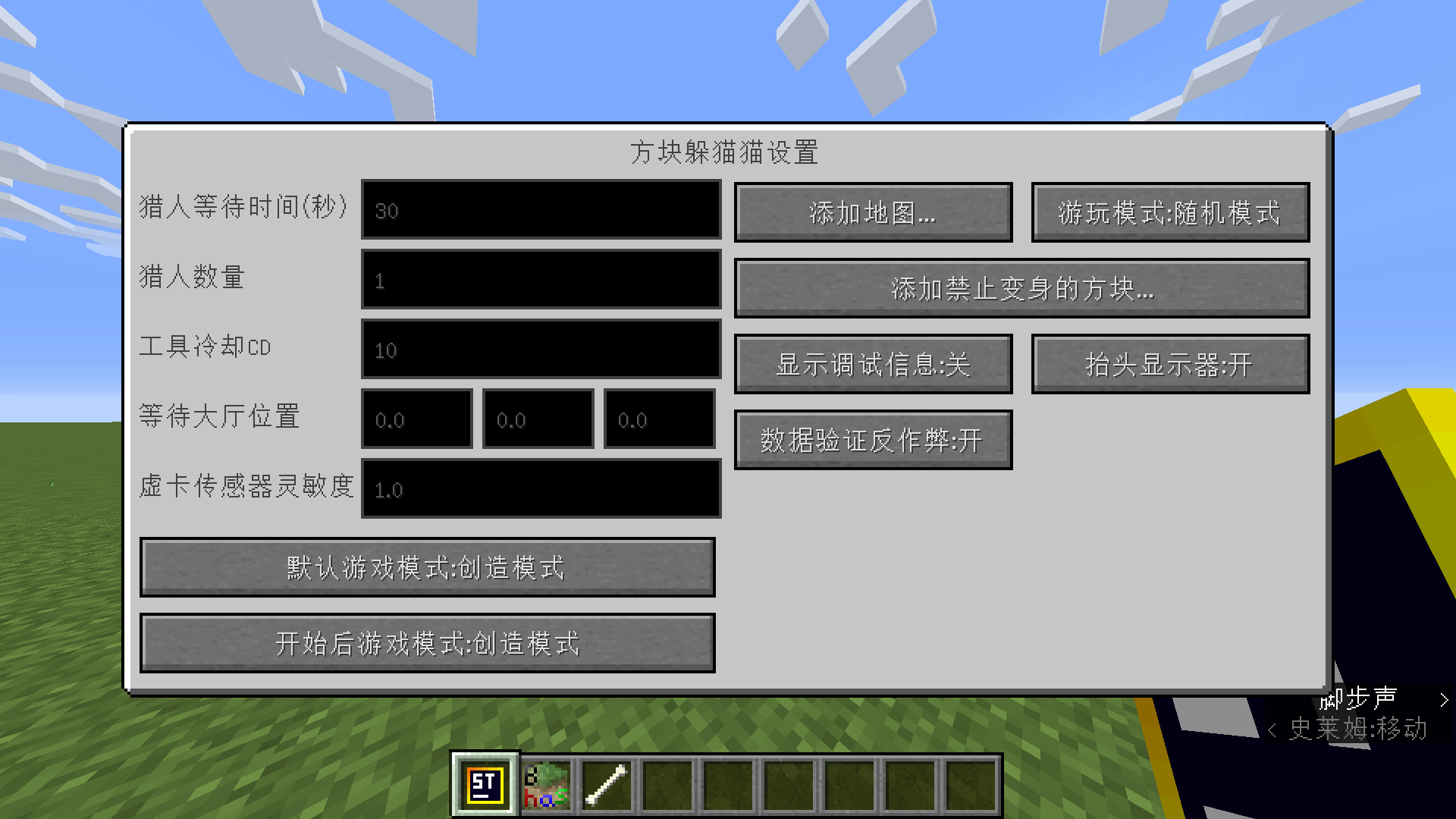
Main settings interface
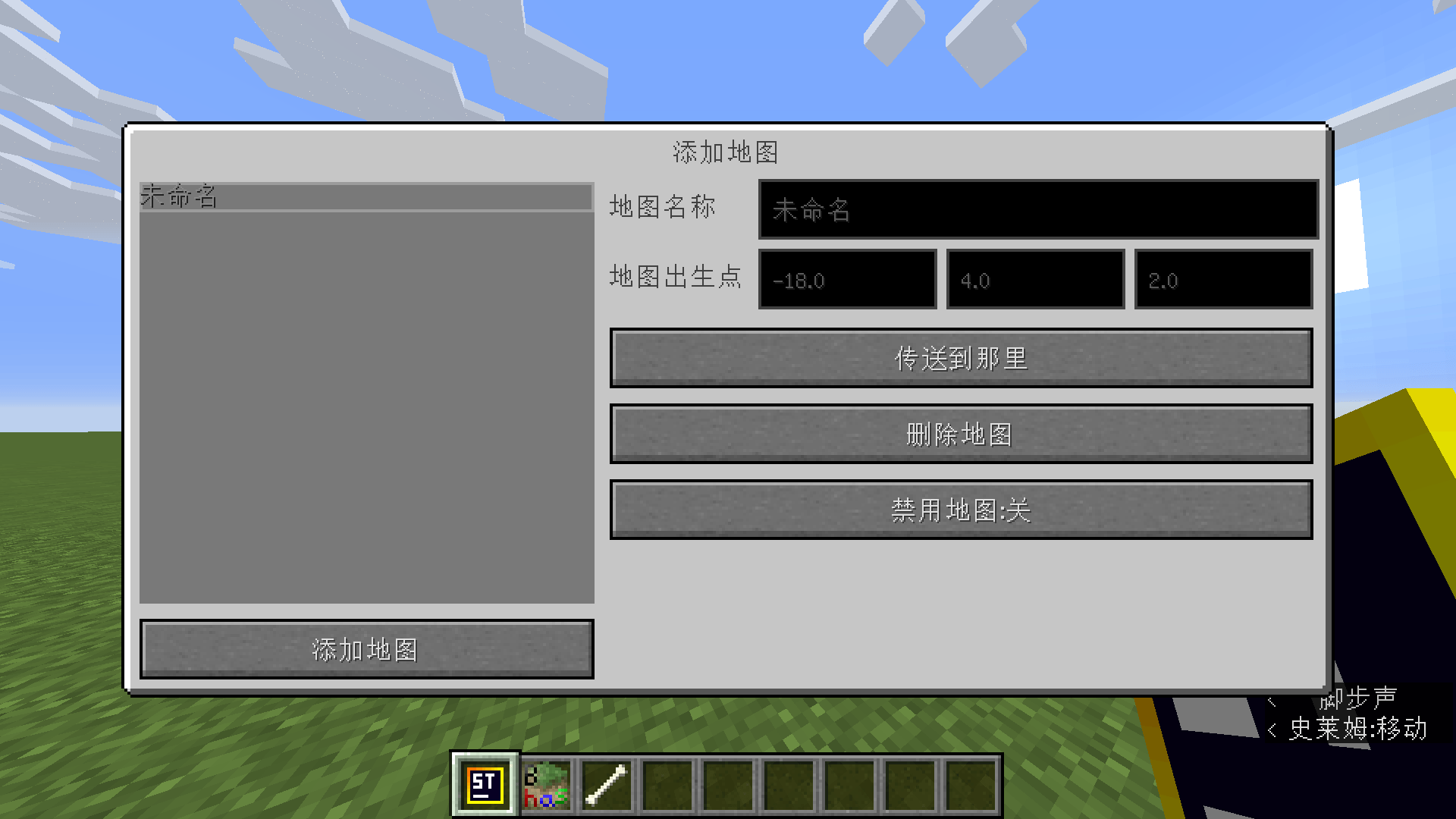
Add Maps screen in Settings
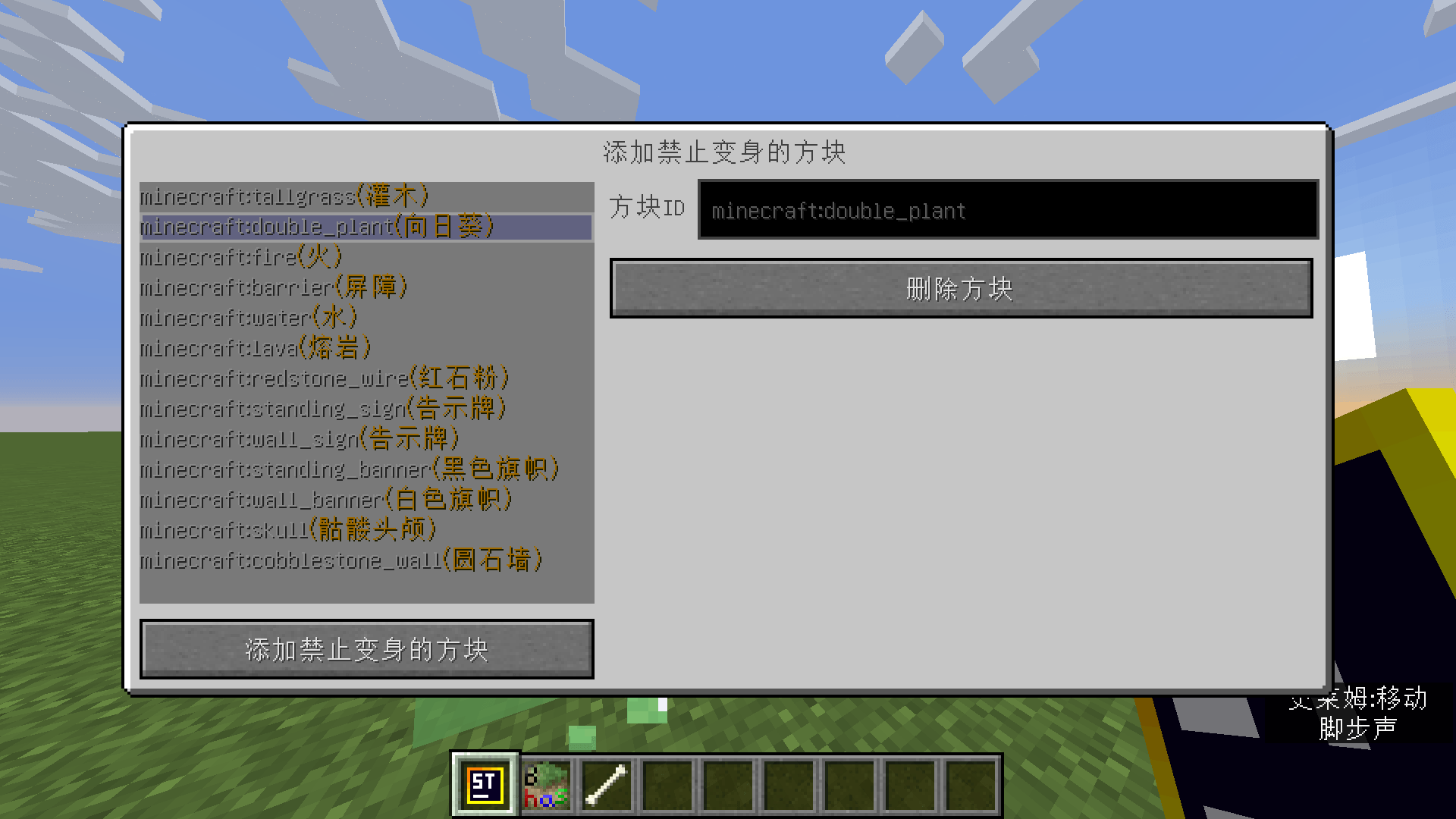
Configure disabled blocks in the settings interface
Description
Block Hide And Seek 方块躲猫猫
English
A Minecraft 1.12.2 Forge mod that provides a complete engine for the "Block Hide and Seek" minigame.
Hiders can transform into blocks to blend into the terrain, while Hunters must find and eliminate all Hiders within a time limit.
Requirements
| Item | Version |
|---|---|
| Minecraft | 1.12.2 |
| Forge | 14.23.5.2836 |
| Java | 8 (1.8) |
This mod has no external dependencies except for a mod that provides the
/morphcommand. After installing Forge, simply place it in themodsfolder.
Installation
- Install Minecraft Forge 1.12.2 (recommended using the official installer).
- Download the latest mod JAR
blockhas-1.2-1.12.2.jarfrom the Releases page. - Install a mod that provides the
/morphcommand (e.g., Metamorph). - Place the JAR file into Minecraft's
modsfolder. - Launch the game.
Quick Start
1. Prepare a Map
Prepare a Minecraft map with complete terrain, manually enclose the boundaries with blocks (this mod does not provide out-of-bounds prevention).
2. Configure the Game
- Take out the "Settings" item (
block_has:settings), right-click to open the settings GUI. - Complete the following configurations in the settings GUI:
- Lobby Location: Set the coordinate point where players gather.
- Add Map: Register the current map with the mod and set its spawn point.
- Hunter Count: Specify the number of hunters per game.
- Hunter Waiting Time: Preparation time for Hiders (default 30 seconds).
- Game Mode: Choose "Random" or "Free" mode.
- Other options (see below for details).
3. Start the Game
- After all players gather in the lobby, right-click the "Block Hide and Seek" item (
block_has:block_has). - The game will automatically teleport players, assign roles, and begin.
Game Modes
Random Mode
- All players receive a "Ready / Unready" item.
- Right-click to toggle ready status; when all players are ready, the system randomly selects the specified number of Hunters, and the rest become Hiders.
- Suitable for large rooms and party gameplay.
Free Mode
- Each player chooses their own role:
- Take out the "Become Hunter" item → right-click to become a Hunter.
- Take out the "Become Block" item → right-click to become a Hider.
- Take out the "Become Spectator" item → right-click to become a Spectator.
- At least 1 Hunter and 1 Hider are required to start.
Roles and Items
Hider Items
| Item | Description |
|---|---|
| Morph into selected block | Right‑click any block to change your appearance into that block (uses the morph command). |
| Snap to grid | Aligns your position to the nearest block center (X+0.5, Z+0.5) for perfect blending into terrain. |
| Restore player appearance | Cancels morphing and restores your normal player appearance. |
Hunter Items
| Item | Description |
|---|---|
| Get distance to nearest Hider | Right‑click to display the straight‑line distance to the nearest Hider. Has a cooldown; refreshes automatically afterwards. |
| HICA Sensor | A carried sensor whose appearance (levels 0–5) changes in real‑time based on your distance to Hiders. The closer you get, the more obvious the change, helping you lock onto direction. |
Common Items
| Item | Description |
|---|---|
| Force End | Right‑click to instantly end the current game and teleport all players back to the lobby. |
Game Flow
Preparation → Role Assignment → Teleport to Map → Hider Preparation Time (30‑second countdown) → Hunters Enter → Game in Progress → Game Ends- After right‑clicking the start item, all players are teleported to the lobby.
- When ready, Hiders are teleported to the map and receive morphing items, with 30 seconds (configurable) to hide.
- When the countdown ends, Hunters are teleported in and begin searching.
- Hunters eliminate Hiders by hitting them with attacks (Hiders become spectators).
- The game ends when all Hiders are found, or someone uses "Force End".
When the Game Ends
- A summary is displayed: the last surviving block, the Hunter who found the last block, and total game time.
- All players are teleported back to the lobby, their inventories are cleared, and they are restored to normal state.
Settings Options Explained
In the settings GUI (400×190, two‑column layout), you can configure:
| Option | Description |
|---|---|
| Hunter Waiting Time | Preparation time for Hiders (seconds), default 30. |
| Hunter Count | Number of Hunters per game. |
| Tool Cooldown | Cooldown time (seconds) for the Hunter's "Get distance" ability. |
| Lobby Position X/Y/Z | Coordinates for the player gathering point. |
| HICA Sensor Sensitivity | Sensitivity level for the sensor's appearance changes. |
| Default Game Mode | Default mode for new players. |
| Game Mode | Random or Free. |
| Add Map | Manage map list (add / disable / teleport to spawn point). |
| Add Banned Blocks | Manage the list of blocks Hiders cannot morph into. |
| Debug Mode | Show debug information. |
| Show HUD | Display game info (duration, Hunter/Hider counts, map name) in the top‑right corner. |
| Anti‑Cheat | When enabled, players using F3+B to show hitboxes will be kicked. |
Default Banned Block List
Hiders cannot morph into the following blocks by default (customisable in settings):
tallgrass double_plant fire barrier water lava redstone_wire standing_sign wall_sign standing_banner wall_banner skull cobblestone_wall
Network Synchronisation
The mod uses Forge's SimpleNetworkWrapper for client‑server data synchronisation, including:
- Settings data sync (
UPDATE_SETTINGS_DATA) - GUI open command (
OPEN_GUI) - Teleport command (
TELEPORT) - Game state sync (
UPDATE_PLAYING_DATA) - Anti‑cheat kick (
KICK_BY_CHEAT) - Disable hitbox display (
CLOSE_BOUNDING_BOX)
Important Notes
- This mod is primarily designed for single‑player / LAN integrated server use (using
Minecraft.getMinecraft().getIntegratedServer()). - The map must be manually enclosed with boundaries – the mod does not prevent players from leaving the map.
- Morphing depends on an external morph command or mod (e.g., Metamorph); ensure
/morphis available on the server. - If the host disconnects, the game ends immediately.
- Fall damage is globally disabled to facilitate Hider movement.
Localisation
Supports the following languages:
- 🇨🇳 Simplified Chinese (
zh_cn.lang) - 🇬🇧 English (
en_us.lang)
Development
Building
./gradlew buildThe built JAR is located at build/libs/blockhas-1.2-1.12.2.jar.
Project Structure
src/main/java/io/github/myworldzycpc/block_has/
├── Main.java              # Mod main class, registers everything
├── init/                  # Item registration
├── items/                 # All item implementations (14 items)
├── func/                  # Core game logic
│   ├── FuncOperation.java # Operation layer
│   ├── FuncFragment.java  # Game flow control (start/end/countdown)
│   └── FuncAlgorithms.java# Algorithm utilities
├── network/               # Network communication
├── worldstorage/          # World data persistence (settings / game state)
├── gui/                   # Server‑side GUI logic
├── client/gui/            # Client‑side GUI screens
├── inventory/             # Containers and GUI element loading
├── proxy/                 # Client / Common proxies
├── util/                  # Utilities and event handlers
└── tabs/                  # Creative mode inventory tabs
AI disclosure
Description is generated by AI.
Authors
- myworldzycpc — Core development
- TheRedMaker_ — Co‑development
License
LGPL 2.1 (inherited from the Forge MDK)
中文
一款 Minecraft 1.12.2 Forge 模组,为「方块躲猫猫」小游戏提供完整引擎支持。
躲藏者(Hider)可以变身成方块融入地形,猎人(Hunter)则需要在限时内找出并消灭所有躲藏者。
环境要求
| 项目 | 版本 |
|---|---|
| Minecraft | 1.12.2 |
| Forge | 14.23.5.2836 |
| Java | 8 (1.8) |
本模组除为
/morph命令提供支持的模组以外无任何外部模组依赖,安装 Forge 后放入 mods 文件夹即可使用。
安装方法
- 安装 Minecraft Forge 1.12.2(推荐使用 官方安装器)
- 从 Releases 下载模组最新 jar 文件
blockhas-1.2-1.12.2.jar - 安装为
/morph命令提供支持的模组(例如 Metamorph) - 将 JAR 文件放入 Minecraft 的
mods文件夹 - 启动游戏即可
快速开始
1. 准备地图
准备好一张地形完整的 Minecraft 地图,手动用方块围好边界(本模组不提供防出图功能)。
2. 配置游戏
- 拿出「设置」物品(
block_has:settings),右键打开设置界面 - 在设置界面中完成以下配置:
- 大厅位置:设置玩家集合的坐标点
- 添加地图:将当前地图注册到模组中,并设置出生点
- 猎人数量:指定每局游戏的猎人人数
- 猎人等待时间:躲藏者的准备时间(默认 30 秒)
- 游戏模式:选择「随机模式」或「自由模式」
- 其他选项(详见下方)
3. 开始游戏
- 所有人集合到大厅后,右键「方块躲猫猫」物品(
block_has:block_has) - 游戏将自动传送玩家、分配角色并开始
游戏模式
随机模式(Random)
- 所有玩家获得「准备好了 / 取消准备」物品
- 右键切换准备状态,当所有人准备完毕后,系统随机抽取指定数量的猎人,其余玩家为躲藏者
- 适合大型房间、派对玩法
自由模式(Free)
- 每位玩家自行选择角色:
- 拿出「成为猎人」物品 → 右键选择猎人
- 拿出「成为方块」物品 → 右键选择躲藏者
- 拿出「成为旁观者」物品 → 右键选择旁观者
- 至少需要 1 名猎人和 1 名躲藏者才能开始
角色与物品
躲藏者(Hider)物品
| 物品 | 说明 |
|---|---|
| 变身为选中方块 | 对任意方块右键,你的外观将变成该方块(使用 morph 指令) |
| 对齐网格 | 将你的位置吸附到最近的方块中心(X+0.5, Z+0.5),方便完美融入地形 |
| 恢复玩家外观 | 取消变身,恢复正常玩家外观 |
猎人(Hunter)物品
| 物品 | 说明 |
|---|---|
| 获取最近躲藏者距离 | 右键使用,显示与最近躲藏者的直线距离。使用后有冷却时间,冷却结束后自动刷新 |
| HICA 传感器 | 随身携带的感应器,外观(0~5 级)会随你与躲藏者的距离变化实时改变。越接近目标变化越明显,帮助你锁定方向 |
通用物品
| 物品 | 说明 |
|---|---|
| 强制结束 | 右键立即结束当前游戏,所有玩家传送回大厅 |
游戏流程
准备阶段 → 分配角色 → 传送至地图 → 躲藏者准备时间(30秒倒计时)→ 猎人入场 → 游戏进行 → 游戏结束- 右键启动物品后,所有人传送至大厅
- 准备好后,躲藏者传送到地图并获得变身物品,有 30 秒(可配置)准备时间进行躲藏
- 倒计时结束后,猎人传送入场,开始搜寻
- 猎人通过攻击命中躲藏者来淘汰对方(躲藏者变为旁观者)
- 当所有躲藏者被找出、或有人使用「强制结束」时,游戏结束
游戏结束时
- 显示结算信息:最后一个存活的方块、找到最后方块的猎人、游戏总时长
- 所有人传送回大厅,清空物品栏,恢复正常状态
设置选项详解
在设置界面(400×190 双栏布局)中可配置:
| 选项 | 说明 |
|---|---|
| 猎人等待时间 | 躲藏者的准备时间(秒),默认 30 |
| 猎人数量 | 每局猎人人数 |
| 工具冷却时间 | 猎人「获取最近躲藏者距离」的冷却时间(秒) |
| 大厅位置 X/Y/Z | 玩家集合点的坐标 |
| HICA 传感器灵敏度 | 传感器外观变化的灵敏程度 |
| 默认游戏模式 | 新玩家加入时的默认模式 |
| 游戏模式 | 随机(Random)或自由(Free) |
| 添加地图 | 管理地图列表(添加 / 禁用 / 传送到出生点) |
| 添加禁止方块 | 管理躲藏者不能变身的方块列表 |
| 调试模式 | 显示调试信息 |
| 显示 HUD | 在右上角显示游戏信息(时长、猎人/躲藏者人数、地图名) |
| 防作弊 | 开启后,使用 F3+B 显示碰撞箱的玩家将被踢出 |
默认禁止变身方块列表
躲藏者默认不能变身以下方块(可在设置中自定义增删):
tallgrass double_plant fire barrier water lava redstone_wire standing_sign wall_sign standing_banner wall_banner skull cobblestone_wall
网络同步
模组使用 Forge SimpleNetworkWrapper 进行客户端与服务端数据同步,包括:
- 设置数据同步(
UPDATE_SETTINGS_DATA) - GUI 打开指令(
OPEN_GUI) - 传送指令(
TELEPORT) - 游戏状态同步(
UPDATE_PLAYING_DATA) - 防作弊踢出(
KICK_BY_CHEAT) - 关闭碰撞箱显示(
CLOSE_BOUNDING_BOX)
注意事项
- 本模组主要为单人/局域网集成服务器设计(使用
Minecraft.getMinecraft().getIntegratedServer()) - 地图需要手动围好边界,模组不提供防出图功能
- 变身功能依赖外部 morph 指令或模组(如 Metamorph),请确保服务端可用
/morph命令 - 房主断开连接会立即结束游戏
- 玩家坠落伤害已全局禁用,方便躲藏者移动
本地化
支持以下语言:
- 🇨🇳 简体中文(
zh_cn.lang) - 🇬🇧 English(
en_us.lang)
开发
构建
./gradlew build构建产物位于 build/libs/blockhas-1.2-1.12.2.jar。
项目结构
src/main/java/io/github/myworldzycpc/block_has/
├── Main.java              # 模组主类,注册一切
├── init/                  # 物品注册
├── items/                 # 所有物品实现(14 个)
├── func/                  # 核心游戏逻辑
│   ├── FuncOperation.java # 操作层
│   ├── FuncFragment.java  # 游戏流程控制(开始/结束/倒计时)
│   └── FuncAlgorithms.java# 算法工具
├── network/               # 网络通信
├── worldstorage/          # 世界数据持久化(设置/游戏状态)
├── gui/                   # 服务端 GUI 逻辑
├── client/gui/            # 客户端 GUI 界面
├── inventory/             # 容器与 GUI 元素加载
├── proxy/                 # 客户端/通用代理
├── util/                  # 工具类与事件处理
└── tabs/                  # 创造模式物品栏标签
AI 披露
描述由 AI 生成。
作者
- myworldzycpc — 核心开发
- TheRedMaker_ — 协助开发
许可证
LGPL 2.1(继承自 Forge MDK)
BlockHideAndSeek Team