Blockforged More Tools
A Blockforged addon adding dozens of new materials, tools, armor sets, unique traits, and cross-mod compatibility.
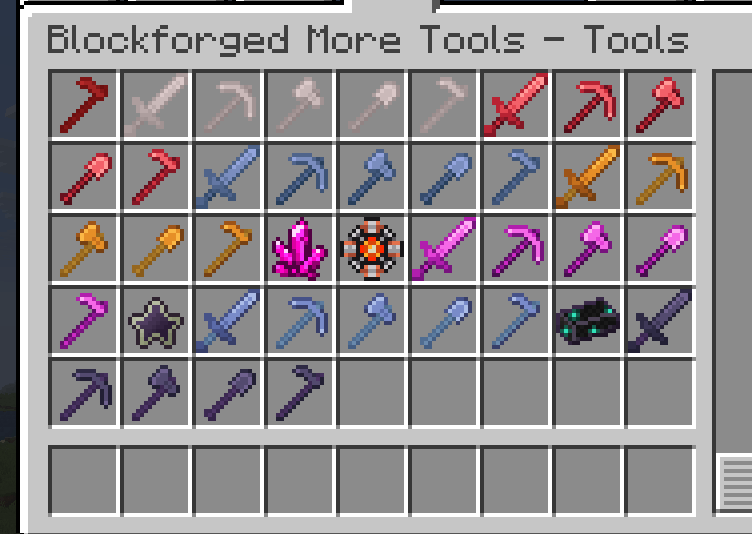
A look at some of the tool sets added by Blockforged More Tools, featuring different materials, colors, stats, and unique Blockforged traits.
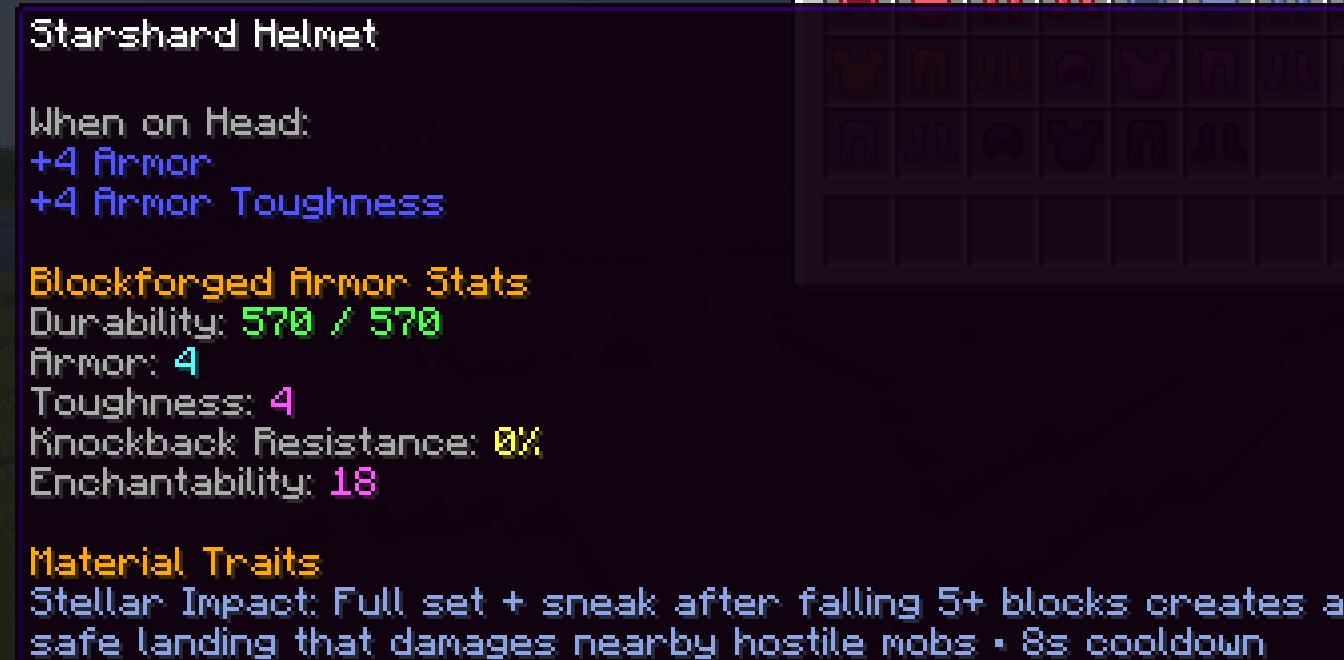
A closer look at the Starshard armor set, showing its Blockforged stats and unique Stellar Impact trait with a full-set bonus, safe landing effect, and cooldown.
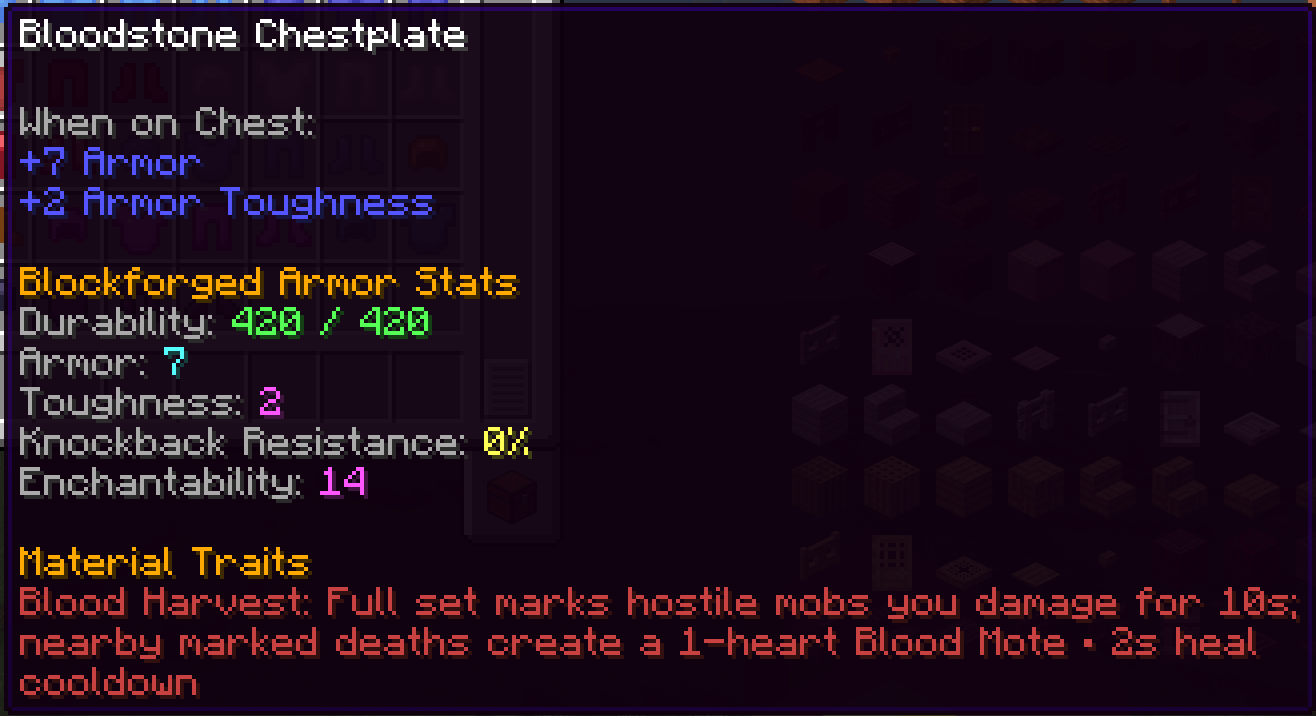
The Bloodstone armor set showcases the Blood Harvest trait: wearing the full set marks hostile mobs you damage, and killing a marked target grants a temporary Blood Mote that can restore health after its short cooldown.
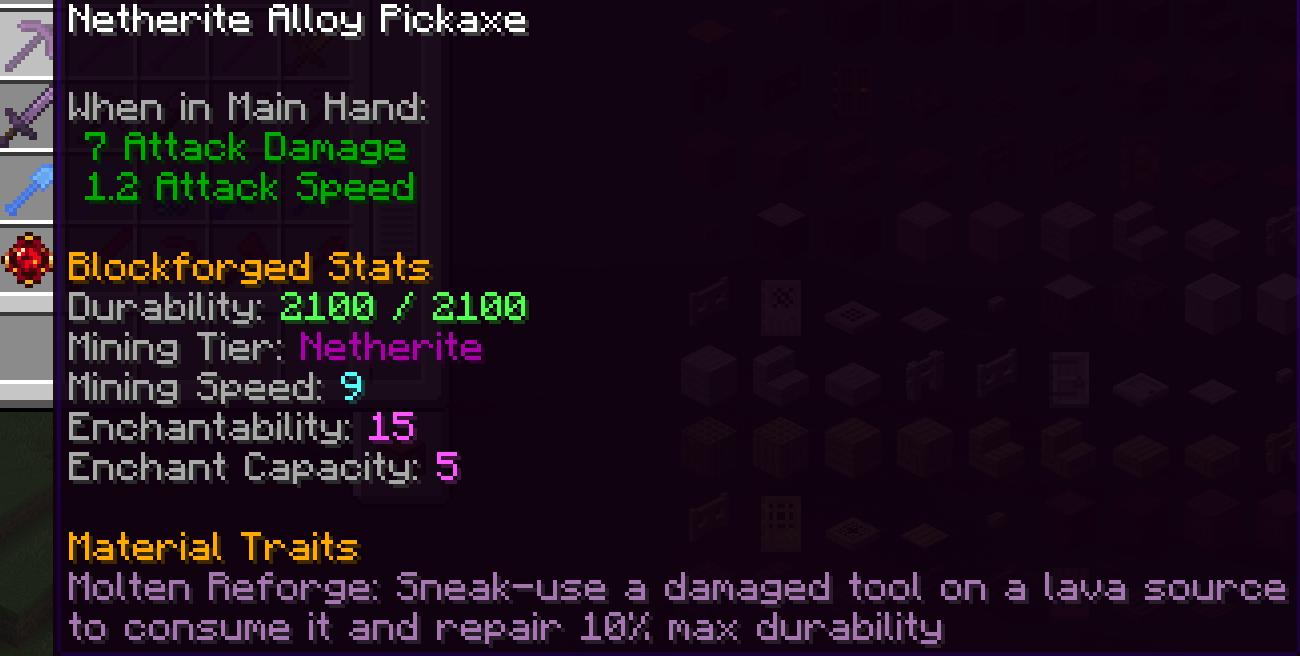
The Netherite Alloy Pickaxe features the Molten Reforge trait, allowing a damaged tool to consume a lava source while sneaking to restore 10% of its maximum durability.
Description
🔨 BLOCKFORGED MORE TOOLS
Blockforged More Tools is an addon for Blockforged that adds 33 material families, 297 tools and armor pieces, unique traits, abilities, sounds, cooldowns, and cross-mod material compatibility.
Each material has its own gameplay identity. Even if another mod already adds equipment made from the same material, the Blockforged More Tools version has its own Blockforged traits and abilities.
⚔️ MATERIAL SETS
Not every material used by More Tools is added by the addon itself.
Common metals, alloys, and gems are obtained from compatible mods instead of being duplicated. If no installed mod provides the required material, that equipment set cannot normally be crafted.
🔗 KNOWN MATERIAL PROVIDERS
Universal Ores Neo
- Tin
- Silver
- Lead
Energized Power
- Tin
Ala Industrial
- Tin
- Silver
- Nickel
- Uranium
- Palladium
- Bronze
- Cupronickel
- Electrum
- Invar
Gems and Crystals
- Ruby
- Sapphire
- Topaz
More Metals
- Cubic Zirconia
More Metals can also provide Aquamarine, Bloodstone, Rubidium, Starshard and Tenumbrum, but More Tools includes optional fallback versions of those materials.
Osmium, Refined Glowstone and Refined Obsidian also use compatible material tags. A compatible mod providing those materials is required to craft their sets.
🧱 BUILT-IN FALLBACK MATERIALS
More Tools adds some specialized materials itself so most of the addon can still be used without installing every possible material provider.
Built-in fallback materials include:
- Steel
- Tempered Iron
- Redstone Alloy
- Energized Copper
- Energized Gold
- Advanced Alloy
- Crystallized Alloy
- Energized Alloy
- Netherite Alloy
- Shielding Alloy
- Crystallized Lapis Lazuli
- Aquamarine
- Bloodstone
- Rubidium
- Starshard
- Tenumbrum
These materials use simple vanilla-style fallback recipes intended for standalone use.
⚙️ USING ANOTHER MOD'S MATERIAL INSTEAD
If another mod already provides one of these materials, open:
Mods → Blockforged More Tools → Config
and set that material to Disable.
After restarting the game, the More Tools fallback item and its acquisition recipe will be hidden, while the external mod's material can still be used to craft the corresponding More Tools equipment.
For example, you can disable the More Tools Steel recipe and use Steel provided by Energized Power instead.
🛡️ PROGRESSION-SAFE COMPATIBILITY
More Tools fallback materials are deliberately isolated from other mods.
For example, More Tools' simple Steel recipe can be used for More Tools Steel equipment, but that Steel will not automatically become usable in another mod's expensive Steel-based machines or progression recipes.
External materials can be used by More Tools.
More Tools fallback materials are not pushed into other mods.
This prevents the addon from accidentally bypassing another mod's intended progression.
📦 FOR MODPACK CREATORS
Some compatible mods may already add their own tools or armor for the same materials.
More Tools still provides its own sets because they have different traits, abilities, stats, and gameplay behavior.
If you do not want both equipment sets available in your pack, hide or remove the More Tools equipment recipes you do not want. Built-in fallback materials can also be disabled individually from the config.
✨ FEATURES
- 🔨 33 material families
- ⚔️ 297 tools and armor pieces
- ✨ Unique material traits and abilities
- ⏱️ Trait-specific cooldown HUD
- 🔊 Custom ability sounds
- 🔗 Cross-mod material compatibility
- ⚙️ Per-material fallback configuration
- 🧱 Standalone-friendly fallback recipes
- 🛡️ Progression-safe compatibility
- 🎒 Separate Tools and Armors creative tabs
📌 REQUIREMENTS
Blockforged 0.1.1 is required.
Some equipment sets also require a mod that provides their material, as listed above.
JEI is recommended for viewing recipes and material requirements.
🔥 Forge your own path. Build your loadout. Become Blockforged.
📦 Compatibility
-
Minecraft Java Edition 26.2
-
NeoForge 26.2.0.67 or newer for Minecraft 26.2
-
Java 25 or newer
-
Install on both the server and participating clients for multiplayer
The Blockforged More Tools Team