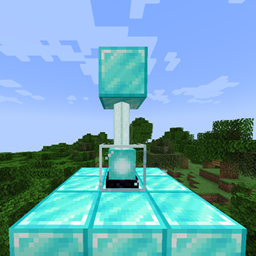
BlockBlocker Mod for Minecraft
Overview
BlockBlocker is a lightweight utility mod that prevents specific blocks from being placed (world generation, player placement, etc) in your world. Configure any block to be automatically replaced with air when a player or mechanic attempts to place it—perfect for restricting overpowered items, disabling broken mechanics, or creating custom gameplay rules.
Key Features
🛠️ Block Any Block
Ban blocks by their registry ID (e.g., mymod:cheaty_block). Works with vanilla and modded blocks!
⚡ Instant Prevention Blocked placements are silently replaced with air at the moment of placement—no lag, no error messages.
🔧 Config-Driven Add/remove blocks via a simple config file. No in-game commands needed—just edit and reload!
🔌 Mod Compatibility Designed for Forge mods. Works alongside any block-registering mod without conflicts.
How It Works
- Install BlockBlocker
Add the mod to your
modsfolder. - Configure
Edit
blockblocker-common.toml:
blockedBlocks = ["mymod:cheaty_block", "anothermod:explosive_ore"]
- Reload & Play Changes apply after world reload. Banned blocks vanish instantly when placed.
Use Cases
- 🚫 Ban griefing tools (TNT, ender crystals)
- ⚖️ Disable unbalanced modded blocks in modpacks
- 🧪 Create custom challenges (e.g., "No crafting table" runs)
- � Fix bugged blocks breaking worlds
- Checkout here
Support/Issues
- Report bugs or suggest features on GitHub.
- Basically this mod has no performance impact.
Block smart. Play smarter. 🧱❌
The BlockBlocker Team


Owner