Block Information
- By
Displays block information on right click with the Block Information Stick. Great for debugging and devs
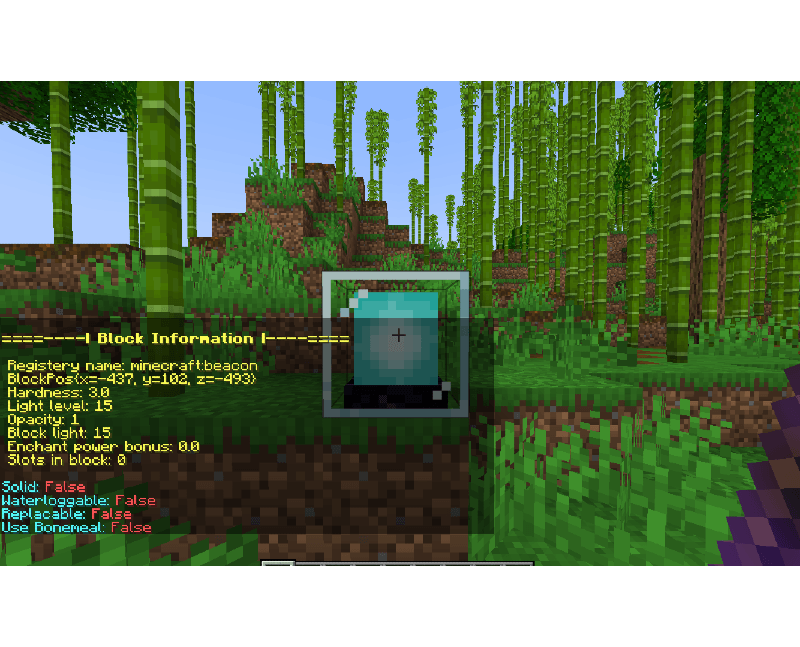
Right Clicking A Beacon

Example of Cauldron
Description
Block Information is a simple mod that lets you see detailed information about any block just by right-clicking it with a Block Information Stick.
It shows useful details like block name, hardness, light level, opacity, and more — making it easy to learn about blocks without needing external tools or commands.
Perfect for builders, modpack makers, or anyone curious about the world of Minecraft!
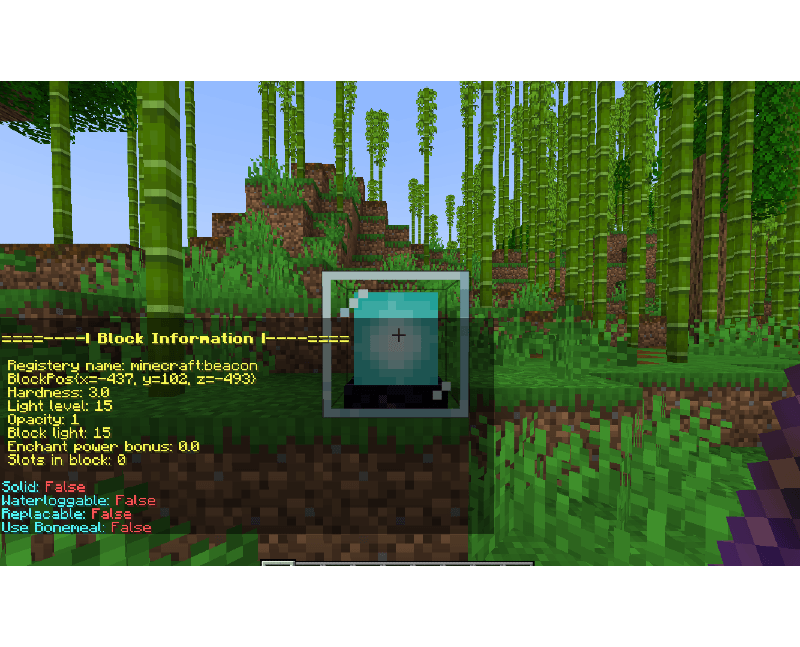
Explanation of variables:
- Registry name: The registered Minecraft ID of the block.
- BlockPos: The block’s position in the world (X, Y, Z).
- Hardness: How long the block takes to break.
- Light level: The amount of light the block emits (0–15).
- Opacity: How much light the block blocks (higher = less transparent).
- Block light: Light level at the block’s location.
- Enchant power bonus: Extra enchanting power provided by the block (like bookshelves).
- Slots in block: How many inventory slots the block has.
True/False:
- Solid: Whether the block is solid.
- Waterloggable: Can the block be waterlogged?
- Replaceable: Can this block be replaced by other blocks when placed?
- Use Bonemeal: If the block reacts to bonemeal use.
Extra flags:
- Energy: The amount of energy in block.
- Energy Capacity: How much energy can be stored.
- Extract Energy: If the block extracts energy. (True/False)
- Receive Energy: If the block receives energy. (True/False)
- Tank: If the block can store fluid. (True/False)
The Block Information Team


Owner