BetterShulkers
- By
sorting system.gif
qwdqwdqwdqwddqwqdwdqwq.png
Empty button.gif


Description
Better Shulkers
Fully compatible with ModMenu for in-game configuration!
Better Shulkers is a lightweight, highly configurable Minecraft utility mod designed to massively improve how you interact with Shulker Boxes. Say goodbye to constantly placing and breaking boxes just to check their contents or organize them!
Join our support Discord to report issues or if u have a propose!
✨ Key Features
📦 Dynamic Inventory Tooltips
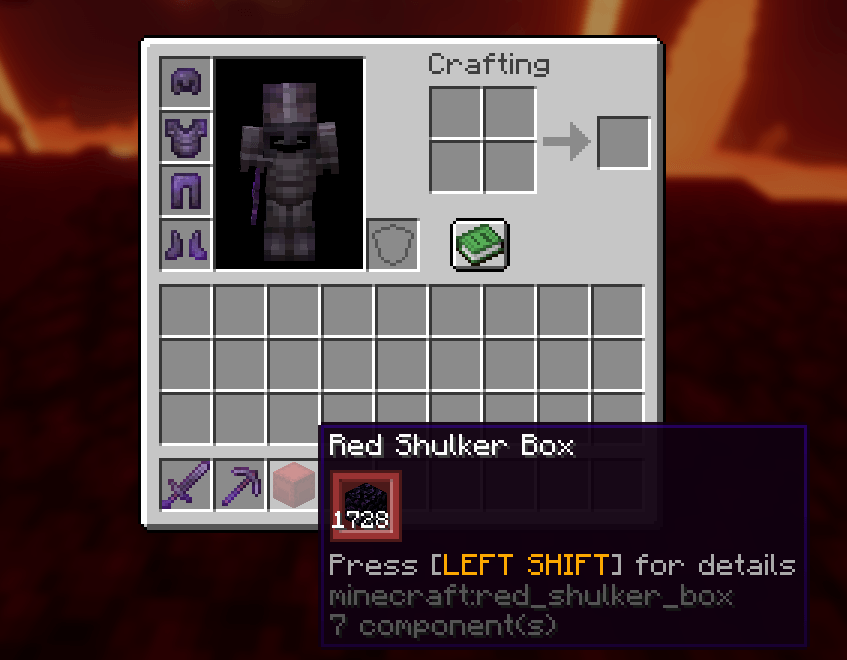
Hover over any Shulker Box in your inventory to instantly see its contents in a clean, beautifully rendered tooltip. The tooltip natively adapts to the color and dye of the box, ensuring it looks just like a Vanilla UI element.
🔍 Smart Compact Mode
Carrying a box full of just one type of block? Better Shulkers detects single-item boxes (like a shulker full of Cobblestone) and automatically minimizes the tooltip into one enlarged icon displaying the total count. This saves a massive amount of screen space and keeps your inventory clean.
⌨️ Advanced Tooltip Expansion
You can expand minimized tooltips to see the exact slot layout by holding a hotkey! You can bind absolutely any key or mouse button in the settings. The prompt text on the tooltip will dynamically update to reflect your custom key (e.g., Press [LEFT SHIFT] for details).
⚙️ Quick Management GUI Buttons
When you actually open a Shulker Box, you'll find two new, seamless buttons added to the interface:
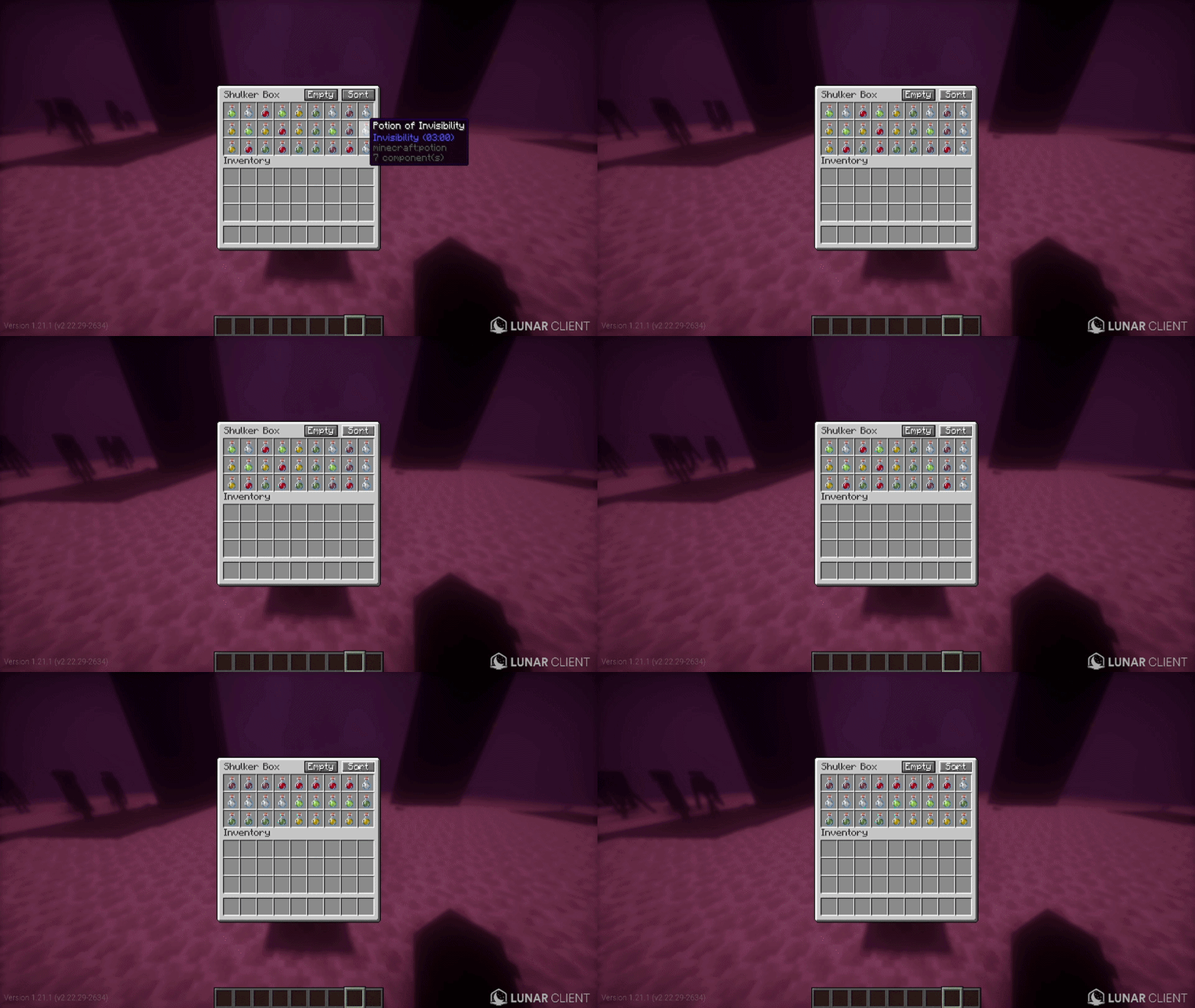
- Sort: A single click instantly organizes all items inside the box. It also automatically merges incomplete item stacks together to save space!
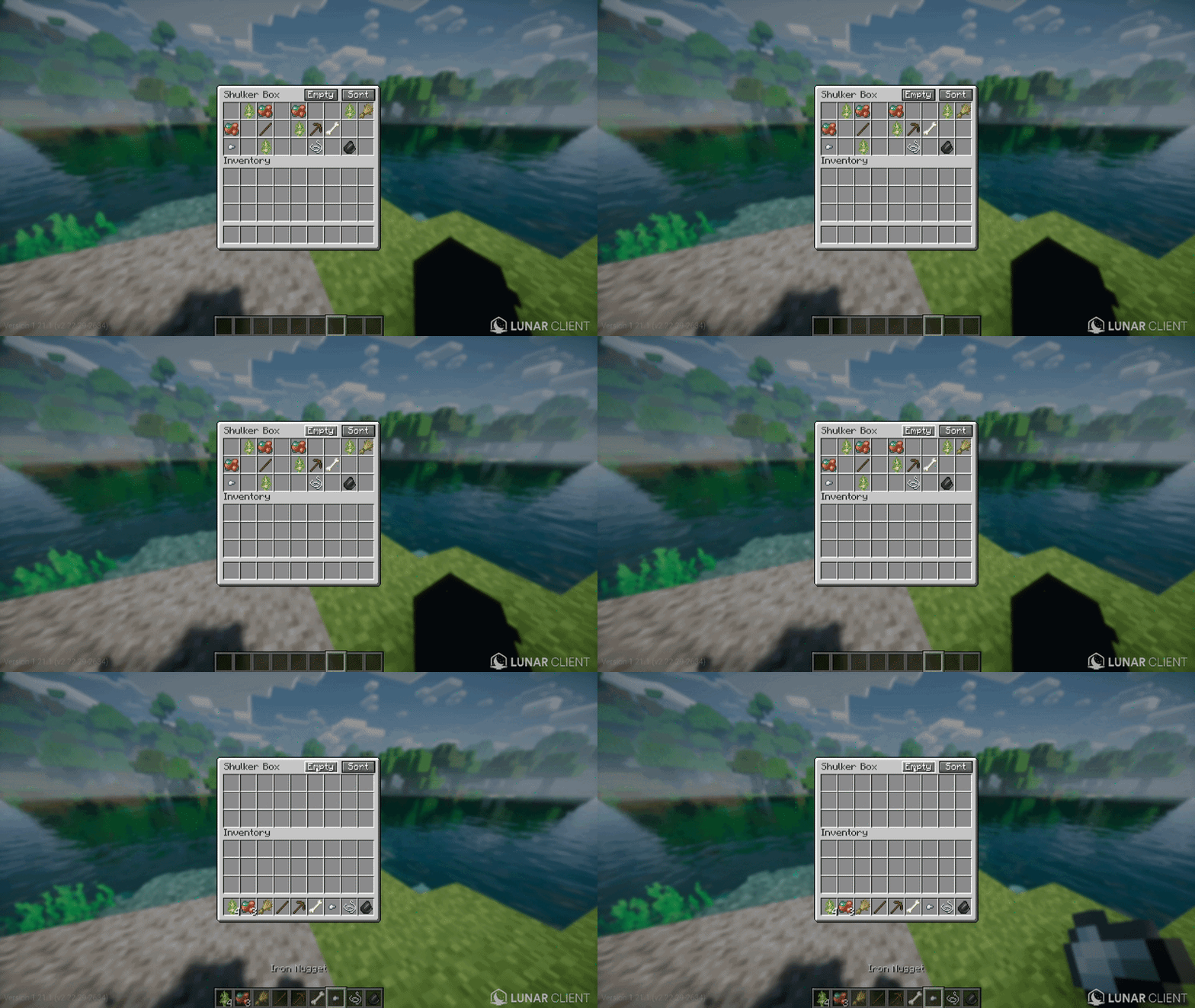
- Empty: Instantly unpacks the entire contents of the box directly into your player inventory with one click.
🔧 Fully Configurable
Powered by Cloth Config and fully integrated with ModMenu, you can customize almost everything directly in-game:
- Toggle tooltips, compact mode, or specific GUI buttons.
- Adjust the scale of the item counter text.
- Change the width of the GUI buttons to fit your UI scale.
- Enable or disable stack merging during sorting.
- Prioritize armor and weapons so they are sorted first.
- (The mod bundles Cloth Config natively, so it's entirely standalone—no extra libraries required!)
📥 Installation
Simply drop the .jar file into your mods folder.
- (Optional but Recommended) Install ModMenu to access the in-game configuration screen.
👥 Credits
Created by flyingmosquito.
The BetterShulkers Team