Better X-ray (Xray)
- By
A lightweight and highly configurable X-Ray mod that includes Mob & Player ESP. Works with Sodium and modded Blocks.
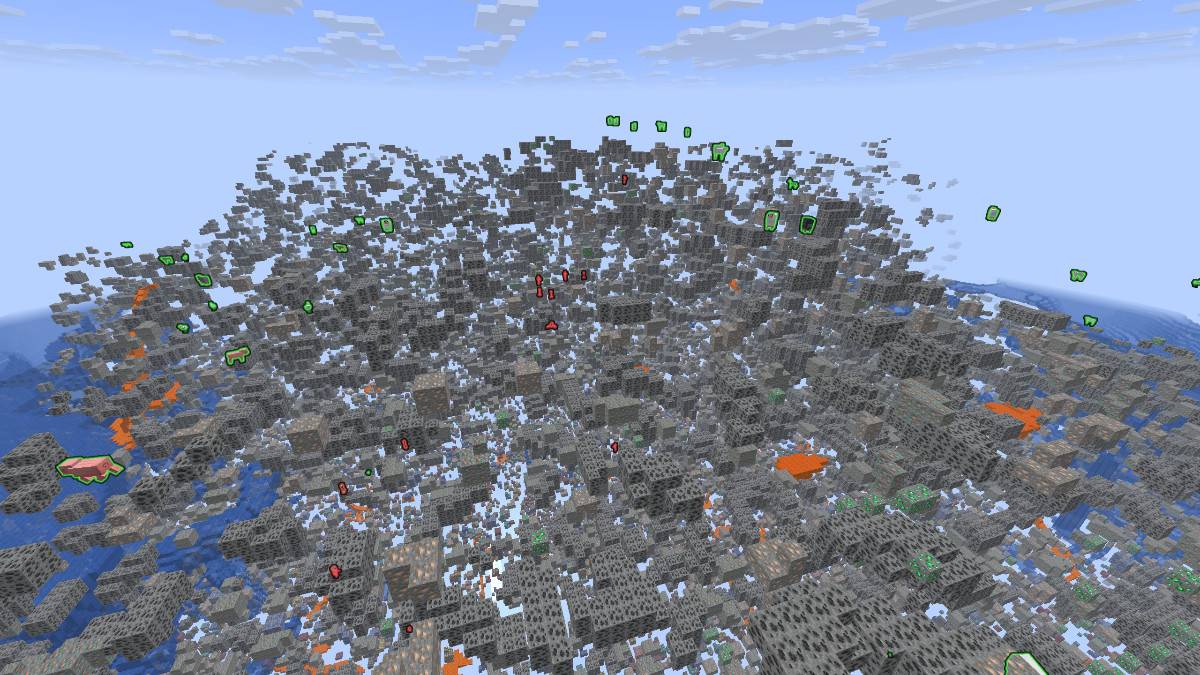
X-ray and ESP enabled
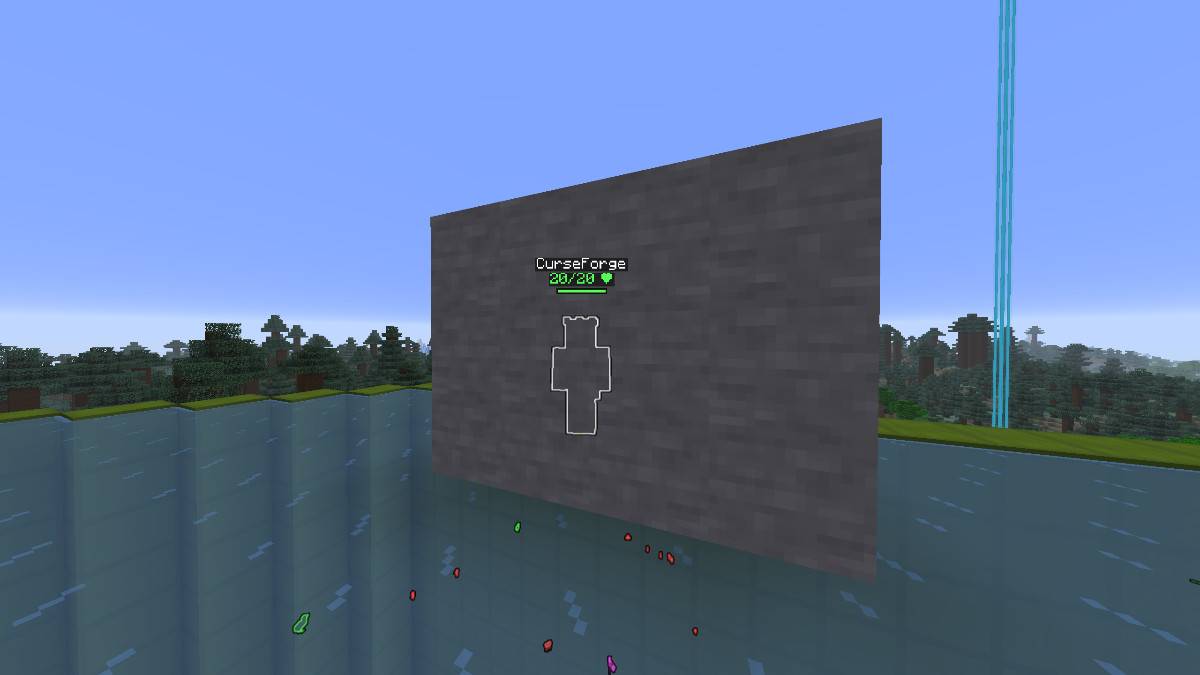
Player ESP
Description

See what really matters.
Better X-Ray makes common terrain blocks like stone, deepslate and dirt transparent while keeping ores and selected blocks fully visible. The surrounding terrain remains faintly visible (configurable 0 % to 80 % transparency), so you never lose your orientation underground.
Choose exactly which blocks you want to see using the built-in configuration menu. Search the block registry, add or remove blocks, adjust terrain transparency, and control water and lava visibility.
The mod also includes a Highlight Mode with configurable tracers pointing directly to highlighted blocks.
On top of that, Mob ESP and Player ESP help you spot entities through terrain, with plenty of customization options.
Better X-Ray is fully client-side, supports both the standard Fabric renderer and Sodium, and also works with most modded blocks.
Features:
- 3 different, configurable X-ray Presets
- Highly configurable Mob ESP and Player ESP
- Highlight-Mode and Tracers
- Configurable terrain transparency
- Fullbright
Default keybinds:
| Key | Action |
|---|---|
| X | Toggle X-ray |
| L | Toggle Fullbright |
| G | Open config menu |
| J | Toggle ESP |
| H | Toggle Highlight |
| Unbound | Toggle Tracers |
| Unbound | Add Looked-at- Block to X-ray Preset |
| Unbound | Cycle X-ray Preset |
All keybinds can be changed through Minecraft's Controls menu.
How to configure the mod:
X-ray:
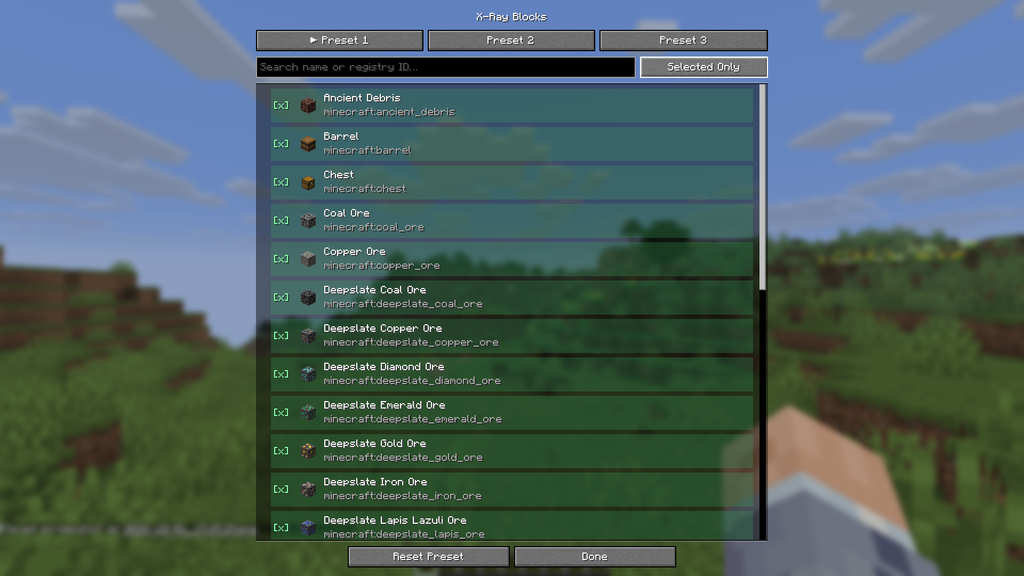
Open the X-ray menu with the Hotkey (Default: G). Choose one of the 3 Presets. Preset 1 comes pre configured with the most important blocks. You can reset or rename all 3 presets with the buttons in the menu. You can also choose the Terrain opacity from 0 % to 80 % as well as select whether to show or hide water and lava when using X-ray from the main menu. Click on the "X-Ray Blocks" Button to see a list of all available blocks. Search for blocks with the search bar and click on a block, to add or remove it from the Preset. All selected blocks will be visible when using X-ray.
Mob and Player ESP:
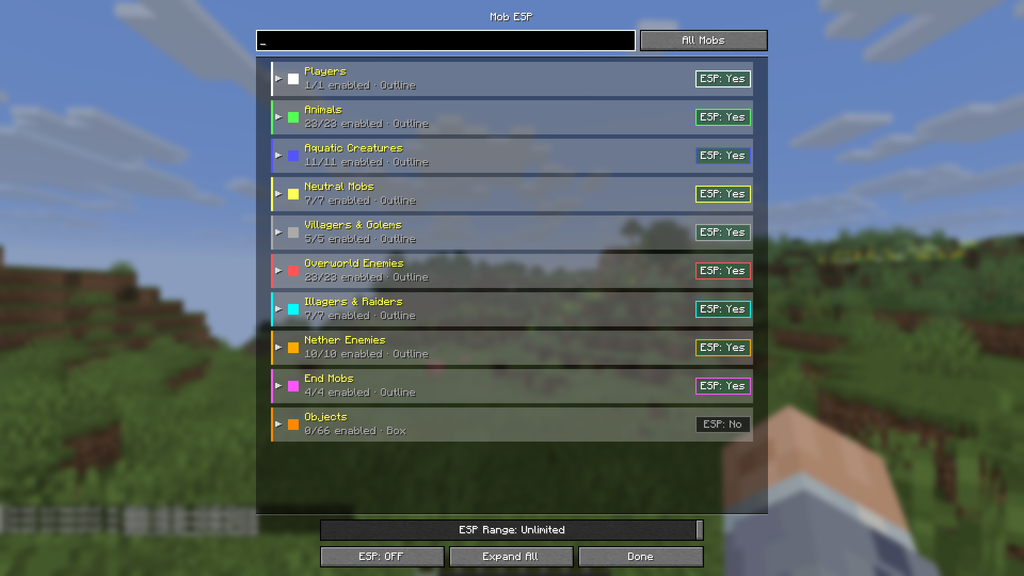
In the X-ray menu, click on "Mob ESP". You can expand or collpase the ESP groups with the button at the bottom. Above the button, you can choose the range for the ESP. In the list, you can enable or disable the ESP for a whole group by clicking on the Button "ESP: Yes" or "ESP: No" on the right side. Clicking on a group will bring up a menu to choose a general colour and ESP style for this group. For style, you can choose between outline and box. When clicking on the small arrow at the front of a group, the group will expand or collpase and you can configure the ESP for each single entry in the specific group. You can set custom colours or enable and disable ESP just for that specific type of mob.
When clicking on the "Players" group, you can choose whether or not Player ESP should show the name of the player and the health. For health, you can choose between Bar, Numbers & Bar, Numbers and Off.
Highlight Blocks
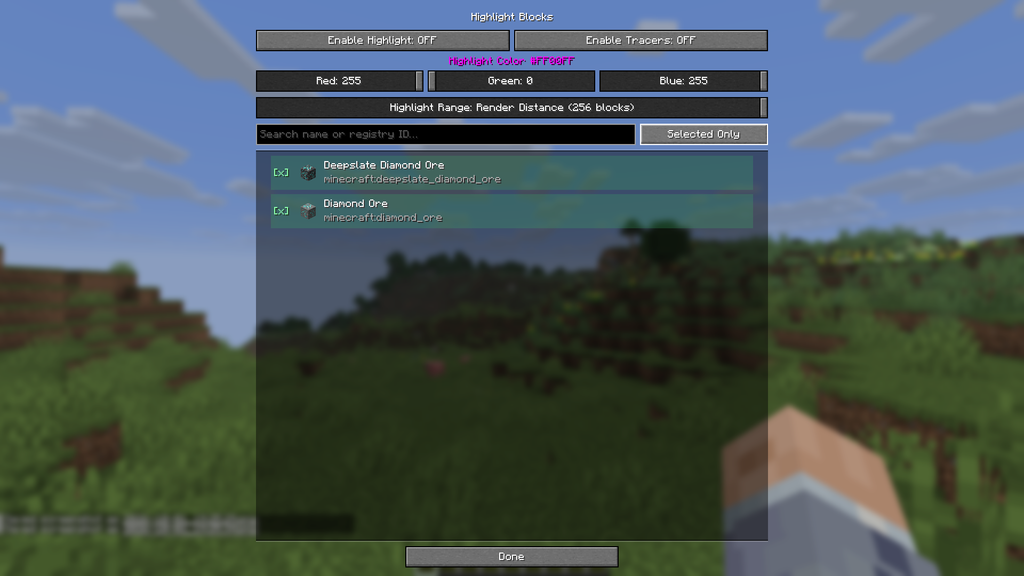
Highlight Blocks works indepently of X-ray and is basically a ESP for certain blocks. You can choose which blocks should be highlighted in the list below. You can also enable or disable tracers for the highlighted blocks.
Notes
The Fabric version requires Fabric API.
This mod is intended for Singleplayer. Only use it on servers where you have explicit permission.
The Better X-ray (Xray) Team