Better Villager Animations
- By
Procedural villager animation, dialogue, awareness, robe physics, and physical trading for Fabric and NeoForge.
Description
<main class="min-h-[calc(100vh-4.5rem-310.59px)]">
</main>
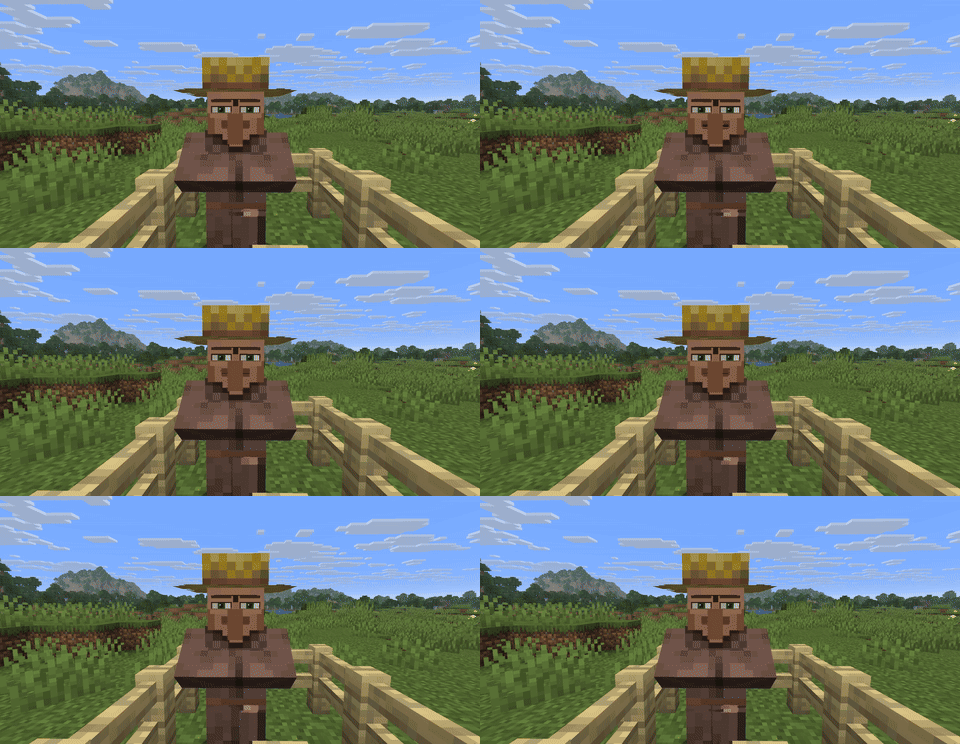
Villagers should feel like characters—not moving statues.
Better Villager Animations replaces rigid vanilla motion with a standalone, procedural character system built around expression, awareness, speech, physics, and trading.
No animation resource pack or external animation framework is required. Biome, profession, level, baby-state, and resource-pack textures remain supported.
- Procedural full-body animation for the head, torso, arms, legs, and robe.
- Context-sensitive behavior driven by movement, conversation, work, danger, damage, celebration, and the nearby player.
- Expressive speech with a modeled mouth, hinged jaw, lips, teeth, tongue, syllable variation, and natural phrase pauses.
- Awareness and personality through eye focus, head tracking, reactions, and non-looping pose variation.
- Native Fabric and NeoForge builds with no loader bridge.
- One-file installation with the animation and physics runtime embedded.
The animation graph continuously blends the villager's current situation instead of replaying one fixed loop. Walking has weight, idle poses breathe, speech follows audible voice events, and reactions change with context.
The original vanilla texture and layer system is preserved, so professions, biomes, levels, babies, and compatible resource packs continue to look correct.
The rigid lower jacket is reconstructed as articulated robe panels powered by the embedded dyn4j constrained-dynamics engine. Motion responds naturally without CUDA, native libraries, or a specific GPU brand.
Trading can trigger profession-aware offer presentation and physical character motion, making the interaction feel performed rather than simply opening a menu.
| Minecraft | Fabric | NeoForge | Java |
|---|---|---|---|
| 1.21.1–1.21.8 | ✅ | ✅ | 21 |
| 1.21.10–1.21.11 | ✅ | ✅ | 21 |
| 26.1, 26.1.1, 26.1.2, 26.2 | ✅ | ✅ | 25 |
Minecraft 1.21.9 is intentionally unsupported.
- Client installation: required
- Server installation: optional
- Fabric API: not required
- OptiFine, EMF, ETF, GeckoLib, and external configuration mods: not required
Always download the file that exactly matches both your Minecraft version and your mod loader.
- Install the matching Fabric Loader or NeoForge release.
- Download the matching Better Villager Animations JAR from the Versions page.
- Place the single JAR in your Minecraft
modsfolder and launch the game.
Do not install both loader builds at the same time.
Better Villager Animations Team

Owner