Better Refined Storage
- By
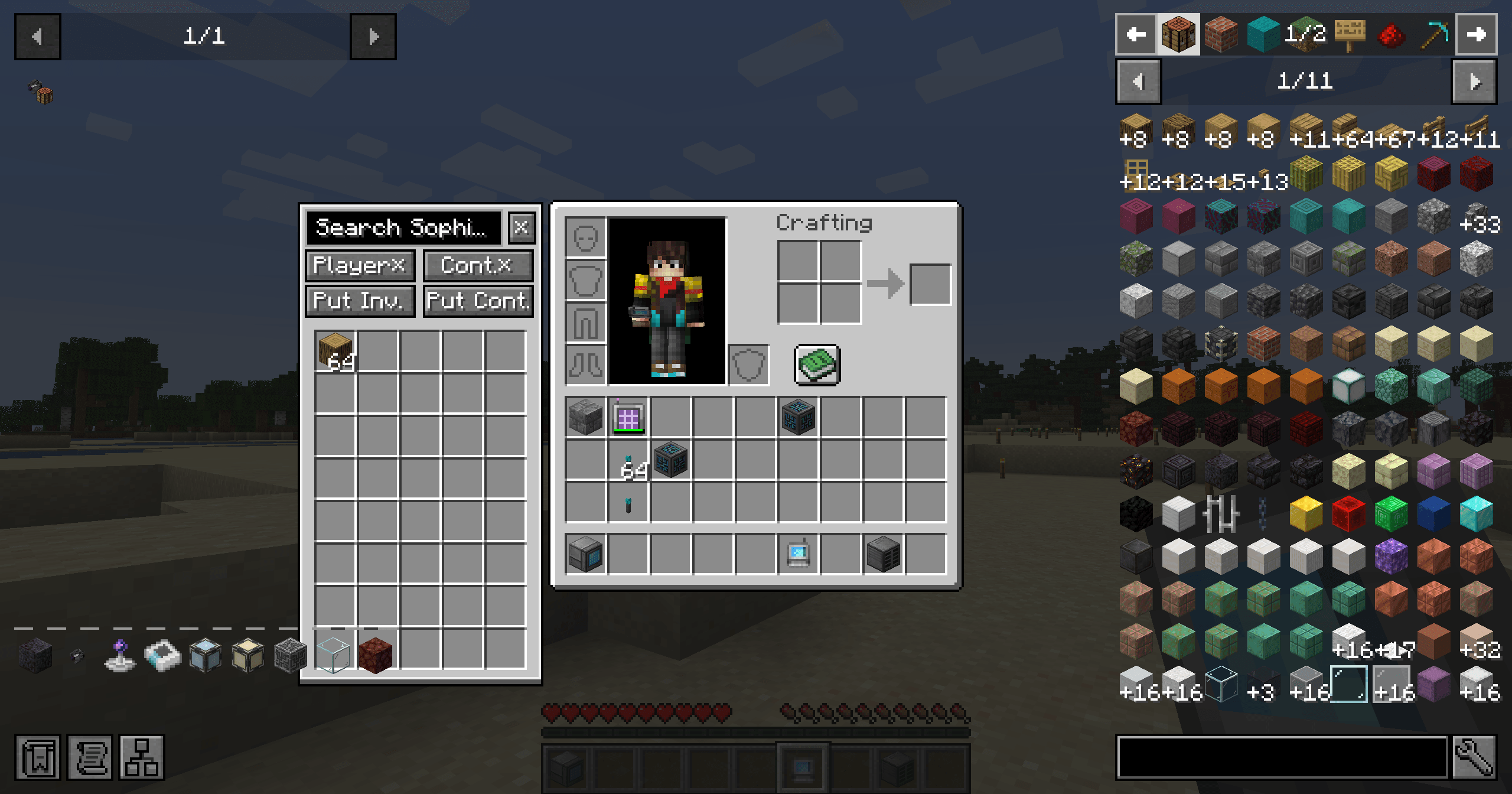
Adds a searchable Refined Storage network sidebar to inventory and container screens through a connected wireless grid.
sidebar-media.png
Description
Better Refined Storage
A Refined Storage addon that adds a searchable, vanilla-style network sidebar to inventory and container screens. Use your connected Refined Storage wireless grid without repeatedly opening it. The interface takes inspiration from Better Beyond Dimensions.
Features
- A searchable item list beside compatible inventory and container screens. Refined Storage's own screens are excluded.
- Refined Storage is the primary integration. Carry a bound, usable wireless grid or creative wireless grid in your inventory. Optional Curios support also recognizes wireless grids worn in accessory slots.
- Left-click to extract a stack, right-click to extract one item, or click while carrying an item to deposit it.
- Separate player and container Shift-transfer switches, plus one-click Deposit Inventory and Deposit Container buttons.
- Deposit Inventory processes the main inventory, not the hotbar. Bulk deposits skip Refined Storage wireless grids so your network access item stays with you.
- Vanilla-style panels and item slots. Counts remain above item models; a count of one is hidden, and large totals use K/M/B abbreviations.
- Long search hints end in
.... Search supports item names and registry names. - Network access, item identity, and transferred quantities are checked on the server.
Setup and compatibility
Install this addon on both client and server, together with the matching Refined Storage version:
- Minecraft 1.20.1 / Forge: Refined Storage 1.12.x.
- Minecraft 1.21.1 / NeoForge: Refined Storage 2.x.
Bind your wireless grid to a working network. The sidebar appears only while the server confirms that the terminal can access the network. Network permissions, wireless range, and terminal energy still apply.
Refined Storage is required. Curios is only needed if you want to wear a wireless grid in an accessory slot. Neither Better Beyond Dimensions nor Beyond Dimensions is required.
Controls and settings
Deposit Container is bound to Z by default. Deposit Inventory is unbound by default; assign it in Minecraft's Controls menu. Deposit shortcuts do not run while a text field is focused.
Client settings are saved in config/better_sophisticated_storage-settings.json. sidebarDisabled hides the sidebar while keeping deposit shortcuts, and disableConflictingKeys can prevent another action from receiving the same deposit shortcut.
Source and issues
This is an independent Refined Storage addon, not an official Refined Storage project. Distributed under the MIT License.
Better Refined Storage Team


Owner