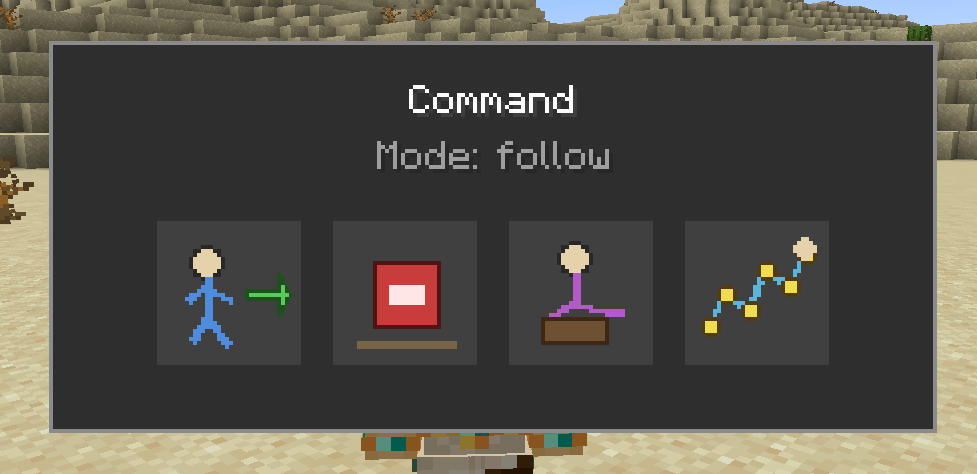
With tooltip!
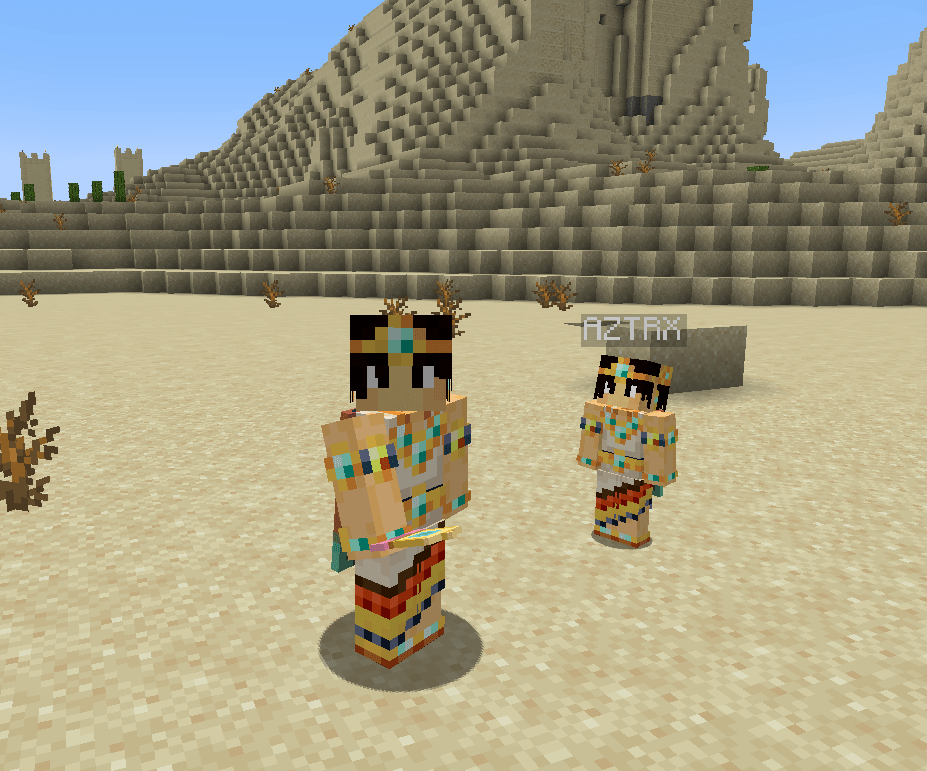
Companion by my side!
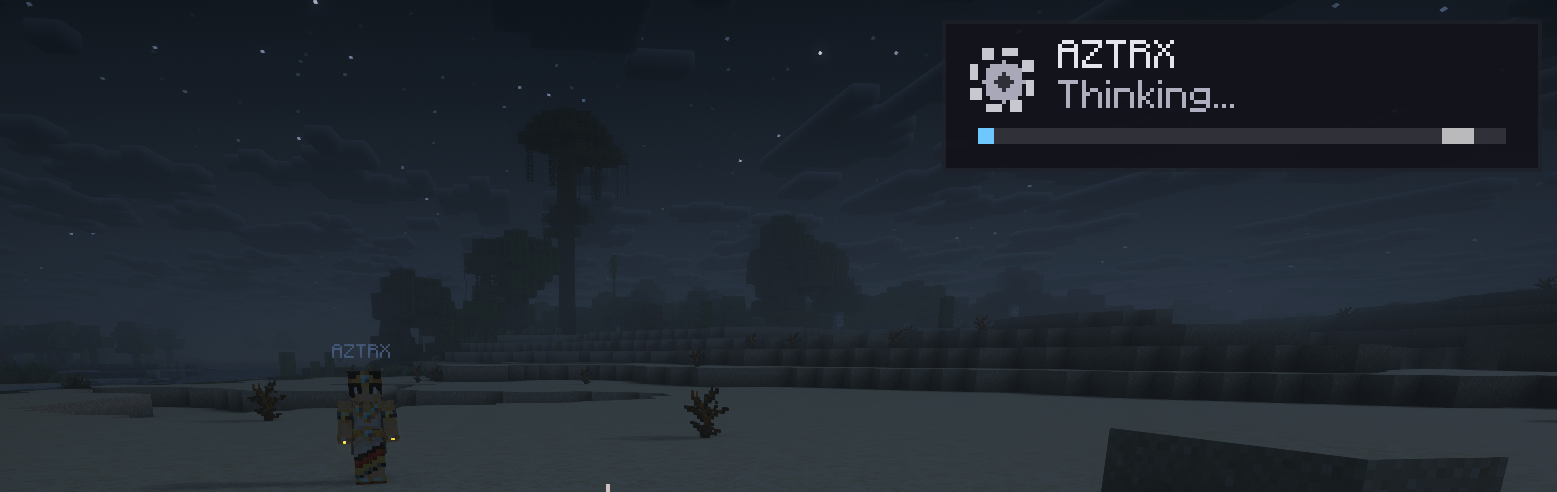
The AI will show when it's thinking in the upper Right Corner and reply in chat when done! use /ask <message>
Azturax | Az's Companions
Create a server, get 25% off your first month

Description
Az's Companions
A wholesome adult companion for Minecraft 1.21.1 — follow you through the world, fight beside you, sleep at night, and (optionally) chat with you via a local or remote LLM.
Characters are explicitly adult, wholesome, and non-sexual.
FOR LATEST AND WiP BUILDS VISIT GITHUB
Since 1.0.9 CCI support is merged in the main file.
What you get
Summon a companion with the Companion Charm, then command them with the in-game menu (default keybind K) or charm + Shift + right-click:
- Follow / Stay / Sit / Wander — Sit uses a visible sit pose on humanoid forms; animal forms keep their native sit
- Customize — forms (player + mobs), coat/breed variants, proportions, skins, and activity outfits (Sleeping / Bathing / Adventuring) for player form
- Inventory — store and manage their gear
- Combat — fixed netherite-sword melee; optional team fights for streamers / ops
- Worldplay — flower gifts, night sleep (Kon Bed), ride-along when you mount, swim follow, dimension teleport with you (vanilla + modded), logout park / login restore
- Mob flavor — cat form scares creepers; wolf form scares skeletons; wander mode can playfully interact with nearby mobs
- Child Bits — companions can have children that stick with the family
- Optional AI —
/askdialogue, idle chatter, and event reactions when you configure an LLM (off by default)
Owned companions do not naturally despawn. Desert pyramids can drop a Companion Charm (~5%; disable with world.enableLoot).
Editions (pick one jar)
| Jar | Use when |
|---|---|
| Standalone (NeoForge or Fabric) | Default — no streamer bridge |
| CCI (NeoForge or Fabric) | Twitch / Streamlabs / StreamElements via CCI + iChunUtil |
Install one Az's Companions jar per loader — never standalone + CCI together.
Requirements: Minecraft 1.21.1, Java 21, NeoForge 21.1.x or Fabric Loader ≥0.16 + Fabric API.
CCI editions only: CCI 1.13.0 + iChunUtil 1.0.3 for the same loader.
Soft compatibility
Works without these; nicer with them:
- FTB Teams / Chunks / Ranks (trust & claim-aware behavior)
- Map icons (Xaero's, JourneyMap)
- Dynamic lights soft-detect
- Simple Voice Chat detect (no full TTS bridge)
Multiplayer & hosts
- Companions are per-owner. Commands and
/askonly target your companions. - On disconnect, owned companions park and restore near you on login.
- Chunk tickets (default on) keep summoned companions / Bits loaded nearby so follow and sleep keep working when you walk away — not FTB claims.
- Dedicated / LAN hosts configure AI once on the server (keys stay on the host). See AI settings below.
AI settings (optional)
Default: disabled. Without a provider, companions use short offline / scripted lines only. Enabling AI never forces a cloud API — you choose local or remote.
How chat works
- Talk with
/ask <message>or/az ask <message>(optionally name a companion). - Replies appear as in-character chat for the owner (Thinking HUD while waiting).
- Each companion keeps its own persona and memory — shared host endpoint ≠ one shared brain.
- First-create persona onboarding (Who / What / How + optional speech, relationship, quirks); edit anytime with
/az persona edit. - Idle chat (toggle in admin): occasional ambient lines when nearby (~75–180s by default).
- Reactive chatter: short reactions to nearby events (explosions, darkness → ask for light, crafting gear, notable finds ~once per 14 days real-time per owner). Uses the LLM when configured; otherwise sparse scripted fallbacks.
- LLM is text dialogue only — no “AI Mode” that puppets the world. Gathering / tasks use normal companion behavior commands.
Join consent & privacy
- On join you may see an optional yes/no prompt. It asks; it does not auto-enable or lock you into a server LLM.
- Your choice is remembered once per server (client file) — no nag every join.
- API keys never leave the host. Clients only see key status (
config/env/ not set), never the secret. - Prefer env var
AZS_LLM_API_KEYover pasting keys into config files.
Providers
Configure in /az admin → AI Config (or /az ai config) — ops / host / whitelist:
| Profile examples | Typical use |
|---|---|
| Disabled | Default, offline-safe |
| LM Studio / Ollama | Local OpenAI-compatible HTTP |
| LiteLLM / OpenAI / OpenRouter / Groq | Remote or proxied /v1/chat/completions |
| MCP | Route chat through an MCP companion_chat tool |
Files: Fabric config/azscompanions-ai.json · NeoForge config/azscompanions-ai.toml.
Save & apply writes the file and hot-applies admin fields (no restart required for those).
Use server LLM
- OFF (default): Personal / host-local setup. Great for singleplayer or your own LAN host pointing at LM Studio, Ollama, LiteLLM, or a remote API.
- ON (opt-in): Shared host endpoint for everyone on that world. Joiners do not need their own keys or local LLM.
- On dedicated servers,
/askalways runs in the server process (no per-joiner client LLM). Turn Use server LLM on when you want that shared endpoint intentional.
Knobs players & admins care about
| Setting | What it does |
|---|---|
provider |
disabled / local / openai_compatible / mcp |
baseUrl + model |
Endpoint and model id |
apiKey / apiKeyEnv |
Secrets on the host only |
Use server LLM (serverLlmOnly) |
Opt-in shared host LLM |
Idle chat (idleChat) |
Ambient + reactive lines nearby |
idleChatSecondsMin / Max |
Ambient interval (default ~75–180s) |
maxParallelRequests |
Concurrent LLM calls (default 2; /ask jumps the queue) |
timeoutSeconds / connectTimeoutSeconds |
Generation vs fail-fast connect |
maxTokens |
Reply length cap (ambient capped shorter) |
perCompanionMemory / memoryMaxMessages |
Separate minds + history depth |
inputLanguage |
Preferred reply language |
enableChatMessages |
Show replies as owner chat lines |
Status: /az ai status. Full reference: Companion AI docs.
Safe setup (recommended)
- Leave provider Disabled until you want AI.
- Start a local server (LM Studio / Ollama / LiteLLM) or pick a remote OpenAI-compatible API.
- Open
/az admin→ AI Config → choose a profile → set model → save. - Put the key in
AZS_LLM_API_KEY(or maskedapiKeyon the host only). - Try
/ask hellonear your companion. - For multiplayer sharing, turn Use server LLM ON only when you intend a host-wide endpoint.
- Turn Idle chat OFF if you only want on-demand
/ask.
Commands (quick)
/az— primary root (alias/azscompanions)/ask·/az ask— talk to your companion/az admin·/az ai config— admin / AI panel/az persona …— view / edit persona/az teamfight on|off|status— ops team-fight toggle
Known limitations
- NeoForge 26.2 / newer Minecraft lines: not shipped in 1.0.0
- VoiceMod TTS / full SVC entity speech: detect-only soft-compat
- Old saves with removed items/forms simply no longer spawn those features
Links
Az's Companions Team