AutoBuildMod
- By
AutoBuild lets you automatically place blocks to build faster and easier in Minecraft. Perfect for large and repetitive builds
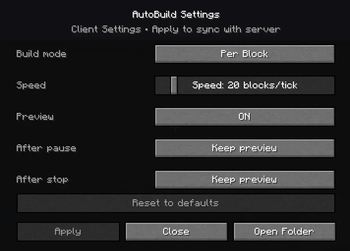
The AutoBuild Settings Menu gives you full control over how your structures are built. Easily adjust build modes, placement speed, preview behavior, and automation options to match your workflow

The Preview Mover Tool allows you to move, rotate, and flip the schematic preview using simple mouse clicks and key combinations, without placing any blocks.
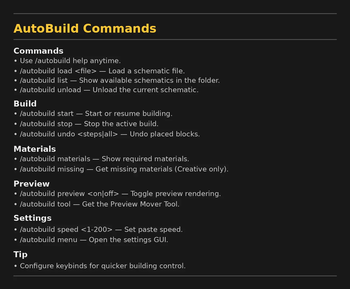
In game command list showing all available AutoBuild commands, including loading schematics, starting builds, adjusting speed, undoing actions, accessing tools etc...
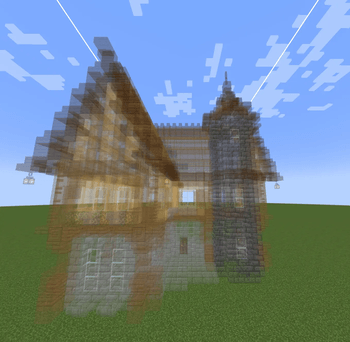
Live schematic preview rendered directly in the world, showing the exact shape and position before building starts. Perfect for precise placement and large structures.
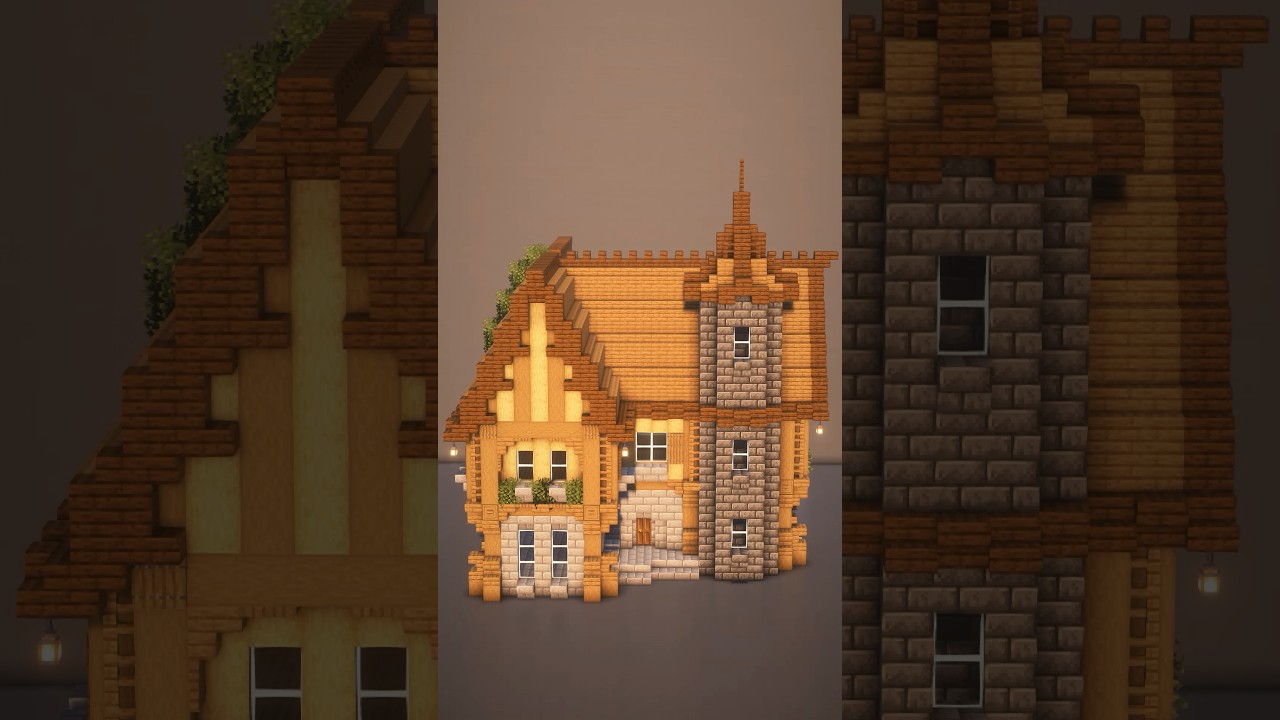
Description
AutoBuild
AutoBuild is a lightweight Fabric mod that allows you to load schematics and automatically build structures block by block in your world.
Designed for large builds, repetitive constructions, and fast structure placement while keeping full control over positioning and preview, AutoBuild provides an efficient workflow without removing the survival gameplay feeling.
✨ Features
- Automatically build structures from schematic files
- Real-time ghost preview before placing blocks
- Move, rotate, and flip previews with an in-game tool
- Adjustable build speed and build mode
- Per-block or per-layer building modes
- Undo support for recent build steps
- Preview behavior control after pause or stop
- Preview mover tool for easy positioning
- Works in both **Survival** and **Creative**
- Fully multiplayer compatible
- Per-player settings and build states
- Organized schematic loading with folder support
- Ideal for fast scene creation and recording setups for content creators
🎥 AutoBuild Demo

📜 Commands
- `/autobuild load <file>` – Load a schematic
- `/autobuild list` – List available schematics
- `/autobuild start` – Start building the loaded schematic
- `/autobuild stop` – Stop the active build
- `/autobuild preview <on|off>` – Toggle preview rendering
- `/autobuild speed <value>` – Change building speed
- `/autobuild undo <steps|all>` – Undo placed blocks
- `/autobuild materials` – displays all required materials
- `/autobuild missing` – gives all missing materials (Creative only)
- `/autobuild tool` – Get the preview mover tool
- `/autobuild menu` – Open settings menu
⚙️ Settings Menu
AutoBuild includes an in-game settings GUI allowing players to configure:
- Build mode (per layer / per block)
- Building speed
- Preview visibility
- Preview behavior after pause
- Preview behavior after stop
Settings are saved per player and persist between sessions.
🎮 Tool Controls
Using the Preview Mover Tool:
- Left Click → Move preview forward
- Right Click → Move preview backward
- Shift + Click → Rotate preview
- Ctrl + Click → Flip preview
This allows fast positioning without reopening commands.
🎥 Videos
- ▶️ Showcase Video: https://www.youtube.com/shorts/lxUux-qrnvs
- ▶️ Showcase Video: https://www.youtube.com/shorts/GWuPW-sVfIw
⚙️ Requirements
- Fabric Loader
- Fabric API
🛠 Use Cases
AutoBuild is ideal for:
- Large survival builds
- Creative structure placement
- Server projects
- Repetitive construction work
- Testing schematic designs quickly
- Community and multiplayer building events
- Creating scenes, maps, and builds quickly for YouTube, TikTok, and streaming content
🚧 Planned Features
• Schematics library
• Auto resource gathering
• Server sync improvements
• Better preview tools
•...
AutoBuild focuses on simplicity, performance, and practical building automation without unnecessary complexity, keeping Minecraft building efficient while still engaging.
AutoBuildMod Team