AutoAim

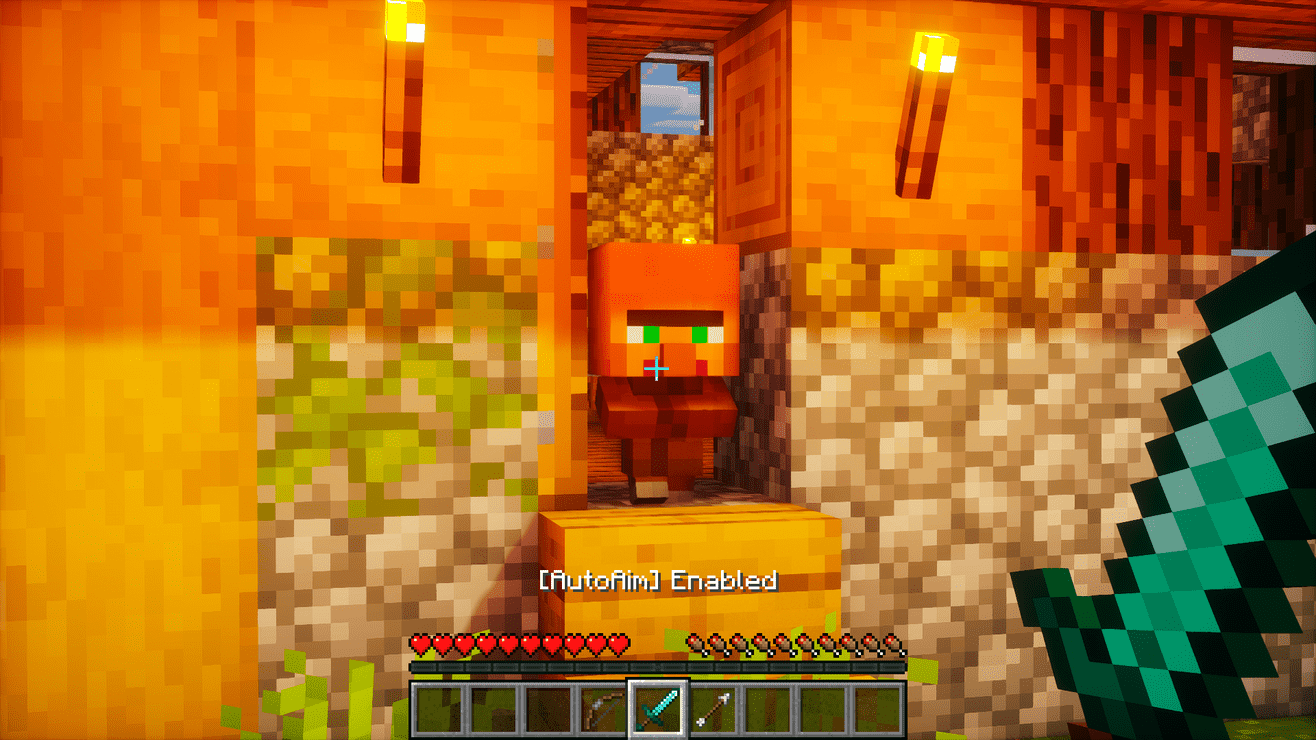
Smooth, customizable aim assist for easier and more accurate targeting.
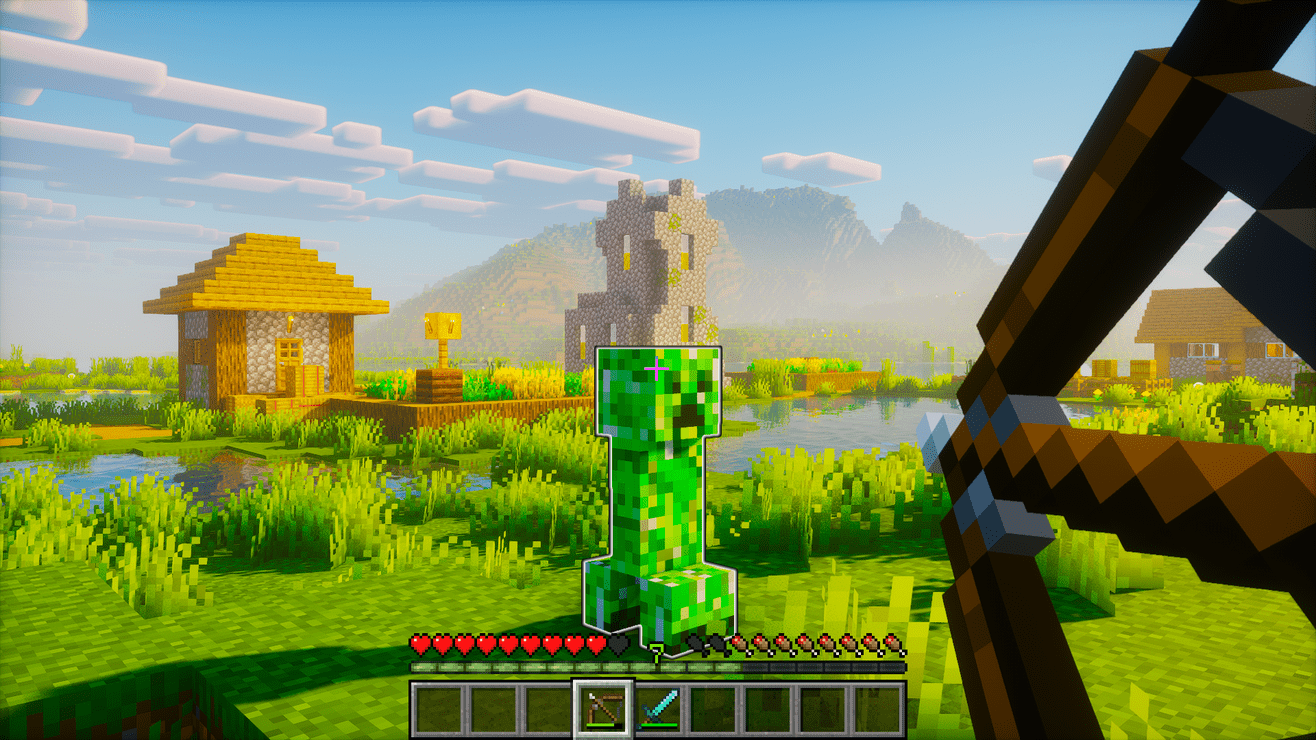
Outline in the Object
Outline in the Object

Notification Mod

Notification Mod

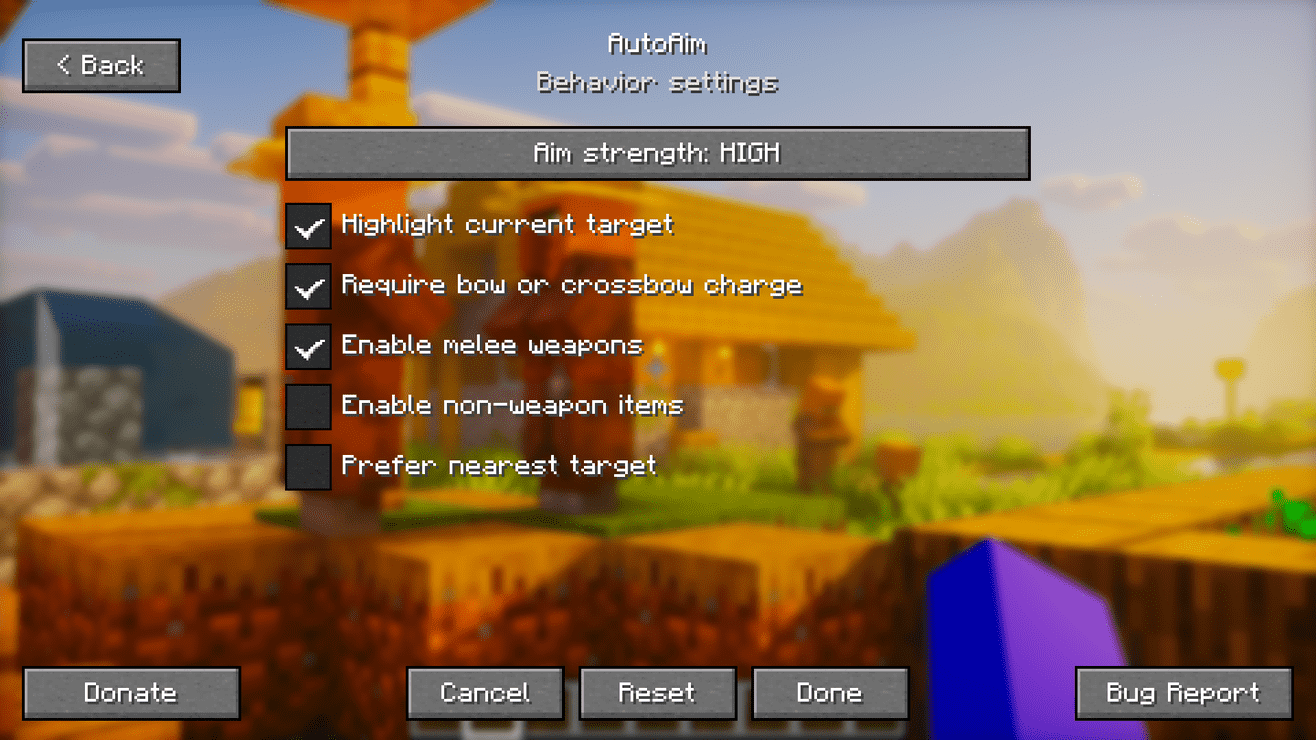
Custom your Behavior Settings

Custom your Behavior Settings
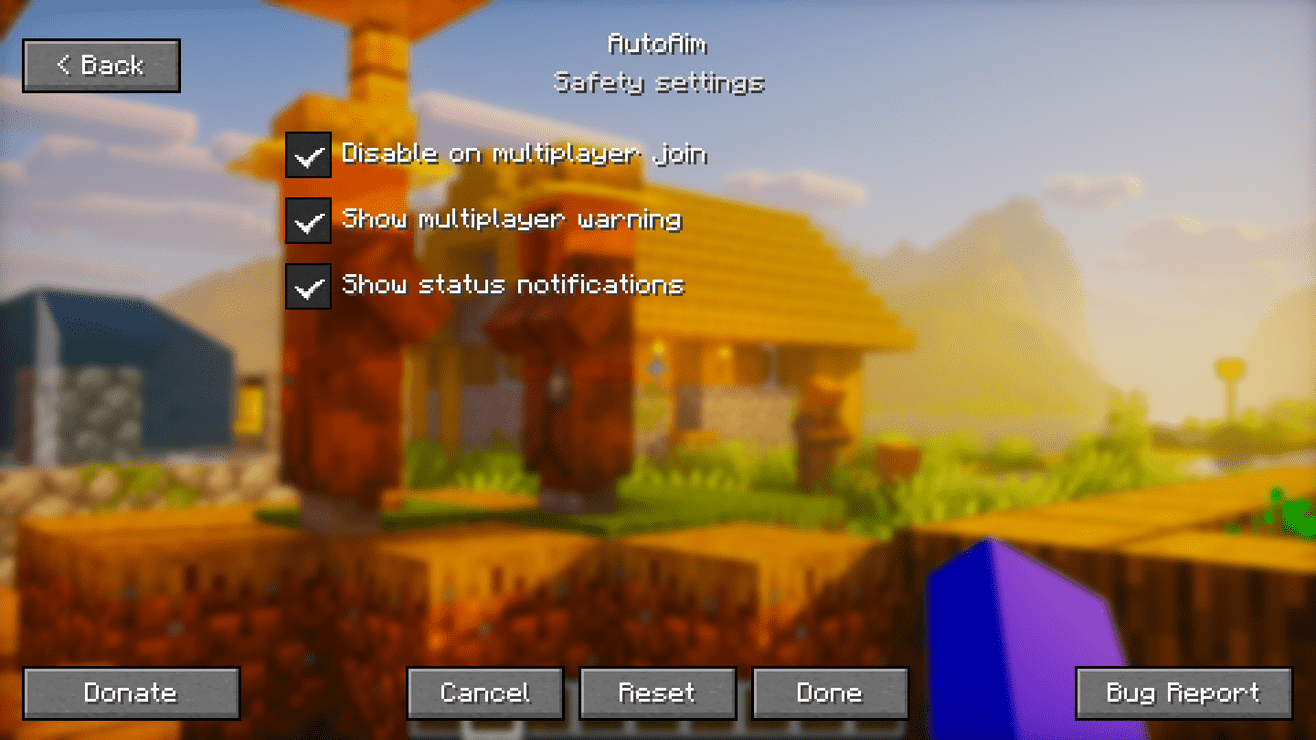
Custom your Safety Settings
Custom your Safety Settings

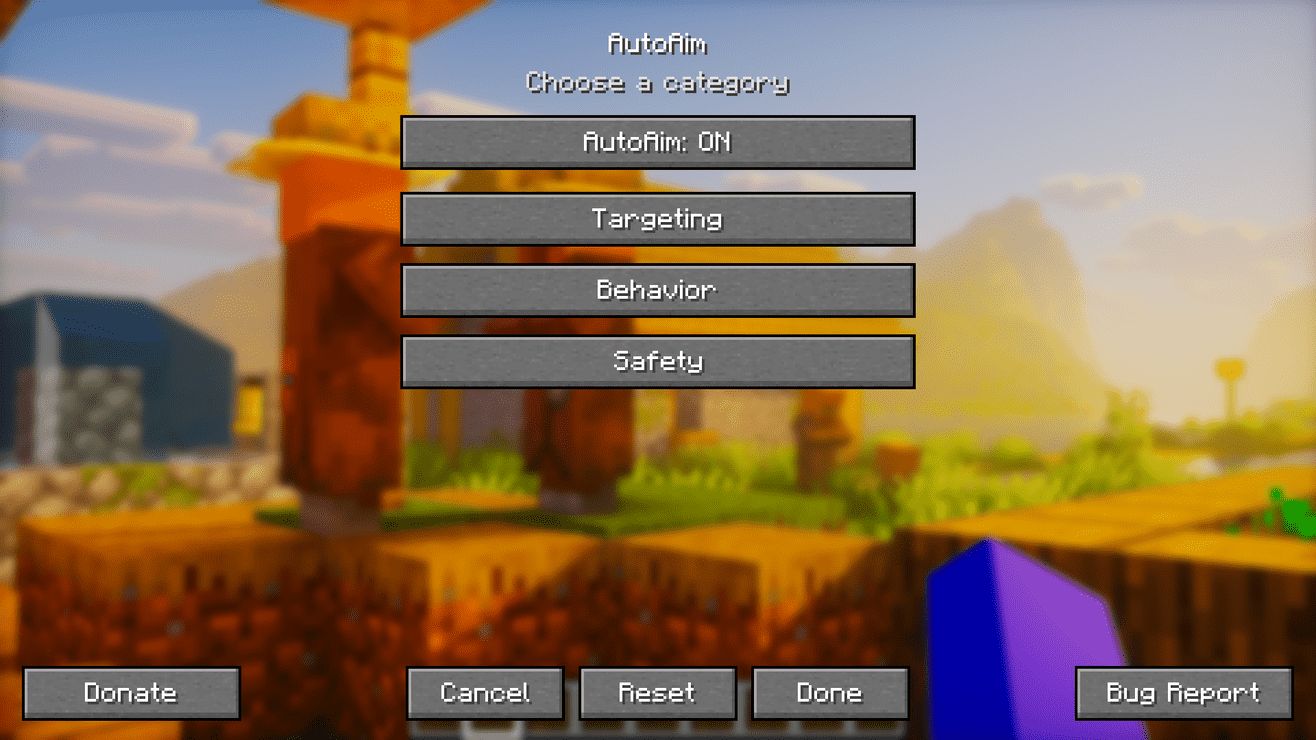
Press K to open AutoAim Settings

Press K to open AutoAim Settings

Description

AutoAim

AutoAim - Smooth and accurate targeting!

AutoAim adds smooth, customizable aim assistance for easier and more accurate targeting. It supports projectile prediction, target priorities, target locking, configurable presets, and a clean in-game settings menu.

AutoAim works client-side in singleplayer. Multiplayer use requires explicit server-side opt-in.

✨ Features

  • Smooth aim assistance that follows targets without preventing manual camera movement
  • Projectile prediction for bows and charged crossbows:
    • Target movement prediction
    • Projectile drop compensation
    • Bow charge adjustment
  • Optional melee support for:
    • Swords
    • Axes
    • Spears
    • Tridents
  • Optional support for other held items
  • Five aim strength levels:
    • Super High
    • High
    • Medium (default)
    • Low
    • Super Low
  • Five built-in presets:
    • Balanced (default)
    • Smooth
    • Fast Combat
    • Bow Practice
    • Melee Assist
  • Adjustable targeting range:
    • Ranged: 24 blocks by default
    • Melee: 8 blocks by default
  • Adjustable target view angle
  • Multiple target priority modes:
    • Crosshair
    • Nearest
    • Lowest Health
    • Threat
    • Balanced
  • Multiple aim-point modes:
    • Center
    • Upper Body (default)
    • Head
    • Dynamic
  • Target filters:
    • Hostile mobs
    • Passive mobs
    • Players
    • Invisible targets
  • Blocked-target list for entities that should never be targeted
  • Priority-target list for entities that should be preferred
  • Searchable entity list with filters for:
    • All entities
    • Hostile mobs
    • Passive mobs
    • Players
    • Modded entities
  • Optional line-of-sight requirement
  • Selected-target outline
  • Manual target locking
  • Optional return-view behavior after the active target is lost
  • Configurable target information HUD:
    • Off
    • Target name
    • Target name and distance
    • Full target information
  • Toggle and target-lock notifications
  • Manual camera override that lets you redirect your view naturally
  • Clean, responsive in-game settings menu
  • English and Indonesian language support
  • Multiplayer safety warning
  • Server-side opt-in for multiplayer: AutoAim cannot be enabled on multiplayer servers unless the server explicitly allows it

🎯 Target locking

Press N while tracking a valid target to lock onto it.

A locked target remains selected while it stays alive, within range, and within the extended tracking angle. Press N again to unlock it.

Target locking does not automatically select a new target. A valid target must already be tracked before it can be locked.

🧭 Target HUD

The optional target HUD can display information about the currently tracked target in the top-right corner.

Available modes:

  • Off
  • Name Only
  • Name and Distance
  • Full:
    • Target name
    • Distance
    • Current and maximum health
    • Tracking or locked status

🎛️ Presets

AutoAim includes presets for quickly changing multiple settings:

  • Balanced: General-purpose configuration with medium aim strength
  • Smooth: Slower and more subtle camera movement
  • Fast Combat: Faster tracking, wider targeting angle, and dynamic aim points
  • Bow Practice: Smooth ranged assistance focused on bow usage
  • Melee Assist: Short-range assistance that prioritizes nearby targets
  • Custom: Automatically selected after manually changing preset-controlled settings

⌨️ Default keybinds

  • K: Open or close AutoAim settings
  • J: Enable or disable AutoAim
  • N: Lock or unlock the current target

Category: AutoAim. All keybinds are remappable through Minecraft's Controls menu.

🔧 Requirements

  • Minecraft: 26.2
  • Current loader:
    • Fabric Loader 0.19.3 or newer
    • Fabric API
  • Planned loaders:
    • Quilt (planned)
    • Forge (planned)
    • NeoForge (planned)
  • Java: 25+
  • Singleplayer environment: Client required
  • Multiplayer environment: Client required, server required for opt-in

⚙️ Default settings

  • AutoAim: enabled
  • Preset: Balanced
  • Aim strength: Medium
  • Target priority: Crosshair
  • Aim point: Upper Body
  • Ranged distance: 24 blocks
  • Melee distance: 8 blocks
  • Target view angle: 24 degrees
  • Hostile mobs: enabled
  • Players: enabled
  • Passive mobs: disabled
  • Invisible targets: disabled
  • Line of sight required: enabled
  • Aim only while using a ranged weapon: enabled
  • Selected-target outline: enabled
  • Target HUD: off
  • Melee weapons: enabled
  • Other held items: disabled
  • Return view after aiming: enabled
  • Toggle notifications: enabled
  • Multiplayer auto-disable: enabled
  • Multiplayer warning: enabled
  • Blocked entities: none
  • Priority entities: none

📖 Usage

  1. Press K to open the AutoAim settings menu.
  2. Select a preset or customize the aim, target, display, and safety settings.
  3. Hold a bow, load a crossbow, or equip an enabled melee weapon.
  4. Aim near a valid target.
  5. AutoAim will smoothly adjust your view toward the selected aim point.
  6. Press N to lock or unlock the currently tracked target.
  7. Press J whenever you want to enable or disable AutoAim.

By default, bow and crossbow assistance only activates while the weapon is being used. A charged crossbow remains supported while ready to fire.

⚠️ Multiplayer notice

AutoAim is disabled on multiplayer servers unless the server explicitly opts in.

For Fabric servers, install the same mod on the dedicated server. The server registers the autoaim:server_opt_in networking channel, and clients only allow AutoAim while connected if that channel is advertised by the server.

The server-side component only provides an opt-in capability marker. AutoAim does not add server-side attacks, hit control, or automatic combat.

Without server-side opt-in, the client refuses to enable AutoAim in multiplayer and will not apply aim rotation.

When joining a supported multiplayer server, AutoAim can display a confirmation warning before enabling it for the current session.

🛡️ Fair-play design

AutoAim provides camera assistance only.

It does not include:

  • Automatic attacks or clicks
  • Packet-based hit manipulation
  • Packet-based rotation
  • Anti-cheat bypasses
  • Targeting through walls when line of sight is required

Manual camera movement can interrupt tracking, allowing you to redirect your view normally.

⬇️ Download

Available on Modrinth Available on CurseForge

Available for Fabric

Planned loader support:

Planned for Quilt Planned for Forge Planned for NeoForge

📜 License and permissions

  • License: All Rights Reserved (ARR)
  • Standalone redistribution and re-uploads are not allowed without permission
  • Modpacks are allowed when the original mod is unmodified, credited as AutoAim by Zynwro, and linked back to the official project page

🤝 Credits

The AutoAim Team

profile avatar
Owner
  • 4
    Followers
  • 8
    Projects
  • 35.9K
    Downloads
Donate

More from ZynwroView all

  • AFK Station [Cinematic & More] project image

    AFK Station [Cinematic & More]

    Lightweight AFK mod that makes idle time cinematic, hides chat on request, shows an AFK timer, caps FPS, and instantly returns to gameplay when you move.

    • 2.8K
    • July 18, 2026
  • Kenny [HORROR] project image

    Kenny [HORROR]

    Kenny is here. A Minecraft horror mod where a silent stalker grows more aggressive each day, turning survival into a curse that only ends in The End.

    • 18.2K
    • July 18, 2026
  • AutoEat project image

    AutoEat

    Automatically eats when your hunger drops so you can focus on your adventure.

    • 6.7K
    • July 14, 2026
  • Hollow Steve [HORROR] project image

    Hollow Steve [HORROR]

    Adds Hollow Steve, a horror stalker boss that haunts you, grows stronger after each defeat, and must be killed 10 times to survive.

    • 5.2K
    • June 21, 2026
  • AFK Station [Cinematic & More] project image

    AFK Station [Cinematic & More]

    Lightweight AFK mod that makes idle time cinematic, hides chat on request, shows an AFK timer, caps FPS, and instantly returns to gameplay when you move.

    • 2.8K
    • July 18, 2026
  • Kenny [HORROR] project image

    Kenny [HORROR]

    Kenny is here. A Minecraft horror mod where a silent stalker grows more aggressive each day, turning survival into a curse that only ends in The End.

    • 18.2K
    • July 18, 2026
  • AutoEat project image

    AutoEat

    Automatically eats when your hunger drops so you can focus on your adventure.

    • 6.7K
    • July 14, 2026
  • Hollow Steve [HORROR] project image

    Hollow Steve [HORROR]

    Adds Hollow Steve, a horror stalker boss that haunts you, grows stronger after each defeat, and must be killed 10 times to survive.

    • 5.2K
    • June 21, 2026