Audio Management
- By
Audio Management is a client-side-only sound management mod. It can uniformly replace in-game sound effects with a specified group or a single sound effect, and adjust the volume separately by mod, group, and individual sound effect.
çé¢.png
设置çé¢.png
Description
Mod Overview
Audio Management is a client-side-only sound management mod. It can uniformly replace in-game sound effects with a specified group or a single sound effect, and adjust the volume separately by mod, group, and individual sound effect.
Core Features
- Automatically detects sounds registered by installed mods or vanilla Minecraft and groups them.
- Global Replacement: When the main switch is enabled, all managed sounds are replaced with a specified target; the default target is the cat group, and it can be changed to any group, a single sound effect, or set to empty.
- Custom OGG: Groups or individual sound effects can be replaced with local OGG files using the in-game file picker.
- Blacklist/Whitelist: Supports batch operations by mod/group.
Interface & Operations
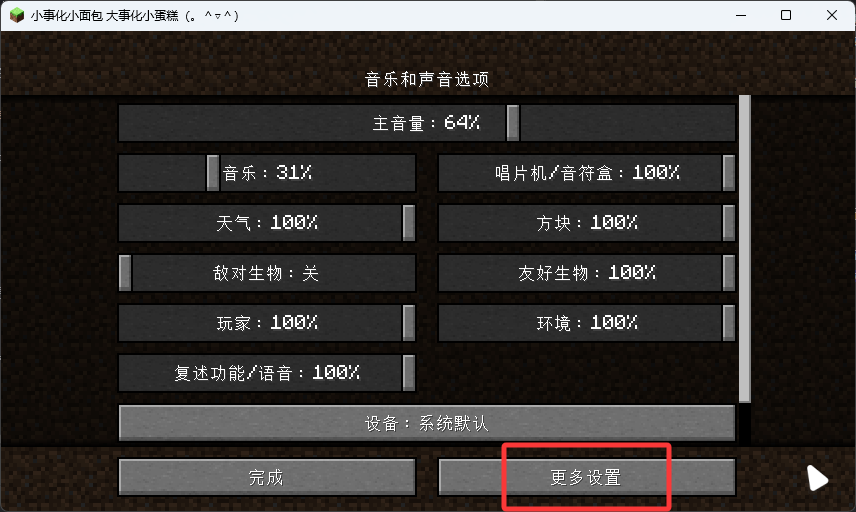
A new "More Settings" option is added under "Music & Sound":
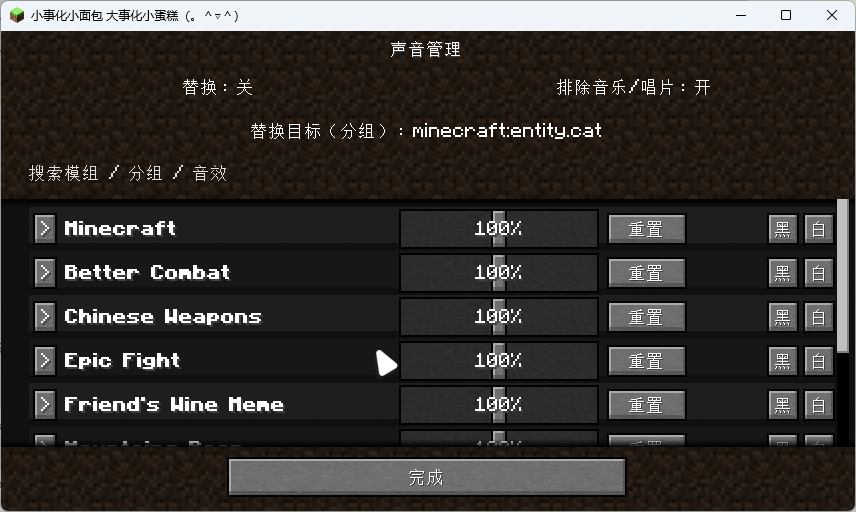
- Mod → Group → Sound tree; matching paths are automatically expanded when searching.
- Each row provides a 0%–200% slider, reset, replace/restore, and blacklist/whitelist buttons.
- "Reset" resets the item and all its children, requiring confirmation via a full-screen dialog.
- "Restore Original Sound" only appears when a replacement file exists; deletion also requires confirmation. Replace and restore never appear at the same time.
Replacement target interface:
- A collapsible tree displays mods, groups, and sounds.
- A "Select" button appears to the right of group/sound names.
- Bottom buttons: Default Cat Group / Set to Empty / Done.
Configuration
Configuration is located in the client config directory:
config/sound_management.json: main switch, target, exclude music/discs, blacklist/whitelist.config/sound_management/<modid>/mod.json: mod volume.config/sound_management/<modid>/<group>.json: group volume.config/sound_management/<modid>/<group>/<sound>.json: individual sound volume.config/sound_management/<modid>/<group>.ogg: group replacement audio.config/sound_management/<modid>/<group>/<sound>.ogg: individual sound replacement audio.
Notes
- This mod is client-side only. Do not install it on a server.
- Volumes above 100% are achieved through channel volume amplification and are ultimately limited by OpenAL/device limits.
Audio Management Team