Screenshot 2026-06-27 140209.png
xsoras | Auto Tool Switch
Create a server, get 25% off your first month

Description

Automatically equips the right tool before every block break.
Auto Tool Switch is a lightweight quality-of-life mod that automatically selects the most effective tool from your hotbar whenever you begin breaking a block. Instead of manually changing between pickaxes, axes, shovels, or other specialized tools, the mod evaluates the available tools and switches to the fastest option instantly, keeping mining and building uninterrupted.
✨ Highlights
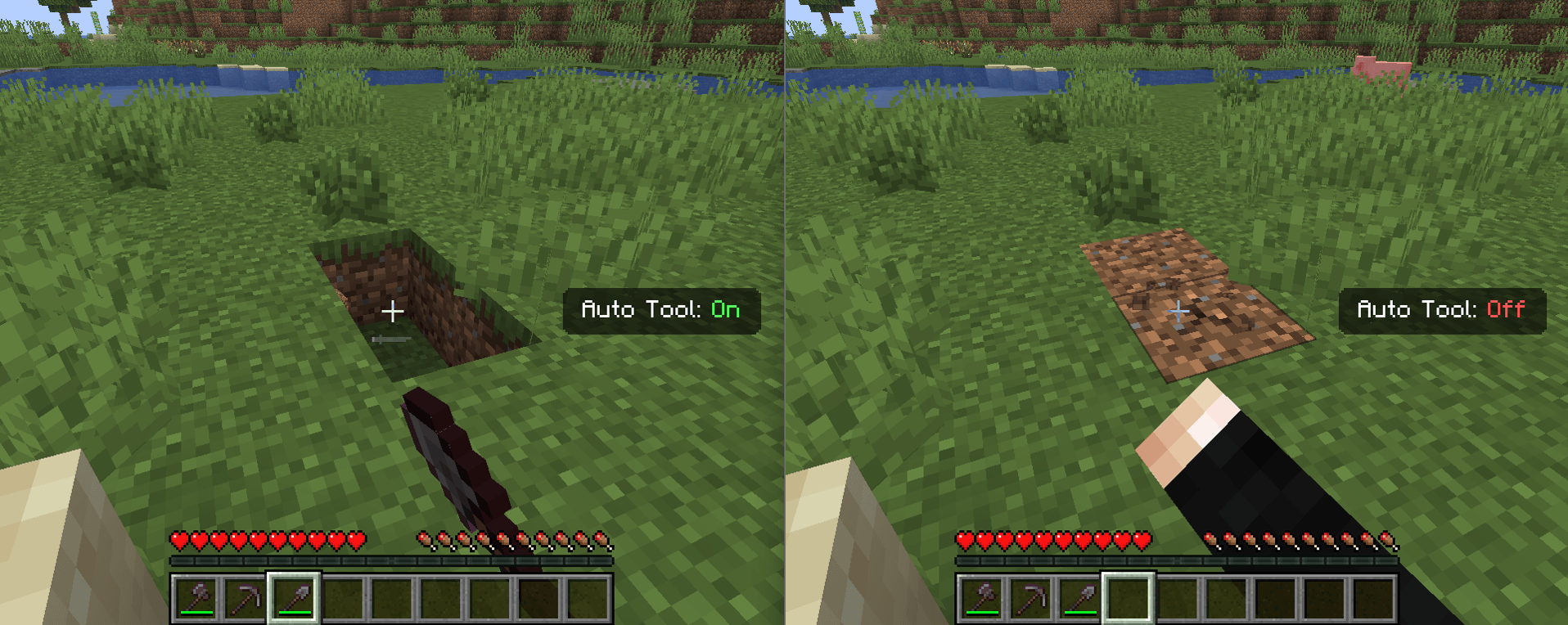
Automatic Tool Selection. Whenever a block is about to be mined, the mod compares every tool in the player's hotbar using Minecraft's block breaking speed and automatically equips the one with the highest destroy speed for that specific block.
Hotbar-Based Switching. Only the nine hotbar slots are scanned, ensuring predictable behavior while avoiding unnecessary inventory interaction. The selected tool is synchronized immediately so both client and server remain in sync.
Toggle Anytime. The entire system can be enabled or disabled with a dedicated keybind, making it easy to switch between automatic and manual tool selection whenever preferred.
Animated Status HUD. A compact on-screen notification appears after toggling the feature, displaying whether Auto Tool is currently enabled or disabled. The overlay uses smooth slide-in, hold, and fade-out animations without permanently occupying screen space.
Minimal Gameplay Impact. The mod only performs tool selection when a block is being broken, avoiding continuous inventory scans or background processing during normal gameplay.
⚙️ Compatibility
- Minecraft 1.21.8- BEING EXPANDED
- Works in Survival and Adventure gameplay.
- Automatically ignores Creative and Spectator mode where tool switching is unnecessary.
🎛️ Configurable in-menu
- Enable or disable Auto Tool functionality through the in-game keybind.
- Animated HUD status notification displaying the current state.
- Standard Minecraft keybinding menu integration for changing the toggle key.
Auto Tool Switch Team


Owner