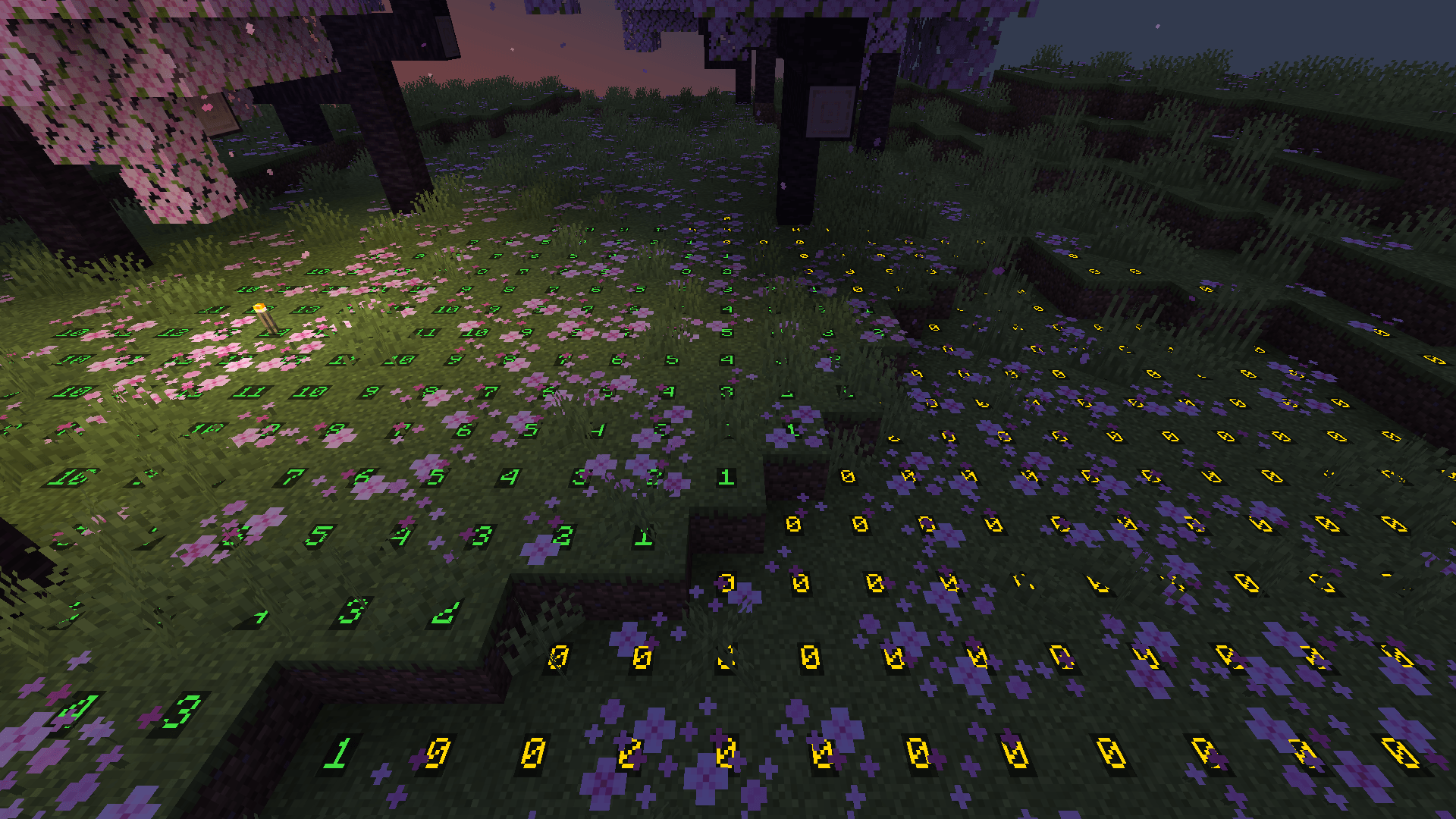
Green around a torch where monsters can never spawn, yellow where they can once it gets dark.
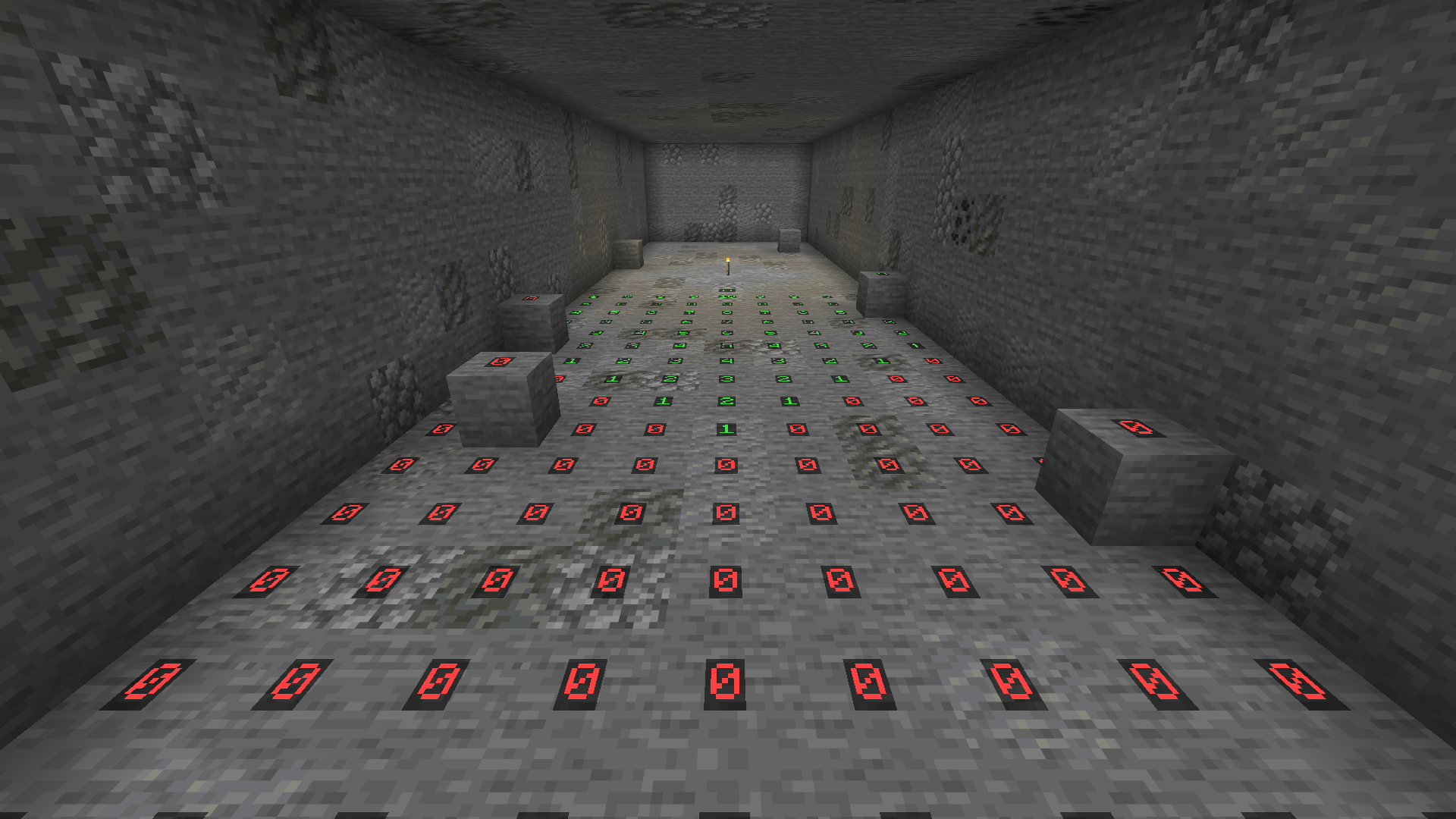
Underground the numbers show how far a torch's light reaches, with red where monsters can spawn any time.
Description
Assorted Light Overlay
Press F7 and the light level shows up on the ground around you, colored by whether monsters can spawn there. It makes lighting up a base or clearing out a cave a lot easier.
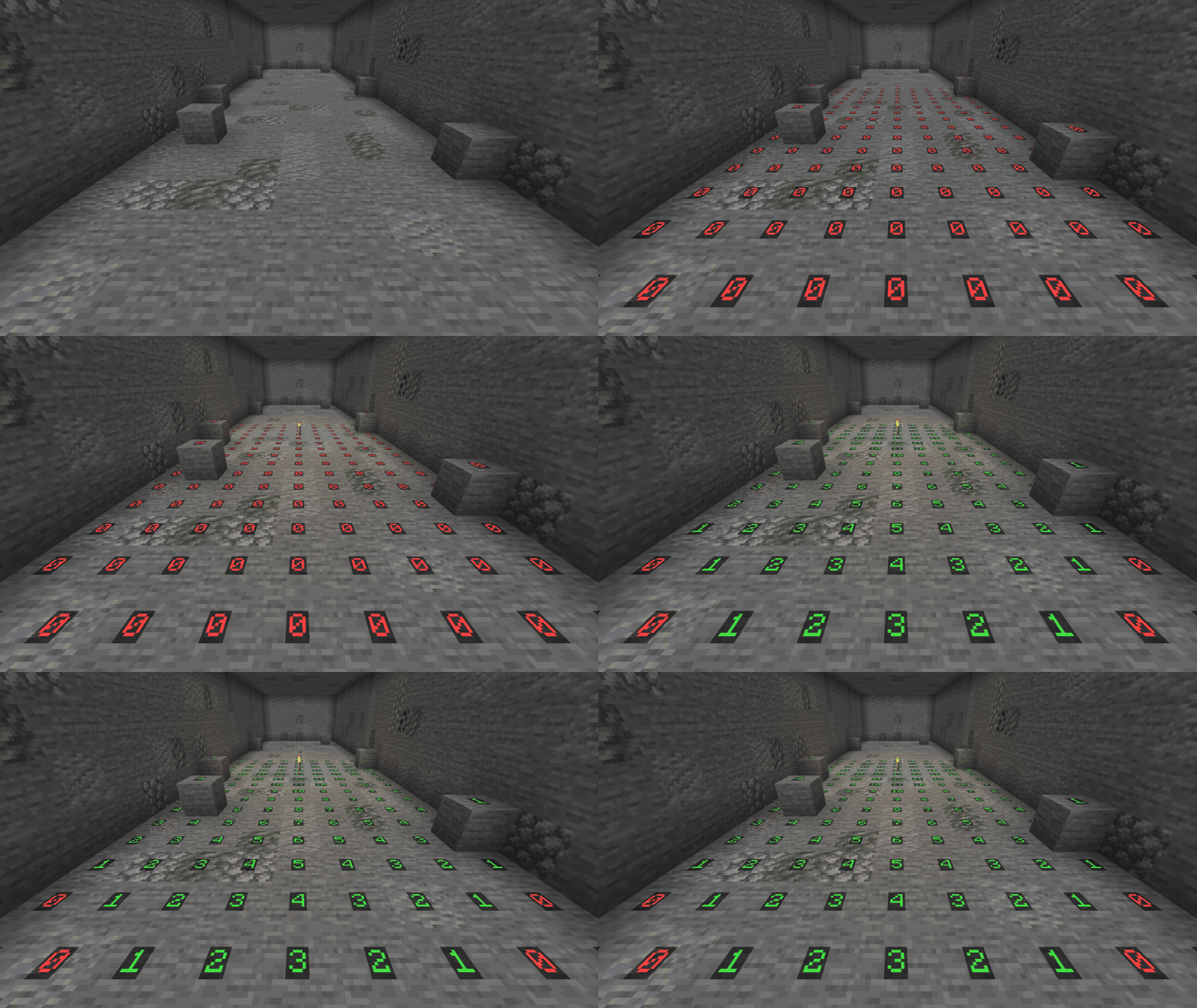
How it works
- Press F7 to turn the overlay on and again to turn it off. You can change the key in the controls menu.
- Each number is the block light at a spot where a monster could stand.
- Red is where monsters can spawn at any time.
- Yellow is where they can only spawn at night or in a storm.
- Green is where they can never spawn.
- It follows the spawning rules of the dimension you're in.
- Only spots with room for a monster get a number, so fences, walls and tight gaps are left out.
- The numbers update every couple of seconds as you move around or place light.
- It only needs to be in your own game, so it works on any server.
Config
These are in the assortedlightoverlay-client config file. They only change your own game, so everyone can set their own.
lightOverlay.radiusis how many blocks around you the overlay reaches. 16 by default, anywhere from 4 to 32.lightOverlay.showSafeshows the green spots where monsters never spawn. On by default. Turn it off to only see the unsafe spots.
Requirements
- Assorted Lib
- NeoForge, or Fabric Loader with Fabric API
Light Overlay also comes in Assorted Util with the other five Util mods, if you'd rather have them all in one download.
More
The full guide is at assortedmods.com. It's also in the game, in the Instruction Manual from Assorted Lib.
Found a bug? Report it on GitHub.
Assorted Light Overlay Team

Owner