Araz Voice
- By
Talk to Araz with your microphone or in chat, and it answers in its own voice — an optional AI conversation add-on for Araz (The Anomaly).
Araz: Voice
Talk to it. It answers. Offline, no key needed, in 7 languages.
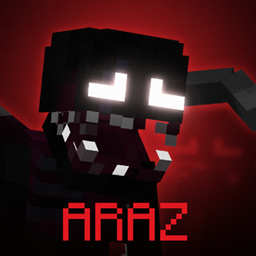
Araz: Voice is a free, client-side add-on for Araz (The Anomaly), the Minecraft horror mod whose creature learns how you play. With this add-on you can speak to it, with your microphone or in chat, and it speaks back.
Just talk
- Open mic: say something and it hears you. No key to hold. Every time you join a world, chat tells you the mic is on and how to turn it off.
- Push to talk: prefer a key? Hold Y and speak.
- Or type:
/arazvoice <message>works too.
No key? It still understands you
Your speech is turned into text on your own computer (Vosk). Nothing is recorded, saved or sent anywhere. The speech model for your game language downloads once on first use (about 30–80 MB). Understands English, Spanish, Portuguese, Russian, German, French, Turkish, Polish, Italian, Japanese, Korean, Chinese, Ukrainian and Dutch.
It answers in its own voice
310 recorded lines in Araz's own voice, in English, Spanish, Portuguese, French, German, Russian and Turkish. It picks a line that fits what you said: say hello, ask who it is, ask where it is, threaten it, insult it, beg, tell it you are scared, ask why, tell it your name, offer friendship, apologise, call for help, talk about your home, death, the ruin or the dark. It does not repeat a line until it has used the others. Other game languages get the core mod's recorded lines.
Make it angry and its voice breaks
Push it far enough, or step into its ruin, and its voice starts to stutter and skip.
Want a real conversation? Add your own AI key
With your own Groq or Gemini key (both have free tiers), or a local Ollama on your computer, an AI model answers in character:
- It remembers you between sessions: what you told it, what it saw you do, how angry you made it.
- It watches what you do in the game (diamonds, deaths, the Nether, your bed) and brings it up.
- It acts, not only talks: it can come closer, play a prank, put out your lights, leave… or attack. The server decides what is allowed, with cooldowns.
- It has moods: anger, curiosity, amusement, unease. It does not obey ("go away" does not make it go).
- Voices: ElevenLabs (your own key, all 12 languages), Groq's voice (English) or your computer's built-in voice.
Requirements
| Fabric | Forge | NeoForge | |
|---|---|---|---|
| Minecraft | 26.3, 26.1.2, 1.21.10, 1.20.1 | 26.3, 1.20.1 | 26.3, 1.21.1 |
| Araz (The Anomaly) | 1.0.0-beta.3 or newer | 1.0.0-beta.3 or newer | 1.0.0-beta.3 or newer |
| Fabric API | required | – | – |
- Client only. Install it on your own computer, next to Araz. Servers only need Araz.
- A microphone is optional: typing works too.
Privacy
- Without a key nothing leaves your computer. Speech is recognised locally and the answers are recordings inside the mod.
- With a key, what you say goes only to the service you chose (Groq, Google Gemini or ElevenLabs), with your key. With Ollama it stays on your computer.
- Your keys are stored only in your local config (
config/araz_voice.json), never in the mod and never sent to our servers. We have no servers. - Audio is never written to disk.
- Turn the open mic or offline understanding off any time:
/arazvoice→ settings.
Settings
/arazvoice opens the settings: AI provider and keys, voice, microphone device, open mic, offline understanding, spoken replies, unprompted talk.
Good to know
- This is an alpha. Bug reports and clips are very welcome on Discord.
- The jar is large (about 60 MB) because it contains the speech-recognition engine for Windows, macOS and Linux and all recorded lines. Language models download separately, once.
- AI providers can change their free limits. When one runs out, it moves on to the next one you set up (Groq → Gemini, ElevenLabs → Groq → your computer's voice).
Araz: CurseForge · Website · Guides Discord: discord.gg/utuKpP7XCa Support: GitHub Sponsors
Speech recognition: Vosk (Apache 2.0). Araz's recorded voice was made with AI voice tools from the mod's original recordings.
Araz Voice Team