Apotheosis Workbench
- By
游戏内的神化词条工作台:浏览、新建、删除、禁用词条,并决定每条词条属于哪些品阶,所有改动可一键还原。/In-game workbench for Apotheosis affixes: browse, create, delete, disable affixes and choose which rarities each one belongs to. Fully reversible.
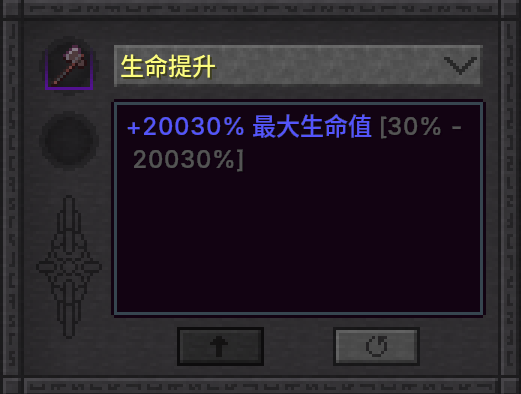
1.png
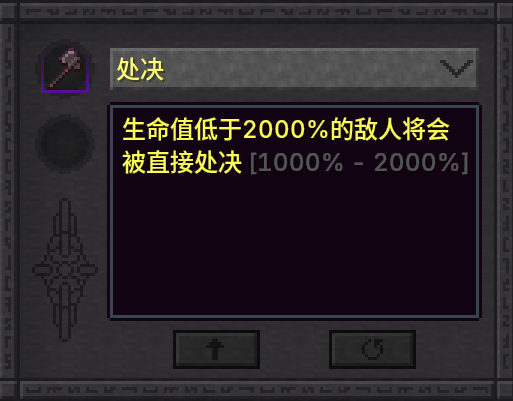
2.png
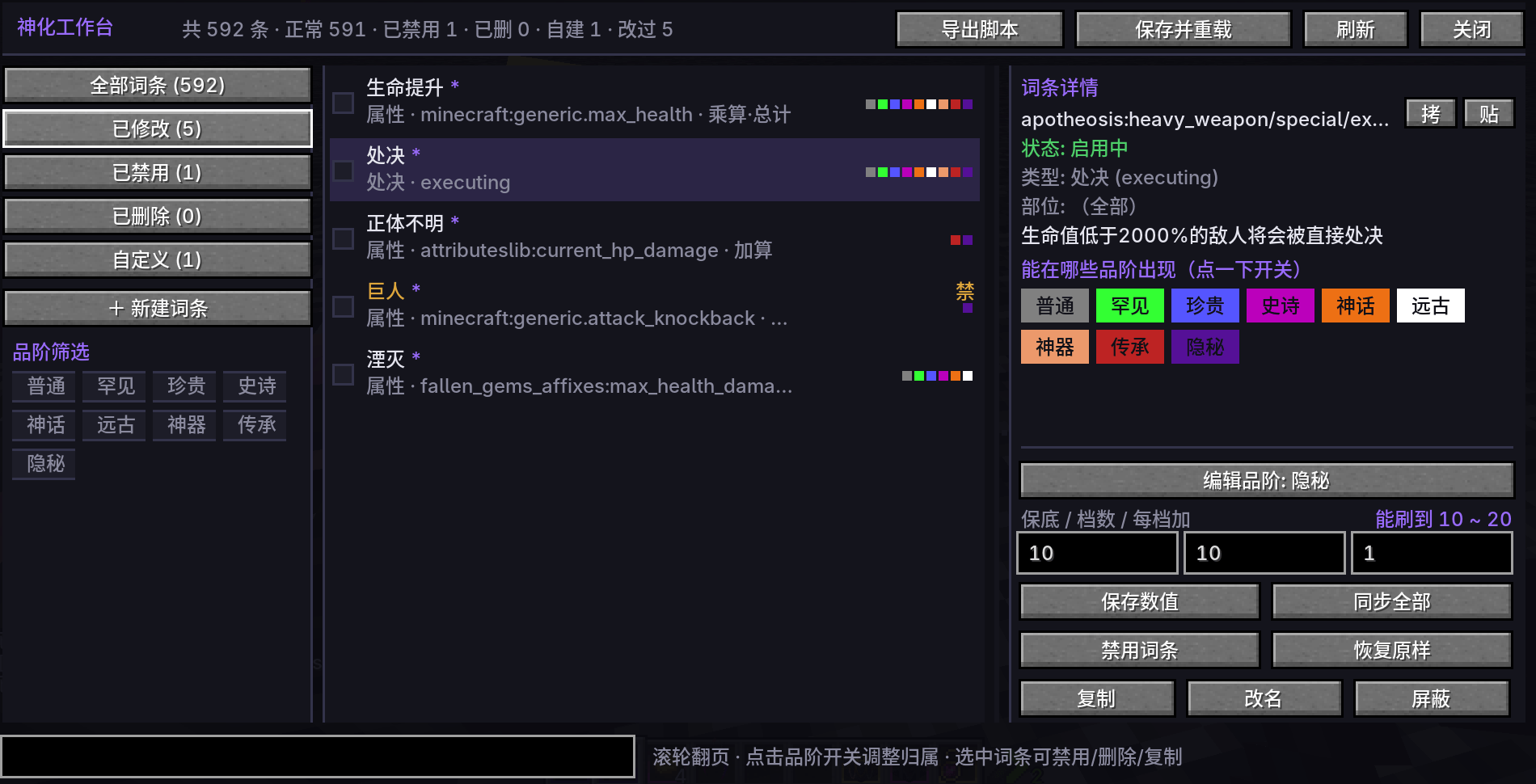
3.png
Description
Apotheosis Workbench is an in-game editor for Apotheosis affixes. Instead of hand-editing datapack JSON, you get one screen where you can browse, create, remove and re-tier affixes — and undo everything with a click.
Features
- Browse every affix with type, effect summary, rarity color dots and state markers; search plus filters for all / modified / disabled / deleted / custom and by rarity.
- Re-tier: click a rarity chip to add or remove that rarity from an affix.
- Edit values: min / steps / step per rarity, with a live 「rolls 0.3 ~ 0.7」 preview.
- Disable / delete / restore: disabling keeps the data but stops it loading; deleting removes built-in or custom affixes; restore brings the original back.
- Create affixes four ways: copy an existing one, attribute template, potion-effect template, or paste raw JSON from the clipboard.
- Bulk edit: Shift / Ctrl multi-select rows, then enable, disable, delete, or add/remove from a rarity in one go.
- Custom names: name your affixes in the UI and they show on item tooltips immediately — no resource pack required.
- Searchable pickers for attribute IDs, potion effect IDs and equipment slots.
- Export to KubeJS: dump every change as a ServerEvents.highPriorityData script so a modpack can ship the affixes.
- Validation and safety: edits are validated before saving, unregistered affixes are flagged after reload, destructive actions need a double click, and the previous state is backed up to state.json.bak.
How it works
All changes go to a per-world datapack (<world>/datapacks/apoth_workbench/</world>) plus an editor state file (<world>/apoth_workbench/state.json</world>). Apotheosis itself is untouched — delete the datapack and the game is back to stock. Nothing is ever written into the mod jar or the Apotheosis jar.
Requirements
- Minecraft 1.20.1
- Forge 47.x
- Apotheosis 7.x (required) and its dependency Placebo 8.x
- Install on both client and server (singleplayer uses the built-in server)
Commands
/apothwb open the workbench (permission level 2) /awb alias /apothwb save save + reload immediately (works from console) /apothwb refresh rescan datapacks /apothwb export export changes as a KubeJS script
Notes
- The interface is currently Chinese only; English strings are planned.
- Affix descriptions are computed by Apotheosis from the rarity values, so a brand-new affix has no description until you press "Save & Reload".
- Removing a rarity from an affix strips that affix from existing items that rolled it.
Credits
An unofficial add-on for Apotheosis by Shadows of Fire. Not affiliated with the Apotheosis team.
中文描述
神化工作台是给神化(Apotheosis)词条用的游戏内编辑器。不用再手改数据包 JSON:一个界面里浏览、新建、移除词条,调整每条词条属于哪些品阶,改错了随时一键还原。
功能
- 浏览:列表显示词条类型、效果摘要、所属品阶色点和状态标记;支持搜索,以及全部 / 已修改 / 已禁用 / 已删除 / 自建五种筛选与品阶筛选。
- 调品阶:点一下品阶色块,就能决定这条词条出不出现在该品阶。
- 改数值:每个品阶的保底 / 档数 / 每档加都能改,右边实时显示「能刷到 0.3 ~ 0.7」。
- 禁用 / 删除 / 还原:禁用保留数据但不再加载;删除把内置或自建词条从游戏里移除;还原回到出厂状态。
- 新建词条四条路:复制现成词条、属性模板、药水效果模板、或直接粘贴剪贴板里的 JSON。
- 批量操作:Shift 连选、Ctrl 切换,勾选后可批量启用 / 禁用 / 删除 / 加入或移出品阶。
- 自定义名字:界面上改名,物品 tooltip 立刻显示,不需要资源包。
- 可搜索选择器:属性 ID、药水效果 ID、适用部位都不用背,输入框旁边点「选…」搜中文名。
- 导出 KubeJS:把全部改动导成 ServerEvents.highPriorityData 脚本,整合包可以直接分发。
- 校验与兜底:保存前校验 type / 属性 / 效果 / 部位 / 品阶 / 数值;重载后标出没注册成功的词条;危险操作要连点两次;每次写状态前备份 state.json.bak。
改动写在哪
全部写进存档数据包(<存档>/datapacks/apoth_workbench/)和编辑器状态文件(<存档>/apoth_workbench/state.json)。神化本体不动,删掉数据包就回到原版数据,也不会往模组 jar 或神化 jar 里写任何东西。
前置要求
- Minecraft 1.20.1
- Forge 47.x
- 神化 7.x(必须)及其前置 Placebo 8.x
- 客户端与服务端都要装(单人游戏用的是内置服务端)
命令
/apothwb 打开工作台(需要 OP 等级 2) /awb 简写 /apothwb save 立即保存并重载(控制台也能用) /apothwb refresh 重新扫描数据包 /apothwb export 导出为 KubeJS 脚本
说明
- 界面目前只有中文,英文界面在计划中。
- 词条描述是神化按品阶数值现算的,所以刚新建的词条在「保存并重载」之前没有描述。
- 把某品阶从词条上移除后,已经带这条词条且属于该品阶的旧物品会失去效果。
致谢
神化(Apotheosis)作者 Shadows of Fire 的非官方附属模组,与神化官方团队无关。
Apotheosis Workbench Team