ApertureMapsLib
- By
ApertureMapsLib — a library for Minecraft 1.12.2 that removes the limitations of Minecraft's vanilla texture system, enabling support for large and non-square textures.
ApertureMapsLib is a library for Minecraft Forge 1.12.2 that allows large rectangular textures to be used safely in the vanilla atlas.
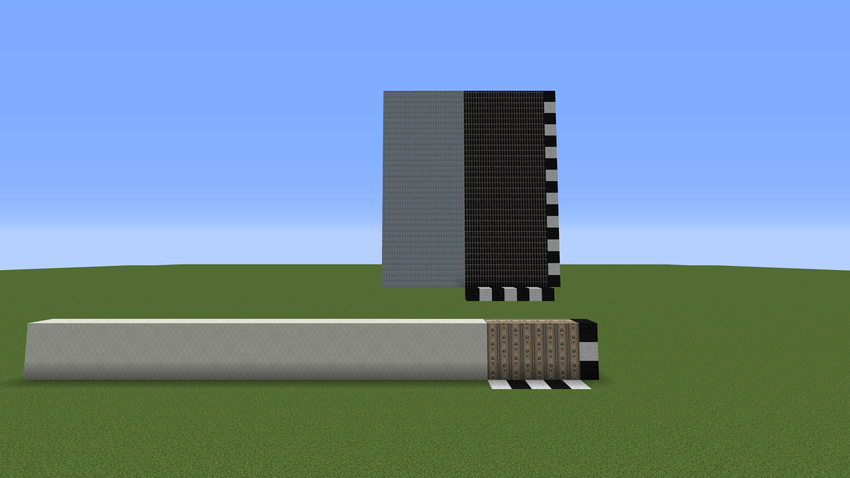
If you create wallpapers, panels, tiles, or other patterns that span multiple blocks at once (for example 7×4 or 20×12), you may have run into issues like these:
- texture loading crashes
- cropped or corrupted textures in the atlas
- visual seams and artifacts
- incorrect behavior with CTM
This library is designed specifically to solve those cases.
How does it work?
The library does not require any code integration.
You only need to place a .png.mcmeta file next to the texture:
{
  "aperturemapslib": true
}
Example with ConnectedTexturesMod (CTM) Pattern size: 10×5 blocks
{
  "ctm": {
    "ctm_version": 1,
    "type": "pattern",
    "extra": {
      "width": 10,
      "height": 5
    }
  },
  "aperturemapslib": {
    "enabled": true
  }
}
After that, the fixes are applied automatically only to the textures that need them.
What does the library do?
- Allows rectangular textures to be used without errors
- Protects them from cropping and atlas conflicts
- Disables problematic transformations such as rotation and scaling
- Fixes pattern-rendering issues when CTM is present
Requirements
- Minecraft 1.12.2
- Forge 14.23.x
- CTM (ConnectedTexturesMod)
Who is this for?
Modders working with non-standard textures and creating their own block mods with CTM support.
Important
- Use the library only where it is actually needed
- The atlas may become larger in size — this is the normal tradeoff for correct rendering
Credits
Special thanks to the Chisel Team for ConnectedTexturesMod (CTM), which inspired part of the solution and made pattern textures possible in the first place.
Project Telegram channel: KharkivTiles 1:1
GitHub: Github/ApertureMapsLib
The ApertureMapsLib Team