Animated Capes
- By
Replace your equipped cape with a custom GIF or image, with simple in-game controls for choosing the file and animation speed.
This mod lets you put a custom animated GIF or a static image onto your cape. If you already have a cape equipped, it will display the image or animation you choose instead of the normal cape look.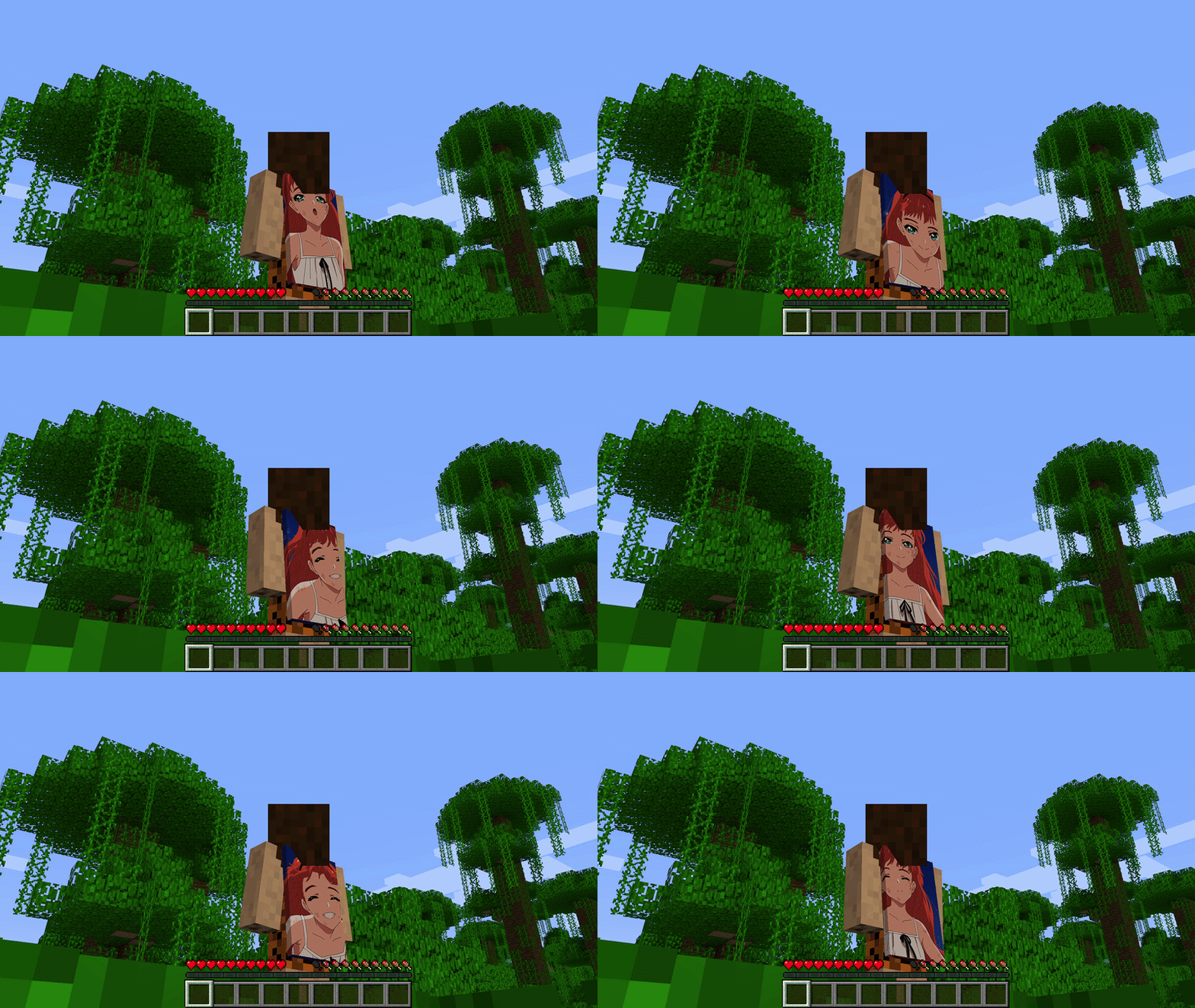
You can open the settings menu with the L key, or with the command /animatedcapes. From there you pick your file, set how fast the animation plays, and turn the effect on or off. Put your GIF, PNG, or JPG files in the animatedcapes folder in your game directory, then select them from the in-game gallery.
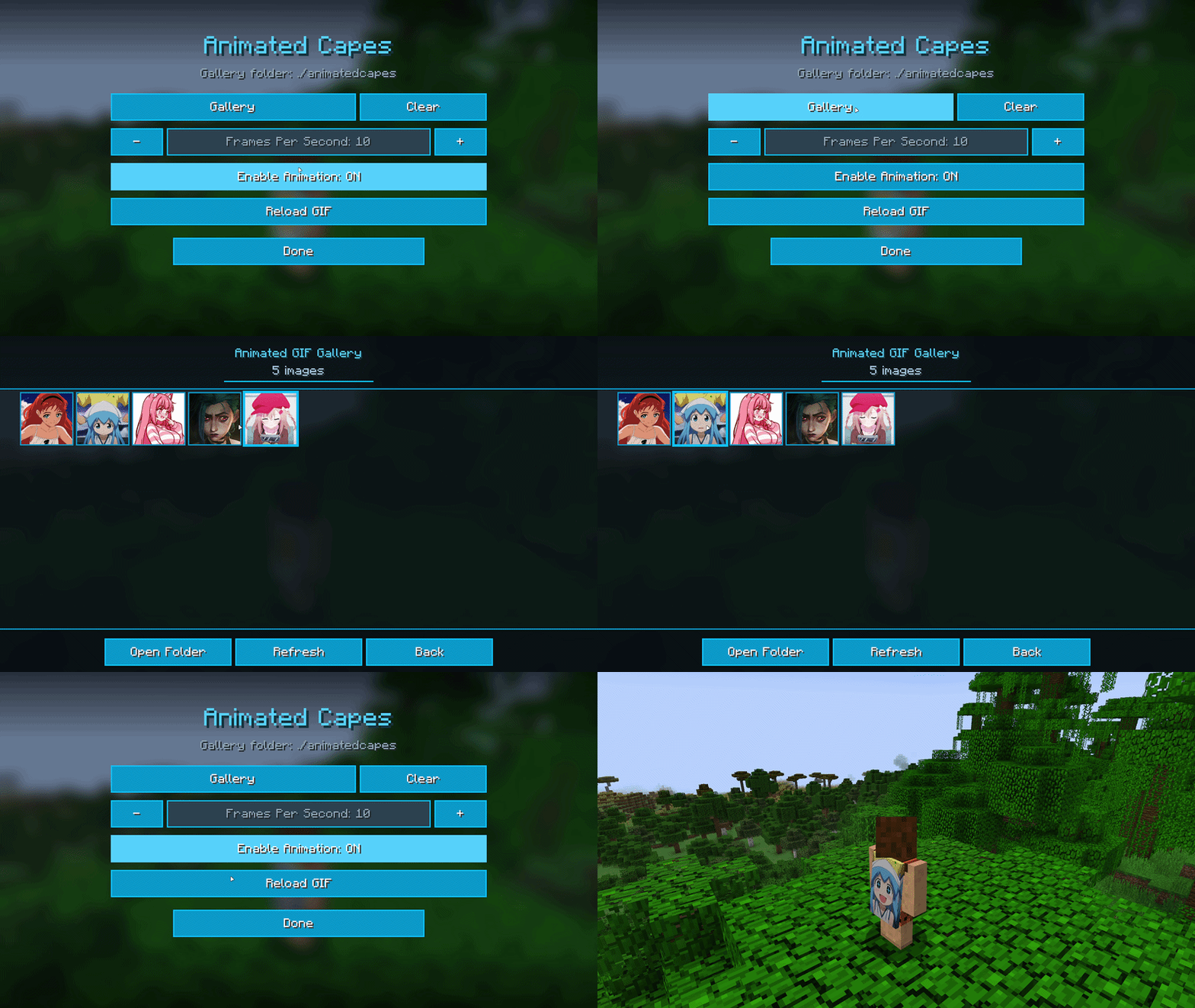
Your chosen cape design appears on both the front and back of the cape. Other players who also have the mod installed can see your animated cape in multiplayer.
The Animated Capes Team